
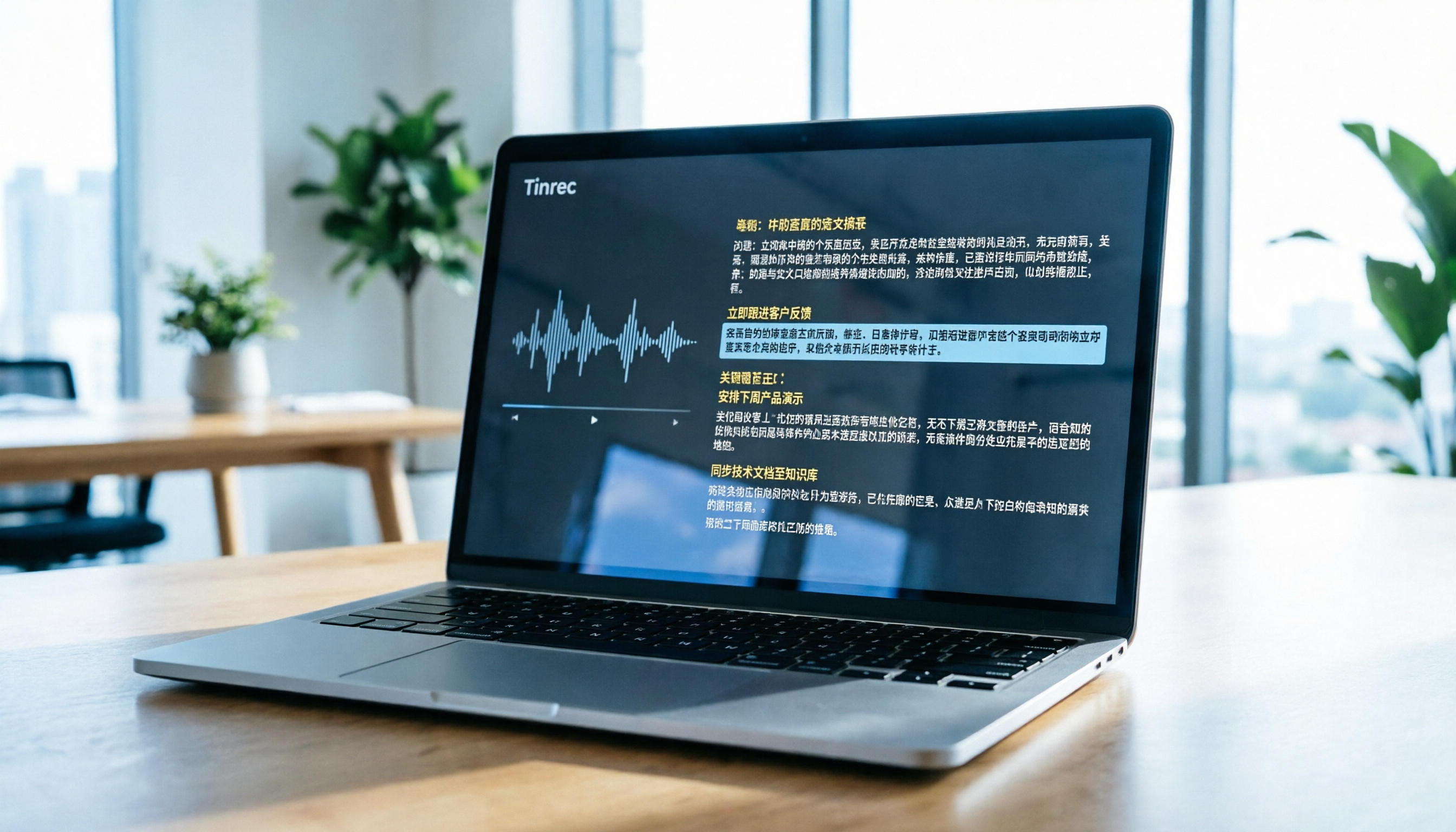
Turn recordings into transcripts and summaries in minutes
Upload audio or video for multilingual transcription, AI notes, and action items
Why Do You Need a "Bilibili AI Video Summarization" Tool?
In the era of information overload, Bilibili is no longer just an entertainment platform but also a key source of knowledge for many professionals and students. However, facing hours-long technical tutorials, industry interviews, or online courses, the traditional "watch and note" method is highly inefficient: you easily miss critical details and struggle to locate key points when reviewing later.
Users searching for "Bilibili AI video summarization" typically face the following pain points:
- High time cost: Unable to quickly determine if the video content meets their needs.
- Low information density: Speech is filled with filler words and lacks structured organization.
- Cross-language barriers: Some quality content lacks Chinese subtitles or mixes Chinese and English, making it hard to understand.
- Knowledge retention difficulties: You forget after watching, unable to turn audio-visual content into searchable text notes.
This article will help you understand how to choose the right AI tool and compare 5 mainstream solutions side by side. We'll focus on language support, summary quality, and whether they offer advanced features like AI chat query. For users who value subsequent knowledge management and action transformation, Tinrec, as an integrated recording, transcription, and AI analysis assistant, provides a solution different from traditional verbatim transcript tools.
Quick Navigation Conclusion:
- If you only need simple subtitle files → Choose cSubtitle or VEED.IO
- If you are a developer with server resources → Choose OpenAI Whisper
- If you need to "understand immediately after watching" and extract action items, with multi-device sync and AI Q&A → Prioritize Tinrec
Who Needs Video Summarization Tools Most? User Segmentation and Needs Analysis
Before choosing a tool, clarify your use case, as it determines which tool is best for you.
1. Students and Self-Learners
- Scenario: Watching programming tutorials, language learning, or exam review videos on Bilibili.
- Needs: Accurate transcripts to highlight key points, preferably with auto-generated chapter summaries for quick review before exams.
2. Professionals and Project Managers
- Scenario: Watching industry trend analyses, competitor introductions, or internal training recordings.
- Needs: Time is precious; they want to see "conclusions" and "action items" directly rather than full text. AI-powered queries to quickly find specific information are a plus.
3. Content Creators and Media Workers
- Scenario: Referencing popular video scripts, organizing interview materials, or creating derivative content.
- Needs: High-accuracy transcription with easy export for editing, plus multi-language recognition for foreign-language content.
5 Key Dimensions for Choosing an AI Video Summarization Tool
With many tools on the market, focus on these core indicators to avoid pitfalls:
- Language support and accuracy: Does it perfectly support Chinese (including Traditional/Simplified), Taiwanese, or mixed Chinese and English? This is the first gate for usability.
- Input flexibility: Does it support pasting video URLs directly? Or must you download the video and upload the file? URL support greatly reduces steps.
- AI summarization and structuring ability: Does the tool only output raw text, or can it auto-generate bullet-point highlights, meeting minutes, or action items?
- Interactive query (AI Chat): Can you ask questions about the video content conversationally? For example, "What are the three main risks mentioned in this video?"
- Cost and free quota: Is the free version sufficient? Is the paid plan per-minute or subscription-based?
Side-by-Side Review of 5 Popular Tools: Tinrec vs. Competitors
Below is a comparison of five representative tools, ranging from open-source models to commercial applications.
| Dimension | Tinrec (Sec Recording) | Notta | Otter.ai | VEED.IO | OpenAI Whisper |
|---|---|---|---|---|---|
| Core positioning | AI recording assistant & knowledge management | Multi-language meeting notes tool | English meeting transcription leader | Online video editing & subtitles | Open-source speech recognition model |
| Language support | Excellent: Chinese, English, Japanese, Korean, Taiwanese, and 5 others | Good: Supports 50+ languages, Chinese is okay | Weak: Primarily English, Chinese is poor | Good: Multi-language subtitle support | Excellent: Supports 99 languages |
| Input method | URL/File/Live recording | URL/File/Live recording | Live recording/File upload | File upload | Requires local deployment or API call |
| AI summarization | Strong: Auto-generates minutes & action items | Yes: Basic summarization | Yes: Key point highlighting | Weak: Subtitles only, no deep summary | No: Only outputs text |
| AI chat query | Supported: Ask questions about content | Partially supported | Supported (English only) | Not supported | Requires custom development |
| Free quota | 100 minutes/month | Limited | Limited | Watermark/length limit | Free (self-hosted hardware required) |
| Target audience | Users who value Chinese accuracy & knowledge conversion | Global team meetings | English-only meeting environments | YouTubers/editors | Developers/tech users |
Stop organizing recordings by hand
Upload audio or video and automatically get a transcript, summary, and action items

Deep Dive: Why Tinrec Has an Edge in Chinese Scenarios?
While Otter.ai has a high global market share, its Chinese support is virtually nonexistent, making it a non-option for Chinese-speaking users. Notta supports multiple languages, but when dealing with complex Chinese-English code-switching or specialized terminology, its accuracy sometimes falls short of tools specialized in Asian languages.
Tinrec differentiates itself by not just doing "transcription" but emphasizing "understanding." Through its built-in AI model, it identifies speaker intent and automatically distinguishes "factual statements" from "decision conclusions." Additionally, Tinrec supports direct video link input, eliminating the need to download the video file, which is very convenient for processing Bilibili or YouTube content.

Hands-On Tutorial: How to Quickly Summarize a Bilibili Video with Tinrec
The following steps show how to transform a Bilibili tutorial video into actionable notes using Tinrec. This workflow applies equally to YouTube, podcasts, or local audio files.
Step 1: Prepare the Video Link or File
Copy the URL of the Bilibili video you want to summarize. If the video cannot be parsed directly via link (depending on platform permissions), you can download the video or audio file first.
Step 2: Import Content into Tinrec
- Log in to Tinrec web version or open the app.
- Select the "Podcast/Web Video to Text" feature entry.
- Paste the video link, or directly upload a local MP3/MP4 file.

Step 3: Automatic Transcription and AI Summary Generation
The system will automatically perform speech recognition. After completion, you will see:
- Full transcript: with timestamps for easy reference to the original audio.
- AI summary: automatically generated chapter highlights and core conclusions.
- Action items: if the video mentions tasks, the system will list them automatically.

Step 4: Deepen Understanding with AI Chat Query
This is the biggest difference from traditional tools. You don't need to re-read the entire transcript from start to finish.
- Enter the "AI Chat Query" interface.
- Type your question, such as: "What was the third optimization tip mentioned by the instructor?" or "Please organize the mind map structure of this video."
- The AI will answer based on the video content in real time and cite the source.

Step 5: Export and Share
Once you have verified the content, you can export the transcript or summary as TXT, DOCX, or PDF, making it easy to save in Notion, Evernote, or share with team members.

Frequently Asked Questions (FAQ): Video Summarization & Transcription Tools
Q1: Does Tinrec directly support Bilibili video link parsing?
Tinrec supports parsing various online video and podcast links. For Bilibili, if the direct link is restricted, it's recommended to download the audio or video file and upload it to get full transcription and summary services.
Q2: Is the free version sufficient? What is the quota?
Tinrec's free version offers up to 100 minutes of recording/transcription per month. For users who occasionally need to summarize short videos or meetings, this is enough for trial and light use. Consider the Basic or Pro plans if your needs are larger.
Q3: Compared to Otter.ai, what advantages does Tinrec have?
Otter.ai performs well for English meeting notes but completely lacks Chinese support. Tinrec is designed for multilingual environments, especially enhancing accuracy for Chinese, Taiwanese, and mixed Chinese-English, making it better suited for Chinese-speaking users.
Q4: Can I upload pre-recorded audio files?
Yes. Tinrec supports the "audio file to text" feature upload common formats like MP3, WAV, M4A, and the system will automatically generate transcripts and AI summaries.
Q5: How accurate are the AI summaries? Will it make things up?
AI summaries are generated based on the actual transcription and aim to extract key points, not to create content. However, for extremely specialized or heavily accented content, it's recommended to cross-check key data against the transcript. Tinrec's AI chat query feature can also help you verify information.
Q6: Is this tool suitable for taking lecture notes?
Absolutely. Students can use their phones to record lectures live and get structured notes and key summaries immediately after class. With AI queries, they can quickly review specific sections, dramatically improving learning efficiency.
Conclusion: How to Make the Final Choice?
The final criterion for choosing a tool depends on how you want to "use" the information.
- If you only need subtitles for video editing, VEED.IO or cSubtitle are good options.
- If you have a technical background and want full data control at zero cost, OpenAI Whisper is a powerful underlying model.
- But if you want to transform audio-visual content into a personal knowledge base and move from "listening" to "doing," then Tinrec, with its AI summaries, action item extraction, and chat query features, will be a more efficient workflow partner. It not only solves the "transcription" problem but also addresses the anxiety of "can't read all, can't remember, can't use."
We recommend trying Tinrec's free quota to experience its workflow, observe if the AI summary matches your thinking habits, and then decide whether to upgrade for higher usage needs.
Turn every recording into actionable outcomes
Get 60 free transcription minutes when you sign in. No credit card required.
Related Reading
You might also like

2026 Audio-to-Text Comparison: Tinrec vs Otter.ai for Chinese Meetings & Team Knowledge
How to choose an audio-to-text tool in 2026? This article compares Tinrec and Otter.ai across 5 dimensions: Chinese meeting transcription, bot-free online meeting capture, audio file organization, post-meeting workflows, and team data governance. Based on public features and pricing, it helps you decide which is better suited for meeting notes needs in Taiwan.

How to Choose an Online Audio-to-Text Tool in 2026: 5 Steps to Pick the Right One and Get a Transcript
How do you choose an online audio-to-text tool? This article reviews 6 online options—Tinrec, MyEdit, cSubtitle, CyberLink, Yating Transcript, and Monica—comparing free quotas, Chinese recognition, export formats, and team collaboration. It also walks you through 5 steps to turn an audio file into a transcript.

2024 Review of 4 Audio-to-Text Tools: Which Saves the Most Time on Chinese Meeting Transcripts and AI Summaries?
The 2024 audio-to-text comparison isn't just about transcription speed—it's about whether the tool can organize your meeting notes afterward. Based on real meetings and interviews, this review compares Tinrec, Notta, Granola, and PLAUD on audio sources, transcripts, AI summaries, action items, team collaboration, and pricing limits to help you choose the right tool.

4 Free Online Audio-to-Text Tools Compared (2026): Which Offers the Best Free Tier and Chinese Recognition?
A comparison of Tinrec, MyEdit, cSubtitle, and Monica's free online audio-to-text offerings, covering free quotas, Chinese recognition, export formats, and post-meeting AI organization to help you decide which suits meetings, interviews, and subtitles.

4 Free AI Audio-to-Text Tools Tested: Which Free Tier Is Enough in 2026?
There are many free AI audio-to-text tools, but free quotas, single-recording length limits, Chinese recognition, and post-meeting organization capabilities vary widely. This article compares the free plans and use cases of 4 tools, using Tinrec's no-bot recording, AI Q&A, and team spaces as selection references.

2026 Comparison of 2 Online Audio-to-Text Tools: Tinrec vs Otter.ai — Which Is Better for Chinese Meetings?
Starting from common misconceptions, this comparison examines Tinrec and Otter.ai in Chinese meetings, bot-free recording, post-meeting organization, real-time translation, and team data retention to help you decide which online audio-to-text tool fits your daily work.

2026 Comparison of 2 Audio-to-Text Platforms: Free Tiers, Chinese Recognition, and Post-Meeting Organization at a Glance
A side-by-side comparison of Tinrec and Notta across free tiers, Chinese recognition, online meeting recording, post-meeting organization, and team collaboration, helping you decide whether the free version is enough and when to upgrade.

iPhone Voice Memos vs Tinrec in 2026: 5-Dimension Comparison — Is Free Transcription Enough?
iPhone's built-in Voice Memos can now transcribe recordings for free, so do you still need a separate tool? This article compares iPhone's built-in features with Tinrec across 5 practical dimensions and honestly explains where the free limits are, helping you decide which approach fits your meeting volume.

4 Free Audio-to-Text Tools Tested for 2026: Which Free Tier Is Actually Enough?
There are plenty of free audio-to-text tools, but few can handle a full meeting. This hands-on comparison tests the free plans of Tinrec, Otter.ai, Notta, and TurboScribe—breaking down how limits are calculated, transcript post-processing, audio retention, and team collaboration—to help you decide which free version is truly usable.