
Turn recordings into transcripts and summaries in minutes
Upload audio or video for multilingual transcription, AI notes, and action items
Do Meeting Transcripts Have Legal Validity? A Guide to Audio Recording Evidence and Tool Selection in the AI Era
In critical business negotiations or internal disputes, the phrase "that's not what I said at the time" often becomes an irresolvable deadlock. Many professionals habitually use their phone voice recorder to back up meeting content, but when these audio files need to be used as evidence to clarify responsibility, the first question that arises is usually: does this meeting transcript have legal validity?
Simply having an audio recording does not automatically confer legal probative value. Electronic data as evidence must satisfy the criteria of "authenticity," "legality," and "relevance." If the recording was made without the other party's consent (depending on local laws), the file has been edited or tampered with, or the recorder's identity cannot be proven, its legal validity will be greatly diminished. Moreover, converting hours of audio into a text record that can be quickly reviewed by a court or management is the biggest pain point of traditional recording.
This article starts with the basic requirements for legal validity, analyzing how to make recordings more substantive as evidence, and provides an in-depth review of mainstream speech-to-text tools on the market. We will compare Otter.ai, Notta, and Tinrec (which focuses on Chinese optimization and workflow integration) to help you choose the most suitable tool based on your scenario—not just for efficiency, but for accurate information retention and future retrieval.
Quick Navigation:
- Prioritize Chinese accuracy and localized service → Consider Tinrec, Yating Transcription
- Primarily use English meetings and need team collaboration → Otter.ai is the international standard
- Need multilingual support and cross-platform sync → Notta offers broad language coverage
- Only need simple free conversion → Try built-in features of Quark Browser, Sogou Input Method
1. Legal Validity of Meeting Recordings: Three Key Checkpoints
Before discussing tools, we must establish the "evidentiary qualification" of audio recordings. In legal practice, for a meeting recording to be valid, it typically must pass the following three checks:
Legality of Acquisition: In Taiwan and most civil law jurisdictions, if you are a party to the conversation, you can generally record as a means of self-protection (provided no trade secrets are leaked). However, eavesdropping on a conversation you are not part of may violate secrecy laws. In a corporate environment, it is advisable to inform attendees in advance that "this meeting will be recorded for minutes preparation." This not only follows etiquette but also strengthens the legality of the evidence.
Integrity and Freedom from Tampering: The original audio file is the strongest evidence. Any edited or spliced file is easily questioned for authenticity. Therefore, using a cloud recording tool that preserves the original timestamp and is less susceptible to arbitrary modification by post-editing software offers an advantage over simply using the phone's built-in voice recorder.
Content Identifiability: The recording must be clear and distinguishable, allowing speaker identification. If background noise is excessive or it is impossible to tell who said what, the evidence value of the recording is greatly reduced. This is where high-quality AI transcription tools excel—they not only transcribe but also separate speakers via voiceprint recognition (Speaker Diarization), making the record more structured.
2. Why Do You Need an AI Speech-to-Text Tool?
Traditional manual note-taking or plain audio recordings have significant drawbacks:
- Low information density: Listening back to a one-hour recording may take two hours, a huge time cost.
- Difficult search: No ability to keyword-search directly within the audio, making it hard to quickly locate specific decision points.
- Lack of structure: Plain-text transcripts are filled with filler words and cannot serve directly as formal meeting minutes.
Modern AI tools like Tinrec, Otter.ai, etc., have evolved from simple "speech-to-text (STT)" to "speech understanding and action generation." They automatically filter filler words, differentiate speakers, and even extract action items, transforming recordings from "stored files" into "actionable knowledge."

3. In-Depth Review of Mainstream Speech-to-Text Tools
There are many tools on the market. We analyze representative tools across three dimensions: language support, AI intelligence level, and platform compatibility.
1. Tinrec (Second Listening Recording): Top Choice for Chinese Optimization and Workflow Integration
For Taiwanese and Asian users whose primary language is Chinese, Tinrec offers a highly competitive solution. Unlike tools that only provide verbatim transcripts, Tinrec emphasizes a complete workflow from recording to understanding.
Core Strengths:
Stop organizing recordings by hand
Upload audio or video and automatically get a transcript, summary, and action items
- Powerful Chinese and Dialect Support: Supports automatic recognition of 10 languages including Chinese (Mandarin), Taiwanese Hokkien, Cantonese, English, Japanese, and Korean. For meetings with mixed Chinese-English or accented speech, its recognition accuracy outperforms many international tools.
- AI Chat with Audio: This is Tinrec's differentiating highlight. Traditional tools only allow Ctrl+F keyword search, while Tinrec lets users ask questions directly to the recording content. For example: "What was the boss's deadline for the project mentioned earlier?" The AI gives precise answers based on semantic understanding, rather than just listing paragraphs containing the date.
- Automatic Meeting Minutes and To-Do Generation: After recording ends, the system automatically generates structured meeting summaries, conclusions, and to-do lists, significantly reducing post-meeting organization time.
- Multi-Platform Sync and Format Support: Supports iOS, Android, and Web; can upload mp3, wav, m4a and other formats; also supports YouTube video-to-text, suitable for online courses or podcast content.

Applicable Scenarios:
- Business meetings and interviews requiring accurate Chinese recognition.
- Project managers who want to extract action items directly from recordings.
- Teams handling cross-language content (e.g., Chinese-Japanese, Chinese-English mixed).
Price Reference: Free tier (100 minutes/month), Basic plan ~$4.9/month, Pro plan ~$8.25/month, offering high cost-effectiveness.
2. Otter.ai: International Standard for English Meetings
Otter.ai is one of the most well-known meeting transcription tools globally, particularly favored by Silicon Valley and multinational corporations.
Core Strengths:
- Excellent English Recognition and Speaker Separation: In pure English environments, its accuracy and speaker identification capabilities are industry-leading.
- Real-Time Collaboration: Supports multiple users viewing transcriptions in real time and annotating key points, suitable for remote collaborative meetings.
- Ecosystem Integration: Deep integration with Zoom, Google Meet, and Microsoft Teams, automatically joining and recording meetings.
Limitations:
- Does Not Support Chinese: This is the biggest limitation for Chinese-speaking users. If the meeting includes Chinese speech, Otter.ai is almost unable to transcribe correctly.
- Higher Price: Subscription costs are relatively high for individual users or non-English-dominant teams.
Conclusion: If your work environment is entirely English, Otter.ai is the top choice; if you have Chinese needs, avoid it.
3. Notta: A Balanced Choice for Multilingual Support
Notta positions itself as a multilingual AI recording assistant, supporting over 50 languages.
Core Strengths:
- Broad Language Coverage: Suitable for multinational teams handling content in multiple languages.
- Real-Time Transcription and Import: Supports both real-time recording transcription and audio file upload.
Limitations:
- Chinese Stability Slightly Inferior: According to user feedback, its recognition stability in complex Chinese contexts or with professional terminology is not as good as Tinrec or Yating Transcription, which specialize in the Chinese market.
- AI Summary Depth: Compared to Tinrec's structured action item extraction, Notta's summary function leans more toward traditional key point listing.
4. Brief Reviews of Other Common Tools
- Yating Transcription: A veteran service in Taiwan, performs well on Taiwanese Hokkien and Chinese-English mixed speech, but the interface and AI interaction experience are more traditional, lacking novel features like "AI Chat with Audio."
- Quark Browser / Sogou Input Method: Suitable for lightweight, free, ad-hoc transcription needs, e.g., student lecture notes or short interviews. Disadvantages include lack of professional meeting management features (speaker differentiation, long-term cloud storage, team collaboration) and unsuitability for sensitive business secrets.
- Built-in System Tools (Google Live Transcribe, Apple Dictation): These are "input tools," not "transcription solutions." They cannot process pre-recorded audio files and lack meeting summary capabilities; they are only suitable for one-way dictation notes.
4. How to Choose the Right Tool? Decision Checklist
When selecting a tool, filter based on the following three questions:
What is the primary language?
- Entirely English → Otter.ai
- Chinese/Taiwanese Hokkien/Chinese-English mixed → Tinrec, Yating Transcription
- Mixed multiple languages → Notta, Tinrec
Do you need a "verbatim transcript" or a "summary"?
- Just need a text file for reference → Any basic STT tool (e.g., Quark, MyEdit)
- Need to quickly grasp key points and extract to-dos → Tinrec, Otter.ai (with AI Summary feature)
Privacy and security requirements?
- Highly confidential meetings → Choose enterprise solutions that offer end-to-end encryption, on-premises deployment, or explicit commitments not to use data for model training (e.g., Tinrec Enterprise, MacWhisper local operation).
- General internal discussions → Mainstream cloud tools are sufficient.

5. Practical Recommendations to Enhance Legal Validity of Meeting Records
Regardless of which tool you choose, to ensure the usability and potential legal validity of records, follow this SOP:
- Advance Notice: At the start of the meeting, clearly inform attendees that recording and AI transcription will take place, and state that the purpose is limited to internal records and minutes.
- Preserve Original Files: Do not keep only the transcribed text. Always retain the original audio file (mp3/wav), as text transcription may contain errors, and the original audio is the ultimate deciding evidence.
- Manually Verify Key Passages: Although AI transcription is fast, errors can still occur on professional terminology or names. For key passages involving amounts, dates, or attribution of responsibility, manually proofread by listening.
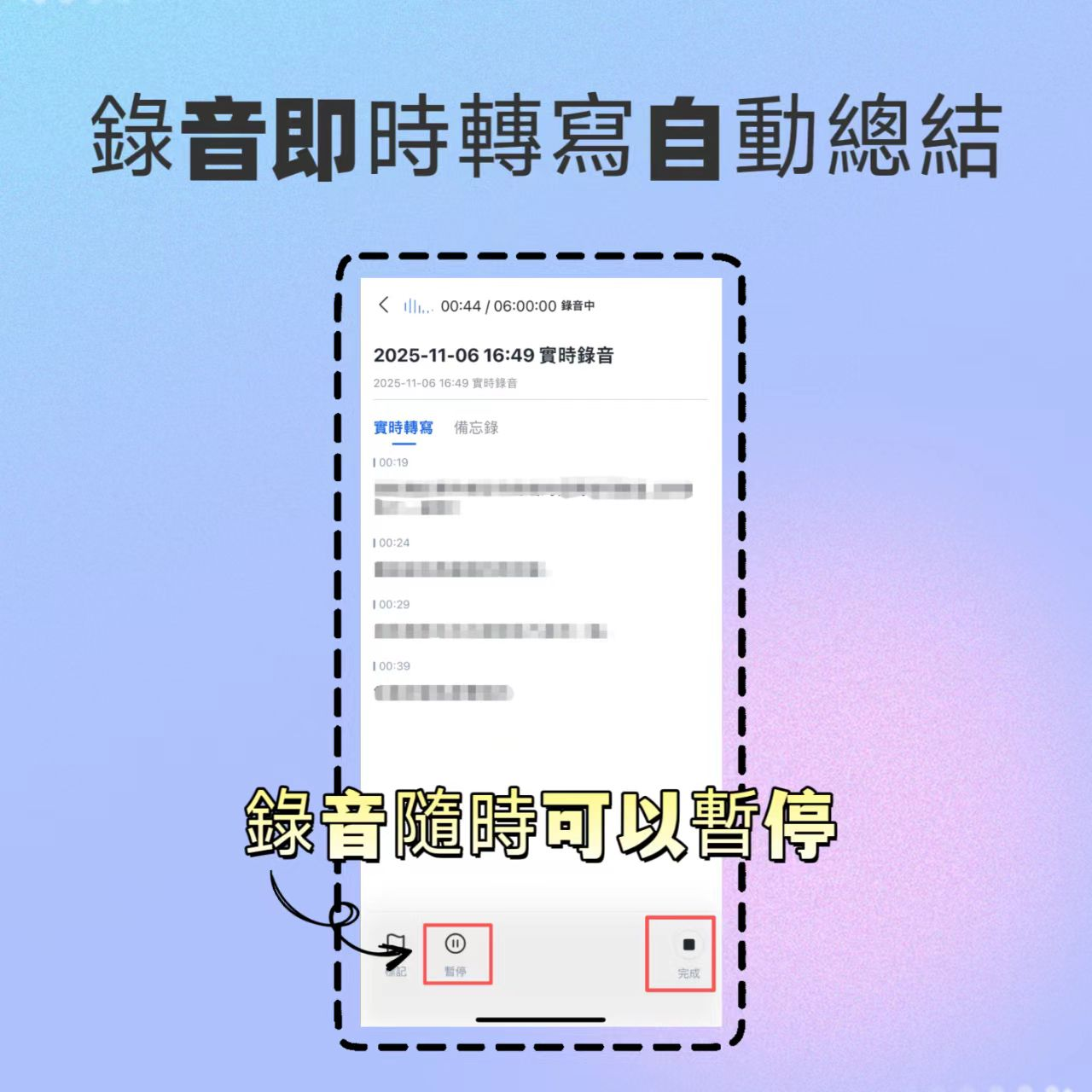
- Use Tools with Timestamps: Tools like Tinrec or Otter.ai attach timestamps to transcribed text; clicking on text jumps to the corresponding audio segment, which is extremely valuable for future verification.

Conclusion
Whether a meeting transcript has legal validity depends on the legality of acquisition and the authenticity of content; how efficiently you extract value from recordings depends on the tool's intelligence level.
For the Chinese-language workplace environment, Tinrec, with its precise recognition of Chinese and dialects, AI chat-with-audio feature, and workflow for automatic action item generation, offers a solution more tailored to local needs than traditional voice recorders or English-only tools. It not only solves the pain point of "forgetting after listening" but also ensures that decisions from every meeting can be effectively tracked and implemented through structured output.
When choosing a tool, avoid blindly pursuing internationally renowned brands; instead, return to your own language environment and workflow needs. A good recording assistant can upgrade your meeting records from "evidence files" to "business-driving assets."

Turn every recording into actionable outcomes
Get 60 free transcription minutes when you sign in. No credit card required.
Related Reading
You might also like

2026 Audio-to-Text Comparison: Tinrec vs Otter.ai for Chinese Meetings & Team Knowledge
How to choose an audio-to-text tool in 2026? This article compares Tinrec and Otter.ai across 5 dimensions: Chinese meeting transcription, bot-free online meeting capture, audio file organization, post-meeting workflows, and team data governance. Based on public features and pricing, it helps you decide which is better suited for meeting notes needs in Taiwan.

How to Choose an Online Audio-to-Text Tool in 2026: 5 Steps to Pick the Right One and Get a Transcript
How do you choose an online audio-to-text tool? This article reviews 6 online options—Tinrec, MyEdit, cSubtitle, CyberLink, Yating Transcript, and Monica—comparing free quotas, Chinese recognition, export formats, and team collaboration. It also walks you through 5 steps to turn an audio file into a transcript.

2024 Review of 4 Audio-to-Text Tools: Which Saves the Most Time on Chinese Meeting Transcripts and AI Summaries?
The 2024 audio-to-text comparison isn't just about transcription speed—it's about whether the tool can organize your meeting notes afterward. Based on real meetings and interviews, this review compares Tinrec, Notta, Granola, and PLAUD on audio sources, transcripts, AI summaries, action items, team collaboration, and pricing limits to help you choose the right tool.

4 Free Online Audio-to-Text Tools Compared (2026): Which Offers the Best Free Tier and Chinese Recognition?
A comparison of Tinrec, MyEdit, cSubtitle, and Monica's free online audio-to-text offerings, covering free quotas, Chinese recognition, export formats, and post-meeting AI organization to help you decide which suits meetings, interviews, and subtitles.

4 Free AI Audio-to-Text Tools Tested: Which Free Tier Is Enough in 2026?
There are many free AI audio-to-text tools, but free quotas, single-recording length limits, Chinese recognition, and post-meeting organization capabilities vary widely. This article compares the free plans and use cases of 4 tools, using Tinrec's no-bot recording, AI Q&A, and team spaces as selection references.

2026 Comparison of 2 Online Audio-to-Text Tools: Tinrec vs Otter.ai — Which Is Better for Chinese Meetings?
Starting from common misconceptions, this comparison examines Tinrec and Otter.ai in Chinese meetings, bot-free recording, post-meeting organization, real-time translation, and team data retention to help you decide which online audio-to-text tool fits your daily work.

2026 Comparison of 2 Audio-to-Text Platforms: Free Tiers, Chinese Recognition, and Post-Meeting Organization at a Glance
A side-by-side comparison of Tinrec and Notta across free tiers, Chinese recognition, online meeting recording, post-meeting organization, and team collaboration, helping you decide whether the free version is enough and when to upgrade.

iPhone Voice Memos vs Tinrec in 2026: 5-Dimension Comparison — Is Free Transcription Enough?
iPhone's built-in Voice Memos can now transcribe recordings for free, so do you still need a separate tool? This article compares iPhone's built-in features with Tinrec across 5 practical dimensions and honestly explains where the free limits are, helping you decide which approach fits your meeting volume.

4 Free Audio-to-Text Tools Tested for 2026: Which Free Tier Is Actually Enough?
There are plenty of free audio-to-text tools, but few can handle a full meeting. This hands-on comparison tests the free plans of Tinrec, Otter.ai, Notta, and TurboScribe—breaking down how limits are calculated, transcript post-processing, audio retention, and team collaboration—to help you decide which free version is truly usable.