
Turn recordings into transcripts and summaries in minutes
Upload audio or video for multilingual transcription, AI notes, and action items
Why Do You Need a YouTube Video to Transcript Tool?
In an era of exploding video content, we consume tons of YouTube videos every day—whether online courses, product launches, or in-depth interviews. However, "time" is the biggest pain point. A 1-hour high-value video may contain only 10 minutes of true essence. Watching from start to finish or repeatedly scrubbing the timeline to take handwritten notes is extremely inefficient.
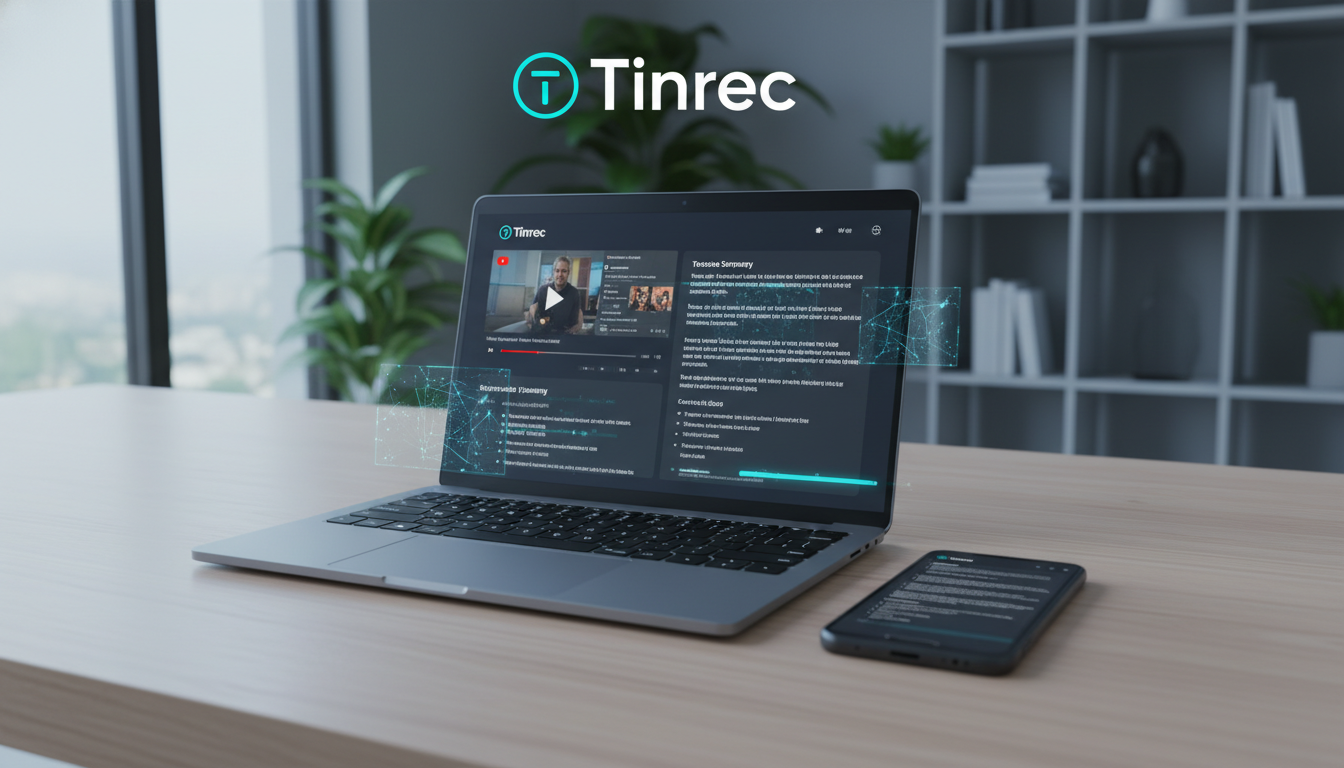
Moreover, many quality videos lack CC (Closed Captions) subtitles, or even if they have subtitles, they cannot be exported, causing a gap when organizing information. Converting video to a "transcript" is not just for reading—it enables:
- Quick Search: Instantly locate key segments via keyword search.
- Knowledge Extraction: Transform linear video into structured notes and action items.
- Repurposing: Quickly generate article drafts or scripts for content creators.
This article reviews 4 popular tools (NotebookLM, MacWhisper, Glasp, tactiq.io) and introduces an emerging tool that integrates "understanding and action"—Tinrec—to help you find the best solution.
Review of 4 Popular AI Transcript Tools
Based on feedback from AppleRen and community users, here is an analysis of the current mainstream tools:
1. NotebookLM: Google's Knowledge Organization Powerhouse
- Best For: Academic research, multi-source data integration, mind mapping.
- Core Strengths: No installation needed; cloud processing is very fast (an 8-minute video in under 1 minute). Its biggest feature is not relying on the video's original subtitles—even without CC, it can transcribe using Google's model. It also generates voice summaries and mind maps, ideal for students.
- Potential Limitations: Occasionally fails to transcribe extremely long videos (e.g., multi-hour live stream archives).
2. MacWhisper: A Local Performance Beast for Mac Users
- Best For: Mac users prioritizing privacy and high-accuracy Chinese recognition.
- Core Strengths: An app that directly utilizes Mac local hardware performance. It supports YouTube videos (with or without CC subtitles), meeting recordings, audio files, and more. The Pro version uses the powerful Whisper model, offering excellent Traditional Chinese recognition and speaker diarization.
- Potential Limitations: Only available on macOS. Since models are local, high accuracy may require significant disk space and computing resources.
3. Glasp: A Community Note-Taking Browser Extension
- Best For: Lightweight users who prefer taking notes in the browser while watching.
- Core Strengths: Supports Chrome and Safari; generates a transcript directly on the YouTube page, no need to switch windows. Can generate AI summaries.
- Potential Limitations: Heavily relies on subtitles. The video must have CC or auto-generated English subtitles, otherwise it won't work.
4. tactiq.io: Real-Time Assistant for Online Meetings and Videos
- Best For: Organizing English-focused meetings or videos.
- Core Strengths: No software install; paste URL to generate. Supports timestamps for subtitle files.
- Potential Limitations: Strict subtitle requirements; limited support for Chinese videos, primarily strong for English and Latin languages.
In-Depth Tinrec Review: From "Recording" to "Action"—A Complete Workflow
Among the above tools, we found a common gap: most tools stop at "outputting text," but users really need "actionable insights." This is the key differentiator for Tinrec (秒聽錄音).
Tinrec is not just a transcription tool; it emphasizes a complete loop from "recording to understanding to action." For cross-platform (mobile/desktop) workers, it offers a more flexible option.

1. Deep Parsing for YouTube & Podcasts
Unlike Glasp, Tinrec does not rely on CC subtitles. Simply paste a YouTube or Podcast link, and Tinrec processes the audio directly. This means even Chinese interview videos without subtitles can be accurately transcribed into Traditional Chinese.
Stop organizing recordings by hand
Upload audio or video and automatically get a transcript, summary, and action items
2. Auto-Generated "Action Items" & "Decision Summaries"
Traditional transcripts are long blocks of text that are still laborious to read. Tinrec's AI automatically analyzes the content and generates:
- Meeting Minutes: Structured key points.
- Action Items: Directly lists "what to do next" or "key conclusions" mentioned in the video.

3. AI Chat Query: "Ask" Questions to the Video
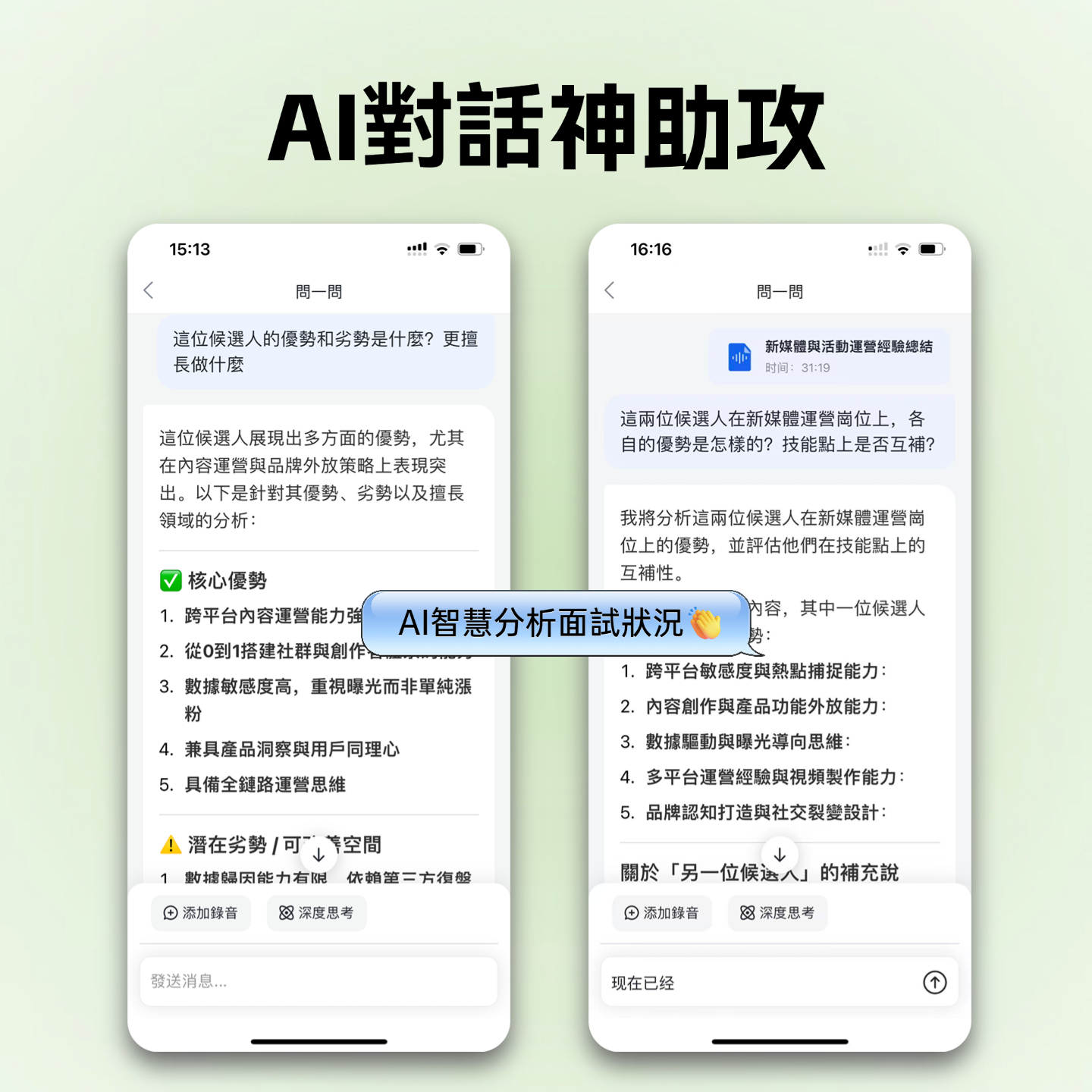
This is Tinrec's most differentiating feature. For a 2-hour lecture video, instead of keyword searching, you can ask the AI in natural language:
"What are the 3 SEO trend recommendations for 2026 mentioned by the speaker?"
Tinrec will answer based on the recording content, boosting information retrieval efficiency many times over.

4. Multi-Platform Real-Time Recording Sync
In addition to transcribing videos, Tinrec itself is a powerful voice recording app. It supports iOS, Android, and Web. Recordings from physical meetings or classes on your phone can be instantly transcribed and synced to the web version for editing—a cross-device experience that MacWhisper (desktop only) cannot easily achieve.
Comprehensive Spec Comparison Table of 5 Tools
| Category | Tinrec (秒聽錄音) | NotebookLM | MacWhisper | Glasp | tactiq.io |
|---|---|---|---|---|---|
| Platform Support | iOS, Android, Web | Web (Browser) | macOS (App) | Chrome/Safari Extension | Chrome Extension/Web |
| No Subtitle Video Support | ✅ Yes (AI Speech Recognition) | ✅ Yes | ✅ Yes | ❌ Requires CC subtitles | ❌ Requires CC subtitles |
| Chinese Recognition Accuracy | ⭐⭐⭐⭐⭐ (High) | ⭐⭐⭐⭐ | ⭐⭐⭐⭐⭐ (Depends on model) | ⭐⭐⭐ (Depends on YouTube) | ⭐⭐ |
| Summaries & Action Items | ✅ Meeting minutes + Action list | ✅ Key summary + Mind map | ❌ (Primarily transcription) | ✅ Simple summary | ✅ Key summary |
| Standout Feature | AI Chat Query, Cross-device sync | Multi-source import, Fast | On-device computing, Privacy | Browser sidebar view | Good for online meetings |
| Free Plan | Free: 100 min/month | Completely free | Free version / Pro paid | Free | Free version with limits |
Hands-On Tutorial: How to Quickly Organize a YouTube Video with Tinrec
If you want to quickly organize a YouTube professional interview without subtitles—on your phone during commute or at your desk—follow these steps:
Step 1: Get the Video Link
Go to YouTube and copy the URL of the video you want to organize.

Step 2: Import into Tinrec for Parsing
Log in to Tinrec web version or open the app, select the "Podcast/Online Video to Text" feature, and paste the link. The system will automatically start downloading audio and transcribing.

Step 3: View Transcript & Summary
After transcription, you'll see a full transcript with speaker diarization. Click the "AI Summary" button at the top, and Tinrec will instantly generate structured notes and action items.
Step 4: Use AI Chat to Dig into Details
If the video is long and you only want specific info, click the "AI Chat" icon in the bottom right corner.
- Example prompt: "Please list the pros and cons of the 4 AI tools mentioned by the speaker."
AI will answer based on the video content, saving you from re-listening.
Frequently Asked Questions (FAQ)
Q1: Why can't some tools transcribe certain YouTube videos?
This is usually because the tool (e.g., Glasp or tactiq.io) relies on YouTube's CC subtitle system. If the uploader didn't provide subtitles or didn't enable auto-captions, these extensions won't work. In such cases, use tools with independent speech recognition models like Tinrec or MacWhisper.
Q2: Which tool has the best Traditional Chinese recognition?
MacWhisper (using the Large model) and Tinrec both perform excellently. Tinrec is particularly optimized for mixed languages (e.g., Chinese-English tech content) and also supports Taiwanese and Cantonese recognition.
Q3: Can these tools be used on mobile?
Most Chrome extension tools don't work perfectly on mobile browsers. For mobile needs, Tinrec (iOS/Android app) and NotebookLM (mobile web version) are better choices, with Tinrec offering a more native and smooth app experience.
Q4: For students wanting to organize class recordings, which one do you recommend?
If recording is allowed in class, we recommend Tinrec. It can record and transcribe in real-time during class, and generate key review points afterward—no need to upload files later. For online course videos, NotebookLM's mind map feature is also helpful.
Q5: What are the usage limits for free plans?
- NotebookLM: Completely free.
- Tinrec: Free plan offers 100 minutes of transcription per month, sufficient for light users; Basic plan ($4.9/month) provides 600 minutes.
- MacWhisper: Free version (limited model size), Pro is a one-time purchase.
Q6: Can I export as SRT subtitle files?
Yes, Tinrec and MacWhisper both support exporting SRT format with timestamps, which is very convenient for content creators who want to edit long videos into shorts with subtitles.
Turn every recording into actionable outcomes
Get 60 free transcription minutes when you sign in. No credit card required.
Related Reading
You might also like

Best AI Meeting Notes App? 2026 Test: Tinrec vs Otter for Chinese Meetings
Choosing between Tinrec and Otter.ai for online meeting notes? This comparison covers 5 areas: Chinese transcription, online meeting recording, post-meeting output, team governance, and pricing. We list free tiers and paid prices to help you decide which fits your meeting style.

2024 Comparison of 3 Smart Meeting Notes Apps: Which One Turns a One-Hour Meeting into a Five-Minute Read?
Most people only look at free minutes when choosing smart meeting notes software, and meetings still go unrecorded. This article addresses three common misconceptions and walks through Tinrec's complete five-step workflow—recording, transcription, proofreading, generating meeting notes, and exporting/sharing—then compares it with Notta and Granola's use cases to help you decide which workflow truly saves that hour after the meeting.

Tinrec vs Notta 2026: 5-Dimension Comparison of AI Meeting Notes Apps for Chinese-Language Scenarios
There are countless meeting notes apps, but the first thing to determine is whether you need a verbatim transcript or data you can directly use after the meeting. This article focuses on Tinrec and Notta, breaks down 5 purchasing dimensions, and also covers the positioning and pricing of Otter.ai, Granola, and PLAUD to help you choose the AI meeting notes app that fits your meeting style.

2026 Comparison of 5 Online AI Meeting Notes Tools: No Meeting Bots—Which One Actually Gets the Post-Meeting Work Done?
Moving meeting notes online isn't about which tool has the most features—it's about how meetings get captured. From the perspective of a mid-level manager with 15 meetings a week, I tested 5 online AI meeting notes approaches, comparing capture methods, summary and action item quality, Chinese recognition, team governance, and quota structures. I also explain why I ultimately kept Tinrec and where its limitations lie.

2026 Smart Meeting Notes Software Comparison: Chinese Recognition, Post-Meeting Organization, and Free Tiers Tested
We tested four smart meeting notes apps, comparing Chinese recognition, post-meeting summaries and action items, free tiers, and team knowledge retention. Tinrec (Miao Ting Lu Yin) stands out with desktop bot-free recording, AI Q&A, and team spaces. The article includes pricing and use cases for each app.

2026 Smart Meeting Notes Software Comparison: Which One's Output Is Ready to Use?
Meeting notes aren't just about typing—they're about post-meeting organization and follow-up. This article compares Tinrec, Otter.ai, Granola, and PLAUD Note across four dimensions: output format, audio capture method, post-meeting processing, and team knowledge retention. It also includes a ready-to-use meeting notes template and a guide to avoiding common pitfalls.

4 Free AI Meeting Notes Apps Tested: Is the Free Tier Enough?
There are plenty of free AI meeting notes apps, but few can actually deliver a finished record right after a meeting. This article tests Tinrec, Otter.ai, Notta, Granola, and TurboScribe across four dimensions—free tier limits, online meeting audio capture, post-meeting organization, and AI Q&A—to help you decide which free version is truly sufficient.

2026 AI Meeting Notes Apps Free Plans Compared: 5 Options Reviewed
There are many free AI meeting notes apps, but they differ greatly in recording time limits, whether they can record online meetings, and what you get beyond transcription. This article uses the criterion of 'can the free plan handle a complete meeting?' to review five common options and explains Tinrec's actual performance in Chinese meetings, bot-free recording, and team knowledge retention.

2026 Smart Meeting Notes Apps Compared: How Tinrec Turns Meetings into Queryable Team Data
Starting from common misconceptions, this article explains why getting only a transcript doesn't solve the meeting notes problem. It focuses on Tinrec and compares Notta, PLAUD, and Granola in terms of meeting capture methods, post-meeting outputs, Chinese language experience, and team data retention. It concludes with purchasing considerations and FAQs.