
Turn recordings into transcripts and summaries in minutes
Upload audio or video for multilingual transcription, AI notes, and action items
After a one-hour meeting, do you often find yourself with messy notes, forgetting who said what, and worst of all, no clear conclusions or next steps?
This isn't just a memory issue—it's an information organization nightmare. For project managers, administrative staff, or teams that meet frequently, automatic action item extraction has become the most important criterion when choosing an AI meeting tool. You don't need a tens-of-thousands-word transcript; you need a clear list of who needs to do what by when.
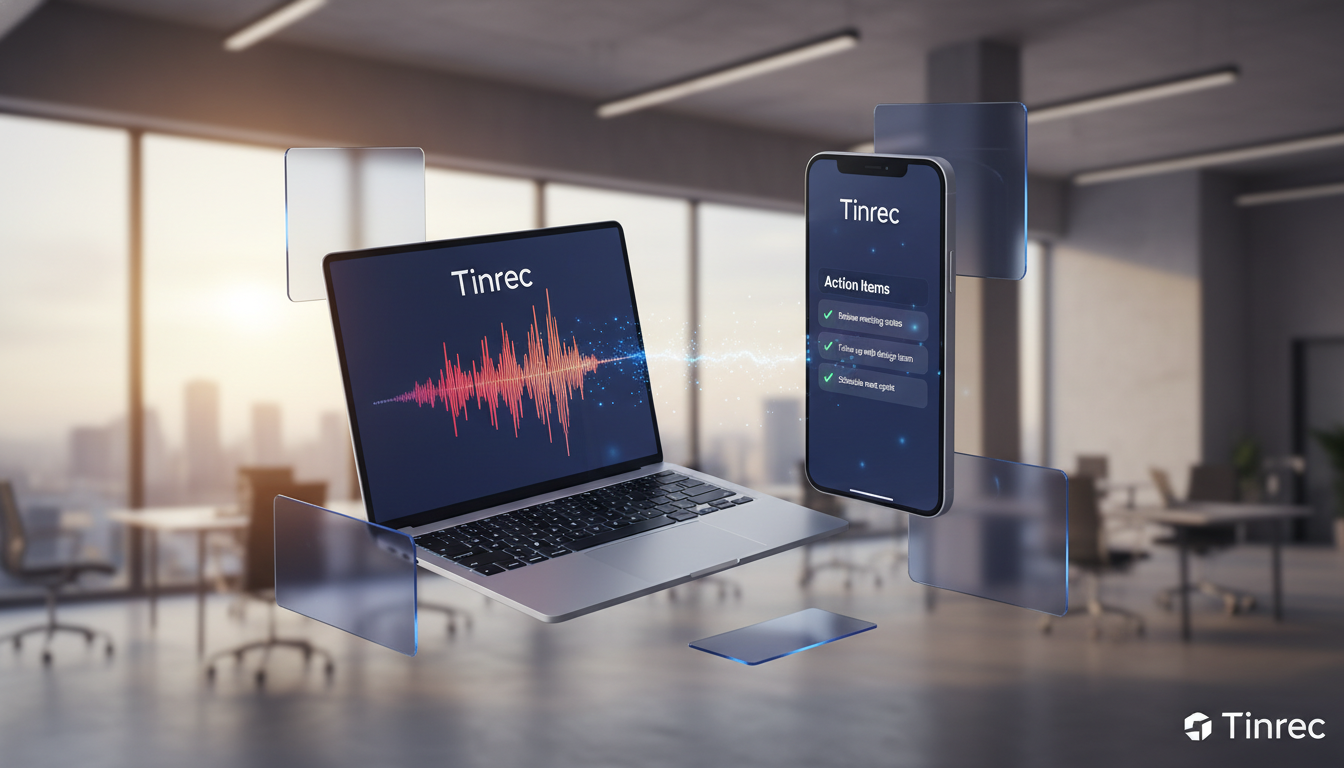
This article reviews the leading solutions on the market in 2026 to help you make a quick choice:
- If you're a heavy Zoom user: Prioritize Zoom AI Companion.
- If you primarily speak English: Otter.ai is the veteran leader.
- If you need accurate Chinese/multilingual recognition and on-the-go mobile recording: Tinrec (秒聽錄音) has unique advantages in cross-language support and mobile experience.
Why You Need AI to Auto-Extract Action Items: 3 Pain Points of Traditional Notes
Before diving into tool recommendations, let's clarify why traditional voice recorders or handwritten notes are no longer sufficient:
- Low information density, high review cost: A traditional recording is a "black box." To find a specific decision point, you often have to re-listen for half an hour, wasting more time than the meeting itself.
- Human memory is unreliable: Listening and writing at the same time makes it easy to miss details, especially in multi-party conversations where it's hard to capture both what was said and assigned tasks.
- Lack of accountability: Without an immediate action list after the meeting, everyone forgets the decisions within two days, causing project delays.
The core value of AI tools is transforming unstructured speech into structured to-do items.

2026 AI Meeting Tool Spec Comparison
There are many tools on the market; we selected three representative ones for comparison. Pay special attention to Chinese support and summary/action item generation capabilities.
| Dimension | Zoom AI Companion | Otter.ai | Tinrec (秒聽錄音) |
|---|---|---|---|
| Primary Use Case | Online video meetings (Zoom ecosystem) | English meetings, Western business | On-site mobile recording, cross-platform meetings, multilingual environments |
| Chinese Recognition | Average | Weak (English-focused) | Excellent (supports 10+ languages including Chinese, Japanese, Korean, English, Cantonese, Taiwanese Hokkien) |
| Action Item Extraction | Yes (requires paid plan) | Yes (accurate in English) | Yes (auto-generates summaries and tasks) |
| AI Chat Query | Yes (Ask AI Companion) | Yes (OtterPilot) | Yes (query recording content) |
| Flexibility | Zoom meetings only | Requires inviting a bot | High (App/Web, supports file upload and on-site recording) |
| Free Tier | Requires paid account | Limited minutes and sessions | 100 minutes free per month |
Buying Guide:
- Large enterprises using Zoom company-wide: The fastest option is to upgrade your Zoom plan.
- International English meetings: Otter.ai excels in English semantic understanding.
- Hybrid work / need for Chinese accuracy / mobile recording: Tinrec offers a more flexible "record + understand + act" workflow and better support for Asian languages.
Stop organizing recordings by hand
Upload audio or video and automatically get a transcript, summary, and action items
Deep Dive: How Tinrec Transforms Recording into Action
Among the many tools, Tinrec (秒聽錄音) is more than just a transcription tool—its design logic solves the "what happens after the meeting" problem. For teams or individuals who value execution, here are its core highlights:
1. Automatic Speaker Identification and Action Item Generation
Many tools produce a wall of text that no one wants to read. Tinrec uses AI to analyze semantics after transcription, automatically listing key decisions and to-do items from the meeting.

2. AI Chat Query: Ask Questions Like an Assistant
This is the biggest difference from traditional voice recorders. Instead of using Ctrl+F to search for keywords, you can directly ask the AI:
"What are the marketing team's tasks for next week from this meeting?"
"What concerns did David raise about the budget?"
Tinrec answers based on the recording content, which is incredibly helpful for reviewing meetings that last several hours.

3. Multi-Platform Sync and Language Support
Supports iOS, Android, and web versions, meaning you can record an in-person meeting on your phone and later see the organized action list on your computer. For users in Taiwan, support for mixed languages like Chinese, Taiwanese Hokkien, and Cantonese significantly reduces the time spent correcting transcription errors.
Hands-On Tutorial: 4 Steps to Extract Action Items with AI
Using Tinrec as an example, here's how to turn a chaotic brainstorming meeting into a clear to-do list.
Step 1: Start Recording or Import a File
- In-person meeting: Open the Tinrec mobile app or web version and click record and transcribe in real-time. Place your phone in the center of the table for best audio capture.
- Online meeting/existing file: If you have a Teams or Meet recording, use the audio file to text feature to upload it, or paste a YouTube link to use podcast/video to text.
Step 2: Real-Time Transcription and Marking
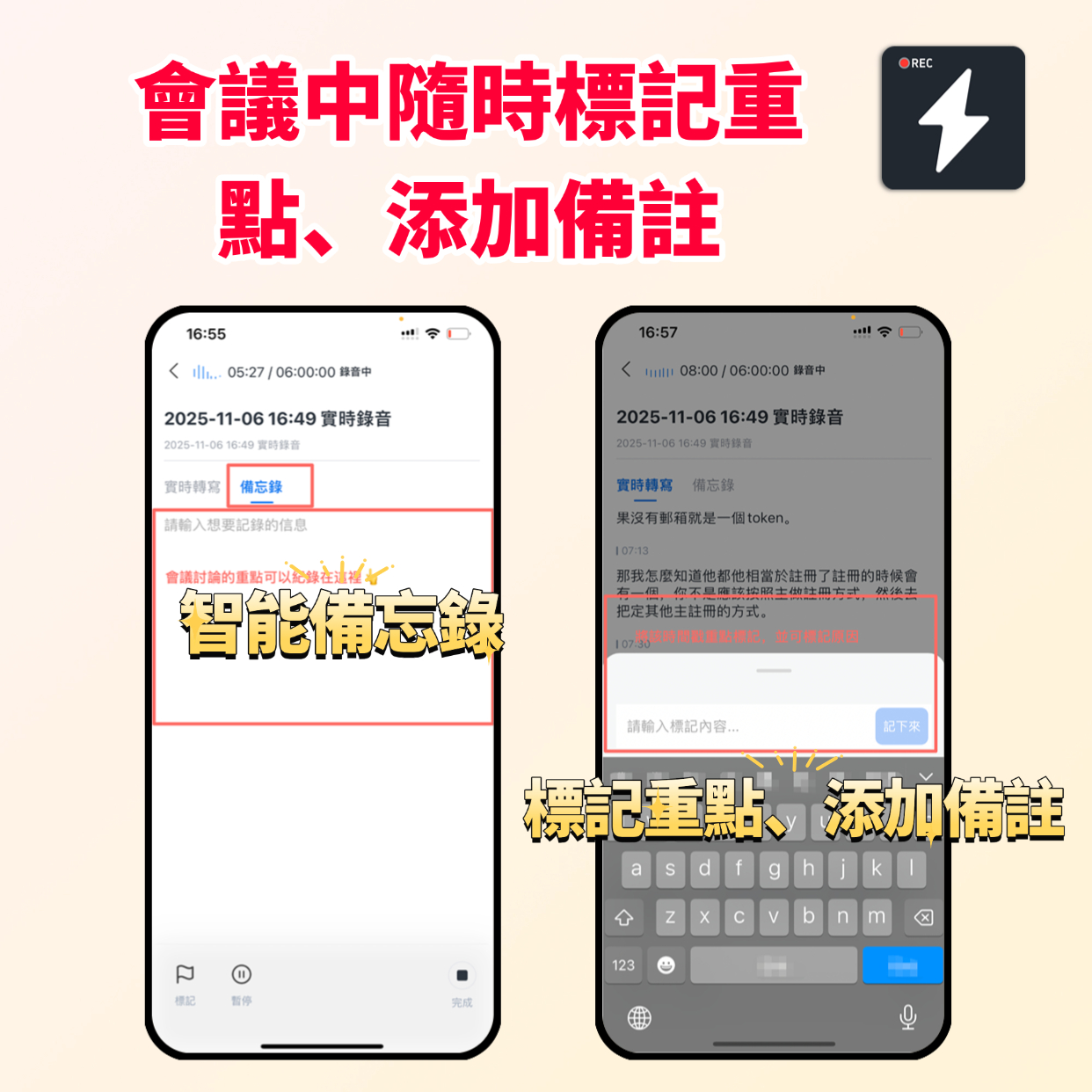
During recording, Tinrec displays the transcript in real-time. If you hear an important decision, tap the "Mark" button on the interface to help the AI pinpoint key points later.
Step 3: View the AI Summary
After recording ends, the system processes automatically. Tap the recording and switch to the "AI Summary" tab. You'll see:
- Full summary: The high-level overview of the meeting.
- Action Items: Specific tasks identified by the system (e.g., "Xiao Wang needs to submit the report by next Friday").

Step 4: Use AI Chat to Confirm Details
If any action items are unclear, use the AI chat query feature to clarify, then copy the final list to your project management tool (e.g., Notion, Trello).
Frequently Asked Questions
Q1: Can these AI tools understand meetings that mix Chinese and English?
Most Western tools (like Otter) have lower accuracy for mixed Chinese and English. Tinrec is optimized for Asian contexts, supporting mixed recognition of multiple languages including Chinese, English, Japanese, and Korean, and handles the common "code-switching" found in Taiwanese workplaces well.
Q2: Do I have to pay for transcription?
Most tools use a subscription model. For example, Tinrec offers 100 minutes of free transcription per month, which is usually enough for individual users who have 1-2 important meetings per week. If you need more, the Basic plan is about $4.9 USD per month.
Q3: Can I record LINE or phone calls directly on iPhone?
Due to iOS system privacy restrictions, third-party apps typically cannot record calls in the background. We recommend using speakerphone and recording with another device (or the web version on your computer), or exporting the call recording and uploading it to Tinrec for transcription.
Q4: How about data security? Will my meeting content be leaked?
Choosing a reputable tool is important. Legitimate services usually have strict privacy policies and encrypted transmission. Tinrec only uses data to provide services to users and does not make private meeting data public.
Q5: Can I use it just for taking class notes?
Absolutely. Besides business meetings, students can use it to organize lecture notes, and researchers can transcribe interview recordings. The "auto extract action items/key points" feature is a typical application.
Q6: If the meeting environment is noisy, can the AI still extract action items?
Background noise affects accuracy. Although AI has noise reduction capabilities, we recommend using a directional microphone in noisy environments or staying as close to the audio source as possible. Accurate transcription is the foundation for generating precise action items.
Summary
Choosing the right tool depends on your core needs. If your goal is to stop meetings from being time sinks, investing in an AI tool that auto-generates action items is the highest-ROI move in 2026. For users who value Chinese accuracy and cross-platform flexibility, Tinrec offers a worthwhile balance.
Turn every recording into actionable outcomes
Get 60 free transcription minutes when you sign in. No credit card required.
Related Reading
You might also like

How to Create a Sales Meeting Notes Template in 2026: 5 Steps from Template to AI Organization
The problem with sales meeting notes rarely lies in the format—it's that no one is available to take notes during the meeting, and no one reviews them afterward. This article starts with three common misconceptions, outlines 7 essential fields and a 5-step process, and explains how to use Tinrec's bot-free recording, AI summaries, and AI Q&A to turn a one-hour client meeting into a trackable record within 10 minutes after it ends.

How to Take Sales Meeting Notes in 2026: 5 Steps from Recording to AI Summaries
How do you take sales meeting notes? This article examines four key decision points—free tier limits, recording methods, post-meeting organization, and team data ownership—and compares Tinrec, Otter.ai, Notta, and TurboScribe. It also outlines 5 practical steps from recording to AI meeting summaries and highlights pitfalls to avoid when choosing a tool.

2026 Comparison of 4 Sales Meeting Recording Tools: Plus 3 Sales Books to Make Every Client Meeting Count
After a sales meeting, having the recording stuck on your phone and key points only in your memory is a common waste. This article starts from real client meeting workflows and compares Tinrec, Notta, Otter.ai, and Granola on recording methods, post-meeting organization, Chinese recognition, and team data retention. It also includes 3 sales books worth reading alongside these tools to help you turn every client conversation into a trackable asset.

2026 Smart Meeting Collaboration Platforms Free Plans Compared: 4 Options at a Glance
Starting from the real pain points of mid-level managers juggling a dozen meetings a week, this guide organizes the free plans and selection criteria for 2026 smart meeting collaboration platforms. It hands-on compares Tinrec, Dcard's newly established GNTC (EntryDesk, VibeHost), Notta, and Otter.ai, explaining who each suits, how free quotas work, and pitfalls to watch for in team seats and governance.

2026 Sales Meeting Notes Tools Compared: Which One Turns Customer Words into Next Steps?
Sales meeting notes aren't about transcribing conversations verbatim—they're about capturing customer needs, decisions, and action items. This article starts with the most common mistakes, outlines the 5 essential fields for sales meeting notes, and shares 4 key factors for choosing a tool. It also compares Tinrec, Granola, Notta, and PLAUD in real Chinese-language sales meeting scenarios to help you pick an approach that people will actually use after the meeting.

5 Sales Meeting Notes Templates Tested for 2026: Which Free Download Actually Saves Time?
Downloaded a bunch of free meeting notes templates but still missing decisions and action items after the meeting? This article starts with the three most common pitfalls, then tests and compares five sales meeting notes templates: Word, Excel, Notion, built-in app templates, and AI auto-generation. It also breaks down what fields a usable template should have and how Tinrec automates the form-filling part.

2026 Comparison of 4 Sales Meeting Notes Solutions: How Can Free Templates Really Save Time?
Free sales meeting notes templates are available everywhere, but if the fields are wrong, filling them out can still take an hour. This article breaks down the 12 essential fields for sales meeting notes and compares four solutions—Tinrec, Notion templates, Excel template libraries, and Otter.ai—through actual workflows, explaining which one can truly automate the organization of customer needs, objections, and next steps into actionable records.

2026 Comparison of 4 Sales Meeting Note-Taking Apps: From Free to Team Plans
Sales and customer success teams often spend hours after meetings organizing notes. This side-by-side comparison of Tinrec, Notta, Fireflies.ai, and Otter.ai breaks down transcription quality, meeting capture methods, post-meeting usability, and team data ownership. It includes hands-on observations, pitfalls to avoid, and selection advice to help you find the free or paid option that fits your needs.

Best Sales Meeting Notes Templates? 5 Free Methods Tested in 2026 — This One Works Best for Chinese Meetings
Free sales meeting notes templates are easy to find; the hard part is filling them out and still having your manager send them back. This article first breaks down the three most common pitfalls, gives you a copy-ready skeleton of sales meeting note fields, then reviews five free methods — Word, Excel, Notion, built-in platform transcription, and AI meeting tools — and compares Tinrec and Granola dimension by dimension to help you decide which fits your meeting volume and team size.