
Turn recordings into transcripts and summaries in minutes
Upload audio or video for multilingual transcription, AI notes, and action items
Want to Understand Cantonese? 5 Real-Time Cantonese Translation Apps for Seamless Communication
While traveling, working, or watching Hong Kong dramas in the Greater Bay Area, have you ever felt embarrassed because you couldn't understand the "nine tones and six contours" of Cantonese? Traditional dictionary lookup is slow and can't handle real-time conversations; many general translation apps have poor recognition rates for Cantonese slang or accents. Choosing a real-time Cantonese translation app that is accurate, responsive, and context-aware is key to solving communication pain points.
This article provides an in-depth review of popular Cantonese translation tools on the market, focusing on voice recognition accuracy, offline availability, and whether they include AI-assisted understanding features. We will compare five tools including Tinrec, Google Translate, and Baidu Translate, and offer specific practical usage scenarios. If you need more than just "translation" and want to convert Cantonese conversations into actionable "meeting minutes" or "study notes," Tinrec's workflow from recording to AI summary provides an efficient solution that sets it apart from traditional translation software.
Quick Guide:
- For real-time conversation and offline features: Prioritize Google Translate.
- For Cantonese learning and pronunciation correction: Recommend Leiho Cantonese Learning or Cantonese Translation Helper.
- For business meetings, interview transcription, and AI summaries: First choice: Tinrec, which converts speech into structured text and action items.
- For comprehensive text and photo translation: Baidu Translate or Youdao Translator are solid all-rounders.
Why You Need a Specialized Real-Time Cantonese Translation App
Cantonese has a complex tonal system and rich colloquial slang, making it difficult for generic machine translation models to accurately capture meaning. Common pain points include:
- Accent recognition difficulties: When dealing with Chaozhou, Hakka, or older generations' "lazy tones," standard translation apps often misinterpret.
- Slang and cultural barriers: Terms like "sunny side up egg" (太陽蛋) or "check please" (埋單) can be confusing if translated literally.
- Information overload with no way to review: Even with real-time translation in meetings or long conversations, it's hard to quickly find key points in lengthy transcripts afterward.
Therefore, when choosing a tool, consider not just whether it can "translate," but whether it can "understand" and "apply."
In-Depth Review of 5 Popular Real-Time Cantonese Translation Apps
1. Tinrec: From Recording to Action with AI Workflow

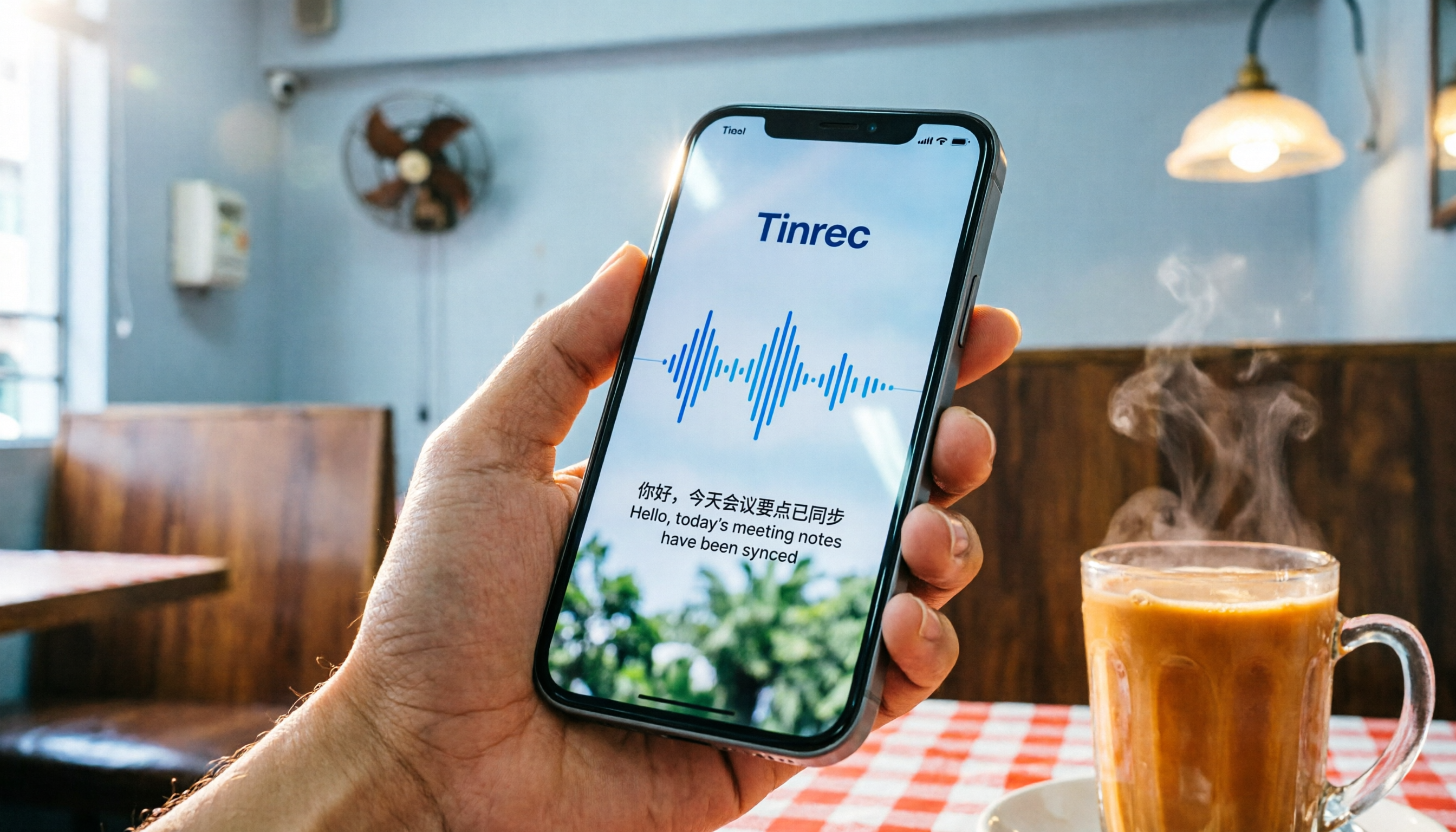
Tinrec is not a traditional "sentence-by-sentence" translation tool; it's a multi-platform assistant focused on "real-time speech-to-text + AI smart summaries." Although often categorized as a meeting note-taking tool, its powerful multi-language auto-detection (supports 10 languages including Cantonese, Mandarin, and English) makes it a great tool for handling long Cantonese conversations, interviews, or meetings.
Core Strengths:
- High-accuracy Cantonese recognition: Based on advanced speech recognition technology, it effectively handles Cantonese mixed with Mandarin.
- AI conversation query: Unlike traditional tools that only support Ctrl+F keyword search, Tinrec allows users to ask natural language questions (e.g., "What was the budget cap mentioned earlier?"), and the AI provides direct answers based on the recording content.
- Auto-generate action items: After recording, it automatically generates meeting minutes, conclusions, and to-do lists, turning unstructured voice into an actionable task list.

Best Use Cases:
- Cross-language business meetings (Cantonese/Mandarin/English mixed).
- Organizing Cantonese interviews, podcasts.
- Recording lectures for later review of key points.
Limitations:
- Primarily designed for transcription and summarization of complete speech segments, not for real-time two-way conversation interpreting (though it does have live transcription, it focuses on documentation rather than chat assistance).
2. Google Translate: A Reliable Offline Favorite
Google Translate is one of the most widely used translation tools globally. It has continuously improved Cantonese support, especially in voice input sensitivity.
Core Strengths:
- Offline translation pack: Download the Cantonese offline pack to perform basic text and voice translation even in no-network environments like a cha chaan teng or subway.
- Conversation mode: Provides a two-way voice translation interface, suitable for simple directions or ordering food.
- Camera instant translation: Point your camera at a Cantonese menu or street sign to get real-time overlaid translation results.
Drawbacks:
- Translation of complex sentences or local slang can sometimes be stiff.
- No ability to save or organize conversation history, lacking review functionality.
Stop organizing recordings by hand
Upload audio or video and automatically get a transcript, summary, and action items
3. Baidu Translate: AI-Powered All-Rounder
Baidu Translate has a local advantage in processing Chinese and dialects. In recent years, it has integrated AI large model technology to improve translation naturalness.
Core Strengths:
- NMT (Neural Machine Translation): Higher translation quality, better handling of context.
- Multi-function integration: Supports photo, voice, text, document translation, and even AR translation mode.
- Cantonese voice recognition: Well-trained on common Cantonese expressions used by mainland Chinese users.
Drawbacks:
- App has many ads, interface relatively cluttered.
- Offline functionality slightly weaker than Google Translate.
4. Leiho Cantonese Learning / Cantonese Translation Helper: Balancing Learning and Translation
These apps are more oriented as "learning tools," suitable for users who want to master Cantonese long-term rather than just for emergency translation.
Core Strengths:
- Contextual teaching: Provides role-playing exercises in real scenarios like ordering food, shopping, and taking a taxi.
- Pronunciation correction: Uses voice recognition to assess user pronunciation and point out tonal issues.
- Detailed dictionary: Rich Cantonese vocabulary with pinyin, definitions, and example sentences.
Drawbacks:
- Real-time translation features are basic, not suitable for high-intensity business communication.
- Learning curve is steep, requiring time investment.
5. Youdao Translator / Sogou Translate: Strong for Office and Document Processing
For users who need to process Cantonese documents or technical terms, these tools offer a good supplementary solution.
Core Strengths:
- Document translation: Supports uploading PDF, Word, etc., preserving layout while translating.
- Specialized terminology database: More accurate translation of terms in fields like medicine, law, and technology.
Drawbacks:
- Voice conversation experience less smooth than dedicated translation apps.
- Some advanced features require a paid subscription.
Tool Comparison Summary: Which One Is Best for You?
| Tool Name | Core Highlights | Best Use Cases | Offline Available | AI Summary / Organization |
|---|---|---|---|---|
| Tinrec | Speech-to-text, AI conversation query, auto-generate minutes | Meetings, interviews, course recording, long conversation organization | No | ✅ Strong |
| Google Translate | Offline pack, camera translation, conversation mode | Travel, ordering food, asking directions, emergency communication | ✅ Yes | ❌ No |
| Baidu Translate | AI large model, multi-mode translation, localized optimization | General daily use, document translation aid | Partial | ❌ No |
| Leiho Cantonese Learning | Scenario simulation, pronunciation correction, detailed dictionary | Cantonese beginners, long-term language learning | ❌ No | ❌ No |
| Youdao Translator | Document translation, specialized terminology database | Academic research, professional document handling | Partial | ❌ No |
Practical Tutorial: How to Use Tinrec to Efficiently Organize a Cantonese Meeting
If you're facing a one-hour Cantonese product discussion, relying solely on "real-time translation" is difficult to keep up. Here are the steps to turn recording into efficient notes using Tinrec:
Step 1: Start Recording and Real-Time Transcription Open the Tinrec app and select the "Real-time speech-to-text" feature. Ensure your phone's microphone is close to the speaker. Tinrec will automatically detect the language (it handles Cantonese/Mandarin mixing well) and display the converted text on the screen in real time.

Step 2: Mark Key Points (Optional) During recording, if you hear key decisions or to-do items, use the app's bookmark feature to quickly locate them later.
Step 3: AI Generates Minutes and Action Items After the recording stops, click stop. Tinrec's AI engine will process the audio quickly and automatically generate:
- Full transcript: For detailed reference.
- Meeting minutes: Structured summary of key points.
- To-Do List: Clearly lists who needs to complete what task by when.

Step 4: AI Conversation Query for Details If you forget a specific number or decision, no need to re-listen to the recording. Simply type in the app's chat box: "What was the Q3 marketing budget mentioned earlier?" The AI will answer directly based on the recording content.

Step 5: Export and Share Supports exporting minutes and transcripts in multiple formats (e.g., TXT, DOCX, SRT) for easy sharing to team collaboration platforms.

Frequently Asked Questions
Q1: What is the fundamental difference between Google Translate and Tinrec? A: Google Translate focuses on "real-time two-way communication," suitable for short phrases and travel scenarios. Tinrec focuses on "content consolidation and understanding," suitable for long audio, meetings, and interviews, turning speech into structured knowledge and action items.
Q2: Does Tinrec support pure Cantonese recognition? A: Yes, Tinrec supports automatic recognition of 10 languages including Cantonese. It performs particularly well in scenarios mixing Cantonese and Mandarin.
Q3: Is the free version of Tinrec sufficient? A: Tinrec's free version offers up to 100 minutes of recording per month, enough for occasional personal use to experience core features. For frequent use, consider the Basic or Pro versions.
Q4: Which app performs better in noisy environments? A: Generally, tools with AI noise reduction perform better. Tinrec uses intelligent noise reduction to filter background noise and improve recognition. Google Translate performs stably in quiet environments but may have lower recognition rates in high-noise settings.
Conclusion
Choosing the right real-time Cantonese translation app depends on your specific needs. For short-term travel emergencies, Google Translate's offline features are a reliable companion. If you're determined to learn Cantonese, tools like Leiho Cantonese Learning offer systematic help. But if you're in a professional setting needing to efficiently process Cantonese meetings, interviews, or course content, Tinrec, with its complete workflow of "Recording → Transcription → AI Summary → Action Items," significantly boosts information processing efficiency. It turns recordings from mere storage files into searchable and actionable knowledge assets.
Based on your next usage scenario, download the appropriate tool and give it a try. Let technology be the bridge that helps you cross language barriers.
Turn every recording into actionable outcomes
Get 60 free transcription minutes when you sign in. No credit card required.
Related Reading
You might also like

2026 Audio-to-Text Comparison: Tinrec vs Otter.ai for Chinese Meetings & Team Knowledge
How to choose an audio-to-text tool in 2026? This article compares Tinrec and Otter.ai across 5 dimensions: Chinese meeting transcription, bot-free online meeting capture, audio file organization, post-meeting workflows, and team data governance. Based on public features and pricing, it helps you decide which is better suited for meeting notes needs in Taiwan.

How to Choose an Online Audio-to-Text Tool in 2026: 5 Steps to Pick the Right One and Get a Transcript
How do you choose an online audio-to-text tool? This article reviews 6 online options—Tinrec, MyEdit, cSubtitle, CyberLink, Yating Transcript, and Monica—comparing free quotas, Chinese recognition, export formats, and team collaboration. It also walks you through 5 steps to turn an audio file into a transcript.

2024 Review of 4 Audio-to-Text Tools: Which Saves the Most Time on Chinese Meeting Transcripts and AI Summaries?
The 2024 audio-to-text comparison isn't just about transcription speed—it's about whether the tool can organize your meeting notes afterward. Based on real meetings and interviews, this review compares Tinrec, Notta, Granola, and PLAUD on audio sources, transcripts, AI summaries, action items, team collaboration, and pricing limits to help you choose the right tool.

4 Free Online Audio-to-Text Tools Compared (2026): Which Offers the Best Free Tier and Chinese Recognition?
A comparison of Tinrec, MyEdit, cSubtitle, and Monica's free online audio-to-text offerings, covering free quotas, Chinese recognition, export formats, and post-meeting AI organization to help you decide which suits meetings, interviews, and subtitles.

4 Free AI Audio-to-Text Tools Tested: Which Free Tier Is Enough in 2026?
There are many free AI audio-to-text tools, but free quotas, single-recording length limits, Chinese recognition, and post-meeting organization capabilities vary widely. This article compares the free plans and use cases of 4 tools, using Tinrec's no-bot recording, AI Q&A, and team spaces as selection references.

2026 Comparison of 2 Online Audio-to-Text Tools: Tinrec vs Otter.ai — Which Is Better for Chinese Meetings?
Starting from common misconceptions, this comparison examines Tinrec and Otter.ai in Chinese meetings, bot-free recording, post-meeting organization, real-time translation, and team data retention to help you decide which online audio-to-text tool fits your daily work.

2026 Comparison of 2 Audio-to-Text Platforms: Free Tiers, Chinese Recognition, and Post-Meeting Organization at a Glance
A side-by-side comparison of Tinrec and Notta across free tiers, Chinese recognition, online meeting recording, post-meeting organization, and team collaboration, helping you decide whether the free version is enough and when to upgrade.

iPhone Voice Memos vs Tinrec in 2026: 5-Dimension Comparison — Is Free Transcription Enough?
iPhone's built-in Voice Memos can now transcribe recordings for free, so do you still need a separate tool? This article compares iPhone's built-in features with Tinrec across 5 practical dimensions and honestly explains where the free limits are, helping you decide which approach fits your meeting volume.

4 Free Audio-to-Text Tools Tested for 2026: Which Free Tier Is Actually Enough?
There are plenty of free audio-to-text tools, but few can handle a full meeting. This hands-on comparison tests the free plans of Tinrec, Otter.ai, Notta, and TurboScribe—breaking down how limits are calculated, transcript post-processing, audio retention, and team collaboration—to help you decide which free version is truly usable.