
Turn recordings into transcripts and summaries in minutes
Upload audio or video for multilingual transcription, AI notes, and action items
Why You Need a Recording-to-Text App: Say Goodbye to "Transcription Hell"
"Just typed down the last sentence, and the boss's next key point is already lost" or "A 3-hour meeting recording takes 6 hours to transcribe manually and still misses critical info." This is the daily pain point for many admins, project managers, and grad students. Traditional voice recorders only capture sound—they don't help you extract information.
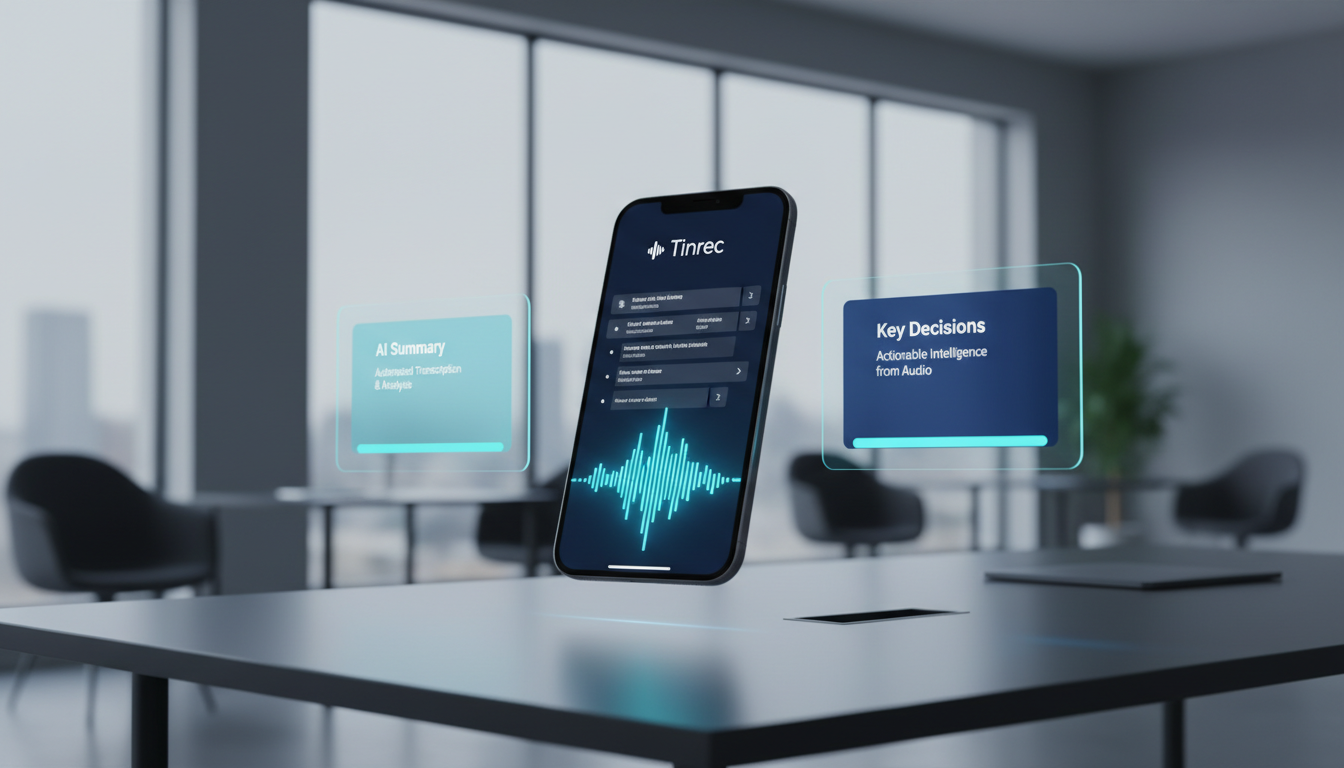
In 2026, speech-to-text (STT) tools have evolved beyond simple transcription into "AI meeting assistants." This article reviews and evaluates 11 popular tools on the market, including veteran iFLYTEK, collaboration powerhouse Feishu, and emerging AI efficiency tool Tinrec.
Quick Buying Guide:
- Prioritize team collaboration & free limits: Start with Feishu Minutes.
- Need recording, summary, and action items in one workflow: Try Tinrec (Seconds Recording).
- Professional subtitle creation: Choose NetEase Sight.
- Stick with existing hardware/ecosystem: Huawei users use Notes; heavy Tencent Meeting users use built-in features.
In-Depth Reviews of Top Recording-to-Text Apps in 2026
Below, we analyze representative tools based on different use cases.
1. Feishu Minutes: The All-Rounder for Team Collaboration
Best for: Enterprise teams, project groups needing multi-user editing.
Feishu Minutes is ByteDance's office collaboration tool. Its core strengths lie in collaboration and recognition accuracy.
- Pros: Supports 19-language translation, accurately recognizes mixed Chinese-English content and technical terms. Its strongest feature is collaboration—multiple users can annotate, comment in real-time on transcripts, and export directly to documents.
- Price/Free Limits: Basic plan offers 300 free minutes per month, sufficient for most small to medium teams.
- Cons: Requires a Feishu account and is deeply tied to its ecosystem.
2. Tinrec (Seconds Recording): AI Decision Assistant from Recording to Action
Best for: Productivity-focused individuals, students, PMs who need quick action items.
Tinrec's positioning goes beyond transcription—it emphasizes a complete workflow from recording to understanding to action. It solves the pain point of traditional tools that give you a transcript but still require manual extraction of key points.
- Pros:
- Real-time: Supports live transcription while recording; no waiting.
- AI-Powered Analysis: Automatically generates meeting summaries, conclusions, and action items.
- Multi-source Support: Besides audio files, it also supports YouTube video links for direct transcription.
- AI Conversational Query: Ask the AI directly, "What was the conclusion about the budget during the meeting?" instead of searching keywords yourself.
- Price/Free Limits: Free plan offers 100 minutes per month; paid plans (Basic/Pro) are affordable for long-term personal use.

3. iFLYTEK Hearing: Veteran Tech, High Accuracy but Higher Cost
Best for: Users requiring extremely high accuracy with ample budget.
As a veteran in speech recognition, iFLYTEK excels in Mandarin and dialects (e.g., Cantonese, Sichuan dialect) and offers dedicated hardware support.
- Pros: Up to 98% accuracy for Mandarin, supports 8-language translation—ideal for serious cross-border meetings or legal interviews.
- Cons: Higher cost; machine transcription credits must be purchased separately (e.g., ¥128/month VIP). Collaboration features are relatively weak; it's more of a one-way recording and output tool.
4. Tencent Meeting / DingTalk Quick Notes: Native Meeting Tools
Best for: Enterprise users already using these platforms for meetings.
- Tencent Meeting: Its strength is seamless integration—start transcription during a meeting with real-time captions. Downside: limited free minutes (120/month), and must be manually enabled per meeting.
- DingTalk Quick Notes: Tightly integrated with the DingTalk ecosystem, suited for government/enterprise users. However, tests show a ~3-second delay, lower dialect recognition (~85%), and long-term storage requires extra payment.
Stop organizing recordings by hand
Upload audio or video and automatically get a transcript, summary, and action items
5. NetEase Sight: Subtitle Tool for Content Creators
Best for: Independent media, video editors.
- Pros: Designed for subtitle creation—after transcription, it automatically generates SRT subtitle files with timestamps. Supports 8 languages including Chinese, English, and Japanese.
- Cons: No real-time recording transcription; only file uploads. No multi-user collaboration. Recently maintained less frequently.
6. Tongyi Tingwu / Doubao: Rising Stars with Big Model Support
Best for: Individual users who enjoy trying new AI features.
- Tongyi Tingwu: Alibaba product, offers generous free trial for new users. Excels in chapter overviews and mind map generation.
- Doubao: ByteDance AI product, currently completely free and ad-free with a minimalist interface. Suitable for lightweight personal notes, but professional term recognition and export formats are limited.
Comparison Table: Key Features & Specs
For a quick overview, here's a comparison across 5 key dimensions:
| Tool | Core Focus | Languages | Key Features | Price / Free Limits |
|---|---|---|---|---|
| Tinrec | Transcription + Action | 10 languages (EN/CN/JP/KO, etc.) | AI Chat Query, YouTube transcription, action item extraction | Free 100 min/month |
| Feishu Minutes | Team collaboration | 19-language translation | Multi-user real-time annotation, document export | Free 300 min/month (Basic) |
| iFLYTEK Hearing | Professional accuracy | Multiple languages + dialects | Text formatting, dedicated hardware | First order free, then paid/subscription |
| NetEase Sight | Subtitle creation | 8 languages | SRT subtitle export, video translation | Free 2 hours/day |
| Tencent Meeting | Native meeting | Chinese/English | Real-time meeting captions | Free 120 min/month |
Hands-On Tutorial: Build an Efficient Meeting Workflow with AI Tools
Choosing the right tool is just the first step. How you use it to save time matters more. Below, we use Tinrec to demonstrate a standardized workflow from recording to deliverables—the logic also applies to other AI-powered tools.
Step 1: Start Live Recording or Import a File
- Scenario A: In a meeting Go to the Live Recording to Text page and tap Start. The system transcribes speech in real time; you can mark key points anytime.
- Scenario B: Have an existing recording or video If you have a voice recorder file or want to process an online course (e.g., YouTube), use Audio File to Text or Podcast/Online Video to Text features. Just upload or paste a link.

Step 2: Use AI to Generate a Structured Summary
Once recording ends, don't waste time re-reading tens of thousands of words. Check the system-generated Smart Summary.
- Key things to review: See how AI identifies speaker segments, confirm topics for each discussion.
- Capture actions: Tinrec automatically extracts action items, such as "@Xiao Wang Submit budget by next Friday." Copy these directly to your task management software.
Step 3: Ask AI for Specific Details
If you forget a detail, don't restart from the beginning.
- Use the AI Chat Query feature.
- Input a question: For example, "What was the exact figure mentioned for Q3 marketing budget?"
- Get the answer: AI responds based on the recording content and shows the timestamp in the original audio.

Frequently Asked Questions (FAQ)
Q1: Do these recording-to-text apps work on iPhone? Most tools like Feishu, iFLYTEK, and Tinrec support iOS, Android, and Web. However, due to iOS privacy restrictions, some apps cannot record phone calls. Usually, external recording or file upload via web version is recommended.
Q2: What happens when my free quota runs out? Most tools use a freemium model. For example, Feishu offers 300 min/month, Tinrec offers 100 min/month. If you need more, consider a monthly plan (e.g., Tinrec Basic ~$4.9/month). Still far cheaper than hiring a transcriptionist.
Q3: How accurate is dialect or mixed Chinese-English recognition? Current models (e.g., Alibaba SenseVoice, OpenAI Whisper) handle mixed language well. Tinrec and Feishu both support automatic multi-language detection. For very obscure dialects (e.g., some rural accents), iFLYTEK Hearing may perform slightly better.
Q4: How secure is the privacy of recording files? Choose reputable brands with clear privacy policies. Enterprise users should consider Feishu or Tencent Meeting's enterprise editions. For personal use, tools like Tinrec encrypt data and use it mainly for summaries—more confidential than outsourcing to human transcribers.
Q5: Can I transcribe YouTube videos? Not all tools support this. NetEase Sight and Tinrec are good options. Tinrec has a dedicated Video to Text page—just paste a link to process online course or interview content.
Q6: Can recording-to-text fully replace human transcription? Current AI accuracy is around 95%-98%. For absolute precision scenarios like legal or medical, human proofreading is still needed. But for general meeting minutes, class notes, and interview transcripts, AI tools can save over 90% of the time.
Turn every recording into actionable outcomes
Get 60 free transcription minutes when you sign in. No credit card required.
Related Reading
You might also like

2026 Speech-to-Text Tools Compared: Which Is Best for Cantonese Meeting Notes and AI Q&A?
Two-hour meeting, another two hours to write up the minutes? This article compares four speech-to-text tools—Tinrec, Notta, Otter.ai, and PLAUD Note—in real meeting scenarios, covering capture methods, Chinese and Cantonese performance, post-meeting organization, and team collaboration. It also highlights four commonly overlooked buying pitfalls to help you save time replaying recordings.

6 AI Meeting Assistants Tested for 2026: From Recording to Minutes, How to Really Save Time
Many people think that once they hit record on an AI meeting assistant, they're done—only to end up with a transcript full of filler words and still have to retype everything themselves. This article reviews 6 practical AI meeting assistants and breaks down how to save time across the three steps of recording, transcription, and post-meeting processing, including the real limitations of free and paid plans.

2026 AI Meeting Assistant Comparison: Download Methods, Chinese Recognition, and Post-Meeting Organization—Which Saves the Most Time?
How do you download an AI meeting assistant? This article compares Tinrec, Otter.ai, Notta, and PLAUD Note based on real-world usage scenarios, covering availability, platform coverage, Chinese recognition, and post-meeting organization capabilities. It also highlights the four most common pitfalls before downloading, helping you choose the right tool once and avoid repeated trial and error.

4 AI Meeting Assistants Compared in 2026: Transcripts, Summaries, and Action Items—What's the Difference?
Still trying to remember who said what after a meeting? This article starts from real-world use cases, breaks down 5 key factors for choosing an AI meeting assistant, and compares Tinrec, Otter.ai, Granola, and Notta across meeting capture methods, Chinese transcription, post-meeting organization, audio retention, and team management. It also includes pricing and pitfalls to help you pick the one that truly fits your workflow.

2026 Comparison of 4 Sales Meeting Note Tools: From Transcripts to Deal Follow-Up, Which Saves the Most Time?
2026 hands-on comparison of sales meeting note tools, starting from common pitfalls, analyzing key purchasing factors, and deeply reviewing Tinrec's bot-free recording, AI Q&A, and team collaboration capabilities to help sales teams turn meeting content into actionable deal data.

2026 Best 4 Sales Meeting Note Apps Compared: Chinese Transcription, Post-Meeting Action Items, and Team Knowledge—Which One Works Best?
Sales meetings need more than just recording. This article compares Tinrec, Granola, TurboScribe, and PLAUD from four angles: bot-free recording, Chinese and sales terminology, post-meeting action items, and team data ownership. It covers pricing, limitations, and buying tips to help you choose a meeting note app that truly helps you follow up with clients.

2026 Comparison of 4 Sales Meeting Note Tools: Which Is Less Work for Chinese Meetings and Follow-Ups?
Starting from customer needs, objections, and action-item tracking in sales meetings, this hands-on comparison tests Tinrec, Otter.ai, Fireflies.ai, and Notta on Chinese transcription, post-meeting organization, and team collaboration to help you choose a meeting note tool suited to sales scenarios.

2026 Comparison of 4 Sales Meeting Note Tools: Which One Turns Customer Needs into Action Items?
Starting from the most common inefficiencies in sales meetings, this comparison examines Tinrec, Fireflies.ai, Granola, and TurboScribe across Chinese-language meetings, bot-free recording, post-meeting Q&A, action items, and team knowledge retention, helping you choose the right meeting note tool for your sales team.

Tinrec vs Notta 2026: 5-Dimension Comparison — Which Is Better for Chinese Sales Meeting Notes and Recommendation Letter Material?
From sales meeting notes to recommendation letters, the real key is whether you can extract citable concrete examples after the meeting — transcription speed is not the point. This article compares Tinrec and Notta across 5 dimensions, explains who Otter.ai and Granola are each suited for, and includes pricing, limitations, and a guide to avoiding pitfalls.