
Interview Transcription
Quickly organize interview content and Q&A records. Automatically generate transcripts and summaries.
Get StartedCore Features
Powerful interview transcription features
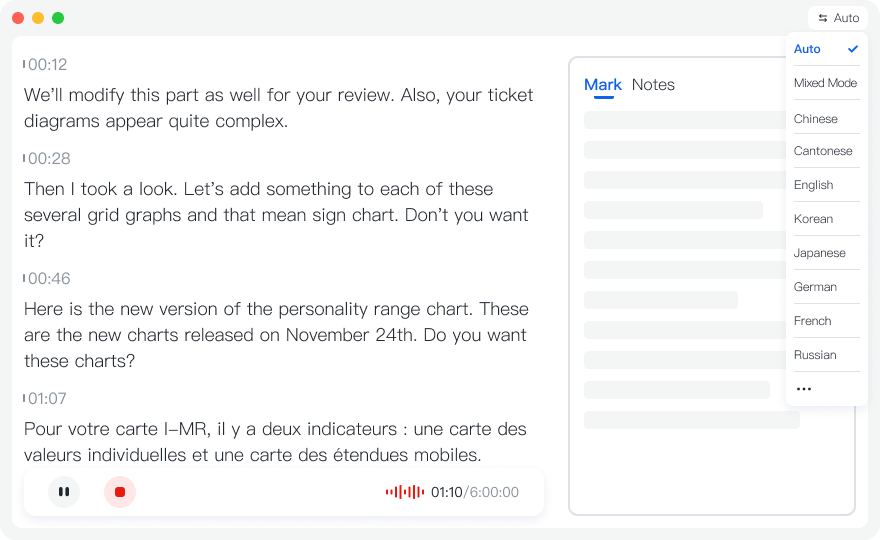
Real-time Interview Transcription
Real-time transcription during interviews, view Q&A content instantly, never miss important information, improve interview efficiency.
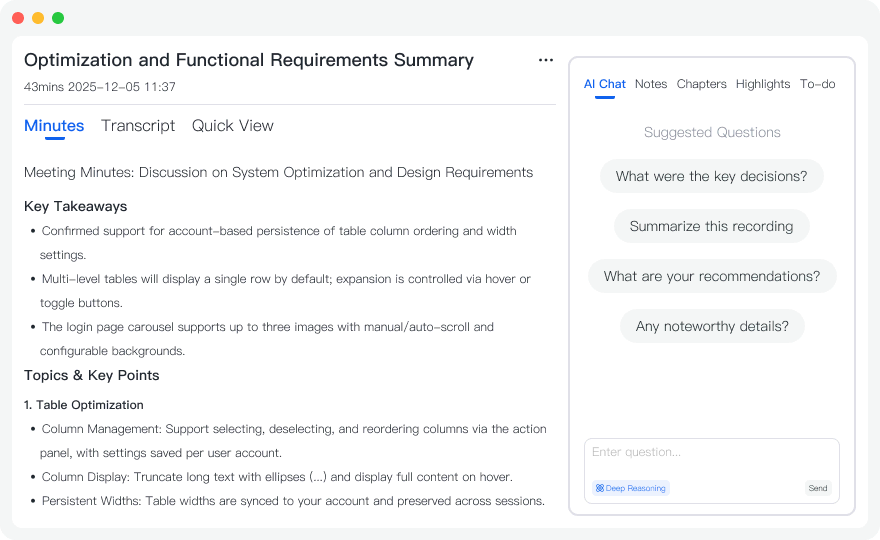
Auto-generate Interview Summary
AI automatically analyzes interview content, extracts key information, important viewpoints and Q&A points, generates structured interview summaries.
Quickly Organize Q&A Content
After transcription completes, quickly organize and edit interview content, export to Word, PDF and other formats for easy subsequent editing and publishing.
Use Cases
Interview transcription use cases
News Interviews
Record news interview content, quickly organize interview key points and key information, improve news reporting efficiency.
- ✓Improve reporting efficiency
- ✓Accurate content recording
- ✓Quickly organize key points
Research Interviews
Record research interview content, extract research data and viewpoints for easy subsequent analysis and organization.
- ✓Data extraction
- ✓Viewpoint organization
- ✓Easy analysis
Feature Interviews
Record feature interview content, organize excellent Q&A and important viewpoints for easy content editing and publishing.
- ✓Content organization
- ✓Excellent Q&A extraction
- ✓Easy editing and publishing
How to Use
Three simple steps to start using interview transcription
Start Interview Recording
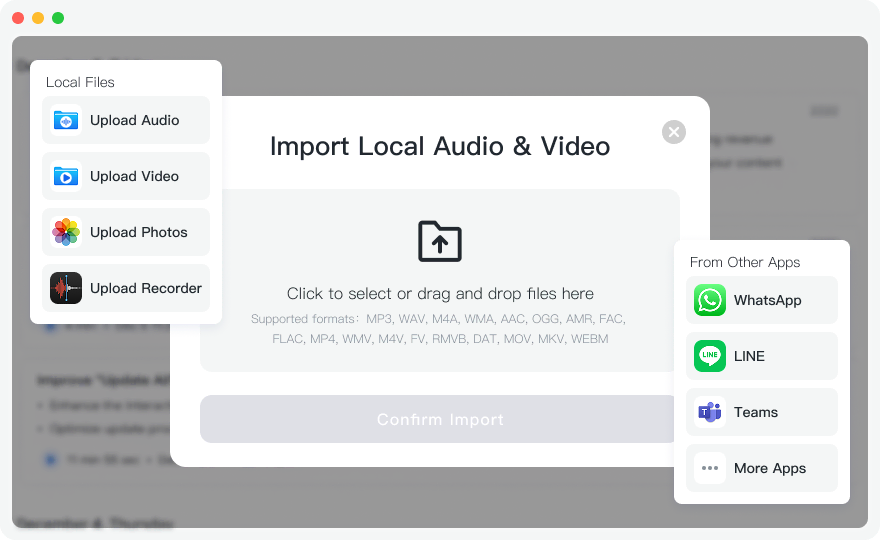
Before the interview starts, click "Start Recording" button to begin real-time transcription, or upload existing interview recording files. We recommend conducting interviews in a quiet environment for best transcription results.
View in Real-time or Wait for Processing
If using real-time recording, you can view transcription content in real-time during the interview to understand interview progress. If uploading files, the system automatically processes them, usually completing transcription within minutes.
Organize and Edit Interview Content
After transcription completes, view the complete transcript and AI-generated summary. You can edit transcription content, extract key Q&A, export to Word or PDF format for easy subsequent editing and publishing.
Frequently Asked Questions
How accurate is interview transcription?
Tinrec uses advanced AI speech recognition technology with 99% accuracy for interview transcription. Accuracy may be affected by background noise, speaking speed, accent, multi-speaker dialogue, etc. We recommend conducting interviews in a quiet environment with clear speech for best transcription results.
Can I distinguish interviewer and interviewee?
Yes. Tinrec supports speaker separation to automatically identify different speakers in interviews. The system assigns numbers to each speaker. You can also manually edit speaker names (like "Interviewer", "Interviewee") after transcription for clearer interview records.
Can I export interview content?
Yes. Tinrec supports multiple export formats including Word, PDF, TXT, etc. You can choose to export the complete transcript, AI-generated summary, or only specific Q&A content. Exported files can be directly used for editing and publishing.
Start Using Interview Transcription Now
Register now to get 60 minutes of free transcription credit. Experience the power of interview transcription.
Get Started