
Turn recordings into transcripts and summaries in minutes
Upload audio or video for multilingual transcription, AI notes, and action items
Faced with a mountain of audio recordings, have you also fallen into the trap of "record without listening, listen without remembering"? Although iPhone has enhanced the recording transcription feature in Notes after the iOS 18 update, a simple transcript is often not enough for professionals or students who need to "quickly extract key points."
This article takes a practical approach, comparing the built-in function with professional AI tools in terms of "transcription accuracy," "summary capabilities," and "subsequent applications." Quick verdict: If you simply need a written record, the built-in iPhone function is sufficient; if you need to automatically extract "highlights," "conclusions," and "action items" from long meetings or lectures, AI-powered tools like Tinrec are a more efficient choice.
Why Do Your Voice Memos Always Become "Dead Files"?
Many people habitually record meetings, lectures, or interviews, but often leave the files untouched after recording. The core reason lies in the imbalance between "information density" and "organization cost":
- High cost of re-listening: An hour of recording often takes the same or even longer time to re-listen and organize.
- Lack of structured information: Traditional audio files are not searchable; to find a specific point, you have to keep scrubbing the timeline.
- Raw transcripts are hard to read: Even with a transcript, colloquial fillers and rambling content make it difficult to quickly grasp core decisions.
Therefore, modern efficient workers need more than just a "recorder"; they need a smart assistant that can transform voice into "actionable insights."
iPhone Built-in vs. Professional AI Tools: How to Choose?
According to reports from Digital Times and real-world testing, Apple added a transcription feature to "Notes" and "Voice Memos" in iOS 18, which is great news for average users. However, for cross-platform needs or in-depth organization, professional tools still offer irreplaceable advantages.
Below is a detailed comparison between iPhone's built-in feature and the professional AI recording assistant Tinrec (Miao Ting Voice Recorder):
| Comparison Aspect | iPhone Built-in Notes (iOS 18+) | Tinrec (Miao Ting Voice Recorder) |
|---|---|---|
| Supported Devices | iPhone 12 and later only | Cross-platform: iOS, Android, Web |
| Core Function | Recording to verbatim transcript | Transcription + AI smart summary + action item extraction |
| Language Support | Depends on Siri language settings | Supports 10 languages including English, Chinese, Japanese, Korean, Cantonese, etc. |
| Content Query | Keyword search only | AI conversation query (ask questions about the recording directly) |
| Export Formats | Copy text, save to Notes | Word, PDF, TXT, subtitle files |
| Suitable Scenarios | Short notes, personal memos | Long meetings, lecture notes, cross-border interviews |
Selection Guide
- Light users: If you have an iPhone 12 or later with iOS 18 and only need to convert short voice memos to text, the built-in feature is completely free and convenient.
- Heavy users: If you need to organize meetings or lectures lasting over an hour and want the system to automatically tell you "what the conclusion is" and "what to do next," Tinrec's AI processing can save significant time.

Stop organizing recordings by hand
Upload audio or video and automatically get a transcript, summary, and action items

Deep Dive: How Tinrec Turns Voice into Action Lists
Among many alternatives, Tinrec (Miao Ting Voice Recorder) stands out because it is more than just a "dictation"; it acts like a secretary with comprehension skills. For efficiency seekers, it solves the pain point of "raw transcripts being too long to read."
1. Auto-generate structured summaries
Unlike traditional tools that output a block of text, Tinrec uses AI to analyze the recording after transcription, automatically generating meeting minutes, key conclusions, and to-do lists. This means you don't need to read all the text to know the meeting's decisions.

2. "Chat" with your recordings
This is the biggest difference between Tinrec and traditional recording apps. Through the "AI conversation query" feature, you can ask the system questions directly, such as "What was the conclusion about the marketing budget?" or "What was the second point the speaker mentioned?" The AI answers accurately based on the recording content, saving you manual searching.

3. Multi-language and cross-device sync
For users who use Android phones, Windows PCs, or need to process foreign language content (e.g., English lectures, Japanese meetings), Tinrec offers broader support than iOS's built-in feature, and supports uploading audio files via its web version for post-processing.
Tutorial: 3 Steps to Quickly Convert Voice to Text and Summarize
Whichever tool you choose, the following workflow will help you quickly turn voice into text.
Method 1: Use iPhone Built-in Notes (for iOS 18 users)
If your device meets requirements (iPhone 12+, iOS 18+), you can use the built-in function directly:
- Open the "Notes" app, tap the "Attachment" icon (paperclip), and select "Record Audio."
- After starting recording, tap the "Text" quotation mark icon below; real-time transcription will appear on screen.
- When recording ends, tap "More (...)" and choose "Add Transcription to Note" to save. (Note: This feature only provides a transcript, no automatic summary.)
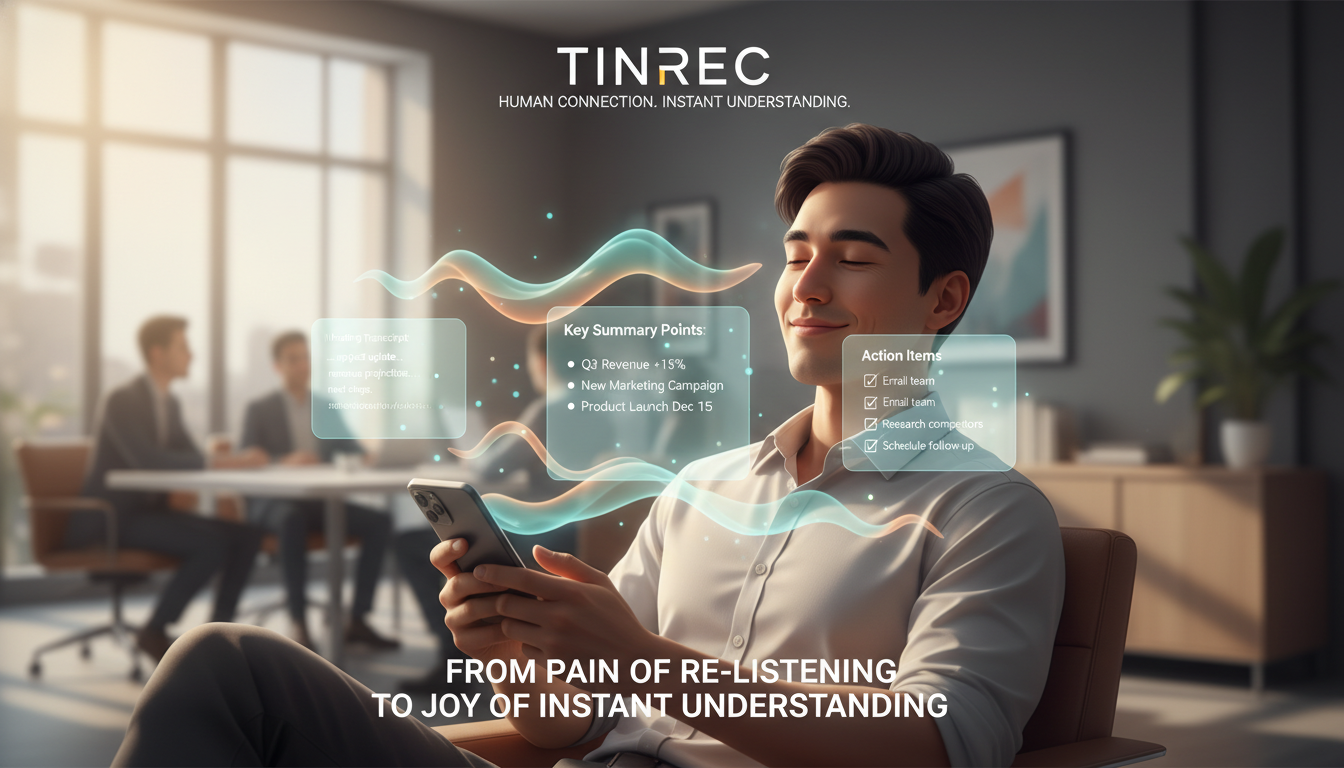
Method 2: Use Tinrec for Live Recording & Summary (ideal for meetings/lectures)
If you want AI to organize key points, follow these steps:
- Start recording: Log in to the Tinrec app or web version, and tap the "Start Recording" button on the home page.
- Real-time transcription: During recording, text appears on screen in real time; you can tag key sections at any time.
- Generate summary: After ending the recording, the system automatically processes and generates an "intelligent summary" and "to-do list." You can tap the export button in the top right to share the organized content with your team.

Method 3: Import Old Recordings for AI Analysis
If you have files from "Voice Memos" or other recorders:
- Export the file: From iPhone Voice Memos, save the file to the "Files" app.
- Upload for transcription: Go to Tinrec's "Audio File to Text" function and upload the audio file.
- Get analysis: Wait for AI processing (usually a 1-hour audio takes just a few minutes) to get a complete document with speaker identification and key summaries.

FAQ
Q1: Can older iPhone models (like iPhone 11 or X) use the built-in transcription function?
According to official instructions, the real-time voice transcription feature in iOS 18 is only supported on iPhone 12 and later models. Users with older models should consider third-party apps like Tinrec, which are not limited by hardware and support cross-platform use.
Q2: How accurate is the transcription? What if Chinese and English are mixed?
The accuracy of the built-in function depends on Siri's recognition. Tinrec is optimized for multilingual environments, supporting 10 languages including English, Chinese, Japanese, and Korean, with better recognition for mixed-language professional conversations and terminology.
Q3: Are there usage limits for the free version?
Most professional tools use a subscription model. Tinrec offers a free version with 100 minutes of transcription per month, sufficient for occasional meeting notes; for heavy usage, consider upgrading to Basic or Pro.
Q4: Can I import meeting recordings from Teams or Google Meet?
Yes. You can download online meeting recordings (mp4/mp3) and upload them via Tinrec's "Audio/Video to Text" function; the system will generate transcripts and meeting minutes.
Q5: Can I edit the generated text?
Both iPhone Notes and Tinrec allow editing of generated text. Tinrec also supports clicking on text to jump to the corresponding recording point, making proofreading and editing easy.
Q6: How can I turn YouTube video content into text notes?
The built-in iPhone function cannot directly handle web links. Tinrec supports "Podcast/Online Video to Text"; just paste a YouTube video URL, and it quickly parses the content and generates a summary.
Turn every recording into actionable outcomes
Get 60 free transcription minutes when you sign in. No credit card required.
Related Reading
You might also like

2026 AI Meeting Assistant Comparison: 4 Tools Tested — What It Is and How to Choose
An AI meeting assistant is more than just recording and transcription. This article explains in one sentence what an AI meeting assistant is and which post-meeting pain points it solves, then compares Tinrec, Otter.ai, Granola, and Notta across four key dimensions: meeting capture method, Chinese-language experience, post-meeting output, and team data ownership. It also covers four common purchasing mistakes to help you pick the right tool.

2026 Speech-to-Text Tools Compared: Which Free Version Is Actually Good Enough?
A hands-on comparison of the latest free speech-to-text tools in 2026, focusing on four key aspects: free quota calculations, post-meeting organization capabilities, online meeting recording methods, and Chinese language performance. We compare the free plans and limitations of Tinrec, Otter.ai, Notta, and TurboScribe, and highlight four common purchasing mistakes to help you decide which free version is truly sufficient.

6 AI Meeting Assistants Tested for 2026: How to Actually Save Time After Meetings
Many people dump meeting recordings into AI and expect miracles, only to get a transcript nobody wants to read. Based on a mid-level manager's real usage across 15 meetings a week, this article compares the positioning, pricing, and ideal use cases of 6 AI meeting assistants, and explains how to use them to truly save time.

2026 AI Meeting Assistant Comparison: Tinrec vs Otter.ai — How to Use and Which Saves More Time
Starting from the workplace pain point of 'no one remembers what was assigned after the meeting,' this hands-on test compares Tinrec and Otter.ai AI meeting assistants. It breaks down five dimensions: recording methods, Chinese meeting organization, post-meeting follow-up questions, export workflows, and team knowledge retention, with practical steps and selection advice.

Best AI Meeting Assistants in 2026: 5-Step Hands-On Selection Guide
There are countless AI meeting assistants, but which one is actually useful? This guide walks you through 5 hands-on steps to filter them: how they capture meetings, post-meeting outputs, Chinese transcription performance, AI Q&A capability, and team data ownership. We also hands-on test and compare Tinrec, Otter.ai, Notta, and Granola to help you find the tool that fits your meeting habits.

4 AI Meeting Assistants Tested for 2026: Which Free Version Is Actually Enough?
The meeting ends, but the real work begins. This hands-on comparison of Tinrec, Otter.ai, Notta, and Granola looks at how meetings are captured, what happens after transcription, whether audio is retained, and how team licensing works. We break down each tool's free tier, limits, and best-fit scenarios so you can decide which one truly saves you post-meeting cleanup time.

2026 AI Meeting Assistant Comparison: Which Type Actually Saves Post-Meeting Time?
AI meeting assistants aren't just about turning speech into text. This article starts from real mid-level manager meeting scenarios, breaks down the differences between meeting bots, built-in platform transcription, and bot-free desktop recording, and uses Tinrec to demonstrate the complete workflow from transcripts and summaries to action items, AI Q&A, and team knowledge retention. It also includes 5 key buying criteria and FAQs.

2026 AI Meeting Assistant Comparison: 4 Tools Tested from Recording to Minutes—Which Saves the Most Time?
How can you use an AI meeting assistant without wasting time? Starting from real meeting scenarios, this article breaks down how AI meeting assistants capture audio, what they produce after the meeting, their Chinese-language performance, and differences in quotas. It also walks through the complete Tinrec workflow—from recording, transcription, and summary action items to AI Q&A and team sharing—while briefly reviewing when Otter.ai, Notta, and Granola are suitable.

2026 AI Meeting Assistant Free Plans Compared: 5 Options at a Glance
Which AI meeting assistant is best? Instead of comparing feature tables, first determine what level you actually need. This article uses Tinrec's five plans—Free, Weekly Pass, Pro Monthly, Pro Annual, and Team—to break down the capabilities to look for, real-world use cases, and purchasing considerations, helping you decide if the free version is enough and when to upgrade.