
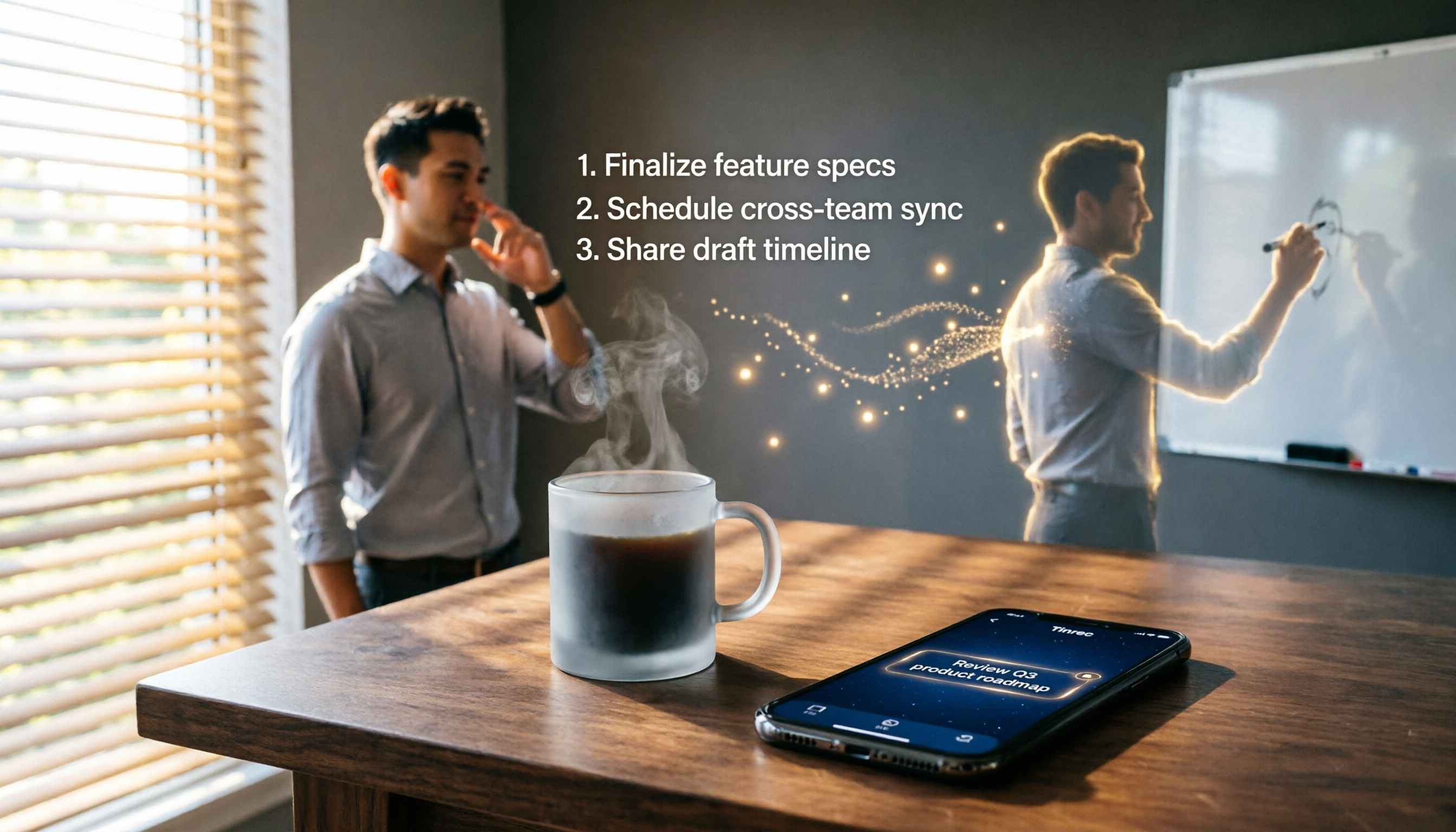
Turn recordings into transcripts and summaries in minutes
Upload audio or video for multilingual transcription, AI notes, and action items
Tinrec is an AI audio/video processing tool that integrates voice-to-text, AI summaries, task extraction, and online video parsing. It supports iOS, Android, and web versions. The free plan offers a monthly basic transcription quota, allowing you to experience the AI Agent's automatic task extraction from meetings or recordings. It's ideal for busy office workers, project managers, and anyone who needs to turn discussions into actionable checklists.
What is Tinrec's AI Agent Task Extraction?

Simply put, after recording or uploading an audio file, the AI automatically identifies action items, responsible parties, deadlines, and other details from the content, generating a structured to-do list. No more replaying recordings or manually sorting notes—you get an organized action list right after the recording, ready for execution.
The key difference from standard voice-to-text tools is that while they only provide transcripts, Tinrec directly extracts the actions that need to be taken, saving you significant post-meeting effort.
Core Features & Highlights
One-Click Extraction of Meeting To-Dos
Whether it's an in-person meeting, online meeting recording, or interview, Tinrec automatically extracts action items after transcription. The system tags each task's content, assignee (if mentioned), and expected timeline, presenting them in a clear list. For project managers juggling multiple projects weekly, this feature is a lifesaver.
Beyond Meetings: Courses & Interviews
Lecture recordings can extract homework and reading assignments; user interview recordings can generate follow-up items; even personal voice memos can be turned into specific tasks. Tinrec accepts any audio or video content for task extraction.
AI Chat Queries to Track Accountability & Progress
After recording, you can chat with Tinrec to ask: "What was the conclusion of this meeting?" "Who is responsible for contacting the vendor?" "What was the deadline discussed last week?" It understands semantics and answers directly from the recording content, turning your recording library into a queryable knowledge base.
Multi-Format Export for Seamless Workflow Integration
Extracted to-do lists can be exported as plain text, Markdown, or copied directly to tools like Notion or Google Docs. You can also keep them in Tinrec for future AI-based progress tracking or detail inquiries.
Stop organizing recordings by hand
Upload audio or video and automatically get a transcript, summary, and action items
Pricing Plans
Tinrec offers various options to suit your usage frequency:
- Free Plan: Monthly basic transcription quota; experience live recording, file import, online video parsing, and task extraction.
- Weekly Pass: Ideal for periods with intensive meetings or project sprints when you need higher transcription capacity temporarily.
- Pro Monthly: Higher monthly quota for consistent users with weekly meetings, courses, or interviews.
- Pro Yearly: Lowest monthly cost for long-term users who want to organize all audio/video content with AI.
We recommend starting with the free plan to test task extraction accuracy with a real meeting before deciding on an upgrade.
Tutorial: How to Automatically Extract To-Dos with Tinrec
Step 1: Record or Import Audio
Open the Tinrec app or web version, tap the record button to start capturing a meeting, or click import to upload audio or video files from your phone or computer.

Step 2: Wait for Transcription
After recording ends or file upload completes, the AI begins transcription. You can attend to other tasks; the system will notify you when finished.
Step 3: View Auto-Generated To-Do List
Once transcription is done, open the summary page for that recording. Alongside the transcript and AI summary, you'll see a "To-Dos" section listing all extracted action items from the meeting.
Step 4: Edit, Add Notes, or Export
You can modify each to-do, add notes, or mark it as complete. To share with colleagues or import into your task management tool, click export and select a format.
FAQ
How accurate is Tinrec's task extraction?
The AI uses context and semantics to identify action items. In clear meeting recordings, it captures over 80% of key tasks. However, if multiple people speak simultaneously, background noise is high, or speech is unclear, some details may be missed. We recommend cross-checking important items against the transcript.
Can the free plan use AI Agent task extraction?
Yes. Free users have access to core features like real-time voice-to-text, AI summaries, and task extraction, but with a limited monthly transcription time.
Can it distinguish tasks assigned to different speakers?
Currently, Tinrec can differentiate multiple speakers. If someone says, "Xiao Ming is responsible for contacting the vendor," the system will try to assign "Contact vendor" to Xiao Ming. For ambiguous references, manual adjustment may be needed.
Besides tasks, can it generate other content?
Yes. Tinrec can also auto-generate meeting summaries, chapter highlights, subtitles, and even further AI-driven outputs like meeting minutes reports and tables—useful for reporting to higher-ups or cross-departmental alignment.
Is my data secure when using Tinrec for task extraction?
Tinrec uses encrypted cloud transmission and storage. Only you can access your audio files and transcribed content. Refer to the official website for detailed privacy policy.
Do I have to record live, or can I import old files?
No problem. Tinrec supports importing common audio formats (MP3, WAV) and video formats (MP4). Past meeting recordings and interview files can be transcribed and extracted for tasks.
Turn every recording into actionable outcomes
Get 60 free transcription minutes when you sign in. No credit card required.
Related Reading
You might also like

Best Speech-to-Text Tools 2026: PTT-Approved Picks & AI Meeting Notes Guide
Tired of unopened audio files piling up after every project? Starting from the three most common questions asked on PTT, this guide breaks down how to choose a speech-to-text tool, shows how Tinrec turns recordings into usable meeting data, and honestly compares Notta, Otter.ai, and Granola to help you decide which one fits you best. It ends with a step-by-step checklist you can follow right away.

2026 Speech-to-Text Platforms Compared: Which Handles Chinese Meetings and Post-Meeting Cleanup Best?
We tested 5 speech-to-text platforms in 2026, comparing bot-free online meeting recording, Chinese transcripts, post-meeting summaries, and action item organization. We cover key buying factors, pitfalls to avoid, and practical recommendations to help you save that hour after every meeting.

How to Use WhatsApp Voice to Text in 2026: 5-Step Guide & Tinrec Comparison
A 5-step setup guide for WhatsApp voice-to-text in 2026, covering language and privacy limitations, plus a comparison of WhatsApp's built-in transcription with Tinrec for meeting notes, summaries, action items, AI Q&A, and team collaboration—helping you decide which tool to use.

Tinrec vs Yating Transcription 2026: 5-Dimension Comparison — Which Is Better for Free Recording and Post-Meeting Organization?
Compare Tinrec and Yating Transcription across free quota, online meeting recording, post-meeting organization, team collaboration, and language scenarios. Includes a 5-step free speech-to-text workflow using Tinrec as an example to help you decide which free tool to choose.
2026 Speech-to-Text Tools Compared: Buzz Free Open-Source vs. Tinrec for Chinese Meetings—Which Saves More Time?
How to use Buzz for speech-to-text? This guide walks through all 5 steps from download and installation to model selection and subtitle export, and tests three practical limitations of Buzz. It also compares Tinrec, Notta, and TurboScribe in Chinese meetings, bot-free recording, and post-meeting organization to help you decide which tool to use.

Best Speech-to-Text Platforms in 2026: Tinrec vs Yating Transcription for Meeting Notes & Team Collaboration
Most people choose a speech-to-text platform based only on transcription speed and free minutes, overlooking post-meeting organization and team collaboration. This article compares Tinrec and Yating Transcription—the two most commonly compared options among users in Taiwan—across six dimensions: meeting recording methods, post-meeting outputs, cross-platform support, team governance, export workflows, and pricing structure, helping you decide which one better fits your use case.

2026 Comparison of 5 Speech-to-Text Tools: Contrast Is the Key to Choosing the Right One
Most people compare speech-to-text tools by looking only at the accuracy rate and free minutes on official websites, but this comparison reveals very little difference. This article starts from 'how much effort is still needed to organize after transcription' and breaks down the three levels that truly reveal tool differences, core capabilities, practical scenarios, and purchasing points. It also explains how Tinrec actually works in meeting notes and team knowledge retention.

4 Speech-to-Text Apps Tested for 2026: Generate Chinese Meeting Minutes Without a Meeting Bot
Spend an hour in an online meeting and another hour organizing notes afterward? This article compares four speech-to-text tools—Tinrec, PLAUD Note, Notta, and Otter.ai—based on real-world usage, covering meeting recording methods, Chinese recognition, post-meeting summaries, and team authorization. It also outlines 4 key purchasing factors and 3 common pitfalls to help you choose the one that truly saves time.

Free Speech-to-Text Options in 2026: 4 Plans Compared
There are plenty of free speech-to-text tools, but "free" often doesn't mean "good enough." Starting from real student use cases, this article breaks down three common misconceptions, compares four plans—Free, Weekly Pass, Pro Monthly, and Pro Annual—and demonstrates a complete workflow from class recordings and group discussions to project interviews and exam review.