

Turn recordings into transcripts and summaries in minutes
Upload audio or video for multilingual transcription, AI notes, and action items
2026 Review of 5 AI Transcription Tools: Which One Really Saves Time with Chinese Summarization and AI Q&A?
Tired of Spending Hours on Meeting Notes, and Forgetting Course Recordings? You Don't Need a Tool, You Need a Solution
After a two-hour meeting, you then spend the same amount of time listening to the recording, typing transcripts, and organizing key points—that's a daily routine for many office workers. Not to mention online courses, podcasts, and YouTube videos with great content that you never revisit because you don't have time to organize them.
If you've experienced these situations, this article is for you. AI transcription tools have become quite mature now—they not only save you time from listening and typing, but some can automatically summarize, extract action items, and even let you ask questions to find key points.
But choosing the one that best suits you from so many options requires some direction. We tested 5 tools commonly used by Taiwan users, comparing Chinese accuracy, AI features, input sources, and free plans. Read on to see which one fits you best.
Before Buying an AI Transcription Tool, Understand These 4 Key Points
1. Accuracy: Don't Just Look at the Official 98% Claim
Many tools claim accuracy above 95%, but that's usually measured in a quiet recording studio. In real environments, air conditioner noise, keyboard sounds, and overlapping speech in group discussions can significantly reduce accuracy. For this test, we used real meeting recordings and online videos to see how the tools actually perform in everyday use.
2. AI Features: After Generating the Transcript, What Else Can It Do for You?
Transcription is just one step; what really saves time is the organization after transcription. Can it automatically extract summaries, divide into chapters, and list action items? Can you directly ask it, "What was the meeting conclusion?" These features directly affect whether you need to spend extra time manually organizing.
3. Input Sources: Can It Only Record Live Audio, or Can It Also Convert Old Files and Online Videos?
Some tools focus only on meetings and can only record live audio; others allow you to upload audio files, video files, or even paste a YouTube link to get a transcript. If you're a content creator or have many historical recordings to organize, input source flexibility is key.
4. Cross-Platform and Free Tier: Are They Enough for You?
Are mobile, desktop, and web versions all supported? Are the transcription minutes in the free plan enough for occasional use? Is the paid plan good value or expensive? These are questions you'll inevitably face in real use. Think about how many audio files you process each month to avoid buyer's remorse.
Tinrec (秒听录音) — Our Top Pick After Testing
Among the many tools, Tinrec is the one we feel best suits the needs of average Taiwan users. It's not just a recording-to-text app; it's more like a personal audio/video content organization hub.
It Handles Any Content and Organizes It Effortlessly
Whether it's live recording, uploading meeting recordings from your phone, or pasting video links from YouTube, Bilibili, or Xiaohongshu, Tinrec can convert it to text and automatically extract summaries, chapters, and even list action items for you.
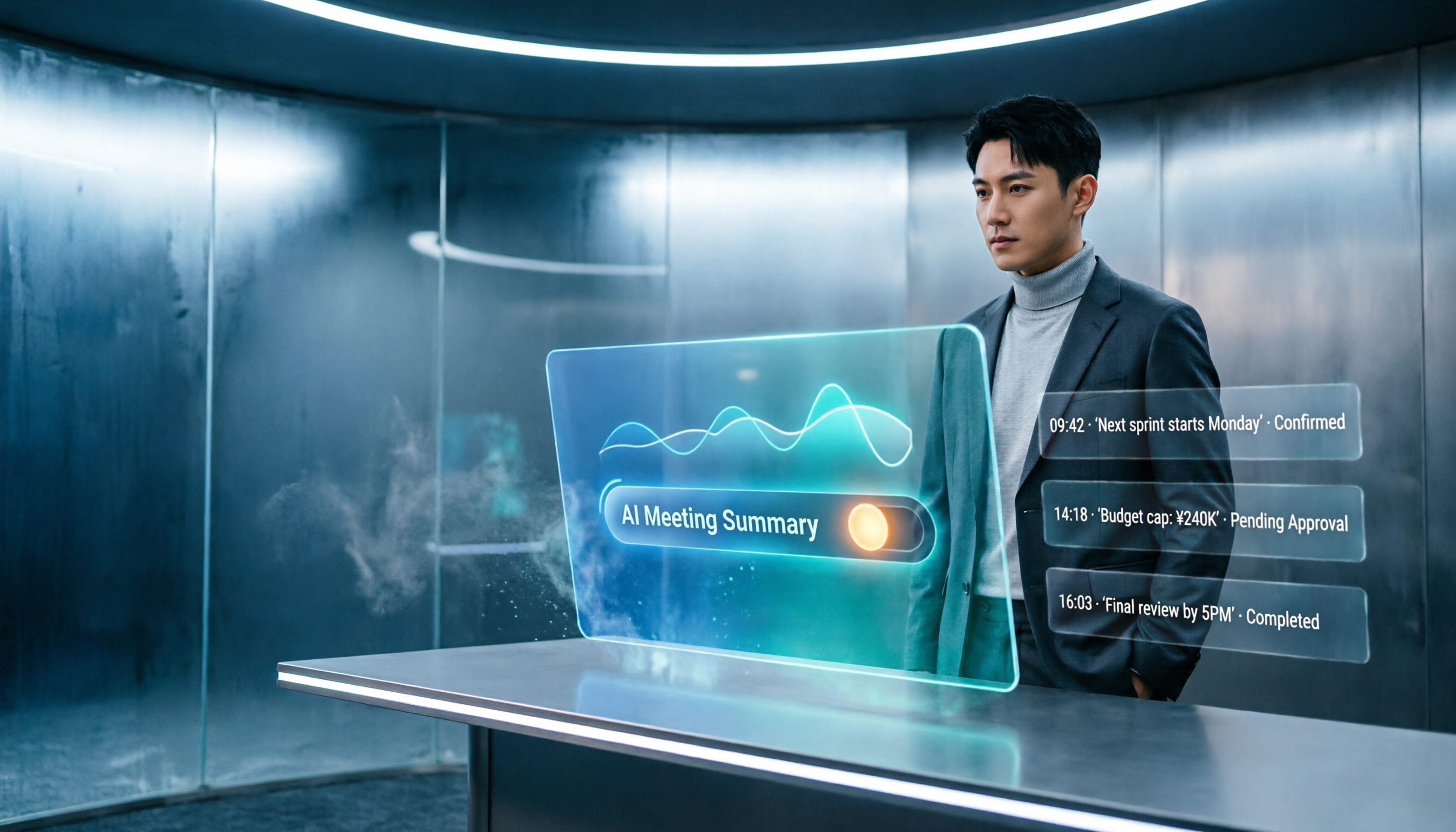
For example: open Tinrec during a meeting, and it records and transcribes in real time. As soon as the meeting ends, AI summaries and action items are generated automatically—who's responsible for what and the deadlines are all marked for you. If you want to look up a detail later, you don't have to listen from the beginning. Just ask in the chat box, "Who raised the budget issue at the last meeting?" Tinrec immediately gives you the answer, not just keyword search results. This is something few tools in the same price range can do currently.
Particularly Strong Chinese Organizing Capabilities
We tested a 5-minute Chinese meeting recording (office environment with slight air conditioning noise and keyboard sounds). Tinrec's transcript had almost no errors, and the punctuation and sentence breaks were natural. Even more impressive was its AI summary—a few short sentences clearly captured the key points of the entire meeting, making it perfect for quickly sending to those who didn't attend.
Stop organizing recordings by hand
Upload audio or video and automatically get a transcript, summary, and action items
More Than Transcription: It Continues to Generate the Documents You Need
Most tools stop after generating the transcript, but Tinrec can continue to help you create meeting minutes, report outlines, and even tables or documents. It also has export options that let you sync directly to tools you already use, such as Notion, Google Docs, and OneNote, saving you from endless copy-pasting.
Who Is It For?
If you frequently need to turn meetings, courses, interviews, podcasts, or online videos into text, and you don't just want a transcript but also want summaries, Q&A, and automatic organization, then Tinrec is currently your best choice. The free version offers a basic monthly allowance, so you can sign up and try it first—if it's enough, you don't need to rush into a paid plan.
What Other Options Are There Besides Tinrec?
Otter.ai: Dominant for English Meetings, but Chinese Is Not Its Strength
Otter.ai is very popular in North America, with a generous free plan of 300 minutes per month and extremely high English transcription accuracy. However, its Chinese support is weak, and it doesn't support Cantonese, let alone the specialized terms used in Traditional Chinese in Taiwan. If you mainly handle English meetings, Otter.ai is definitely worth trying; but for Chinese content, Tinrec's organization is far superior.
Notta: Feature-Rich, but Lacks the Key Difference of "Q&A"
Notta is similar to Tinrec in that both support multi-platform transcription, multiple languages, and meeting notes. Its free plan offers 120 minutes per month, and paid plans are generous too. However, Notta only produces transcripts and summaries; it doesn't have the AI Q&A feature that lets you ask questions about the recording like Tinrec does. If you want to "ask key points directly after recording," Tinrec is currently the only choice.
cSubtitle: Subtitle-First, Good for Video Creators
cSubtitle focuses on Chinese speech-to-text and subtitle generation, with decent accuracy, and it requires no registration, which is convenient for occasional subtitle needs. However, it lacks AI summaries, Q&A, and post-processing features, making it more suitable for light users who just need subtitle files or transcripts. To take it further and turn recordings into a searchable, organizable knowledge base, Tinrec is more comprehensive.
Avoidance Guide: The 3 Most Common Mistakes When Choosing AI Transcription Tools
Mistake 1: Only Looking at Advertised Accuracy, Not Testing with Your Own Real Recordings
Many products claim accuracy above 95%, but that's under ideal conditions. Your meeting room might have projector fan noise, coworkers' keyboard sounds, or even people who mumble. The best approach is to test the free plan with your own recordings and actually evaluate the quality of the output transcript.
Mistake 2: Buying Only to Discover It Doesn't Support Your Common Files or Platforms
Some tools can only record live audio or support specific meeting software. If you have a bunch of old MP3 recordings or YouTube videos to organize, choosing the wrong tool can be frustrating. First identify your primary audio sources, then choose the option with the broadest support.
Mistake 3: Using AI Tools Solely as "Recording-to-Text"
If you only use it to generate transcripts, you're only using about a third of the tool's capability. Tinrec's AI Q&A feature, for example, lets you ask "What are the conclusions?" or "Who is responsible for what?" right after recording, which is much faster than manually scrolling through 30 minutes of transcript. Learning to leverage these features is what truly saves you the effort of post-organization.
Conclusion: Which One Should You Choose?
If you primarily handle Chinese meetings, courses, interviews, or often need to organize online videos and historical recordings, and you want not just a transcript but automatic summaries, action item lists, AI Q&A, and even direct syncing of organized results to other tools—then Tinrec is the most comprehensive choice right now.
Quick scenario recommendations:
- Need Chinese + Taiwanese + Chinese-English mixed content organization → Tinrec (best language support, strong AI Q&A)
- Only handle English meetings and need team collaboration → Otter.ai (mature English ecosystem)
- Only need subtitle files or light transcription → cSubtitle (no registration, fast)
- Zero budget, only recording English → Otter.ai free version (generous 300 minutes per month)
We suggest downloading Tinrec's free version to try it out. With a basic monthly transcription allowance, recording a meeting or two will give you a good sense of its value. If you like it, consider upgrading; there's no need to spend money upfront. After all, a tool only counts if it truly integrates into your workflow. We hope this hands-on review helps you find the AI transcription partner that suits you best.
References
- 2026 Recommended 6 Speech-to-Text Tools: Convert Recordings to Text Online for Free!
- [AI Voice Notes] 5 Highly Recommended AI Transcription Tools! Generate Transcripts and Meeting Key Points, Free vs Subscription, Pros and Cons Review | 104 Job Bank
- Online AI Voice, Video, and Audio File Automatic Transcription - Free Trial - cSubtitle
- No Time Limit! 3 Free AI Transcript Tools, Great Recommendations! AI Voice Notes Generate Meeting Minutes, Presentations, and Mind Maps | 104 Job Bank
- AI Speech-to-Text: Quickly Convert Audio Files to Text Online, Transcripts and Video Subtitles - Free Trial - cSubtitle
Turn every recording into actionable outcomes
Get 60 free transcription minutes when you sign in. No credit card required.
Related Reading
You might also like

2026 iOS Transcription Apps Compared: Tinrec vs Notta for Chinese Meetings
Many assume that installing a transcription app on an iPhone will automatically generate meeting notes, but in practice, quotas, audio quality, and post-meeting organization are the real keys. This article starts with common misconceptions and compares Notta iOS and Tinrec on online meeting recording, post-meeting organization, AI follow-up questions, and team data management to help you decide which workflow better suits your daily needs.

Best AI Recording Tools in 2026: 5 Tested, Notta Memo Price & Alternatives
Notta Memo is priced at USD 149, but hardware is only part of the cost—transcription quotas and subscription fees add up. This guide cuts through the common price-comparison mistake of looking only at the hardware sticker price, breaking down the real costs, capability limits, and best-use scenarios for 5 AI recording and meeting-notes approaches so you can calculate total cost before deciding.

How to Transcribe Indonesian Audio to Text in 2026: Notta Supports Indonesian + Tinrec Post-Meeting Organization
How to choose Indonesian meeting transcription? This article addresses three common pitfalls, explains 4 key points for selecting an Indonesian transcription tool, compares Notta, Otter.ai, TurboScribe, and Tinrec, and shares practical tips and pitfalls to avoid for teams handling mixed Chinese-Indonesian meetings.

2026 Comparison of 3 Japanese Transcription Tools: Is 'notta in japanese' a Verb or a Tool?
People searching for 'notta in japanese' fall into two camps: those looking up the Japanese word '乗った/載った' and those looking for Japanese transcription tools like Notta. This article first clarifies the meaning of 'notta' in Japanese, then compares Tinrec, Notta, Otter.ai, and TurboScribe from four perspectives: recognition quality, real-time transcription, post-meeting organization, and team collaboration, to help you choose the right tool.
How to Cancel Notta Subscription in 2026: 3 AI Meeting Tools Compared
Can't find the cancel button for your Notta subscription? This guide covers the 3 most common cancellation mistakes and provides step-by-step instructions for canceling through the web, App Store, and Google Play. It also explains what happens to your access, quota, and data after cancellation. Finally, it compares Tinrec, Otter.ai, and TurboScribe to help you decide which tool to switch to after canceling.

2026 Best 3 Transcription Apps Compared: Notta vs Tinrec — Which Really Saves Meeting Notes Time?
Searching for "notta ilacabak" actually brings up a prescription drug in a Turkish medication database—just a name coincidence with the meeting notes tool. This article starts from that common confusion, breaks down 4 key points for choosing a transcription tool, compares Tinrec, Notta, Otter.ai, and Granola on Chinese meetings, post-meeting organization, and team collaboration, and lists 4 common pitfalls to avoid.

Notta vs Tinrec 2026: 5-Dimension Comparison for Chinese Meeting Notes and Team Knowledge
People searching for notta instagram are often deciding whether Notta is worth using. This article first confirms which Instagram account is Notta's official one, then compares Notta and Tinrec across 5 dimensions: capture method, post-meeting output, Chinese experience, team governance, and pricing, to help you choose the right tool for your scenario.

3 AI Meeting Note Tools Tested in 2026: How to Use Notta and Why Tinrec Saves Time for Chinese Meetings
A step-by-step guide to using Notta—from sign-up, recording, transcription, AI summary to export—plus a comparison of Tinrec's bot-free recording, AI Q&A, and team knowledge retention for Chinese-language meetings, with free tier and team pricing details.

What Is Notta House in 2026? 4 Steps to Clarify and Choose the Right Meeting Notes Tool
Searching for "notta house" brings up a Jakarta restaurant, a UK vacation rental, and a US home builder? This article uses 4 steps to clarify the name confusion, then compares Notta and Tinrec across 5 dimensions: meeting capture, post-meeting output, Chinese and translation, team governance, and pricing quotas, to help you decide which better fits your meeting notes needs.