

Turn recordings into transcripts and summaries in minutes
Upload audio or video for multilingual transcription, AI notes, and action items
2026 Tinrec Speech-to-Text: Complete Guide to Real-Time Transcription from Multiple Sources, AI Summaries & Q&A
How long did you spend organizing meeting notes the last time you finished a meeting?
Honestly, what I used to dread the most was transcribing recordings. After a two-hour meeting, I’d need another hour to replay the audio, pause, and type—it was draining and easy to miss key points.
As AI speech-to-text tools have matured, I’ve tried nearly every option on the market. From simple transcription services to meeting bots and recording hardware, the one that stayed on my phone is Tinrec (秒聽錄音).
Not because it’s the cheapest or has the most features, but because it clearly solves one thing: turning all kinds of audio and video content into truly usable data.
What Can AI Speech-to-Text Do for You?
Simply put, AI speech-to-text automatically converts speech into text, but Tinrec goes far beyond that.
Scenario 1: No More Handwritten Notes in Meetings
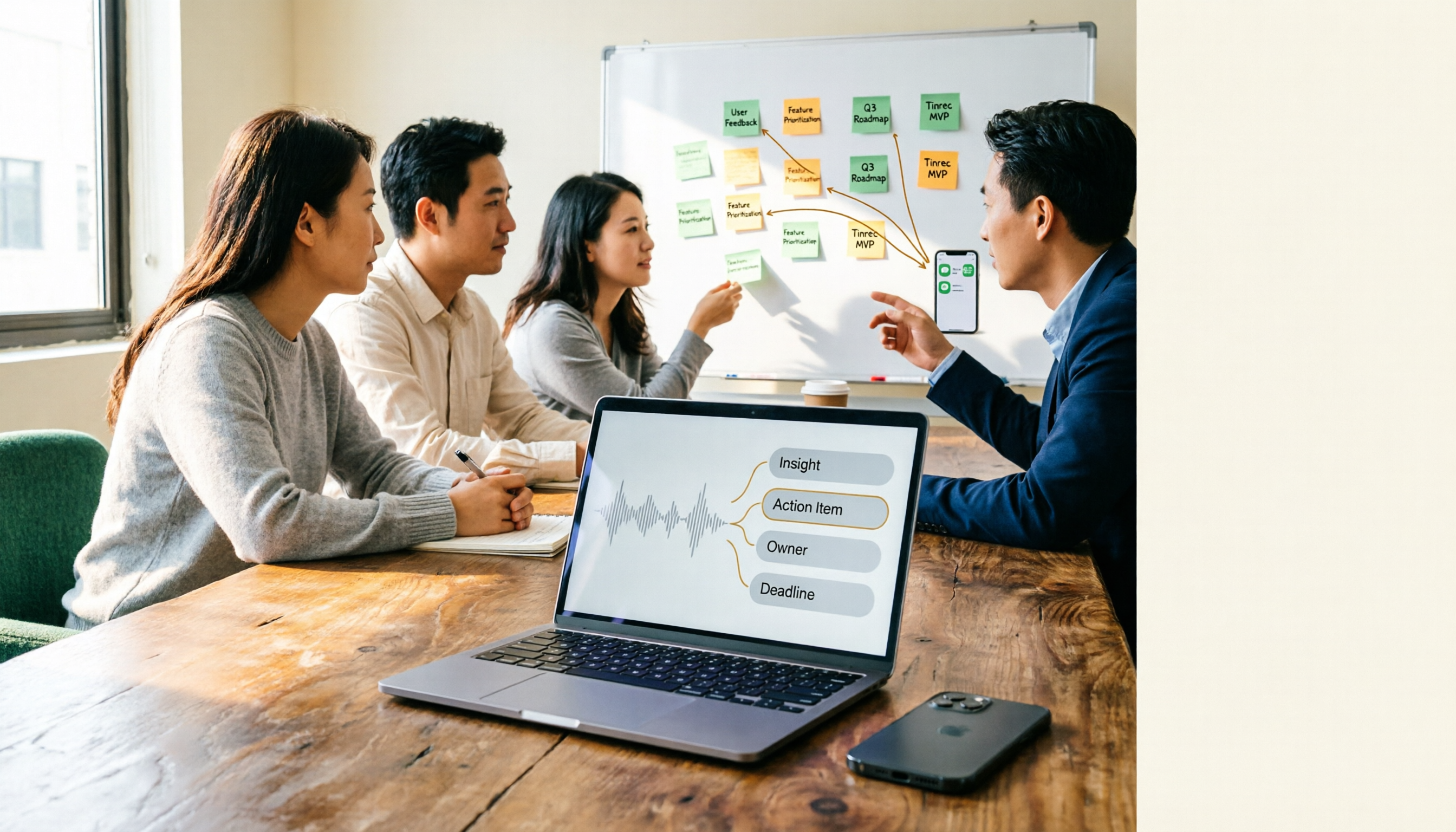
With Tinrec, just open the app and start recording before the meeting begins. The AI transcribes in real time, and by the time the meeting ends, summaries, conclusions, and action items are automatically generated. Who is responsible for what and the deadlines—all crystal clear.
Scenario 2: No More Cramped Hands in Classes or Lectures
The key points in a class or lecture often flash by. Instead of looking down and scribbling, you can focus on listening. Tinrec turns the entire session’s audio into a transcript, automatically divides it into sections, and lets you search for keywords later to jump straight to the corresponding audio segment.
Scenario 3: Easily Organize Interview and Research Materials
For user interviews or expert interviews, you used to replay the recording over and over to find key points. After Tinrec transcribes, you can search the transcript directly, and even ask AI questions like, “What does the interviewee think about the new feature?” and find the answer in seconds.
Scenario 4: Quickly Extract Highlights from Online Videos and Podcasts
When you see tutorial videos or news programs on YouTube or Bilibili, paste the link and Tinrec can convert the entire video into text, along with a summary. This is super convenient for content creators when organizing topics or writing articles.
What Are Tinrec’s Core Capabilities?
Multiple Audio and Video Input Sources
Tinrec doesn’t just record in real time; it also supports uploading audio and video files from your phone or computer, and you can even paste links to public online videos. In other words, all your voice data can be organized in one place.
Real-Time Recording and Transcription
Press the record button and the text appears simultaneously with less than a second of delay. This is very useful when you need to verify what you hear, such as seeing the transcript during a meeting and instantly correcting words you didn’t catch.
AI Summaries and Chapter Organization
After transcription, you don’t just get plain text. Tinrec automatically generates structured summaries, lists key sections, and extracts action items. Long recordings are no longer overwhelming.
AI Conversational Q&A
One of my most-used features. After transcription, you can ask questions directly about the recording, such as, “Did this meeting discuss the budget?” or “What was the client’s feedback on the proposal?” Tinrec provides answers based on semantics, so you don’t have to read the entire transcript word by word.
Multiple Export Formats and Further Applications
The organized results can be exported as TXT, Word, or subtitle files, and you can also send them to tools like Notion and Google Docs for further editing. Tinrec also offers Agent post-processing to generate formal meeting minutes, reports, or tables.
Stop organizing recordings by hand
Upload audio or video and automatically get a transcript, summary, and action items
Practical Use Cases
Meeting Minutes
For our weekly cross-departmental project meeting, I used to spend 30 minutes after each meeting writing up minutes and emailing them to everyone. Now I use Tinrec to record, and immediately share the AI summary and action items with colleagues. Everyone can confirm next steps right from their phones.
Class Notes
For language classes or online lectures, I place my phone nearby to record. After class, I open Tinrec, read the transcript while replaying the audio, and ask AI whenever something isn’t clear: “Which section covers this grammar point?” Reviewing is much more efficient.
Interview Organization
Not long ago, I did a 90-minute in-depth interview. Tinrec produced a clearly structured transcript and even marked the segments for different speakers. I searched directly for “pain points” and “competitive advantages” and organized the interview highlights in just a few minutes.
Content Creation Materials
As a blogger, I often use overseas videos as inspiration. With Tinrec, I paste the link and receive the full video transcript. After a quick skim, I can decide whether to write an article, saving a lot of viewing time.
4 Things to Note When Choosing a Speech-to-Text Tool
1. How diverse are your audio sources?
Most transcription tools only accept file uploads; a few allow in-app recording. Tinrec additionally supports online video links, which is convenient for those who often organize YouTube or social media videos.
2. What else can it do after transcription?
Some tools stop after transcription, leaving you with just a text file. Tinrec’s summaries, action item extraction, AI Q&A, and subsequent Agent generation are where it truly saves time.
3. Recognition performance for Chinese content
Not every software is friendly to Chinese, especially Traditional Chinese or mixed Chinese-English situations. Tinrec’s product design clearly considers Chinese users. In my tests, transcription quality for meeting terminology and general conversation is good, though it can still be affected by background noise and accents.
4. Pricing and usage quotas should be transparent
Free plans usually have minute limits. Tinrec’s free version offers a monthly base transcription quota, enough for occasional meetings and classes. If you need to process large volumes, the Pro monthly or annual plans are more cost-effective. I recommend starting with the free version and upgrading once you confirm it meets your needs.
Frequently Asked Questions
Is the Tinrec free version enough?
If you only transcribe a few meetings or classes a month, the free quota is usually sufficient. I myself started with the free version, and only upgraded after confirming it worked well for me.
What audio and video formats are supported?
Common audio recordings like MP3, WAV, M4A, and video files like MP4 and MOV can be uploaded. Detailed specifications can be found on the official website, but almost every typical file is supported.
How accurate is it?
In quiet environments with standard accents, transcription quality is very high. But if there is background noise, multiple people speaking at once, or heavy accents, accuracy decreases. I suggest uploading your own file for a free trial to see the real performance.
Besides recording, can it transcribe online videos?
Yes. Copy the public video URL from platforms like YouTube, Bilibili, TikTok, and paste it into Tinrec to start transcription and summary generation. However, please follow the platform’s terms of use and copyright regulations.
Can the transcribed text be edited or exported?
Yes. You can edit the transcript directly in the app, export it as plain text, Word, or subtitle files, and sync to other note-taking tools.
Summary
AI speech-to-text is no longer futuristic technology—it’s a practical tool you can rely on today. Instead of spending time transcribing manually, find a good tool to handle the busywork and focus your attention on what truly matters.
If you have lots of meetings, classes, or need to organize audio and video materials, I recommend starting with Tinrec’s free version. You don’t need extra hardware—you can use it on your phone or computer. In a few minutes, you’ll feel the ease of automatically organizing recording data.
References
- Online AI Speech, Video, and Audio to Text - Free Trial - cSubtitle
- Online AI Speech-to-Text Tool, Free MP3 or Recording to Transcript - MyEdit
- 2026 Recommended 6 Speech-to-Text Tools: Free Online Conversion of Recording Files to Text!
- 《Speech to Text: AI Transcription, Voice to Text, Voice Memo Audio Real-Time Translator》 App - App Store
- SoundType AI - Ultra-Precise Transcript, Speech-to-Text, AI Dictation - Google Play
Turn every recording into actionable outcomes
Get 60 free transcription minutes when you sign in. No credit card required.
Related Reading
You might also like
Tinrec vs Notta (2026): Which AI Meeting Notes Tool Is Better for Chinese-Speaking Teams?
People searching for notta reviews often want to know if it can support their meeting workflow, not just accuracy. This comparison of Notta and Tinrec across four dimensions—meeting capture, post-meeting output, free tier limits, and team governance—helps you decide which fits your work style.

2026 Comparison of 5 Online Audio Converter Tools: Conversion Is Just the Start—Instant Transcripts Are the Key
Most people searching for an online audio converter aren't really trying to solve a format issue—they're trying to avoid listening to the recording again. This article breaks down the difference between file conversion and AI transcription, using Tinrec as an example to explain how bot-free meeting recording, transcripts, summaries, action items, AI Q&A, and team spaces work. It also covers 5 key buying considerations and FAQs.

2026 AI Meeting Recorder Comparison: Notta vs. Tinrec for Chinese Meetings
Notta is often the first stop when searching for AI meeting recorder tools, but free tiers and team management involve trade-offs. This article compares Notta, Otter.ai, TurboScribe, and Tinrec based on real meeting scenarios, outlining selection criteria, pitfalls to avoid, and ideal use cases to help you choose the tool that truly saves time.
2026 Audio-to-Text App Comparison: Are Reddit Reviews of Notta Accurate?
People searching "notta review reddit" are usually deciding whether it's worth paying for. This guide breaks down real Reddit feedback and controversies around Notta, explains the 4 key factors when choosing an audio-to-text app, and compares Tinrec, Notta, Otter.ai, and PLAUD Note on differences, limitations, and best-fit users.

How to Use Notta Vocal Remover in 2026: 4-Step Guide & Alternatives
Notta Online Vocal Remover is often the first stop for those searching for a free vocal remover. This guide covers the actual steps, format and length limits, honestly addresses concerns about the page's current status, and explains how to turn separated vocals into transcripts and action items.

2026 Meeting Transcription Tools Compared: Risks of Notta Mod APK and Legal Alternatives
Many people search for the latest Notta Mod APK to bypass free usage limits. This article explains the practical risks of cracked versions—version confusion, update and account data issues—and compares Tinrec, Notta, Otter.ai, and TurboScribe in meeting notes, summary action items, AI Q&A, and team collaboration to help you choose a solution that truly saves time.

4 Paid AI Meeting Recorder Tools Tested for 2026: What to Know Before Buying Notta
Many people search for 'notta purchase' and immediately enter their card details, overlooking the per-recording limit, in-app purchase vs. web pricing differences, and whether the transcription is actually usable. This article covers Notta's purchase channels and plan differences, and compares the paid value of Tinrec, Otter.ai, and PLAUD through hands-on testing to help you avoid common pitfalls before paying.

Notta vs Tinrec (2026): Hands-On Comparison to Avoid 3 Buying Mistakes and Find a Faster Meeting Notes Workflow
People searching for "notta" either want its meaning or the Notta transcription tool. This article tackles three common buying mistakes and compares Notta and Tinrec in meeting capture, post-meeting organization, and team data retention to help you decide which workflow fits your meeting style.

4 Online Transcription Tools Reviewed for 2026: Beyond Notta, How to Choose for Chinese Meeting Notes
Notta's online tool requires no registration and transcribes text upon upload, but the free version is limited to 3 minutes per file. This article compares Notta, Tinrec, Otter.ai, and TurboScribe based on three needs—occasional transcription, weekly meetings, and team knowledge retention—covering free quotas, meeting capture methods, and post-meeting outputs to help you choose the right tool at a glance.