

Turn recordings into transcripts and summaries in minutes
Upload audio or video for multilingual transcription, AI notes, and action items
2026 Free Speech-to-Text Solutions: 5 Tools at a Glance
Every time you finish a meeting or a class, the most painful part is spending a lot of time re-listening to the audio and manually typing up a transcript. A two-hour meeting recording might take another hour to organize—basically burning productivity. Fortunately, many AI speech-to-text tools now work not only several times faster than humans, but also add punctuation, create paragraphs, and even highlight key points. This article focuses on Tinrec to help you understand what speech-to-text can do for you, its core capabilities, real-world use cases, and what to watch for when choosing a tool, so you can turn recordings into genuinely useful knowledge.
What Can Speech-to-Text Do for You?
Speech-to-text doesn't just turn audio into text; more importantly, it saves you time on follow-up organization. With Tinrec, for example, it can bring a few concrete improvements:
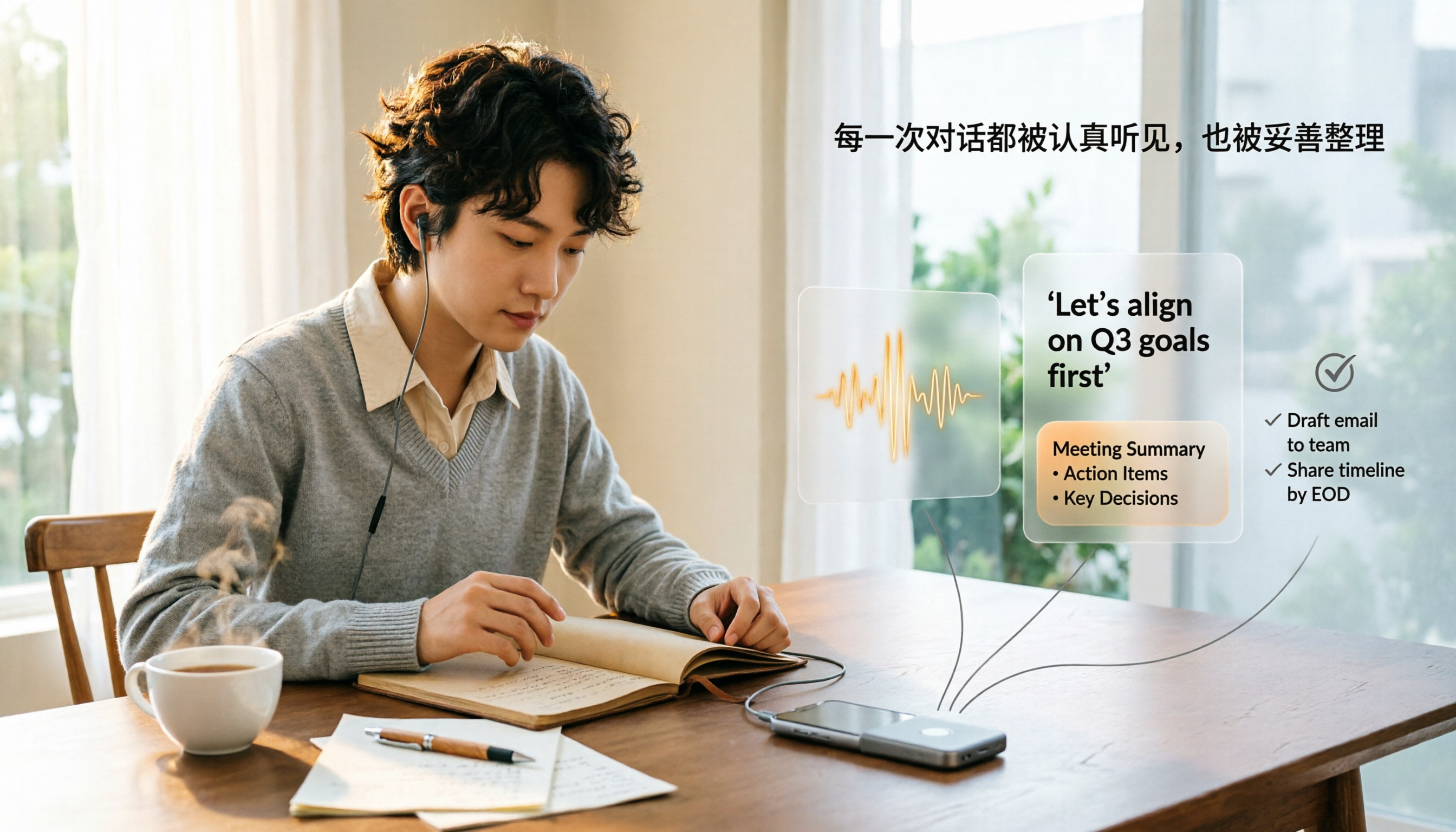
- Meeting minutes in 5 minutes: After a two-hour meeting, you might have spent another hour writing the minutes. Now, hand the recording to Tinrec, and the AI automatically converts it to text, marks who said what, highlights key discussion points, and even lists action items. You can send out the minutes right after the meeting ends.
- Class recordings become review notes: In the past, a semester's worth of lecture recordings could only sit on your phone collecting dust. Tinrec doesn't just convert the professor's words into text; it also splits them into chapters and marks key sections. When reviewing, you can search keywords to find the exact content you need.
- Interview material sorted quickly: For user interviews or expert interviews, the biggest fear is having to slowly listen to and type up dozens of hours of audio. Upload the audio to Tinrec, and you get a complete transcript within minutes. You can even use the AI Q&A feature to ask, “What's the interviewee's opinion on pricing?” without listening from start to finish.
- Videos from influencers and podcasts become text assets: Want to learn something from YouTube or Bilibili but don't have time to watch a full video? Just put the link into Tinrec, and it generates subtitles, summaries, and even a mind map, so you can quickly grasp the key points.
What Are the Core Capabilities of Speech-to-Text Tools?
When choosing a speech-to-text tool, don't just look at whether it can transcribe; also consider what you can do with the result. Tinrec is particularly strong in these core areas:
- Real-time transcription and file transcription: It supports live recording with on-the-fly transcription, and also lets you upload recorded audio or video files, including common formats such as WAV, MP3, M4A, and MP4. Tinrec's real-time transcription has a delay of less than one second, so you can follow along during lectures and meetings and never miss an important point.
- Online video transcription: This is a feature many tools lack. Simply paste a link to any public video on YouTube, Bilibili, or Xiaohongshu (Little Red Book), and Tinrec can turn the whole video into a transcript and summary. It’s perfect for collecting learning materials and conducting competitor research.
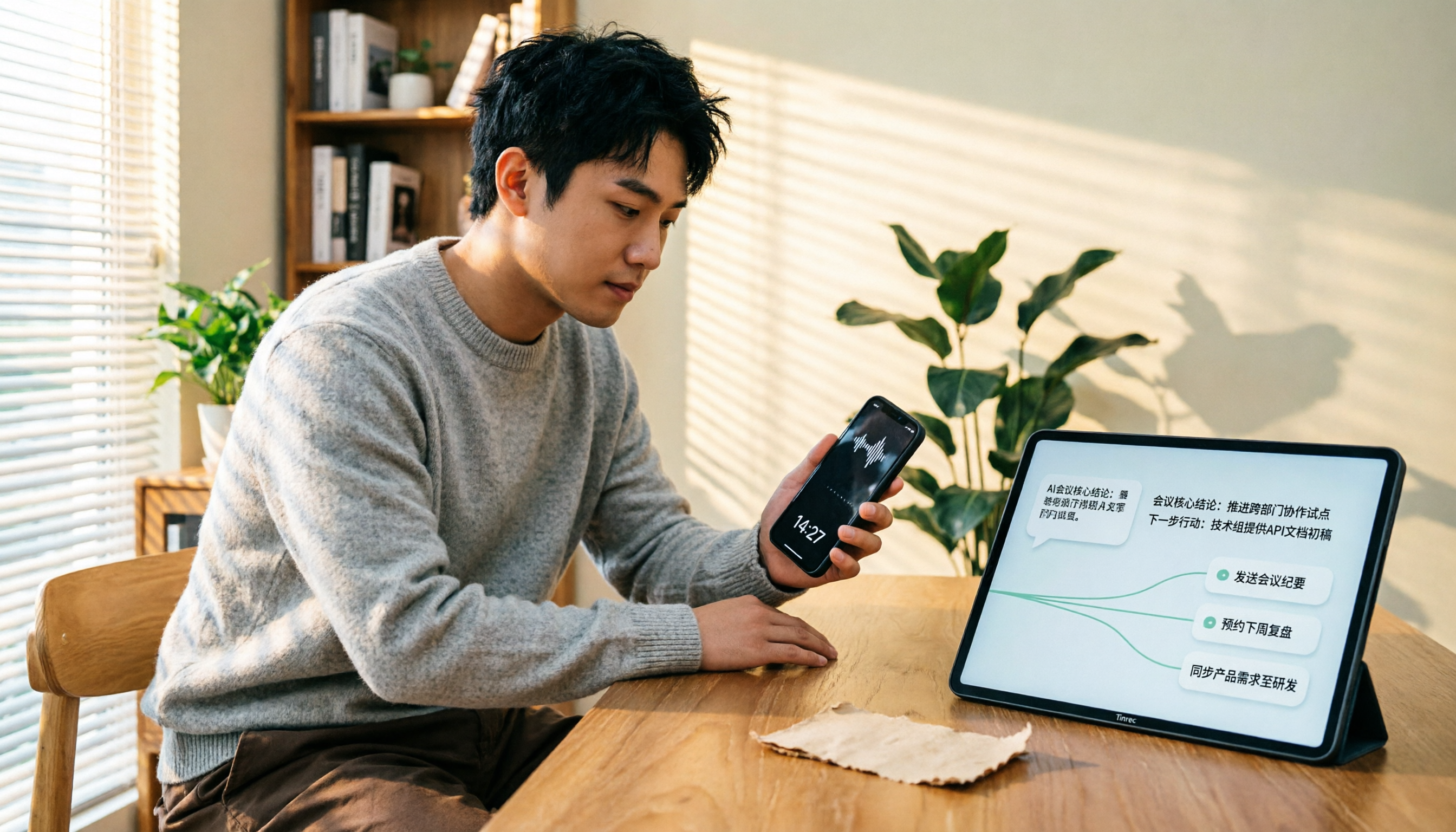
- AI summaries and structured organization: Getting the text is only the first step. Tinrec automatically generates summaries, splits long content into chapters, extracts key points, and even lists action items from meeting recordings. No more digging through thousands of words yourself.
- AI conversation-based querying: Your historical recordings become a searchable knowledge base. You can directly ask Tinrec, “Who mentioned the budget at the last meeting?” or “What was the client's feedback on the new feature?” It answers based on meaning, so you don't have to re-listen to anything.
- Multi-format export and further workflow integration: The organized output can be exported as plain text, Word, or SRT subtitles, and synced to tools like Notion, Google Docs, and other cloud platforms, keeping the information usable in your existing workflow.
Real-World Use Cases
Scenario 1: Workplace Meetings
Weekly department meetings and project meetings are full of complex discussions. Start recording with Tinrec on your phone or computer, and by the time the meeting ends, the AI summary and to-do list are already generated. Just forward them to attendees, and everyone knows exactly what they need to do—no more “I didn't hear that” excuses.
Stop organizing recordings by hand
Upload audio or video and automatically get a transcript, summary, and action items
Scenario 2: Classroom Learning
When lecturers speak quickly, taking notes can make you miss key points. Record the entire class, and Tinrec turns it into a chaptered transcript. During review, search for a keyword and jump directly to the relevant explanation. You can even store a whole semester of recordings to build a personal knowledge base.
Scenario 3: Interview Research
Whether you're doing user interviews or expert interviews, after recording and transcribing with Tinrec, you can ask the AI questions directly about the transcript: “What are the main pain points the interviewee mentioned?” or “Did they mention competitors?” Compared with traditional manual tagging, you can save at least 70% of your organizing time.
Scenario 4: Content Creation
If you manage a YouTube channel, podcast, or blog, your past episodes are a treasure trove. Tinrec can turn those videos and audio files into text and summaries, helping you quickly produce social media posts or blog articles. You can also use the AI summaries to find a fresh angle for your next episode.
4 Things to Watch When Choosing a Speech-to-Text Tool
There are many speech-to-text tools on the market, and their free plans vary. Before you decide, evaluate these four things to find a tool that truly fits your needs.
- Real accuracy matters: The 95% or 98% accuracy rates claimed by vendors are only reference points. Actual performance heavily depends on recording conditions, accents, and multiple speakers. Instead of trusting numbers, run your own test with your recordings. Under clear meeting or classroom conditions, Tinrec delivers reliable Traditional Chinese transcription quality with natural punctuation, so proofreading is a breeze.
- Post-transcription organization capabilities: Getting a raw transcript isn’t enough. The real question is whether the tool can automatically summarize, split into chapters, and list action items. Some tools only offer bare transcripts, while Tinrec goes further and structures the results into browsable, searchable content that greatly reduces downstream editing.
- Language support and Chinese optimization: If you mainly work with Chinese content, check how well the tool supports Traditional Chinese, mixed Chinese-English text, and Taiwan-specific terminology. Tinrec’s design clearly considers Chinese speakers—from the interface to the output, it’s very Chinese-friendly.
- Cross-platform support and input sources: Confirm whether the tool works on mobile, desktop, and web, and whether it supports live recording, file upload, and online video links. Tinrec is available on iOS, Android, and web, and accepts inputs from meetings, documents, videos, and online courses, giving you great flexibility.
Frequently Asked Questions
Are speech-to-text tools really free?
Most tools provide a free usage allowance, but commonly with time limits, such as a few minutes a day or a few hundred minutes a month. Tinrec's free plan includes a monthly base transcription allowance, which is enough for a few meetings or classes, so you can test it before deciding whether to upgrade.
Is it possible to achieve 100% accuracy in speech-to-text?
That's hard. Recording quality, background noise, speaking speed, and accents all affect accuracy, and no current tool can guarantee 100% correctness. Tinrec can achieve high usability under normal conditions, but for important content, double-check it against the original audio.
What happens to uploaded audio files? Is my privacy protected?
Legitimate tools encrypt files during transmission and storage, and automatically delete them after a set time once transcription is done. Tinrec uses industry-standard encryption protection, and your recordings and text content are visible only to you; they are never used for other purposes.
Can I export the transcribed text to other software?
Yes. Tinrec supports exporting as plain text, Word, and SRT subtitles, and can sync directly to cloud tools like Notion or Google Docs, making further editing and archiving easy.
What is the difference between speech-to-text and meeting bots?
Meeting bots usually handle only online meetings, while tools like Tinrec can process many more sources: live recordings, audio/video files, and online links. If your needs go beyond meetings—such as classes, interviews, or video material—a more comprehensive tool is the better choice.
Conclusion
Speech-to-text is no longer “future tech”; it's a practical tool that can save you hours of work today. Compared with bare-bones transcript tools or heavily restricted free plans, Tinrec not only produces high-quality transcriptions, but also excels at summarizing, segmenting, and listing action items, and even lets you ask questions about the content like a search engine. If you have more than three meetings or five classes to organize a month, start with Tinrec's free version and see how convenient it is to turn audio files into a searchable, organized knowledge base.
References
- 2026 Recommended 6 Voice-to-Text Tools: Free Online Audio-to-Text Transcription!
- 【AI Voice Notes】5 Highly Recommended AI Transcription Tools! Generate Transcripts and Meeting Minutes, Free vs. Subscription Comparison | 104 Career Force
- Online AI Speech, Video, and Audio Recording to Text - Free Trial - cSubtitle
- Want to Convert Audio Files to Transcripts for Free? 5 Must-Recommend “Transcript” Tools to Help You Get It Done
- Online AI Speech-to-Text Tool: Free Convert MP3 or Audio Recordings to Text Transcripts - MyEdit
Turn every recording into actionable outcomes
Get 60 free transcription minutes when you sign in. No credit card required.
Related Reading
You might also like

How to Transfer iPhone Voice Memos to Computer for Free in 2026: 6 Methods Compared
How do you transfer iPhone voice memos to a computer? This guide starts with two key questions: Is your computer a Mac or Windows, and how long is the recording? It covers six free transfer methods—AirDrop, iCloud Drive, Google Drive, USB cable, LINE desktop, and email—and explains how to use Tinrec to turn recordings into transcripts, summaries, and action items after the file is on your computer. Includes common mistakes and selection advice.
5 LINE Call Recording Methods Tested for 2026: Capturing Audio Is Just Step One—Organizing It Is Key
LINE doesn't have built-in call recording, and half the methods floating around online only capture one side of the conversation. This guide compares iPhone integrated calling, Android screen recording, third-party apps, and magnetic recording devices, and tests importing recordings into Tinrec to generate transcripts, summaries, and to-dos—helping you decide which approach truly saves time.

3 iPhone Voice Memo to Ringtone Methods Tested for 2026: Which No-Computer Way Is Fastest?
Voice Memos recordings can't be set as iPhone ringtones directly because the format and length don't match. This article tests three conversion methods, provides a complete 5-step GarageBand tutorial without a computer, covers common pitfalls and tips, and adds a better way to organize recordings after you're done.
4 LINE Call Recording Solutions Compared for 2026: How to Turn Recordings into Useful Data
LINE doesn't have built-in recording, but there are 4 approaches available. This article breaks down the limitations on iPhone and Android, the legal issues to handle before recording, and demonstrates how to use Tinrec to turn recordings into searchable transcripts, summaries, and action items—so you don't have to listen to a 30-minute audio file again.

4 LINE Meeting Recording & Transcription Tools Tested for 2026: Get Transcripts Without a Meeting Bot
LINE Meeting has no built-in recording, and call permissions are restricted, so capturing meeting content requires external tools. This hands-on comparison of Tinrec, Otter.ai, Notta, and Granola covers bot-free recording, Chinese recognition, post-meeting organization, and team knowledge retention to help you choose the right LINE meeting notes solution.

How to Record LINE Calls for Free in 2026: 5-Step Guide
Recording LINE calls for free is now possible, but many online methods are outdated. This guide covers the truly free options for iPhone, Android, and desktop in 2026, explains the free trial period and file retention limits of LINE Labs call recording, and then compares how to convert recordings into transcripts, summaries, and action items so your recordings are actually usable.

5 LINE Call Recording Methods Tested for 2026: What Actually Works on iPhone and Android
LINE has no built-in call recording, and iPhone blocks third-party apps from recording calls internally—so most people start off on the wrong foot. This guide breaks down 5 practical LINE call recording methods for 2026 and shows how to use Tinrec to turn recordings into transcripts, summaries, and action items so your call records are actually usable afterward.

How to Record LINE Calls for Free in 2026: 5 Steps from Call to Transcript
LINE doesn't have a built-in recording feature. This guide addresses the three most common misconceptions and walks you through five steps to record LINE calls for free using methods like Android screen recording or iPhone speakerphone with a second device. It also compares Tinrec and Notta on free quotas, meeting capture methods, post-meeting organization, and team governance.

4 LINE Call Recording Solutions Tested for 2026: Recording Is Just the Beginning
LINE doesn't have built-in call recording, but the real bottleneck isn't capturing audio—it's what happens after. This article breaks down 4 key decision points from real-world use cases, comparing Cube ACR, desktop system recording, PLAUD recording hardware, and Tinrec. Includes a pitfalls guide and scenario-based recommendations.