

Turn recordings into transcripts and summaries in minutes
Upload audio or video for multilingual transcription, AI notes, and action items
Are you tired of manually transcribing recordings?
A two-hour meeting can mean another two hours of writing up meeting notes—a routine many office workers know too well.
What's worse is interview or lecture audio: to get a transcript, you have to keep pausing and replaying. Typing up a 30-minute recording can easily eat up an entire afternoon.
If you want to pull key points from an online video, you usually end up watching and copying notes by hand, which is painfully slow.
These pain points don't just waste time—they drain your focus. The good news: today's AI transcription tools are mature enough to handle this heavy lifting automatically, and many offer free plans you can try first.
In this article, I tested several popular free tools and focused on Tinrec (秒聽錄音), the one I use most, to show you what to look for, how to use it, and what pitfalls to avoid.
Before Choosing a Recording-to-Text Tool, Understand These 3 Key Points
Many people start by comparing prices and minute limits, but that only scratches the surface. What really matters are these three factors, because they directly affect how efficiently you can organize your content afterward.
1. Source Flexibility: Not Just Audio Files
Your audio and video materials can come from many places—phone recordings, files on your computer, public YouTube videos, and online meeting recordings.
If a tool only supports local uploads, you'll need to download and convert online videos first—extra busywork.
When evaluating options, check whether it can transcribe directly from a pasted video URL and whether it supports recordings from popular online meeting platforms.
2. AI Post-Processing: Transcription Is Just the Beginning
Turning speech into text isn't enough—what saves time is what happens next.
A good tool automatically adds paragraphs, punctuation, summaries, and even extracts action items. Some go further, letting you ask the recording questions directly—for example, “What was the conclusion of this meeting?”
Don't settle for a raw transcript—that's just the most basic thing AI can do.
3. Cross-Platform Support and Easy Export
You might record on your phone but want to edit the text on your computer, or you may need to export polished notes to Notion or Google Docs to keep working.
If a tool is mobile-only or exports only TXT files, it will limit your workflow.
Choose a tool that syncs across devices and supports multiple export formats so it fits into your everyday routine.
Tinrec (秒聽錄音) — My Top Pick After Real-World Testing
Tinrec is an AI recording and audio/video organization tool with multi-source input. It offers iOS, Android, and web apps, and it handles not only meetings but also lectures, interviews, and online videos.
I've used it to organize several meetings, an online course, and a Chinese-language interview on YouTube, and the overall experience impressed me.
Three Features I Can't Live Without
Live transcription + AI summaries
During a meeting, open Tinrec and it transcribes in real time. Seconds after the meeting ends, it automatically produces a summary and action items. You can see who said what and what was decided at a glance—no manual notes needed.
Transcribe online video links directly
Paste a YouTube, Bilibili, or other video URL, and Tinrec generates a transcript and key points. I used it to organize industry webinar recordings; half an hour of content became searchable text in minutes.
AI chat query—ask your recording like a database
This is my favorite feature. After recording, you can ask Tinrec, “Who mentioned the budget in the last meeting?” Instead of returning keyword-search results, it answers based on meaning. Almost no other tool in this price range offers this today.
Hands-on test
I tested it with a five-minute Chinese meeting recording that had air-conditioning background noise. Tinrec's transcription accuracy was solid, and it handled colloquial dialogue and paragraph breaks naturally. There were still a few homophone errors, but the overall readability was high and proofreading was easy.
Stop organizing recordings by hand
Upload audio or video and automatically get a transcript, summary, and action items
Key strengths
- Wide input support: live recording, audio files, video links, and computer meeting recordings (e.g., Zoom) are all supported, so you don't need to sort content and switch between different tools.
- Complete AI post-processing: automatic summaries, chapters, and action items, plus the ability to generate meeting notes or reports—not just transcription, but content polished into ready-to-use materials.
- Cross-platform use: works on mobile, desktop, and web with real-time sync, and exports in multiple formats (Word, TXT, subtitle files, etc.) for easy integration with other tools.
Limitations and who it's for
The free plan includes a basic transcription allowance, making it easy for light users to try. If you have multiple meetings per week or heavy content-organization needs, the Pro plan—available monthly or annually—is worth considering.
Overall, if you need to handle a variety of audio/video content and want to quickly extract key points, ask questions, and export afterwards, Tinrec is currently the most complete option.
What about alternatives to Tinrec?
MyEdit
MyEdit is an online audio-editing tool from CyberLink. Its speech-to-text feature supports nine languages and is easy to use—upload a file and it transcribes. The free plan includes a small daily credit, and you can edit the transcript before exporting.
However, MyEdit is mainly just transcription—it doesn't offer AI chat queries, and you can't paste a video URL for processing. If you only need to quickly turn a clean recording into text, it's handy; but for deeper content organization, Tinrec is far more useful.
雅婷逐字稿
雅婷逐字稿 is a Taiwan-developed service that supports Mandarin, Taiwanese, and English. You can upload your own audio/video files or transcribe live recordings, and it handles Taiwanese users' language habits well.
Unfortunately, the free version doesn't include any transcription credits (you either pay or don't use it). It also lacks AI summaries or Q&A, so you'll still need to manually comb through the transcript. In comparison, Tinrec's AI comprehension saves much more time afterward.
Google AI Studio
This is a free tool from Google that uses the Gemini model to turn audio files into text. It's completely free, can identify different speakers, and adds timestamps.
But it's better suited to users with a technical background, because you need to manually upload files and write prompts, and the interface isn't as intuitive as a typical app. You also have to proofread and segment the output yourself. If you're comfortable with DIY and don't mind multi-step workflows, give it a try; but for most users, Tinrec is far more convenient.
Avoid These 3 Common Mistakes When Using Transcription Tools
Pitfall #1: Only Looking at Price, Ignoring Later Editing Costs
Free transcription tools can save you licensing fees, but if the transcript comes out with no paragraph breaks or punctuation, you'll spend even more time correcting it by hand.
Choosing a tool with automatic segmentation, summaries, and key-point extraction might cost a little more upfront, but it pays off over time.
Pitfall #2: Assuming Every Tool Handles Chinese Equally Well
Many international tools are extremely accurate with English, but their performance drops with Chinese—especially when content mixes in Taiwanese or casual speech.
Before you commit, test the free plan with your own typical recording environment. Don't rely only on official marketing claims.
Pitfall #3: Treating Transcription as the End Result and Ignoring AI Q&A
Many people get a transcript and start reading it from beginning to end. But today's tools let you ask questions like “What was the meeting's conclusion?” or “Who is responsible for this project?” directly.
Tinrec's chat-query feature turns your recording into a conversational database, so you no longer need to search line by line. If you only use it for transcription, you're using only half of its power.
Conclusion: Which One Should You Choose?
Given that most people need more than transcription—they want quick organization and reuse—Tinrec offers the best balance across input sources, AI post-processing, and cross-platform support.
Here are my recommendations for common scenarios:
- You handle meetings, courses, interviews, and a variety of recording sources → Tinrec
- You want automatic summaries, action items, and chapters to reduce organization time → Tinrec
- You want to ask questions and find key points after recording, not search manually → Tinrec
- You transcribe mostly English meetings and need the most generous free plan → Otter.ai (300 free minutes/month, but Chinese support is weaker)
I'd suggest downloading Tinrec's free version first. It includes a monthly transcription allowance, enough for a few meetings and recordings to try out. Upgrade only if you like it—there's no need to pay right away.
Turning recordings into truly usable material matters far more than simple transcription.
References
- Online AI speech, video, and audio transcription - Free trial - cSubtitle
- Google AI Studio transcription tutorial: free AI recording-to-text tips - Mr. Mad
- Online AI speech-to-text tool: free MP3 or audio file transcription - MyEdit
- 6 speech-to-text tools recommended in 2026: turn audio files into text online for free!
- Want to transcribe audio for free? 5 must-try transcription tools to get it done fast
Turn every recording into actionable outcomes
Get 60 free transcription minutes when you sign in. No credit card required.
Related Reading
You might also like
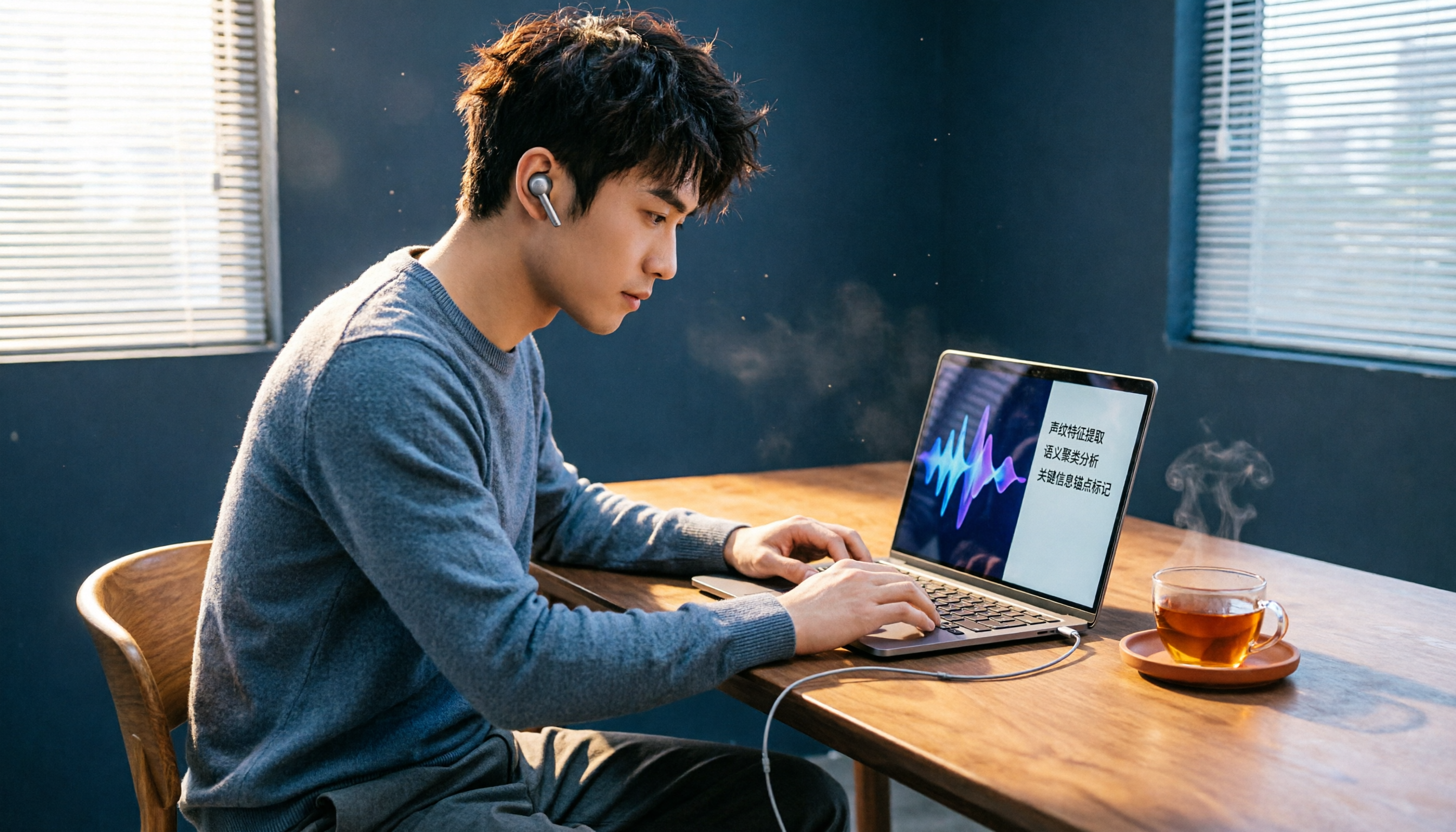
2026 Review of 5 Web Audio Capture Tools: Can AI Organize Your Recordings After Capture?
Want to capture webpage background music, online radio, or video audio tracks? This article tests 5 free and paid tools, from Chrome extensions to AI recording assistants, to help you easily save webpage audio as MP3. Some can even transcribe audio to text and generate summaries—a must-read for working professionals.

How to Choose an Audio-to-Text Tool in 2026? A 5-Step Comparison of Tinrec vs Plaud Note
Still struggling to turn meeting recordings and course audio into text? A mid-level manager tests two mainstream solutions: software-based Tinrec vs hardware-based Plaud Note. Compare 5 key dimensions—input sources, accuracy, AI features, cross-platform, and cost—to find the best AI audio-to-text tool for your workplace needs.

AI Transcription Tools in 2026: Tinrec vs Otter.ai – Which Is Better for Chinese Users?
We tested two leading AI transcription tools, Tinrec and Otter.ai, comparing Chinese recognition, multi-source input, post-transcription organization, and cross-platform use. This five-dimension deep dive explains why Tinrec may be the better fit for Chinese speakers.

2026 Hands-On Comparison of 4 AI Meeting Summary Tools: Which One Really Saves You Time?
Spending too much time on meeting notes? We tested four popular AI meeting summary tools, comparing transcription accuracy, summary quality, and free plan limits, to help you find the best pick for Taiwanese users.

2026 Hands-On Comparison of 4 Audio-to-Text Tools: Which One Is the Best Organizer for Chinese Users?
Are meeting, class, and interview recordings always piling up? Transcribing them by hand takes time and effort? This review compares 4 popular audio-to-text tools, testing which one has the most accurate Chinese transcription and the most useful AI features, to help you find your ideal organization tool.

2026 Comparison of 4 AI Meeting Notes Tools: Which Is Best for Chinese Content?
This article tests four AI meeting notes tools—Tinrec, Otter.ai, Notta, and PLAUD—and compares them on accuracy, Chinese language support, AI summarization, and multi-source audio/video organization to help you find the automated meeting minutes solution that best fits your needs.

2026 Free Traditional Chinese Transcription Tools: 5 Picks at a Glance
Still typing out transcripts by hand? This article rounds up five free speech-to-text tools that support Traditional Chinese, including Tinrec, MyEdit, and Google Recorder. We compare accuracy, AI features, and cross-platform performance to help you find the most time-saving choice.

2026 Hands-On Comparison of 4 Recording-to-Transcript Tools: More Than Just Transcription—Can They Also Summarize?
We tested 4 recording-to-transcript tools for accuracy, AI summarization, and cross-platform support. Tinrec stood out with its all-around audio/video organization, and the free plan is a great way to try it.

2026 Test Comparison of 5 Chinese Speech-to-Text Tools: Which Free Plan and AI Summarization Is Most Practical?
We tested 5 Chinese speech-to-text tools, comparing free allowances, transcription quality, AI summarization capabilities, and cross-platform support to help you find the best solution for meeting minutes, study notes, and content creation. Tinrec stands out in Chinese-language scenarios and multi-source organization, making it our top pick.