

Turn recordings into transcripts and summaries in minutes
Upload audio or video for multilingual transcription, AI notes, and action items
15 Meetings a Week: Post-Meeting Notes Were Eating Half My Work Hours
I average about 15 meetings a week—team syncs, project check-ins, one-on-ones, and cross-departmental coordination. The worst part wasn't the meetings themselves; it was what came after. Every meeting produced a pile of decisions and action items, so my real work only started when the meeting ended. I tried handwritten notes (too slow), recording and relistening (too time-consuming), and even delegating to my team (they were also swamped). Then I discovered AI transcription tools—they didn't solve every management challenge, but they eliminated the most mechanical part of my routine.
If you're like me—too many meetings and no time to organize the notes, or you're in front of your boss and get asked "What was the conclusion from last meeting?" and spend three minutes flipping through notebooks—this article is for you. My team tested several popular AI meeting note tools, from free to paid, from pure transcription to AI summarization, and we found options that genuinely save time.
4 Key Factors to Consider Before Choosing an AI Meeting Note Tool
Most people are drawn to marketing buzzwords like "98% accuracy" and "unlimited transcription," but the reality is often different. Based on our team's hands-on experience, these four dimensions directly affect how much time you save every day.
1. Accuracy: Look beyond the official numbers and consider real-world conditions
Many tools claim 98% accuracy, but those tests are usually conducted in a quiet recording studio. In a real meeting room, you have air conditioning, keyboard clicks, and people talking over each other—accuracy drops noticeably. We tested the same five-minute bilingual (Chinese/English) meeting recording with background noise, and the differences between tools became clear. My advice: use your own recordings with the free trials, not just marketing claims.
2. AI Summaries and Follow-Up Q&A: Transcription Is Just the First Step
Turning audio into text isn't enough—you want organized results. Good tools automatically generate summaries and action items, and even let you ask follow-up questions conversationally: "What was the meeting's conclusion?" "Who mentioned the budget?" This is much faster than manually sifting through a 30-minute transcript. In this area, Tinrec is currently the most complete in its category.
3. Cross-Platform Support: Don't Let the Tool Tie You to One Device
You might record on your iPhone and edit on your computer back at the office. If the tool only supports one platform, it's painful. Check for iOS, Android, and web versions, as well as whether it syncs across devices.
4. Free Tiers and Paid Plans: Calculate Your Actual Usage
Free versions typically have monthly minute caps. If you only have two or three meetings a week, the free tier might be enough. But if you're like me and have meetings every day, upgrading to a paid plan is more cost-effective. The goal isn't to pick the cheapest plan; it's to pick the plan that matches your usage frequency and scenarios.
Tinrec (秒聽錄音)—Our Top Pick After Real-World Testing
Tinrec (秒聽錄音) is an AI recording assistant that supports 14 languages and is available on iOS, Android, and the web. It's not just a meeting transcription tool—it's more like a hub for processing audio and video content, letting you ask questions, organize, and export afterward.
Core Features in Real-Life Scenarios: The Techniques That Saved Me the Most Time
During meetings, I open Tinrec, and it generates a live transcript as it records. Less than a minute after the meeting ends, the AI has already produced a summary and action items—who's responsible for what, and the deadlines. It's all clear at a glance. Previously, I'd spend 20 minutes manually organizing; now I just copy and paste into the team chat.
What impressed me most is "AI conversational search." After recording a meeting, I can ask Tinrec directly, "Who mentioned the Q2 budget in the last meeting?" It doesn't just return keyword search results; it understands the semantics and gives me the answer plus the relevant passages. No competitor at this price point has this feature, and it dramatically cuts my time preparing reports.
Tinrec isn't just for meetings; you can also paste links to online videos from YouTube, Bilibili, and other platforms. It transcribes and summarizes public courses and interview videos. I occasionally use it to organize podcast content for internal training material—very convenient.
Team Test: Performance with Chinese-English Mixed Meetings
Stop organizing recordings by hand
Upload audio or video and automatically get a transcript, summary, and action items
We tested a five-minute bilingual (Chinese/English) meeting recording captured on a MacBook Pro with moderate office background noise. Tinrec's transcript accuracy was within an acceptable range—proper nouns and numbers occasionally needed manual correction—but the overall summary and action items were highly usable. Compared with other tools, its Chinese comprehension and summary precision are clearly ahead.
Pros and Limitations: An Honest Look
- Pro 1: It handles not just meetings but also online videos, audio files, and online courses—one app covers multiple scenarios.
- Pro 2: The AI summary and follow-up Q&A features are genuinely useful; it doesn't just give you a transcript, it helps you "understand" the content.
- Pro 3: Cross-platform sync is seamless. I record on my phone in the meeting room, return to my desk, open the web version on my computer, and continue integrating—no friction.
The limitations are also clear: the free version has a monthly transcription quota, and heavy users will need to pay. That said, for most people with three to five meetings per week, the Pro monthly plan costs about the same as two Starbucks drinks a month—not a heavy burden. Also, in extremely noisy environments, transcription accuracy drops, so for important decisions, we recommend double-checking the original audio.
Best for If you need to handle audio and video from multiple sources—meetings, courses, interviews—and want to use AI to find key points and generate reports immediately after recording, or if you often switch between iPhone and Android, Tinrec is the most balanced option we've tried so far.
Other Tools I Tried Along the Way (Besides Tinrec)
I started with Otter.ai because its free tier includes 300 minutes per month, and it handles real-time transcription and speaker identification well for English meetings. But after a few weeks, I noticed accuracy dropped noticeably when the meeting included Chinese. Also, it lacks the "AI conversational search" feature I came to rely on; after recording, you can only manually search keywords, which isn't practical for a large archive of past meetings.
Next, I switched to Notta. Its Chinese transcription is much better, and the paid plan offers 1,800 minutes per month, offering great value. The issue is its AI summary is basic—it only outputs key points in a fixed format and doesn't let me ask follow-up questions about the recording like Tinrec does. Additionally, Notta's support for transcribing online videos isn't as strong as Tinrec's, which made it frustrating when organizing online course materials.
I also briefly tried SeaMeet. Its Taiwanese Mandarin wording was well-tuned, but it's more focused on automatically joining online meetings and sending notes to attendees. When it came to follow-up Q&A and handling content from different sources (like local audio files or public videos), it wasn't as flexible as Tinrec.
I ultimately settled on Tinrec because it does the best job of "organizing and applying the transcript" to fit my needs: it doesn't just produce a transcript, it lets me freely ask questions, edit, and export into various deliverables.
Pitfall Guide: 3 Common Mistakes When Choosing an AI Meeting Note Tool
Mistake 1: Falling for "98% Accuracy" Marketing Slogans
Many tools claim high accuracy, but those are lab numbers. Real meeting performance is what matters. My advice: download the app and test it with your actual recordings to see how well it handles the terms and accents you typically discuss. Don't rely on website marketing.
Mistake 2: Ignoring the "After Transcription" Features
If you only treat these tools as "audio-to-text converters," you're using only about one-third of their capabilities. Features like Tinrec's AI conversational search and automatic action-item extraction let you locate key points within 10 seconds after a meeting—far more efficient than manually scanning a transcript. Always evaluate this area when choosing a tool.
Mistake 3: Choosing the Cheapest Option Without Thinking About Your Use Case
Free or low-cost plans usually have minute caps. If you have frequent meetings and long recordings, you may be forced to interrupt your workflow. Estimate how many minutes you need per month, then compare the monthly cost of each plan, so you don't end up short after trying to save a few dollars.
Conclusion: Which One Should You Choose?
Based on my hands-on testing, if I had to pick just one, Tinrec is the AI meeting note and audio/video organizing tool I recommend most. It doesn't blow away competitors on every spec, but it excels at the core mission: saving you time on organizing.
Recommendations by Use Case:
- Need to organize bilingual (Chinese/English) or multi-person meetings and ask AI follow-up questions afterward → Tinrec (most useful for AI summaries and conversational search)
- Primarily online meetings in English and zero budget → Otter.ai (the free 300 minutes are plenty)
- Need to transcribe many long files and require subtitle features → Notta or TurboScribe (but you give up the convenience of AI follow-up)
- Only care about portable hardware recording and don't need post-processing → PLAUD recording device (but you have to carry an extra device)
I recommend starting with Tinrec's free version to try it out—the monthly basic quota is enough for two or three meetings to experience the effect. If you like it, then consider upgrading; there's no need to pay upfront. Take the time to find the right tool, and after every meeting, you'll be ahead of others in taking action.
References
- AI Meeting Notes Generator
- Meeting Ink - AI Meeting Recording Assistant: Auto Transcription and Summary
- Unlimited Time! 3 Free AI Transcription Tools Recommended! AI Voice Notes for Meeting Records, Slides, and Mind Maps | 104職場力
- How to Turn Meeting Records into Transcripts with AI? Gemini Notebook, Gemini, and EchoScript Tutorial | 104職場力
- Recently, many people have asked me if there are any AI tools for meeting notes.
Turn every recording into actionable outcomes
Get 60 free transcription minutes when you sign in. No credit card required.
Related Reading
You might also like

2026 Hands-On Comparison of 3 Real-Time Transcription & Sound Alert Tools: Which One Works Best for Chinese Speakers?
Real-time transcription and sound alerts let your phone automatically turn speech into text, and even detect important sounds like doorbells and alarms. This article puts Tinrec, Google Live Transcribe, and Otter.ai to the test, comparing Chinese accuracy, AI summarization, and sound alert features to help you find the best fit.

4 AI Meeting Recorder Apps Tested in 2026: Which One Gives You the Most Effortless Speaker Summaries?
Tired of spending hours after meetings to clean up transcripts? We tested popular AI meeting note-takers like Tinrec, Otter.ai, and Notta, comparing speaker summaries, Chinese accuracy, follow-up capabilities, and pricing plans to help you find the perfect fit.

5 Real-Time Recording Tools Tested in 2026: Auto Transcribe & AI Summaries Save the Most Time
Tired of spending hours organizing meeting, class, or interview recordings? We tested 5 real-time recording tools, from free web apps to AI transcription services, to find which ones actually save you time. Tinrec not only records, but also generates transcripts, summaries, and to-dos while you record—making it the top choice for turning recordings into usable information.

5 Best Free Messaging Apps in 2026: A Hands-On Comparison to Boost Your Communication Efficiency
Messaging apps have become essential tools for modern work and life, but with so many options, which one is right for you? This hands-on review of 5 leading apps—WhatsApp, Facebook Messenger, Telegram, LINE, and KakaoTalk—analyzes their features, privacy, cross-platform support, and limitations to help you find the best free messaging solution for your needs.

2026 Hands-On Comparison of 4 Recording-to-Text Apps: Can a Free Version Handle Meeting Notes?
Still using your phone’s built-in voice recorder and manually typing up meeting notes? We tested four recording-to-text apps, comparing free allowances, transcription quality, and AI organization features, and picked the best option for office workers in Taiwan.
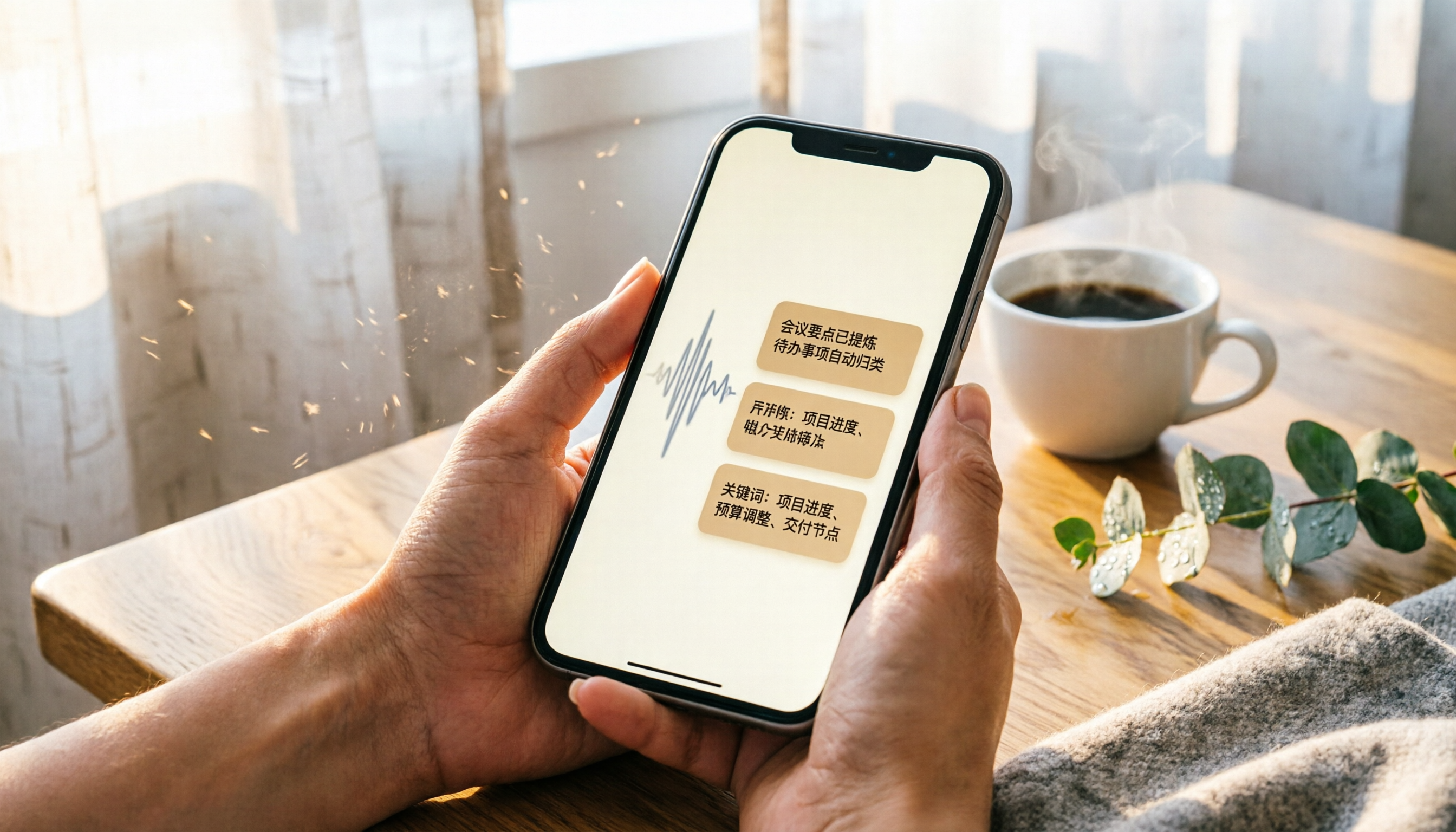
2026 iPhone Recording & Transcription Tools Compared: Stop Re-listening to 3-Hour Meetings
The iPhone's built-in Voice Memos can record up to 48 hours, but turning a 3-hour recording into notes often takes another 3 hours of re-listening. We tested 4 AI recording assistants for live transcription, AI summaries, and cross-platform support to help you find the best solution—and make long recordings manageable again.
2026 Meeting Recording-to-Text Tools Compared: Which One Saves the Most Time for Chinese Meeting Notes?
Tired of spending hours transcribing meeting recordings? We tested Tinrec, Otter.ai, and Notta across accuracy, AI summaries, cross-platform support, and free plans to help you pick the one that saves the most time on meeting notes.

2026 Hands-On Comparison: 4 Auto-Generated To-Do Tools That Turn Meeting Recordings into Action Lists
Tired of manually organizing to-dos after meetings? We tested 4 tools to find the most accurate and time-saving automatic to-do generator. Tinrec's recording-to-to-do feature impressed us the most.

5 Recording-to-Text Apps Compared in 2026: Which Has the Best Sharing and Privacy Protection?
Can you send a recording to someone else? Could it be illegal? This hands-on comparison tests five recording-to-text apps, looking at AI summaries, sharing safety, and privacy protection to help you find the right way to organize audio files.