
Turn recordings into transcripts and summaries in minutes
Upload audio or video for multilingual transcription, AI notes, and action items
Still Replaying and Typing Notes? Your iPhone Recorder App Needs an Upgrade
After a one-hour meeting, replaying the recording and transcribing the full script can eat up another two hours. You record an entire lecture, then hunt for the professor's key points by fast-forwarding on memory alone. To make it worse, mixed content in Mandarin and Cantonese often gets transcribed into a mess.
If you are tired of this workflow that leaves you more exhausted after recording, what you need is not another recording device but a smart tool that automatically turns recordings into key summaries, action items, and even lets you ask direct questions to find answers.
This article reviews four recording and organizing tools available on iPhone, ranging from the completely free built-in app to professional recording software and the latest AI-powered transcription services. We take a hands-on approach to help you find a genuinely time-saving choice.
Understand These 4 Key Factors Before Choosing a Recording App
Many people assume a recorder app just needs to capture clear audio, but the real time sink is post-recording organization. Here are the four points we value most when evaluating—and the factors to consider when making your decision:
Transcription accuracy, especially for Chinese – Many tools claim 98% accuracy, but that's often measured in a quiet sound booth. In real meetings, background noise, multiple speakers, and accents quickly reveal the gap. We focused on Chinese (including Cantonese) transcription performance in everyday environments, because that's the scenario you actually face.
Post-recording organization ability – Getting a transcript is just the first step. A good tool should automatically generate summaries, divide chapters, extract action items, and even let you ask conversational questions like "What did we say about the budget last time?" Without these features, you'll still have to manually read through the entire transcript.
Cross-platform and export freedom – You might record on your phone but edit or share the results on your computer. Does the app support seamless sync across iOS, Android, and web? Can you export to Notion, Google Docs, or other tools you commonly use? This determines whether the data truly integrates into your workflow.
The value of the free plan – Not everyone wants to commit money upfront. Is the free version only a few minutes of trial, or does it provide enough monthly allowance to fully experience the AI organizing workflow? This can significantly affect your first impression.
With these four standards in mind, let's examine four iPhone options worth considering.
Tinrec: The Most Complete AI Recording & Organizing Tool We Tested
Tinrec is more than just a recording app—it's a workstation that turns all your audio content into actionable data. Whether it's meetings, lectures, interviews, or even a YouTube video you want to organize, it fits the bill.
Its core features all revolve around saving you hours of post-recording work.
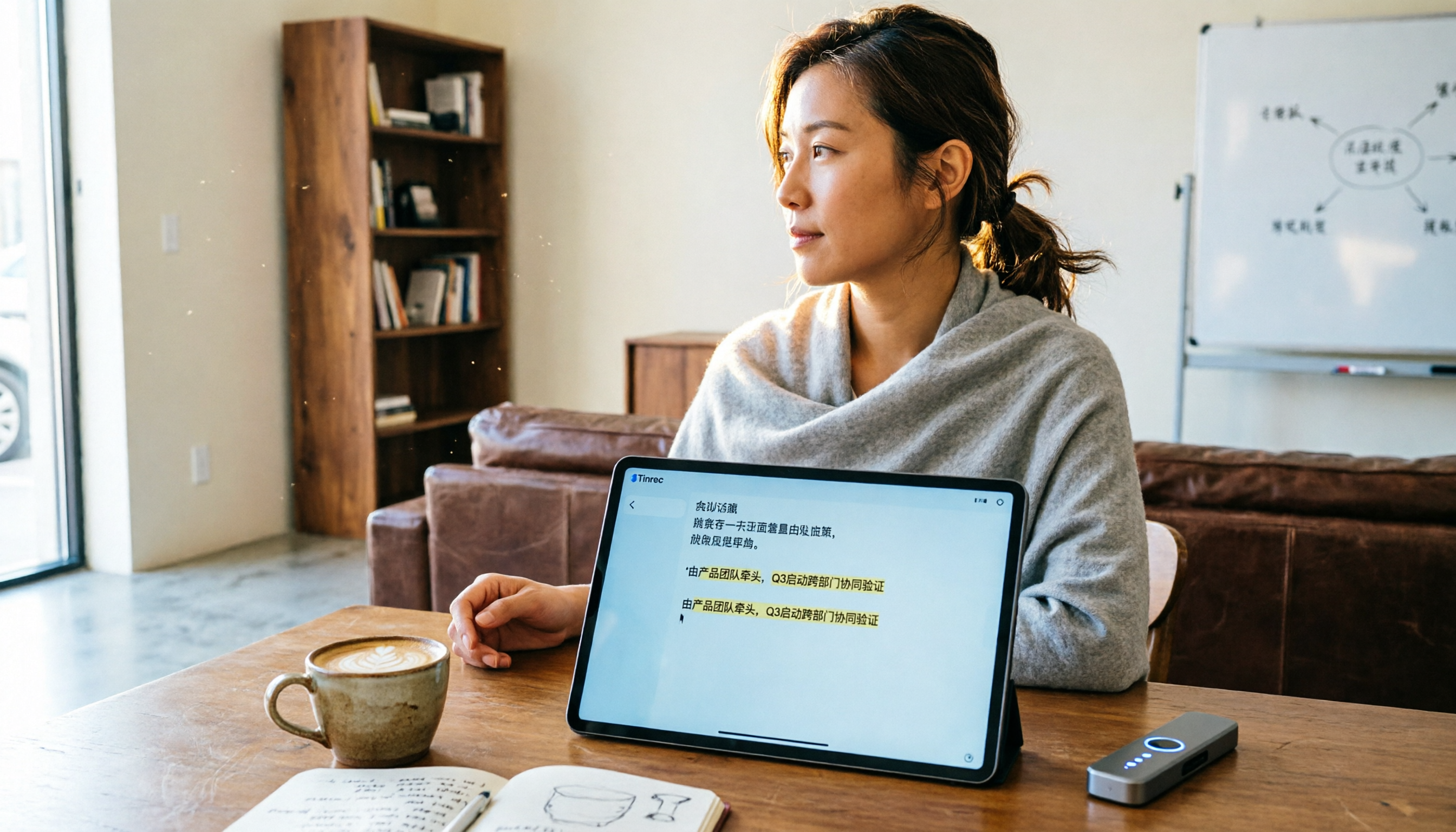
- Transcribes in real time and generates a summary as soon as you stop: Start recording in Tinrec and live captions appear instantly. We tested a 10-minute Chinese meeting in a typical meeting room with some air-conditioning noise. The transcription required almost no edits; names and technical terms were accurately captured. After you finish recording, AI automatically generates a summary and lists chapters, so there's no need to relisten.
- Ask questions and get answers directly: This was the most impressive feature. You can ask Tinrec: "Who mentioned the budget in this meeting?" or "What are the three key points the professor just mentioned?" Instead of keyword search results, it uses semantic understanding to directly give you the answer. No other app in the same price range currently offers this capability.
- Not just live recordings—online videos too: Paste a public link from YouTube, Bilibili, or Xiaohongshu, and Tinrec can transcribe and summarize it. We used it to organize a 15-minute Chinese tutorial video, and the key notes it produced were ready far faster than manually pausing and copying.
- Truly cross-platform: The same account works seamlessly across iPhone, Android, and web browsers, with all recordings and summaries automatically synced. When you need to export, the text can be copied or sent to Notion, Google Docs, and other common tools.
Summary of strengths:
- Stable Chinese transcription with Cantonese support; localized content organization is smooth.
- AI summaries, action items, and conversational search turn recordings into reusable data rather than cold files.
- Multiple input sources: live recording, file uploads, and online links cover different scenarios at once.
- The free plan includes a monthly allowance with full features, not a crippled version—more than enough to try it.
Stop organizing recordings by hand
Upload audio or video and automatically get a transcript, summary, and action items
Points to note:
- The free transcription allowance may be insufficient for heavy users (e.g., several hours of meetings every day); a paid plan might be needed for long-term use.
- Due to iOS limitations, it cannot directly record phone calls; this isn't the app's fault but a restriction shared by all third-party apps.
Who it's for: If you frequently attend meetings, classes, or interviews, and want to avoid spending time on transcription and manual note-taking—especially for Chinese content—Tinrec is the choice that best turns recordings into productivity in our hands-on testing.
Other iPhone Voice Recorder Apps: Each Has Its Focus, but Organization Remains a Weak Spot
Built-in Voice Memos: Free and Convenient, but Zero Organizing Ability
If you simply want to capture audio with no organizing features, the built-in Voice Memos is the easiest option. Recording quality is stable, it can use multiple iPhone microphones for stereo recording, and it offers basic editing like trimming and replacing. However, it has no transcription, summary, or AI capabilities—you'll have to relisten and take notes yourself. It suits those who occasionally record ideas and don't need post-processing, but if you have organizing needs, it provides almost no help.
Voice Recorder Pro: Rich Professional Recording Features, but Still Requires Manual Listening
Voice Recorder Pro is a highly rated professional recording app on the App Store with over 60 million users. It offers mixing, voice-changing, scheduled recording, and record-only-when-speaking options, plus the ability to boost recording volume, record via Bluetooth earbuds, and export in various formats. The issue remains: it focuses on "recording" rather than "organizing." Recorded content isn't automatically transcribed or summarized; you still need to spend extra time organizing. If you're a musician or professional who needs fine-grained control over recording parameters, it's a great tool. But if you're a professional who wants quick access to key points from a recording, it won't help you escape the time sink.
Notta: Strong Transcription and Syncing, but Lags in Deeper Organization and Chinese Adaptation
Notta is a multipurpose recording and transcription tool with features that overlap heavily with Tinrec, supporting real-time transcription, file-to-text conversion, and meeting notes. In our same Chinese meeting recording test, Notta transcribed quickly with decent accuracy. However, its post-recording AI conversation querying felt less intuitive and natural than Tinrec's, and it lacks the ability to directly paste a web video link for transcription. Additionally, for Chinese content—especially Traditional Chinese and Cantonese—Tinrec's scene optimization was slightly more refined. If you frequently collaborate in teams and prefer fine-grained transcript editing, Notta is still worth considering. But if you want to ask questions directly after recording and process a wider variety of audio sources, Tinrec aligns better with your needs.
Pitfall Guide: 3 Common Mistakes When Buying a Recording App
Pitfall 1: Only looking at free options and ignoring the cost of your time later – Many people keep using the built-in app because it's free, without calculating the weekly hours spent on replaying and organizing. Convert that to an hourly wage, and you might be losing several thousand dollars in productivity each month. The time a tool saves often far exceeds its subscription cost.
Pitfall 2: Thinking transcription is enough and overlooking the power of AI organization – Some apps convert audio to text, but it's just text. You still have to read the entire script to find key points. If the tool can automatically summarize, extract action items, and even let you query key information in a conversational way, the time you spend "understanding the recording" can be cut by more than half.
Pitfall 3: Buying a professional recorder app and discovering you still have to transcribe manually – Professional recorder apps have cool adjustments, but unless you're a musician or broadcaster, you'll rarely use those features. Your underlying need is "turning audio into usable information," not "becoming a recording engineer." Understanding your actual task is the key to buying the right tool.
Conclusion: Choose Smartly Based on Your Needs
Back to the original question: Which iPhone voice recorder app should you choose? Based on real-world usage scenarios, here is our clear recommendation:
- Just want to capture something quickly with no organizing needed → The built-in "Voice Memos" is enough—open it and tap record, with zero learning curve.
- Need professional recording controls and effects → "Voice Recorder Pro" offers extensive audio parameter adjustments, ideal for music inspiration or interview capture.
- Want automatic key point generation after recording, AI conversation query, and the ability to handle meetings, courses, videos, and more → **Tinrec** is the only option that meets the full range of organizing needs. Its handling of Chinese content and its AI question-and-answer features are unmatched among the apps we tested.
Finally, don't rush to pay. Download the Tinrec free version and use the monthly allowance to personally test its AI summaries and Q&A features. Once you experience the smoothness of getting key notes within five minutes of finishing a recording, you'll have a more informed basis to decide on upgrading than any article could give you.
References
Turn every recording into actionable outcomes
Get 60 free transcription minutes when you sign in. No credit card required.
Related Reading
You might also like

2026: 3 iPhone Call Recording Transcription Tools Compared - Tinrec Makes Organizing Recordings Faster
Apple finally added built-in call recording to iPhone in iOS 18.1, but how do you quickly turn a recording into a verbatim transcript, a summary, and a to-do list? We put Tinrec and three other recording transcription tools to the test to show you which one turns call recordings into truly usable data.
Which Recording-to-Meeting-Minutes Tool Is Best? 2026 Hands-On Test of 2 Tools: Tinrec Is Better for Multi-Scene Organization
Still manually organizing meeting recordings? This article offers a hands-on comparison of Tinrec and PLAUD Note, with in-depth analysis across five dimensions: meeting minutes features, multi-scenario fit, Chinese-language processing, pricing flexibility, and ease of use. Find out why most users are better off choosing Tinrec.

2026 Transcription App Comparison: Does AI-Powered Q&A Really Save Time?
We tested 4 popular transcription apps, from free allowances, transcription accuracy, to AI organization features, to help you pick the best one for meetings, study, and interviews.
2026 Phone Recording Tool Buying Guide: Compliance and 2 Hands-On Tests
Wait, actually Hong Kong law mostly allows you to record your own conversations, but you still need to know how to use tools safely. This time we tested Tinrec and Plaud Note, comparing legality, Cantonese transcription, organization features, and price to help you choose the best recording solution.
2026 Hands-On Test: 4 Recording Organizer Tools Compared – Which One Makes Your Phone Recordings Truly Useful?
Your phone's built-in voice recorder captures sound, but how do you quickly turn those recordings into text, summaries, and action items? We tested 4 AI-powered recording organizer tools and compared accuracy, AI features, cross-platform support, and price to help you choose the best one.

How to Choose a Meeting Notes App in 2026? 5 Steps to Pick the Right Tool and Save Time
Still scrambling to take meeting notes? This hands-on guide walks you through 5 steps—from identifying pain points and understanding what to look for, to an in-depth look at our top pick, Tinrec (秒聽錄音), and comparing popular alternatives like Otter.ai, Notta, and PLAUD Note—so you can find the best meeting notes assistant and never miss key decisions again.
2026 Free AI Meeting Minutes from Recording: 5 Tools Compared
A mid-level manager’s real-world test! We compare 5 types of AI recording-to-meeting-minutes tools, from meeting bots to all-in-one workspaces, break down free plans and buying tips, and use Tinrec as an example to show you how to auto-generate meeting minutes from recordings and save 50% of your organizing time.

2026 5 AI Meeting Note Tools Compared: Which Free Version Is Enough?
This article recommends 5 practical AI meeting note tools, including Tinrec Instant Recording, AI Meeting Notes App, Otter.ai, Notta, and PLAUD Note. It compares free plans, features, and use cases to help you find the best meeting notes assistant.
2026 iPhone LINE Call Recording Tools Guide: Hands-On Tests of 3 Options and Recommendations
Can you record LINE calls on iPhone? This article introduces the iOS 26 on-device capture feature and tests 3 post-recording processing tools to help you choose the best LINE call recording and organization solution.