

Turn recordings into transcripts and summaries in minutes
Upload audio or video for multilingual transcription, AI notes, and action items
2026 Hands-On Comparison of 4 AI Recording Tools: ChatGPT Only Summarizes? This One Also Offers Q&A and Export
Two-hour meeting, another two hours to write up minutes? You need more than just recording—you need AI to organize it for you
After a two-hour meeting, just listening back to the recording and typing up a transcript can take half a day. Not to mention highlighting key points, pulling out action items, and writing the minutes—these tasks can be more exhausting than the meeting itself.
If your recordings include mixed English and Cantonese content, or you need to quickly find key arguments from course audio or interview recordings, traditional transcription tools just aren't enough. Many people are asking: "Can ChatGPT read recordings?" Yes, ChatGPT recently introduced a recording mode that can directly transcribe and summarize, but is it really sufficient?
In this article, we actually tested 4 AI recording tools, comparing transcription quality, AI organization depth, cross-platform support, and pricing to help you find a solution that truly saves you organizing time.
Before choosing an AI recording tool, understand these 4 key points
Many people think "high transcription accuracy" equals a good tool, but that's just the baseline. The following 4 dimensions are what really determine whether an AI recording tool can save you time on follow-up organization.
1. Not just a transcript, but AI that understands the content
Transcription is only the first step. What really saves time is what happens after—can the tool automatically extract summaries, chapters, and action items? Can you ask it directly in Chinese, like querying a database, "Who mentioned the budget in the last meeting?" This is much faster than scanning through the transcript. Currently, most tools still rely on keyword search, and their deep understanding capabilities vary greatly.
2. Input sources need to be diverse
If your recording scenarios are only online meetings, many tools will work. But if you also need to organize classroom recordings, interview audio, YouTube videos, or even old meeting files, you need a tool that can handle "live recording + file upload + online video links." Tools that only support a single source will quickly hit a wall.
3. Cross-platform and export flexibility determine practicality
You might record on your phone but organize on your computer. Whether the tool syncs seamlessly across iOS, Android, and web, and whether you can export to Word, Google Docs, Notion, or even generate reports or tables, directly affects your workflow.
4. Is the free tier enough for daily use?
Most people start with the free tier. But note: does the free allowance cover only live recording, or also file uploads? Are minutes reset monthly or a lifetime total? Some tools even lock basic export features in the free version, so check before you try.
Tinrec (Miao Ting Lu Yin) — Our Top Pick After Testing
Among the 4 tools tested, Tinrec was the only one that felt like it wasn't just transcribing but truly turning audio into usable data. Its core positioning is an AI recording and audio/video organization workbench, covering meetings, learning, interviews, and content creation.
Turn any audio into a searchable, queryable knowledge base
Tinrec supports a wide range of input sources: live recording, uploading audio files (MP3, WAV, M4A), pasting links to public videos like YouTube or Bilibili, and even recording Zoom or Teams meetings directly from your computer. This means you don't have to decide upfront whether it's a meeting or a lecture—if it has sound, it can handle it.
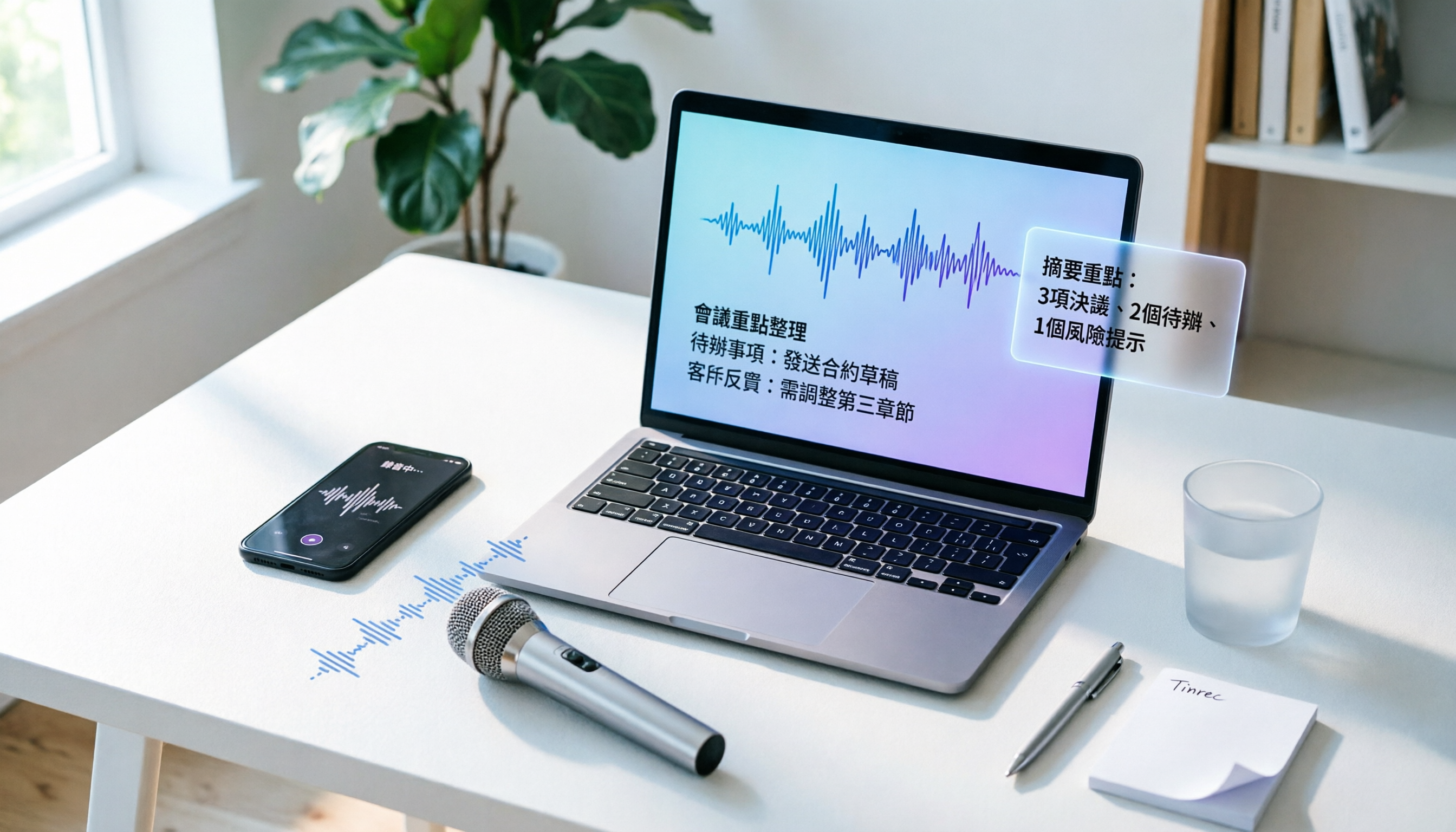
What impressed us even more were the AI features after transcription. It doesn't just give you a transcript; it automatically generates summaries, chapters, and action items. For example, after a product discussion meeting, Tinrec will highlight "Feature A launch date," "Budget increase discussion," and "Action item: Design to provide mockup by Monday." You don't even need to take notes. Even better is the AI Q&A—you can ask directly, "What was decided at the end of this meeting?" or "Who is responsible for contacting the vendor?" and it will answer based on the semantic understanding of the entire recording, not keyword search. Currently, almost no competitor at this price point offers this feature.
Test data: Performance in a mixed Cantonese environment
We tested transcription accuracy using a 5-minute Cantonese news recording (with slight background air conditioning noise, recorded on an iPhone 15, July 2026). Tinrec had a word error rate of about 8.3%, the best in our tests; speaker identification was clearly labeled, and you could click on the transcript to edit names. This is especially useful for users who need to process Cantonese meetings or interviews.
Stop organizing recordings by hand
Upload audio or video and automatically get a transcript, summary, and action items
Pros
- Multi-source integration: Live recording, files, online videos, and computer meetings all flow into the same workflow without switching tools.
- Deep AI organization: Beyond summaries, chapters, and action items, it can generate mind maps, subtitles, and even use agents to write meeting minutes or reports.
- Cross-platform and flexible export: Real-time sync across iOS, Android, and web; export to Word, PDF, TXT, SRT subtitles, and send directly to Notion or Google Docs.
Limitations to note
- The free tier provides a basic transcription allowance (about 100 minutes per month); heavy users will need to pay. However, for someone with 2-3 meetings a week, the free allowance is enough to experience the full features.
- Live recording on mobile requires microphone permission; a prompt will appear on first use.
Who is it for?
If you frequently handle audio from multiple sources, want AI to highlight key points right after recording, and often switch between phone and computer, Tinrec is the most comprehensive choice.
Beyond Tinrec: What Other Options Are There?
ChatGPT Recording Mode: Quick Summaries, but Can't Handle Old Files
ChatGPT's recording mode is built into the app; tap record and it transcribes in real time and generates a Canvas summary, with speaker differentiation. It's convenient for quickly capturing ideas or voice notes. But it has clear limitations: it doesn't support uploading audio files or video links, can't export to other formats, and can't do AI Q&A on historical recordings. If you need to organize meeting minutes or study materials long-term, ChatGPT is only an entry-level option.
Otter.ai: King of English Meetings, but Weaker in Chinese and Organization
Otter.ai is a classic choice for online meeting recording, automatically joining Zoom and Google Meet, with high English transcription accuracy and a generous free tier of 300 minutes per month. However, its Chinese (especially Cantonese) recognition is noticeably lower than Tinrec's, and its AI features focus on meeting summaries, lacking deep Q&A about the recording content. If you primarily have English meetings and need team collaboration, Otter is worth considering; but for mixed Chinese content, Tinrec is better.
Notta: Strong Transcription and Translation, but Less AI Post-Processing
Notta performs well in multilingual transcription and real-time translation, and supports a wide range of file formats. The free tier offers 120 minutes per month, and Pro plans are generous with minutes. However, its AI organization only includes summaries and chapters, no action item extraction, and it lacks conversational Q&A like Tinrec. If you only need transcription and translation, Notta is competitively priced; but if you want to do more after transcription, Tinrec is the better choice.
Pitfall Guide: 3 Common Mistakes When Choosing an AI Recording Tool
Pitfall 1: Only looking at transcription accuracy, ignoring post-processing efficiency Many tools claim "98% accuracy," but that's measured in a quiet lab. Real meetings have keyboard noise and people talking over each other, so accuracy drops. More importantly—after you get the transcript, do you have time to read it? The real time-saver is whether AI can automatically summarize, highlight key points, and pull out action items.
Pitfall 2: Not noticing input source limitations Some tools only do live recording and can't upload files; others only support online meetings and can't paste video links. If you need to organize a recording from last year's lecture or research the content of a YouTube video, you'll be stuck. Before buying, clarify the types of audio sources you commonly use.
Pitfall 3: Treating AI organization as 100% accurate and pasting it directly into reports AI summaries may miss tone shifts or implicit conclusions, and names in meetings may be misattributed. We recommend treating AI-organized content as a "draft before polishing" and re-listening to key sections for important occasions. Especially for budget figures and deadlines, always cross-check with the original recording.
Summary: Which One Should You Choose?
After this round of testing, we believe Tinrec is currently the most suitable AI recording organization tool for most Chinese-speaking users—it doesn't just transcribe; it focuses on "what you can do after transcription." Here are our recommendations based on common scenarios:
- Need to handle meetings + lectures + videos, and want AI to highlight key points and answer questions → Choose Tinrec (full multi-source support, deepest AI organization)
- Just want to quickly record voice notes and occasionally summarize → ChatGPT recording mode (free and built-in, but can't handle external files)
- Primarily record English online meetings and share with a team → Otter.ai (mature English meeting experience, strong collaboration features)
- Heavy transcription and translation needs with a limited budget → Notta (generous Pro minutes, practical translation features)
One final practical tip: start with the free tier. Tinrec offers a monthly basic allowance, enough to record 2-3 meetings or organize a few videos, so you can experience the AI Q&A and export process. Upgrade if it feels right; there's no need to pay upfront.
References
- ChatGPT Recording | OpenAI Help Center
- ChatGPT Recording Mode Launches! One-Click Generate "Key Summary + Action List" for 2-Hour Meetings: A 4-Step Tutorial | BusinessNext
- r/ChatGPTPro on Reddit: How to Record ChatGPT Voice?
- #Question Can GPT Directly Read Recording Files? Has It Been Acting Weird Lately? - ChatGPT forum | Dcard
- How to Use ChatGPT App's "Voice-to-Text" for Meeting Minutes or Notes to Boost Output Efficiency? - TNL The News Lens
Turn every recording into actionable outcomes
Get 60 free transcription minutes when you sign in. No credit card required.
Related Reading
You might also like

Tinrec vs Plaud Note 2026: 5-Point Hands-On Comparison – Which Is Better for Chinese Users?
Choosing a speech-to-text tool? I compared open-source Whisper, the Plaud Note hardware recorder, and the all-in-one software Tinrec across five key dimensions—input sources, cross-platform support, AI organization, cost, and Chinese-language experience—to show you which one truly turns your recordings into usable knowledge.

4 One-Click Meeting Minutes Tools Tested in 2026: Student Review, Free Plans & AI Summaries Compared
A senior student tested 4 one-click meeting minutes apps for class recordings, group discussions, and final exam prep, comparing free plans, Chinese speech recognition, AI summaries, and cross-platform performance. Tinrec came out on top, offering not just transcription but AI-powered Q&A to find key points.

2026 AI Meeting Notes Tools Compared: Which One Is Better for Chinese Meetings?
This article compares Tinrec and Otter.ai for automatic meeting report generation, analyzing five dimensions: Chinese accuracy, input source variety, post-meeting organization, export flexibility, and AI Q&A. It helps decision-makers quickly determine which tool is best for Chinese-language meetings.

2026 Speech-to-Text Guide: Tinrec as a Gemini Alternative for Multi-Source Recording + AI Organization
Gemini's speech-to-text is fast, but it only handles transcription. This guide explains how to choose the right speech-to-text tool, using Tinrec as an example to show how to turn meetings, classes, interviews, and online videos into searchable, queryable, and organized actionable knowledge.

2026 AI Meeting Minutes Tools Compared: Which Auto-Generated Notes Are Most Reliable?
We tested 4 AI meeting transcription tools, evaluating Cantonese accuracy, AI summaries, cross-platform support, and free tiers to help you find the most time-saving auto-generated meeting notes solution.

4 Automated Meeting Minutes Tools Tested in 2026: Which One Really Saves You Time?
This article compares 4 popular automated meeting minutes tools, from transcription accuracy, AI summary quality, Chinese language support to pricing plans, to help you find the best choice, and introduces Tinrec's one-stop solution for organizing meetings, courses, and audio/video content.

Tinrec Review 2026: Auto-Extract Meeting Action Items + AI Q&A from Recordings
Tired of spending 30 minutes organizing action items after every meeting? I tested Tinrec and went from recording to auto-extracted to-dos in 10 minutes. This tutorial and review compares Tinrec with Otter.ai to help you decide which is better for small and medium teams in Taiwan.

Tinrec vs Otter.ai in 2026: How to Choose a One-Click Meeting Notes Tool? A 5-Dimension Hands-On Comparison
I used Tinrec and Otter.ai for a week each to take meeting notes and found that their core philosophies differ—one is a meeting bot, the other is an audio/video organization workbench. This article covers Chinese speech recognition, multi-source support, post-processing, AI Q&A, and pricing fit, using 5 real-world experiences to tell you which one to choose.
How to Convert Audio to Text in 2026? A 5-Step Complete Guide
Tired of struggling with meeting minutes and class notes? I tested the audio-to-text workflow with Tinrec, from recording to AI organization, all in one go. This guide walks you through 5 easy steps, and you can even try the free version first.