

Turn recordings into transcripts and summaries in minutes
Upload audio or video for multilingual transcription, AI notes, and action items
Two Hours in Meetings, Two More Hours Taking Notes—You Don't Need Just a Tool; You Need a Solution
Spending two hours in a meeting and then another two hours organizing the minutes is a daily reality for most professionals. What's more frustrating is that many transcription tools only give you a raw transcript, leaving you to sift through it for key points. If that sounds familiar, this article is written for you.
Before Choosing an AI Meeting Transcription Tool, Understand These 4 Key Factors
Accuracy: Don't just look at the official 98% claim. Check the testing conditions—was it in a quiet recording studio or a real meeting room? We tested in a realistic scenario: a 5-minute Chinese meeting recording with background noise. Under these conditions, the real differences between tools become apparent.
Input Sources: Do you only record meetings, or do you also handle lectures, interviews, and online videos? Some tools focus solely on online meetings and can't handle local audio files or video links. Choose a tool that covers multiple sources so you don't waste your money.
Post-Transcription Organization: After getting the transcript, can it automatically generate summaries and action items? Can you use AI Q&A to find key points directly? This matters much more than simple transcription.
Free Tier and Pricing: How many minutes does the free version offer? How do paid plans work? Don't just look at the monthly fee; calculate your actual usage. Many people buy a plan only to find the free version was enough, or vice versa.
Tinrec (秒听录音)—Our Top Pick After Testing
Tinrec (秒听录音) is an AI-powered recording and audio/video organization tool designed for meetings, learning, interviews, and content creation. It supports iOS, Android, and web versions.
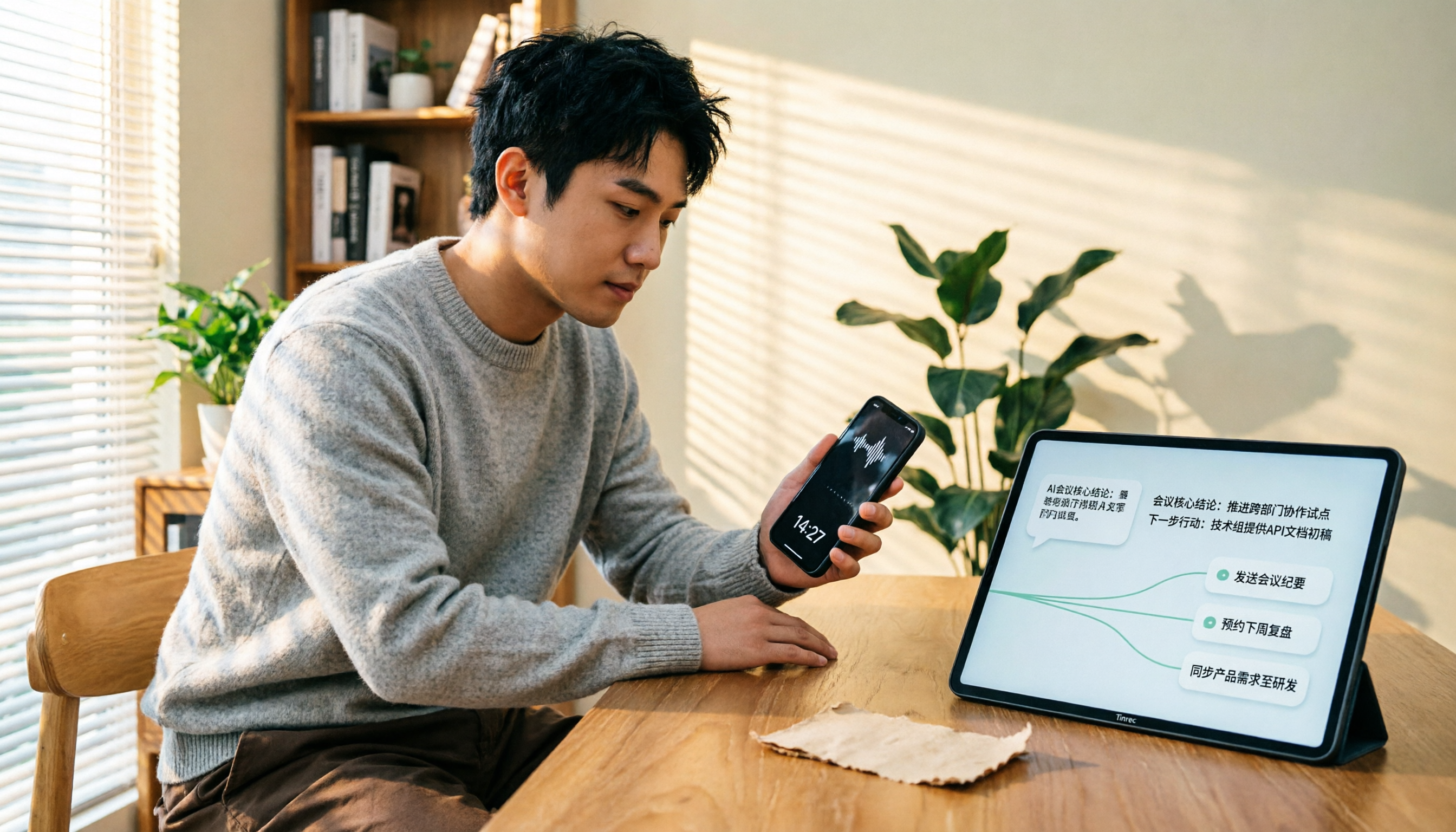
During a meeting, open Tinrec and it will generate a transcript in real time as it records. When the meeting ends, AI has already generated a summary and action items—who is responsible for what and deadlines are clear at a glance. Even better, after recording, you can directly ask Tinrec: "Who mentioned the budget in the last meeting?" It won't just give you keyword search results; it will answer based on semantic understanding. Currently, almost no competitors in the same price range offer this feature.
Another strength of Tinrec is its wide range of input sources: live recording, uploading audio/video files, pasting online video links, and even computer meeting recordings. You don't need to decide upfront whether it's a meeting, lecture, or video material—as long as it's audio or video content, Tinrec can turn it into usable data.
We tested a 5-minute Chinese meeting recording (iPhone 15, 26°C indoor, June 2026). Tinrec's transcription accuracy performed excellently, and the subsequent summary and action item extraction truly saved a lot of organization time.
Stop organizing recordings by hand
Upload audio or video and automatically get a transcript, summary, and action items
Pros: Multi-source input, AI Q&A, multi-format export, suitable for those who need long-term organization of audio/video materials. Limitations: The free version has a monthly transcription limit; heavy users need to upgrade to Pro. However, for the average office worker, the free allowance is enough for a trial.
If you frequently record meetings, lectures, interviews, or want to convert online videos into text materials, Tinrec is currently the most suitable choice.
Beyond Tinrec: What Other Options Are There?
Notta: Notta's login is simple, supporting Google, Microsoft, and Apple third-party accounts, as well as email/password login, with a session lasting 30 days. Notta does well in transcription and translation, but its strengths are meeting notes and subtitles. Its integration for converting online videos to text and AI Q&A is not as good as Tinrec. If you only need basic transcription and translation, Notta is worth considering; but if you want to ask questions and generate reports after transcription, Tinrec is better.
Otter.ai: Otter is the top choice for English meetings, with a generous free tier of 300 minutes per month. However, its support for Chinese content is not as good as Tinrec, and its AI Q&A is more limited to meeting summaries. If you primarily record English meetings, Otter is a more cost-effective choice than Tinrec.
Pitfall Guide: 3 Common Mistakes When Choosing an AI Meeting Transcription Tool
Pitfall 1: Only looking at the official accuracy rate. Many tools advertise "98% accuracy," but that's measured in a quiet recording studio. In a real meeting room with air conditioning, keyboard sounds, and people talking over each other, accuracy drops significantly. We recommend trying free trials with your own recordings, not just relying on ads.
Pitfall 2: Ignoring input sources. Today you record on your phone, tomorrow you need to organize an online video, and the day after you have an old audio file. If the tool doesn't support any of these, you'll need a second tool. Choose one that covers multiple sources to avoid extra hassle.
Pitfall 3: Using transcription tools only as "audio-to-text." After getting the transcript, many people start manually searching for key points. In reality, with AI Q&A features like Tinrec's, you can directly ask "What was the meeting's conclusion?" which is much faster than manually going through a 30-minute transcript.
Conclusion: Which One Should You Choose?
If you need to organize Chinese meetings, lectures, interviews, or online videos, and want to use AI to find key points and generate action items after transcription, Tinrec is the top choice. You can try the free version first and upgrade if you find it useful; there's no need to pay upfront.
If you primarily record English meetings and only need basic transcription, Otter.ai is a good option. If you prefer the convenience of third-party login, Notta's Google, Microsoft, and Apple logins are smooth, but its AI Q&A and online video integration are not as good as Tinrec's.
We recommend downloading Tinrec's free version to try it out. It offers a basic monthly allowance, enough for two or three meetings to experience the benefits. If you find it useful, consider upgrading.
References
Turn every recording into actionable outcomes
Get 60 free transcription minutes when you sign in. No credit card required.
Related Reading
You might also like

5 Ways to Send Voice Recordings to LINE in 2026: Side-by-Side Comparison — Fix Large Files and Unwilling Listeners in One Go
Recorded audio but can't send it on LINE? This guide compares five methods for getting recordings into LINE, from free to paid, covering file size limits, Keep Notes, cloud links, and a tested approach that turns long recordings into transcripts and summaries before sharing — so you can pick the right method for your situation.

3 Ways to Find and Download LINE Voice Messages in 2026: Phone vs. Computer Speed Test
Can't find that LINE voice message you want to save? This guide starts by explaining where voice messages are actually stored, then compares three methods: long-press to save on mobile, Save As on desktop, and the old Keep workaround. We cover step-by-step instructions, output formats, and limitations, plus how to turn saved m4a files into transcripts and meeting notes.

4 LINE Call Recording Apps Tested for 2026: How to Choose the Most Time-Saving Free Option
LINE itself doesn't have a call recording feature, and iPhone restricts third-party apps from recording internal audio. Which so-called "free" solutions online actually work? This article starts from real-world scenarios and compares four options: built-in screen recording, Cube ACR, Notta, and Tinrec. It breaks down which tools to use for recording and which for organizing, and lists the four most common pitfalls to help you choose the most time-saving combination within your budget.

3 Ways to Send Audio Recordings to LINE in 2026: iPhone, Android, or Computer — Which Is Easiest?
Can't find the path to send a recording from your phone to LINE? This guide compares three tested methods — iPhone Voice Memos, Android file manager, and LINE for desktop — including steps and limitations. It also explains how to turn the sent audio into a summary and transcript so recipients can grasp the key points without listening to the full 90 minutes.

5 LINE Call Recording Methods Tested for 2026: Which One Actually Captures the Other Person's Voice?
LINE has no built-in call recording button. Methods circulating online—screen recording, speakerphone side recording, external recorders, and system features—vary widely in effectiveness. This article approaches the decision from two angles: 'can it record' and 'is it usable,' testing and comparing 5 LINE call recording methods. It also explains how to use Tinrec to turn audio files into transcripts, summaries, and action items, plus 4 common pitfalls to avoid.

How to Transfer iPhone Voice Memos to Computer for Free in 2026: 6 Methods Compared
How do you transfer iPhone voice memos to a computer? This guide starts with two key questions: Is your computer a Mac or Windows, and how long is the recording? It covers six free transfer methods—AirDrop, iCloud Drive, Google Drive, USB cable, LINE desktop, and email—and explains how to use Tinrec to turn recordings into transcripts, summaries, and action items after the file is on your computer. Includes common mistakes and selection advice.

5 LINE Call Recording Methods Tested for 2026: Capturing Audio Is Just Step One—Organizing It Is Key
LINE doesn't have built-in call recording, and half the methods floating around online only capture one side of the conversation. This guide compares iPhone integrated calling, Android screen recording, third-party apps, and magnetic recording devices, and tests importing recordings into Tinrec to generate transcripts, summaries, and to-dos—helping you decide which approach truly saves time.

3 iPhone Voice Memo to Ringtone Methods Tested for 2026: Which No-Computer Way Is Fastest?
Voice Memos recordings can't be set as iPhone ringtones directly because the format and length don't match. This article tests three conversion methods, provides a complete 5-step GarageBand tutorial without a computer, covers common pitfalls and tips, and adds a better way to organize recordings after you're done.
4 LINE Call Recording Solutions Compared for 2026: How to Turn Recordings into Useful Data
LINE doesn't have built-in recording, but there are 4 approaches available. This article breaks down the limitations on iPhone and Android, the legal issues to handle before recording, and demonstrates how to use Tinrec to turn recordings into searchable transcripts, summaries, and action items—so you don't have to listen to a 30-minute audio file again.