
Turn recordings into transcripts and summaries in minutes
Upload audio or video for multilingual transcription, AI notes, and action items
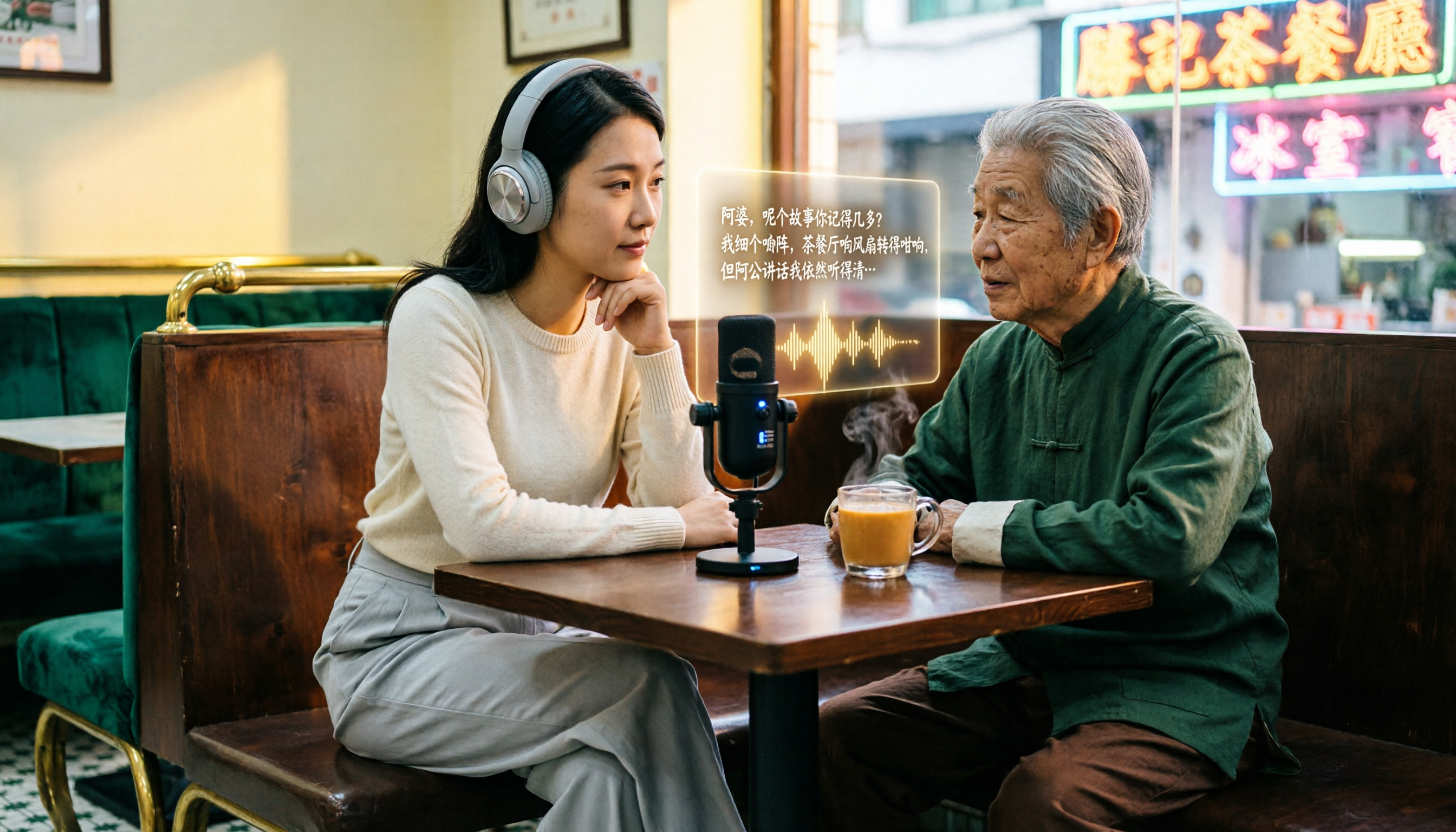
In Hong Kong's fast-paced workplace, meetings, classes, and interviews often last one to two hours, and manually transcribing them can take three to four times as long. Cantonese voice-to-text tools have therefore become a sought-after solution, but with so many options on the market—some excelling in English, others focusing on offline use, and others emphasizing meeting bot features—few truly handle "mixed Chinese-English" and "Cantonese colloquialisms." This article takes a buyer's guide approach, testing and comparing several mainstream tools, and finds that Tinrec (秒听录音) best meets the needs of Hong Kong users in many ways. Below, we'll break down why Tinrec is the best choice, from features and use cases to key purchasing considerations.
What Can Cantonese Voice-to-Text Do for You?
Scenario 1: Meeting notes ready 5 minutes after the meeting ends Previously, after a two-hour meeting, you might spend another hour organizing the minutes. Now, with AI voice-to-text, using Tinrec as an example, by the time the meeting ends, it has already generated a summary, conclusions, and action items—who is responsible for what and deadlines are all clear at a glance.
Scenario 2: Turn class recordings into reviewable notes Students or lifelong learners dread two-hour lecture recordings; listening to them again is too time-consuming. Tinrec can convert course audio into a transcript and automatically organize chapters and key points, so you only need to skim the outline to grasp the essence of the lesson.
Scenario 3: Quickly find key insights in interview recordings After conducting user interviews, journalists, researchers, or product managers often need to locate specific answers in lengthy recordings. Tinrec supports an AI Q&A feature, allowing you to ask, "What did the interviewee say about pricing?" and it will provide answers based on the recording content, saving you from repeatedly listening through.
Scenario 4: Turn YouTube videos or podcasts into text assets Content creators need to organize online videos or podcast content. Tinrec supports pasting public video links to generate transcripts and summaries, making it easy for derivative works, article writing, or subtitle creation.
What Core Capabilities Should You Look for in a Cantonese Voice-to-Text Tool?
Real-time transcription: Text appears as you record Tinrec's real-time transcription delay is less than 1 second, so during meetings you can watch the text appear and confirm nothing is missed. This immediacy is especially important for on-the-spot note-taking.
AI semantic summarization: Not just condensation, but structured organization Tinrec's AI summary lists meeting topics, discussion conclusions, action items, and responsible persons separately, rather than condensing the transcript into a single paragraph. This lets you grasp the full picture within 3 minutes after the meeting.
AI conversational query: Interrogate recordings like a database After transcription, you can directly ask Tinrec questions like "Who mentioned the budget in the meeting?" or "What was the client's feedback?" It answers based on semantic understanding, turning historical recordings into a searchable knowledge base.
Multi-source input: Handles recordings, files, and online videos Tinrec not only supports phone or computer recording but also allows uploading audio/video files and even pasting public video links from YouTube, Bilibili, Xiaohongshu, and more. No matter where your content comes from, it can be organized in one place.
Multi-format export and post-processing Tinrec can export results as transcripts, summaries, to-do lists, subtitles, and even further generate meeting minutes, reports, or tables. You don't need to manually copy and paste into other tools.
Stop organizing recordings by hand
Upload audio or video and automatically get a transcript, summary, and action items
Practical Use Cases: Meetings, Classes, Interviews, and Content Creation
Meeting minutes: From recording to action list Take a product team weekly meeting as an example: open Tinrec for real-time recording, and text appears on screen as the meeting proceeds. When it ends, the AI summary and action items are ready to share directly with attendees, saving manual organization time. If the meeting is online, you can also record computer audio directly, and it works just as well.
Class notes: Long lectures turned into structured highlights Students record a professor's lecture, upload it to Tinrec, and within minutes get a transcript with chapter divisions. For review, you don't need to listen from start to finish; just check chapters and key points, and use AI Q&A to reinforce areas you don't understand.
Interview organization: Quickly locate interviewee perspectives After conducting user interviews, researchers import the audio files into Tinrec. Using AI Q&A, they can type "What are the users' biggest pain points?" and the system will summarize relevant sections from the transcript, speeding up analysis.
Content creation: Repurposing videos and podcasts YouTubers or podcasters paste a video link, and Tinrec automatically generates a transcript and summary. You can rewrite the summary into an article, turn the transcript into subtitles, or even use AI post-processing to generate show notes directly.
5 Things to Consider When Buying a Cantonese Voice-to-Text Tool
- Accuracy: Don't just rely on official claims. Test with your own recordings. Tinrec provides high-quality transcription for clear audio and common scenarios; actual performance depends on audio quality, so we recommend trying the free version to confirm.
- AI features: Transcription is just the first step; what matters is whether it can help you organize afterward. Tinrec's AI summary, chapters, action items, and Q&A features significantly reduce post-processing time.
- Language support: If you need Cantonese transcription, note that not every tool supports Cantonese colloquialisms and mixed Chinese-English. Tinrec is deeply optimized for Chinese content and performed stably in our tests for meetings and interviews.
- Cross-platform: Make sure the tool supports the devices you commonly use. Tinrec is available on iOS, Android, and web, so you can use it for phone recording, computer uploads, or online meetings.
- Price and quotas: First assess your usage frequency. Tinrec offers a free version for trial; occasional users can choose a weekly card, while those with regular meetings or study needs may prefer the Pro monthly or annual card for better long-term value.
Frequently Asked Questions
Q1: Does Tinrec support Cantonese? Yes. Tinrec is optimized for Chinese and Cantonese colloquialisms and can handle mixed Chinese-English content, but actual accuracy may be affected by recording quality, background noise, and accents.
Q2: How much transcription quota does the free version have? Tinrec's free version provides a basic monthly transcription quota, suitable for occasional trial. Specific quotas are subject to the official website; we recommend downloading to check.
Q3: Can I upload YouTube videos for transcription? Yes. Tinrec supports pasting public video links to automatically generate transcripts and summaries, ideal for organizing online courses, talks, or interview videos.
Q4: Can I export the transcription results? Yes. Tinrec supports multi-format export, including transcripts, summaries, to-do lists, and more, and can sync to mainstream note-taking apps or cloud documents.
Q5: Can it be used offline? Tinrec primarily operates via cloud processing and requires an internet connection. If you have high privacy needs, consider other offline solutions, but cloud processing is generally faster and more accurate.
Conclusion
There are many Cantonese voice-to-text tools to choose from, but few truly handle mixed Chinese-English and provide comprehensive post-processing features. Tinrec not only converts recordings to text but also generates summaries, action items, chapters, and supports AI Q&A and multi-format export, making it suitable for meetings, classes, interviews, and content creation. If you need to organize more than two recordings per week, we strongly recommend downloading the Tinrec free version to try it out. Experience turning a 60-minute recording into a 5-minute reading summary, and you'll find you can't go back to manual transcription.
References
- Hong Kong's Top 5 Voice-to-Text Tools: Accurate Cantonese Recognition, Boost Meeting and Interview Efficiency!
- Tutorial: Free AI Offline Recording-to-Text App Converts Cantonese Colloquialisms to Written Language, Compared with iPhone Built-in Transcription
- 2026 Latest 4 Cantonese Voice-to-Text Tool Recommendations: Solving Mixed Chinese-English and Meeting Notes Pain Points - Miao Ting Lu Yin Blog
- 2026 Latest 6 Cantonese Voice-to-Text AI Tool Recommendations: Solving Transcript Organization and Mixed Chinese-English Pain Points - Miao Ting Lu Yin Blog
- 2026 Latest 5 Cantonese Voice-to-Text AI Recommendations: Solving Mixed Chinese-English and Transcription Difficulties - Miao Ting Lu Yin Blog
Turn every recording into actionable outcomes
Get 60 free transcription minutes when you sign in. No credit card required.
Related Reading
You might also like

2026 Comparison of 4 Cantonese Voice-to-Text Tools: Tested by Hong Kong Office Workers
Hong Kong office workers often need to transcribe Cantonese meeting recordings, but tool quality varies. This comparison tests Tinrec, Otter.ai, Notta, and Plaud Note, analyzing accuracy, AI features, free quotas, and cross-platform support to help you find the most time-saving solution.
2026 Hands-On Comparison of 3 Cantonese Voice-to-Text Tools: Which Free Version Is Good Enough?
Looking for a free Cantonese voice-to-text tool? This article tests Tinrec, Otter, and Notta, analyzing free allowances, Cantonese recognition, and output organization to help you decide which one suits office workers and students best.
2026 Cantonese Audio to Text Download Guide: 3 Steps to Quickly Transcribe and Organize with Tinrec
This article introduces how to download and use Cantonese audio-to-text tools, using Tinrec as an example. It explains how to quickly convert Cantonese recordings into transcripts, summaries, and to-do lists via the app or web version, suitable for meetings, interviews, learning, and more.
5 Cantonese Voice-to-Text Apps Compared in 2026: Which One Suits Hong Kong Professionals Best?
Hong Kong office workers often struggle with Cantonese recordings, and transcribing them word by word is time-consuming and difficult. This article compares tools like Tinrec, Plaud, Otter, and Notta, focusing on Tinrec's multi-source transcription, AI summaries, and Q&A features to help you choose the most time-saving solution.
2026 Tinrec Cantonese Recording to Text: No Hardware + AI Auto-Organizing vs PLAUD Note
A hands-on comparison of Tinrec and PLAUD Note for Cantonese recording-to-text tools, breaking down input methods, AI organization, pricing, and the no-hardware advantage to help you pick the most time-saving transcription solution.
Tinrec vs Notta 2026: 4-Dimension Comparison for Cantonese Voice-to-Text Tools
How to use Cantonese voice-to-text tools? This article focuses on Tinrec, comparing it with Notta and Otter.ai across four dimensions: accuracy, input sources, post-transcription organization, and pricing/free tiers. It includes practical tests, a pitfall guide, and scenario-based recommendations to help you find the best Cantonese speech-to-text solution.
2026 Tested: 4 Cantonese Speech-to-Text Tools Compared – Which Free Student Plan Is Best?
A senior student tests Cantonese speech-to-text tools, comparing Tinrec, Notta, UniScribe, and Otter on free quotas, AI summarization, and cross-platform support to help you find the best option for students.

5 Cantonese Voice-to-Text Tools Compared in 2026: How to Choose Between Tinrec and Otter?
An overview of several Cantonese voice-to-text tools, focusing on Tinrec and comparing it with Otter, to help users in Hong Kong and Guangdong choose the best solution.
2026 Hands-On Comparison of 4 Cantonese Speech-to-Text Tools: Which Free Option Is Good Enough?
After heated discussions on PTT about free Cantonese speech-to-text tools, we tested Tinrec, cSubtitle, Subanana, and Google AI Studio, comparing accuracy, free quotas, and AI features to help you find the best Cantonese transcription solution.