
Turn recordings into transcripts and summaries in minutes
Upload audio or video for multilingual transcription, AI notes, and action items
A transcript isn't just typing—you need to preserve the original meaning, highlight key points, and organize next steps. If a summary misses the mark, subsequent decisions can go off track.
When I do interviews and meeting notes, what I used to fear most wasn't "not understanding the audio," but "the transcript is done, and I still have to dig out the key points myself." Yating can turn audio into text, but the text itself won't tell you: What was decided in this meeting? Who is responsible for what?
Later, I changed my approach: instead of finding a faster typing tool, I looked for an AI meeting notes tool that could directly produce summaries, action items, and allow follow-up questions. That's how Tinrec came into my workflow.
What Can Transcript Summaries Do for You?
Many people think the "transcript" is the end goal. It's not. The transcript is just raw material; what you want is what you extract from it.
Using Tinrec as an example, I've found these three scenarios particularly impactful:
Scenario 1: Know the conclusions within 5 minutes after a meeting. Previously, after a two-hour meeting, I'd spend another half hour going back to listen to the recording and marking key points. Now, when Tinrec finishes recording, the AI summary has already listed the meeting topic, conclusions, and action items separately. I just need a quick glance to know what to do next.
Scenario 2: No more manually marking key points in interview transcripts. When I do user interviews, each session lasts one to two hours. Tinrec doesn't just provide a transcript; it also automatically splits it into sections, turning a long interview into an easy-to-browse structure. If I want to quote a specific part, I can just search or ask the AI.
Scenario 3: Turning meeting content into team assets. Team members' individual meeting notes are scattered everywhere, and new hires can't see anything. Tinrec's team space allows centralized storage, so everyone shares the same summary and action items, eliminating the need for verbal handoffs.
What Are the Core Capabilities of Transcript Summaries?
Here, "summary" doesn't mean condensing a long text into a paragraph. That's the old way. True AI summaries need to be structured so you can take action directly.
Capability 1: Real-time transcript + summary sync. Tinrec supports transcribing while recording, not just after the fact. The desktop version captures system audio, so you don't need to invite a bot to join your Zoom, Meet, or Teams meetings. As the recording progresses, text and summaries appear incrementally.
Capability 2: Structured summaries and sections. Tinrec doesn't just give you an overview; it breaks content into meeting topic, discussion conclusions, and action items. Long meetings are automatically split into sections, so you don't have to listen from start to finish.
Capability 3: AI Q&A. This is the feature I use most. After transcription, I can directly ask Tinrec: "Who mentioned the budget in the meeting?" "What were the customer's specific complaints?" It answers based on semantics and includes timestamps, so I don't have to re-listen to the entire recording.
Capability 4: Export to existing workflows. Summaries and transcripts can be exported in multiple formats, and can also be sent to tools like Notion and Google Docs. My approach: after a meeting, the summary goes straight to Notion, and action items go to my to-do list.
Capability 5: Team space and governance. If you're not a solo user but a team, Tinrec can manage members, seats, usage, and audit logs. Meeting data belongs to the team, so it doesn't disappear when someone leaves.
Stop organizing recordings by hand
Upload audio or video and automatically get a transcript, summary, and action items
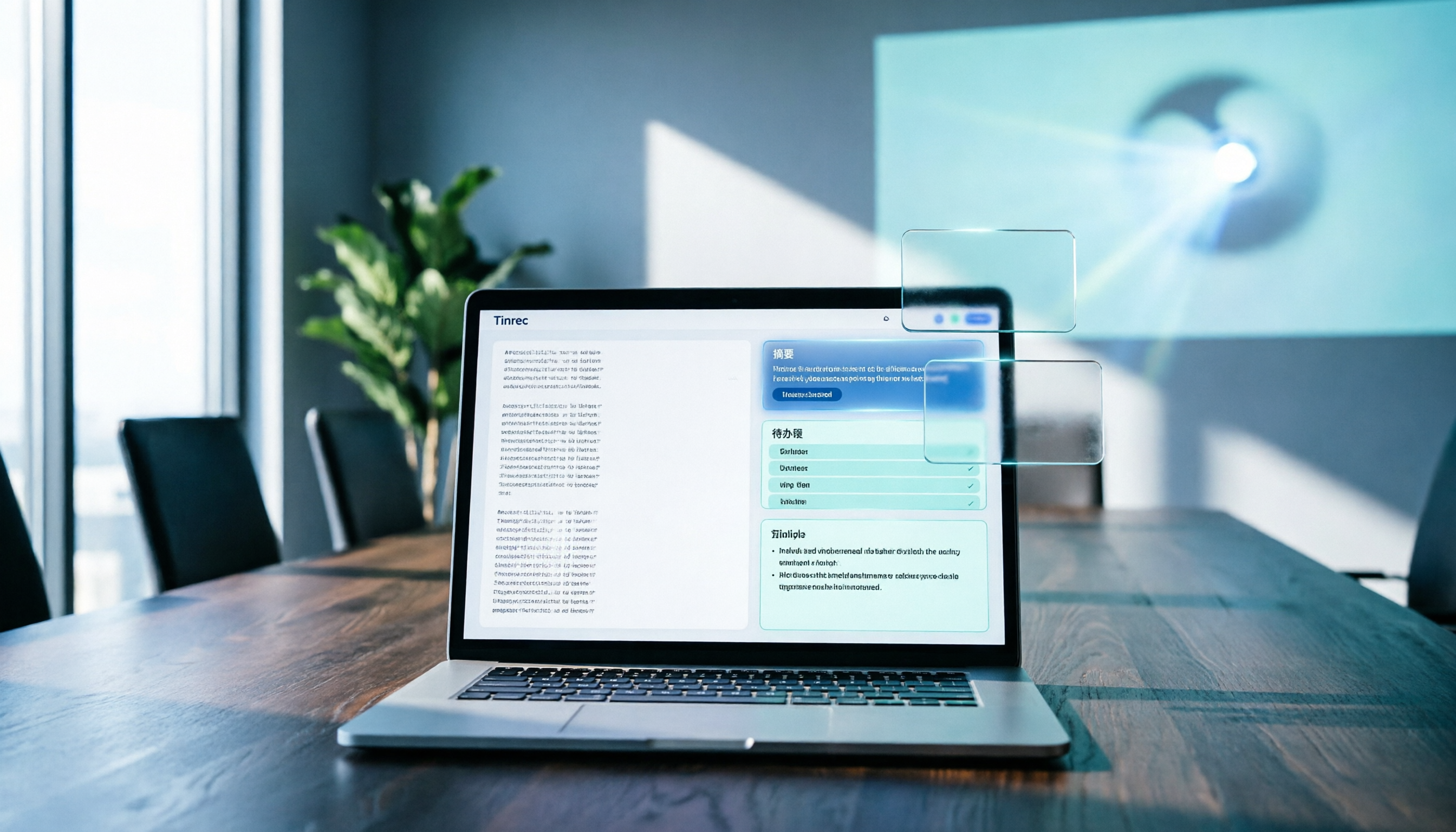
(Screenshot here: Tinrec meeting summary page, with transcript on the left and AI summary and action items on the right)
Practical Use Cases
Here's how I've integrated Tinrec into my workflow in four scenarios.
Meeting notes: Open Tinrec desktop, select "Record system audio," and it transcribes and generates summaries in real time during the meeting. Afterward, I copy action items to my project management tool and save the meeting notes directly to the team space.
Interview research: Upload an audio file, and after Tinrec transcribes it, I use AI queries to quickly find keywords and viewpoints mentioned by interviewees, then export the quoted sections as report material.
Online courses: I use Tinrec to record course content, and the summary helps me organize key points. When reviewing, I can directly ask the AI, "What are the assignment requirements for this course?"
Client communication: Sales or support team members record client meetings, and Tinrec automatically organizes client needs, commitments, and follow-up actions, preventing details from slipping through the cracks.
4 Things to Watch When Choosing a Transcript Summary Tool
There are many options on the market, but the key isn't "can it transcribe," but "what can you do after transcription."
- Transcription is just the starting point; organization is the key. If the tool only gives you a transcript, you'll still have to spend time organizing it yourself. Tinrec's summaries, action items, and AI Q&A make this step almost unnecessary.
- Does it support the meeting platforms you use? Some tools require inviting a bot to join meetings, which some people find intrusive. Tinrec's desktop version captures system audio directly, so no bot is needed, and it works with Zoom, Meet, and Teams.
- Performance with Chinese content and multilingual meetings. Not every tool handles Chinese or mixed Chinese-English content well. Tinrec covers Chinese and multilingual meetings, and also offers real-time translation and bilingual viewing.
- Who owns the data, and can the team share it? For individual use, it doesn't matter, but for teams, data ownership and permissions are important. Tinrec's team version stores data in the team space, so when team members change, data doesn't leave with individuals.
FAQ
Q: What's the difference between Tinrec and Yating Transcript? A: Yating is good at turning audio into text, but you still have to organize the key points yourself. Tinrec is positioned as a "meeting notes and collaboration tool"—it not only transcribes but also automatically generates summaries and action items, and supports AI Q&A, export, and team space. If you just need plain text, Yating is fine; if you want to spend your time on thinking and action, Tinrec is closer to what I need.
Q: Is the Tinrec free plan enough? A: You can start with the free plan, which provides basic credits to experience recording, import, summary, and transcription. If you have regular weekly meeting needs, consider the Pro or team plans.
Q: I'm not technical. Is it hard to learn? A: No. My approach is to treat Tinrec as a "recording + organization" entry point. Open the desktop app or mobile app, press the record button, and let it run automatically. The only thing you need to learn is the habit of "checking the summary first, then asking the AI" after a meeting.
Q: Do I need to buy additional recording hardware? A: No. Tinrec can record with your phone or computer, and for online meetings, it can capture system audio directly. Unless you have special portable recording needs, you don't need to carry extra equipment.
Conclusion
A transcript isn't the end goal; summaries and follow-up actions are. Yating solved the "audio to text" problem, but what truly makes work easier are tools like Tinrec that can directly organize, query, and collaborate.
My advice is simple: next time you have a meeting or interview, don't just think about "producing a transcript." Instead, ask yourself, "What actions do I want to get from this recording?" If your answer is "key points, action items, and queryable data," then Tinrec is a better starting point.
You can start with the free plan and see if AI summaries and AI Q&A really change your workflow.
References
- Yating Transcript
- Yating Transcript
- Is Yating Transcript Free? 2026 Recording-to-Text Tool Cost and Performance Complete Comparison - Second Listening Blog
- How to Use Yating Transcript? 2026 Complete Tutorial and In-Depth Review of 5 AI Transcription Tools (Including Tinrec Comparison) - Second Listening Blog
- Yating Transcript - Generative AI Guide - Teaching Resource Hub - NKUST
Turn every recording into actionable outcomes
Get 60 free transcription minutes when you sign in. No credit card required.
Related Reading
You might also like

Tinrec vs Notta 2026: 5-Dimension Comparison — Which Audio-to-Text Tool Is More Time-Saving for Student Self-Study?
From classroom lectures, group discussions, and exam review scenarios, this comparison of Tinrec and Notta across 5 dimensions explains how to choose an audio-to-text tool, how to evaluate free tiers, and how Tinrec works in practice for Chinese meetings, bot-free recording, post-meeting organization, and team collaboration.

2026 Best 4 Audio-to-Text Tools Compared: How to Choose from Recording to Transcript
Transcribing audio to text isn't hard—the challenge is whether the output is usable. Based on real scenarios like Chinese meetings, interviews, and lecture recordings, this article compares Tinrec, Otter.ai, Notta, and Granola on transcription, summarization, AI Q&A, and team collaboration. It also outlines selection criteria and pitfalls to help you find the right audio-to-text solution.

2026 Comparison of 4 Meeting Transcription Tools: Which AI Meeting Notes Actually Save Time?
2026 hands-on comparison of meeting transcription tools, evaluating Tinrec, Otter.ai, Notta, and Granola across input sources, Chinese recognition, post-meeting organization, and team collaboration, with common pitfalls and selection advice.

2026 Audio-to-Text Tools Compared: Which Offers the Best Free Tier and Post-Meeting Organization?
Starting from common misconceptions, this article explains how to use audio-to-text so you don't just end up with a pile of transcripts. It compares Tinrec, Otter.ai, Notta, and TurboScribe on free quotas, post-meeting organization, and team collaboration to help you choose the right tool.

Tinrec vs Notta 2026: 5-Dimension Comparison — Which Is Better for Chinese Meeting Transcription for Teams?
Meeting transcription tools are not just about converting speech to text; they also need to handle post-meeting organization and team collaboration. This article compares Tinrec and Notta across 5 dimensions, analyzing bot-free meeting recording, Chinese-language experience, AI summary Q&A, team seat governance, and purchasing considerations to help you choose the right solution for Chinese meetings and team knowledge retention.

How to Transcribe Audio to Text in 2026: Mixed Chinese-English Transcription + AI-Generated Meeting Minutes
How do you transcribe audio to text? From manual typing and built-in phone voice input to AI transcription platforms, the real difference between these three approaches isn't the text they produce—it's how much effort you still have to spend organizing afterward. This article breaks down 4 key buying factors, tests Tinrec's meeting workflow, briefly reviews Notta, TurboScribe, and Granola for their best-fit scenarios, and includes 3 common pitfalls to avoid.

2026 Free Audio-to-Text Options Compared: Tinrec vs Notta
What is an audio-to-text file? Starting from real meeting and interview scenarios, this article explains what audio-to-text files are used for and compares the free plans of Tinrec and Notta, including Chinese meeting transcription, bot-free recording, post-meeting workflows, and team governance, to help you choose the right option.

Best Meeting Transcription Tools in 2026: 5 Tested for Chinese Meetings & Post-Meeting Workflows
Which meeting transcription tool is best? I tested 5 tools, comparing audio capture methods, Chinese recognition, post-meeting outputs, and team data ownership. Using 'how many steps from meeting end to usable data' as the criterion, I explain why Tinrec is smoothest for Chinese meetings and team knowledge retention, and who Otter.ai, Notta, and Granola are each best for.

Tinrec vs Notta 2026: 5-Dimension Comparison — Which Free Audio-to-Text Tool Is Better?
Are free audio-to-text tools actually usable? This article compares Tinrec and Notta across five dimensions — free quota, recording method, post-meeting organization, Chinese recognition, and team data ownership — and adds suitable use cases for Otter.ai and TurboScribe, helping you choose the right tool without spending money.