
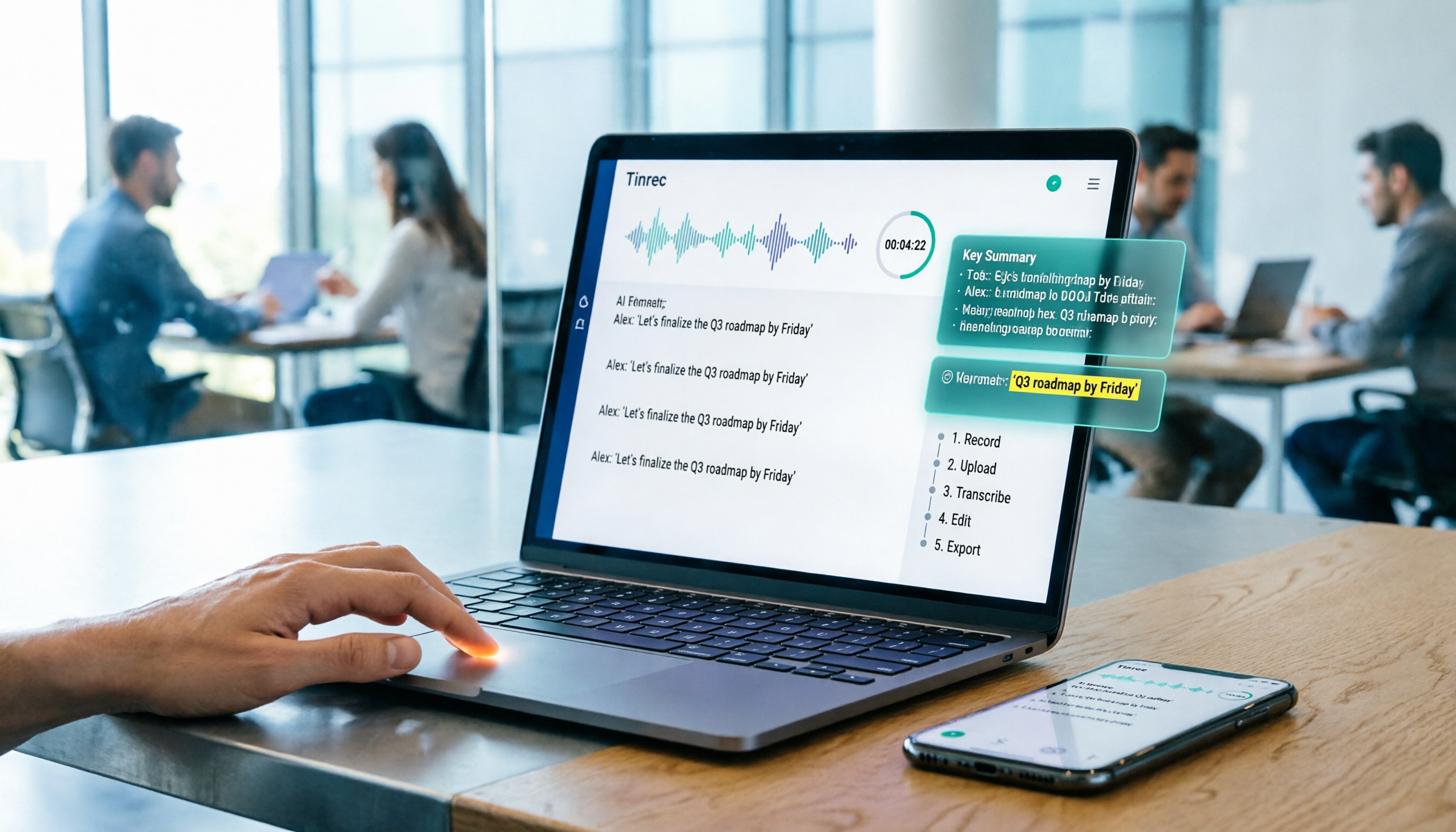
Turn recordings into transcripts and summaries in minutes
Upload audio or video for multilingual transcription, AI notes, and action items
Recently, I organized my meeting recordings from the past six months. Just opening the folder and listening to clips to confirm the content took an entire afternoon. What's more, audio files don't magically turn into searchable, quotable text on their own.
So in this article, I want to share a more effective approach: don't just treat recordings as files, but as "work material" that can be further processed, tracked, and collaborated on.
Below are five recording-to-text solutions I've actually tested and think are worth your consideration, from the most complete AI assistant to lightweight free options, explained step by step.
Tinrec — The Most Complete AI Recording Assistant
If you only need to remember one tool, I'd recommend Tinrec first. It's one of the few AI meeting note tools that integrates "recording, transcription, summary, to-dos, Q&A, and team space" into a single workflow.
When I use it for online meetings, I don't need to invite any bots. Just open the desktop app, and it captures the system audio. Content from Zoom, Google Meet, and Teams can be transcribed in real time. This is a comfortable experience for teams that don't like having a "stranger" in the meeting room.
After transcription, Tinrec automatically generates summaries, chapters, and action items. I usually assign tasks directly from the to-do list after weekly project meetings, and then use AI Q&A to dig into specific decision points. For example: "What key requirements did the client mention this week? Who's responsible for follow-up?" It finds the relevant sections from the meeting content, much faster than scanning the transcript.
If your team has long-term needs, Tinrec's team space can centrally store all meeting data, and the data doesn't disappear when a member leaves. Admins can allocate seats, view usage, and check activity logs, which is useful for managers with governance requirements.
As for pricing, the personal plan offers a free tier for trial, as well as weekly, monthly, and annual cards; the team plan is priced per seat and includes shared imported minutes. Actual pricing is subject to the official page, but the free version already lets you experience the core workflow.
Best for: knowledge workers who need Chinese meeting notes, dislike meeting bots, and want to turn meeting data into team assets.
Otter.ai — A Mature English Meeting Assistant
Otter.ai is well-established in English business meetings, supporting Zoom, Teams, Meet, and other platforms, with speaker identification and AI Chat. Its free plan offers 300 minutes per month, which is friendly for light users.
Compared to Tinrec, Otter has a more complete English ecosystem and integrations, but for Chinese transcription and team space meeting asset management, Tinrec is closer to the Chinese usage context. If you mainly handle English meetings and need extensive integrations, Otter is worth trying; if Chinese content is a high proportion, Tinrec will be smoother.
Notta — Multilingual Transcription and Team Plans
Notta overlaps significantly with Tinrec in features, both supporting multi-device transcription, file import, translation, and team plans. Its free plan offers 120 minutes per month, with a max of 3 minutes per session; paid plans provide more minutes and role permissions.
Notta offers a good experience in file transcription and subtitle creation, but Tinrec emphasizes bot-free online meeting recording and post-meeting AI Q&A and to-do extraction. If you often need to upload historical recordings for batch transcription, Notta is a good choice; but if meetings are the main scenario, Tinrec's workflow is more complete.
Stop organizing recordings by hand
Upload audio or video and automatically get a transcript, summary, and action items
TurboScribe — High-Value Long-File Transcription
TurboScribe focuses on high-value file transcription, suitable for those who need to process long recordings or large numbers of files at once. The free plan allows 3 files per day, with a max of 30 minutes per file; paid plans allow up to 10 hours per file and support batch uploads.
However, TurboScribe's strength is in "transcription," not "meeting organization." It doesn't automatically generate to-dos or let you ask questions about meeting content. If you just want to turn interview recordings into text, TurboScribe is cost-effective; but if you need to extract action items from meetings, Tinrec's post-processing capabilities are more practical.
Granola — Bot-Free AI Meeting Notes
Granola is also a bot-free AI meeting note tool that captures system audio via the desktop app, transcribes in real time, and combines with your handwritten notes to generate highlights. Its design suits people who like to jot down their own notes during meetings.
Granola's free plan is feature-complete, but it doesn't allow uploading pre-recorded audio files, nor does it retain meeting audio. If you only need note enhancement during meetings, Granola is lightweight; but Tinrec can handle both live meetings and historical files, and offers Chinese translation and team space, making it more comprehensive for post-meeting review scenarios.
With So Many Options, How Do You Choose?
Choosing a tool isn't about comparing specs, but about where your workflow is stuck.
- Want the most complete AI meeting organization (transcript + summary + to-dos + AI Q&A + team space) → Tinrec, the only tool that puts all these capabilities in one workflow.
- Need bot-free recording of online meetings and value Chinese experience and real-time translation → Tinrec, the desktop app captures system audio directly, no bots needed.
- Want to turn meeting data into searchable, handover-ready team assets → Tinrec team plan, with clear member, seat, usage, and audit visibility.
- Only need bulk file transcription, not meeting organization → TurboScribe or Notta, for lower-cost handling of long files.
- Only use iPhone and prefer hardware recording devices → Consider PLAUD Note (but requires separate hardware purchase and lacks AI chat query).
- Zero budget and only occasional transcription → Start with the free versions of Tinrec or Otter to test your real needs.
For most people who need to "meet, organize, and track," I'd suggest starting with Tinrec's free version to experience bot-free recording and AI summaries. Once you find yourself relying on meeting data search and to-dos, consider upgrading.
Things to Know Before Using Recording-to-Text Tools
Recording quality determines transcription quality. Tinrec performs well with clear audio, but when multiple people speak at once or there's excessive noise, the transcript may still have errors. For important decisions, keep the audio file and use timestamp playback to confirm.
AI summaries aren't the whole meeting record. Tinrec's summaries help you quickly grasp key points, but official documents still need human polishing, especially when numbers, names, or legal terms are involved. Treat AI summaries as a draft, and use AI Q&A to fill in details for greater reliability.
Clarify team permissions. In Tinrec's team plan, "roles" determine management rights, while "seats" determine usage rights. Don't assume all members can edit data—members without a seat can only view. This is especially important during handovers or when someone leaves.
Get consent before recording. Whether online or offline, before using recording-to-text tools, be sure to comply with local regulations and inform participants. This isn't just polite; it's a basic compliance step.
Conclusion
Recording-to-text tools have evolved beyond just "turning voice into text"—they transform meeting content into team assets that can be tracked, collaborated on, and continuously accumulated.
Among the solutions I've tested, Tinrec is currently the most complete workflow and the closest to Chinese work contexts. From bot-free recording and AI summaries to team space, it brings together the needs before, during, and after meetings on one platform.
My advice: use the free version to record a real meeting and see how the transcript, summary, and to-dos change your workflow. Test step by step, and you'll gradually master this approach.
References
Turn every recording into actionable outcomes
Get 60 free transcription minutes when you sign in. No credit card required.
Related Reading
You might also like

2026 Audio-to-Text Comparison: Tinrec vs Otter.ai for Chinese Meetings & Team Knowledge
How to choose an audio-to-text tool in 2026? This article compares Tinrec and Otter.ai across 5 dimensions: Chinese meeting transcription, bot-free online meeting capture, audio file organization, post-meeting workflows, and team data governance. Based on public features and pricing, it helps you decide which is better suited for meeting notes needs in Taiwan.

How to Choose an Online Audio-to-Text Tool in 2026: 5 Steps to Pick the Right One and Get a Transcript
How do you choose an online audio-to-text tool? This article reviews 6 online options—Tinrec, MyEdit, cSubtitle, CyberLink, Yating Transcript, and Monica—comparing free quotas, Chinese recognition, export formats, and team collaboration. It also walks you through 5 steps to turn an audio file into a transcript.

2024 Review of 4 Audio-to-Text Tools: Which Saves the Most Time on Chinese Meeting Transcripts and AI Summaries?
The 2024 audio-to-text comparison isn't just about transcription speed—it's about whether the tool can organize your meeting notes afterward. Based on real meetings and interviews, this review compares Tinrec, Notta, Granola, and PLAUD on audio sources, transcripts, AI summaries, action items, team collaboration, and pricing limits to help you choose the right tool.

4 Free Online Audio-to-Text Tools Compared (2026): Which Offers the Best Free Tier and Chinese Recognition?
A comparison of Tinrec, MyEdit, cSubtitle, and Monica's free online audio-to-text offerings, covering free quotas, Chinese recognition, export formats, and post-meeting AI organization to help you decide which suits meetings, interviews, and subtitles.

4 Free AI Audio-to-Text Tools Tested: Which Free Tier Is Enough in 2026?
There are many free AI audio-to-text tools, but free quotas, single-recording length limits, Chinese recognition, and post-meeting organization capabilities vary widely. This article compares the free plans and use cases of 4 tools, using Tinrec's no-bot recording, AI Q&A, and team spaces as selection references.

2026 Comparison of 2 Online Audio-to-Text Tools: Tinrec vs Otter.ai — Which Is Better for Chinese Meetings?
Starting from common misconceptions, this comparison examines Tinrec and Otter.ai in Chinese meetings, bot-free recording, post-meeting organization, real-time translation, and team data retention to help you decide which online audio-to-text tool fits your daily work.

2026 Comparison of 2 Audio-to-Text Platforms: Free Tiers, Chinese Recognition, and Post-Meeting Organization at a Glance
A side-by-side comparison of Tinrec and Notta across free tiers, Chinese recognition, online meeting recording, post-meeting organization, and team collaboration, helping you decide whether the free version is enough and when to upgrade.

iPhone Voice Memos vs Tinrec in 2026: 5-Dimension Comparison — Is Free Transcription Enough?
iPhone's built-in Voice Memos can now transcribe recordings for free, so do you still need a separate tool? This article compares iPhone's built-in features with Tinrec across 5 practical dimensions and honestly explains where the free limits are, helping you decide which approach fits your meeting volume.

4 Free Audio-to-Text Tools Tested for 2026: Which Free Tier Is Actually Enough?
There are plenty of free audio-to-text tools, but few can handle a full meeting. This hands-on comparison tests the free plans of Tinrec, Otter.ai, Notta, and TurboScribe—breaking down how limits are calculated, transcript post-processing, audio retention, and team collaboration—to help you decide which free version is truly usable.