
Turn recordings into transcripts and summaries in minutes
Upload audio or video for multilingual transcription, AI notes, and action items
Many people think that smart meeting collaboration simply means using a video conferencing tool, only to find themselves spending hours after the meeting transcribing and organizing action items. In reality, the biggest efficiency bottleneck often occurs in the hours after the meeting ends. In this article, I'll use Tinrec as the primary example to walk you through how to choose and use smart meeting collaboration tools from a practical standpoint, helping you avoid the pitfall of "transcription without organization."
What Can Smart Meeting Collaboration Do for You?
The core of a smart meeting collaboration tool isn't just recording audio; it's turning meeting content into actionable data. Tinrec, for example, can help you achieve the following:
Scenario 1: Get a structured summary within 5 minutes of the meeting ending
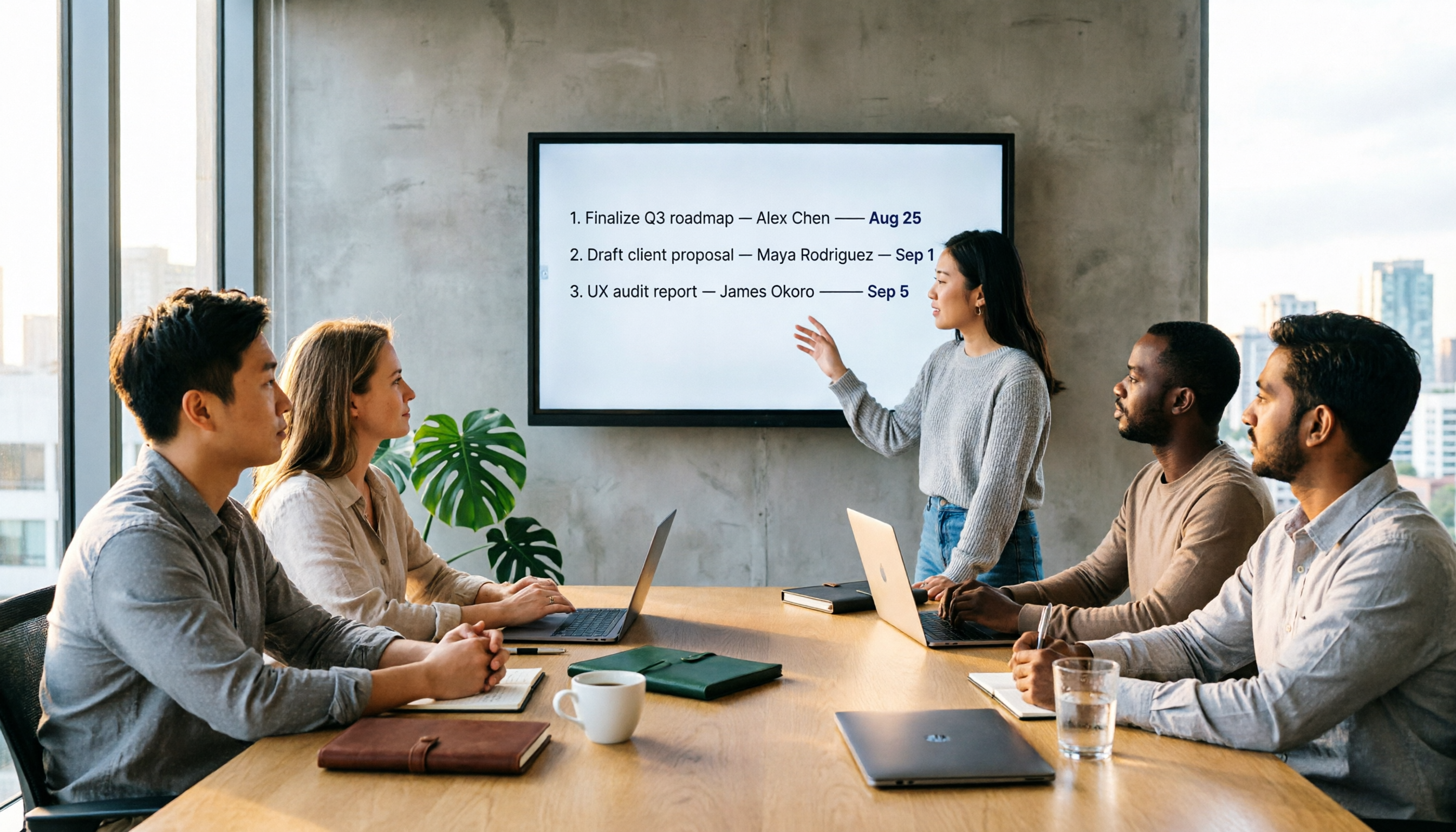
Previously, after a two-hour meeting, you might spend another hour listening to the recording, transcribing, and organizing key points. Now, with Tinrec, as soon as the meeting ends, it automatically generates a summary, chapters, and action items, making it clear who is responsible for what and the deadlines. You just need to quickly review and confirm, then send the action items to your team.
Scenario 2: No more replaying recordings to find key points
The most annoying thing about traditional recordings is thinking, "I remember someone mentioned the budget, but where?" Tinrec's AI Q&A feature lets you ask directly, "Who mentioned the budget during the meeting?" or "What was the client's feedback on the delivery timeline?" It answers based on semantic understanding and even provides timestamps—click to jump back to the original audio.
Scenario 3: Centralize meeting materials scattered across different places
In many teams, meeting notes are "each person writes in their own notebook, and they're never found again after the meeting." Tinrec's team space allows you to store all meeting recordings, transcripts, summaries, and action items in one place. New members can search past discussions directly without having to chase colleagues for previous conclusions.
What Are the Core Capabilities of Smart Meeting Collaboration?
Smart meeting collaboration tools are not just a simple combination of a "voice recorder and transcription software." Their value lies in the organization and collaboration after transcription. With Tinrec, several capabilities are particularly noteworthy:
Bot-Free Online Meeting Recording
Many meeting tools require adding a bot account to the meeting, which raises security and privacy concerns. Tinrec's desktop version directly captures the system audio, so you don't need to invite an extra bot to join Zoom, Google Meet, or Teams meetings. Just open Tinrec, hit record, and it generates a transcript in real time in the background—meeting participants won't see an extra "stranger."
Real-Time Transcription and Translation
Text appears as you record, not after the recording ends. Tinrec's real-time transcription has a delay of less than 1 second, so you can watch the text sync during the meeting to ensure nothing is missed. If the meeting includes foreign language content, it can display translations or bilingual text in real time, eliminating the need to wait for post-meeting translation for cross-language communication.
AI Summaries and Action Item Extraction
The transcript is just the first step; the key is whether the tool can help you organize the key points. Tinrec's automatic summary doesn't just condense content—it structures it: meeting topics, conclusions, action items, and owners are listed separately. Action items can be exported directly into a table, making follow-up tracking much easier.
Multi-Format Export and Post-Processing
After organizing meeting notes, you often need to turn them into reports, documents, or presentations. Tinrec supports exporting to Notion, Google Docs, OneNote, Dropbox, and more. It also offers Agent post-processing features to generate meeting minutes, tables, or reports directly, saving time on reformatting and writing.
Team Space and Permission Management
The team version isn't about multiple people sharing one account; it's an independent collaboration space. Members can view historical meeting materials, and admins can assign roles and seats, monitor usage, and export audit logs. Meeting data belongs to the team and won't be lost if a member leaves.
Practical Use Cases
Where are smart meeting collaboration tools most effective? Here are four scenarios I often recommend to readers, all explained using Tinrec as the operating tool.
Company Weekly Meetings: Quickly Generate a Decision Tracking Table
Weekly meetings usually have a fixed agenda and multiple owners, and after the meeting, it's often hard to remember who is responsible for what. Use Tinrec to record the weekly meeting, and after real-time transcription, use AI summaries and action item extraction to export "decisions, owners, and deadlines" directly into a table. Send it to the team group chat, saving time on meeting note organization.
Stop organizing recordings by hand
Upload audio or video and automatically get a transcript, summary, and action items
Client Interviews: Capture Needs and Commitments
For sales or consultants meeting with clients, the key is what the client said and what they committed to. Tinrec's real-time recording plus AI Q&A lets you ask after the interview, "What was the client's reaction to the pricing?" or "What are the three main needs the client mentioned?" without replaying the entire recording, allowing you to compile a follow-up action list.
Online Courses or Lectures: Create Searchable Learning Materials
During classes or lectures, many people are so busy taking notes that they miss key points. Use Tinrec to record online courses, and after the session, you'll automatically get a transcript and chapters. To review a specific section, just search for a keyword, and you can also export key points to Notion to build your own knowledge base.
Cross-Departmental Project Meetings: Preserve Decision Context
Cross-departmental meetings often involve many people, many opinions, and vague conclusions. Tinrec's team space allows all relevant members to see the meeting transcript and summary. When disagreements arise later, you can directly refer back to the discussion and conclusions at the time, reducing back-and-forth confirmation time.
5 Things to Consider When Choosing a Smart Meeting Collaboration Tool
There are many smart meeting collaboration tools on the market, but their feature sets vary greatly. When evaluating such tools, I first look at the following five aspects, and Tinrec has corresponding designs for each.
1. Can it record online meetings without a bot?
Some tools require adding a bot to the meeting, which is inconvenient for external client meetings or companies with strict security policies. Tinrec's desktop version directly captures system audio, so no extra participant is needed—this is important for privacy-conscious teams.
2. Does it actually help you organize after transcription?
With tools that only provide transcripts, you still have to read through everything yourself. Tinrec offers AI summaries, chapters, action items, and mind maps in addition to the transcript, essentially turning the meeting content into an actionable format.
3. Does it support Chinese and mixed Chinese-English content?
Many international tools are optimized for English meetings, but their Chinese recognition and terminology handling may not be ideal. Tinrec offers a better experience for Chinese and Traditional Chinese, and also supports team-specific terms, allowing you to add company product names, project codes, and other professional vocabulary to improve recognition accuracy.
4. Can it integrate meeting outcomes into other workflows?
Meeting notes shouldn't stay locked inside the tool. Tinrec supports exporting to Notion, Google Docs, OneNote, and other common collaboration platforms, and can also use Agent to generate reports and tables, allowing meeting outcomes to flow directly into your existing workflow.
5. Is team collaboration and governance complete?
Personal use and team use are different. If you need to share meeting materials among multiple people, check for role permissions, usage analytics, and audit logs. Tinrec's team version provides a dedicated team space where members have distinct roles and seats, admins can view usage trends and details, and data ownership is clear.
Frequently Asked Questions
What's the difference between a smart meeting collaboration tool and a regular recording app?
A regular recording app only records audio. A smart meeting collaboration tool goes further by transcribing, summarizing, extracting action items, and even supporting AI Q&A and team sharing. Tinrec, for example, isn't just about recording—it turns meetings into searchable, collaborative, and trackable data.
Do I need to install additional hardware to use Tinrec?
No. Tinrec is available on web, desktop, and mobile, so you can record, transcribe, and organize meetings using just your computer or phone. Unlike some AI recording devices that require purchasing extra hardware, the barrier to entry is much lower for the average office worker.
Is the free plan sufficient?
If you're a light user, the free plan lets you try basic recording, import, summary, and transcription features. However, the free plan has usage limits. If you have more than 2-3 meetings per week or need to accumulate data over time, I recommend upgrading to the Pro or Team plan for more generous usage.
Do team members need a seat to view meeting materials?
No. Active members of the team can view, play, and read team materials even without a seat. Seats are only required for actions like recording, uploading, editing, importing, and exporting. This makes team data sharing more flexible and cost-effective.
Can accuracy be guaranteed 100%?
No AI tool can guarantee 100% accuracy. Actual performance is affected by audio quality, accents, overlapping speech, and technical jargon. Tinrec performs well with clear audio and common scenarios, but for critical content, it's still advisable to cross-check with the transcript or replay the recording.
Conclusion
The core of smart meeting collaboration isn't about "choosing a tool"—it's about "choosing a tool that saves you time on post-meeting organization." If you're still manually organizing meeting notes or getting transcripts but not knowing what to do with them, I recommend trying Tinrec. It integrates recording, transcription, summaries, action items, and team collaboration, solving not only the "can't remember" problem but also the "can't find, no one follows up" issue. Start with the free plan and record a real meeting—you'll see the difference.
References
- How to Choose Online Meeting Software? 5 Tools Compared: Features, Pricing, and Use Cases - 棋崚ALEN
- Top 5 Recommended Online Meeting Software to Boost Remote Work Efficiency | On-line to Know
- Smart Meetings - Smart Meeting and Workspace Solutions
- What is a Smart Meeting Room? A Comprehensive Guide to Benefits, Features, and Use Cases - DC Sales Portal
- Video Conferencing Software Recommendations: Google Meet vs. Microsoft Teams vs. Zoom
Turn every recording into actionable outcomes
Get 60 free transcription minutes when you sign in. No credit card required.
Related Reading
You might also like

How to Download an AI Meeting Assistant in 2026: 5 Steps from Installation to Meeting Minutes
Looking for an AI meeting assistant in 2026 but stuck on download, installation, and setup? This guide tackles real pain points and walks you through 5 steps to complete Tinrec download, permission settings, recording transcription, and post-meeting export, plus 5 things to consider when choosing and FAQs.

2025 AI Meeting Assistant Comparison: Tinrec, Otter.ai, Notta, and Granola Reviewed
Many people download AI meeting assistants only to find transcripts hard to use, Chinese recognition unreliable, and team data scattered. This article compares Tinrec, Otter.ai, Notta, and Granola across selection criteria, real workflows, and pitfalls to help you choose a tool that actually produces usable meeting notes.

2026 Smart Meeting Notes Tools Compared: How to Tell If Meeting Minutes Are Actually Useful
Most people evaluate smart meeting notes tools only by transcription accuracy, but the real cost is in how you use the notes after the meeting. This article starts with common misconceptions, breaks down 4 key points for reviewing meeting notes, compares Tinrec, Otter.ai, Notta, and Granola, and highlights 3 pitfalls to help you choose a tool that fits your workflow.

4 Smart Meeting Notes Tools Tested for 2026: From Transcripts to Action Items, Which One Really Saves Time?
Meeting notes aren't just about keeping a transcript. This article starts with the most common pitfalls, breaks down the correct workflow for smart meeting notes and 4 key selection criteria, and compares Tinrec, Otter.ai, Notta, and Granola in terms of recording capture methods, post-meeting organization capabilities, and team collaboration differences, with a guide to avoiding pitfalls and selection advice.

2026 AI Meeting Assistant Guide: Bot-Free Recording + Auto Summaries & Action Items
Many people think recording a meeting is enough and they can just listen again later—but that's actually the most time-consuming and inefficient approach. This article starts with the key factors for choosing an AI meeting assistant, introduces Tinrec's bot-free recording, automatic summaries and action items, AI Q&A, and team collaboration capabilities, and briefly reviews alternatives like Otter.ai, Granola, and PLAUD to help you find the right meeting notes workflow.

2026 AI Meeting Assistant App Comparison: Chinese Transcription, Bot-Free Recording, and Team Knowledge Retention
A 2026 hands-on comparison of AI meeting assistant apps, examining Tinrec and Notta across Chinese meeting transcription, bot-free recording, post-meeting AI Q&A, team knowledge retention, and pricing to help professionals and teams choose the right meeting notes tool.

2024 Comparison of 5 AI Meeting Assistant Platforms: Why Tinrec Is a Better Fit for Chinese-Speaking Teams Than Notta
A procurement-focused comparison of 5 AI meeting assistant platforms, highlighting Chinese-language meetings, bot-free recording, post-meeting AI Q&A, and team knowledge retention, and explaining why Tinrec is a Notta alternative worth evaluating first.

5 AI Meeting Assistants Compared in 2024: Free vs. Paid, How to Choose for Chinese Meetings and Post-Meeting Organization
How to choose an AI meeting assistant in 2024? This article compares Tinrec, Fireflies.ai, Granola, TurboScribe, and PLAUD Note across five dimensions: meeting capture method, Chinese recognition, post-meeting summaries and Q&A, team seats and pricing. It also outlines selection criteria and common pitfalls to help you find the right tool for Chinese meetings and team collaboration.

2024 AI Meeting Assistant Comparison: Chinese Meetings, Bot-Free Recording, and Post-Meeting Organization—Which Saves the Most Time?
2024 AI meeting assistant review comparing Tinrec, Otter.ai, Notta, and PLAUD on Chinese transcription, bot-free recording, post-meeting summaries, and team collaboration—covering use cases, pricing, and limitations to help you choose the right meeting tool.