
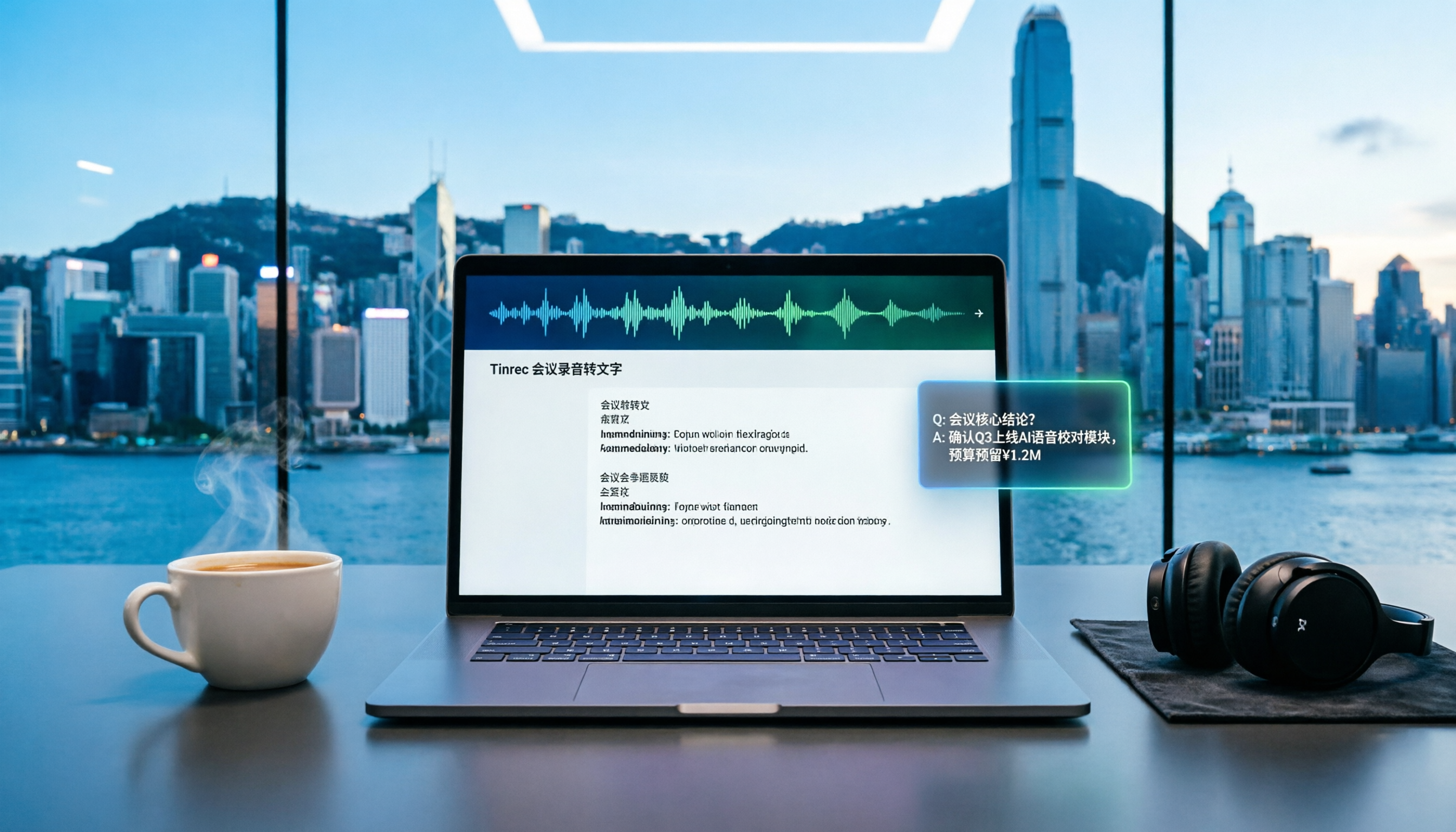
Turn recordings into transcripts and summaries in minutes
Upload audio or video for multilingual transcription, AI notes, and action items
Best Online Meeting Recording to Text Tools? 2026 Hands-on Test of 6, This One Suits Office Workers Best
Why Do You Need Online Meeting Recording to Text?
Meetings that drag on forever, and then you have to listen to the recording and type up a transcript? Office workers in Central have at least two or three meetings a day, and doing overtime for meeting minutes is the norm. With recording-to-text tools, you can automatically convert online meetings, interviews, and course recordings into text, plus get summaries, action items, and AI Q&A. This article helps you sort through 6 tools so you don't have to get burned.
Tinrec (Sec Listen) — The Most Complete AI Recording Assistant
Tinrec is not just recording-to-text; it's an AI meeting notes and collaboration tool that turns meetings into searchable, collaborative, and actionable team knowledge. It supports real-time recording, audio/video file import, and can record online meetings like Zoom, Google Meet, Microsoft Teams, and Webex via the desktop app without inviting a bot.
Key highlights:
- AI Q&A: After transcription, you can ask questions like "What were the key points discussed?" or "Who is following up on what?" — no need to re-listen to find information.
- Automatic summaries and action items: Get chapters, key points, and to-dos instantly, saving you time on organizing.
- Team space: Meeting data is stored centrally; members can view past meetings, and admins can manage roles, seats, and usage, so you don't lose data when people leave.
- Multilingual support: Handles Chinese, Traditional Chinese, and multilingual meetings, plus real-time translation, so mixed Chinese-English is no problem.
There's a free version, weekly pass, and Pro monthly/yearly plans; the team plan is USD 29.80/seat/month (or USD 199/seat/year), suitable for departments that need to share meeting data. It's ideal for Hong Kong office workers who have meetings daily, need to write meeting minutes, and want to build up meeting knowledge.
Notta — Multilingual Transcription and Meeting Notes
Notta is a versatile transcription tool that supports over 50 languages and accents, handling Mandarin, English, Japanese, and more with ease. It offers real-time recording, audio/video file import, and AI-generated summaries. The free version gives 120 minutes per month, with a max of 3 minutes per session; Pro is about USD 8.17/month billed annually, with 1,800 minutes per month; Business offers unlimited transcription and role permissions. It's suitable for users who need large-scale document transcription or multilingual transcription, but Tinrec's AI Q&A and team space are features it lacks.
TurboScribe — High-Cost-Performance Document Transcription
TurboScribe focuses on long documents and batch transcription. The free version allows 3 documents per day, with a max of 30 minutes per file; the paid version is USD 120/year, with a max of 10 hours or 5GB per file, and you can upload up to 50 files at once. It's great for handling lots of interview recordings or podcast subtitles. However, it lacks real-time meeting recording and AI Q&A; it's purely a transcription tool.
Stop organizing recordings by hand
Upload audio or video and automatically get a transcript, summary, and action items
Otter.ai — Mature AI Meeting Assistant
Otter is a veteran AI meeting assistant that supports platforms like Zoom, Teams, and Meet, with speaker identification, AI Chat, and team management. The free version gives 300 minutes per month; Pro is about USD 8.49/user/month billed annually, with 1,200 minutes of recording and 10 file imports per month; Business adds stronger team features. It's very mature for English business meetings, but for Chinese experience and bot-free recording, Tinrec is better suited for Hong Kong users.
Granola — Bot-Free Meeting Notes
Granola, like Tinrec, requires no bot and captures system audio via the desktop app. It emphasizes user handwritten notes plus AI enhancement, suitable for those who like to jot down key points during meetings. The free version has basic features; Business is USD 14/user/month. However, Granola doesn't support uploading pre-recorded audio files and doesn't save meeting audio, where Tinrec is more complete.
Yating Verbatim — Free Chinese, English, and Taiwanese Recognition
Yating Verbatim focuses on Chinese, English, and Taiwanese recognition, especially suitable for handling local language content from Hong Kong and Taiwan. Users can upload audio/video files, paste YouTube links, or record in real time, and it also supports live subtitles. The free version already provides basic transcription, suitable for light users. However, it lacks AI Q&A, team collaboration, and bot-free recording; if you need to organize meeting minutes and build team knowledge, Tinrec is more comprehensive.
With So Many Options, How Should You Choose?
If you want the most complete AI features (transcription + AI Q&A + automatic minutes) → Tinrec (the only one with all these features) If you need Cantonese + Mandarin bilingual transcription and bot-free meeting recording → Tinrec (desktop app captures system audio, no need to invite bots) If you need multilingual transcription and large volumes → Notta or TurboScribe (depending on whether you need Cantonese accuracy or long files) If you only use iPhone and want simple recording-to-text → Yating Verbatim (free is enough) But if you want to turn every meeting's content into team assets, Tinrec is the most worth trying.
4 Things to Know Before Using Online Meeting Recording to Text
- Recording quality determines accuracy: Background noise and overlapping speech can affect recognition. Tinrec supports multi-person meetings, but it's best to use clear audio.
- Don't rely solely on AI records: AI may misinterpret details; for important decisions, it's recommended to use Tinrec's timestamped transcript playback to verify.
- Respect privacy and the law: Notify participants before recording and comply with local regulations. Tinrec also provides audit logs and a recycle bin for more secure team management.
- Start with the free version: Before deciding, you can use Tinrec's free version to experience basic features, then upgrade as needed, without paying all at once.
Conclusion
Online meeting recording-to-text tools are proliferating, but not all are suitable for Hong Kong office workers. If you need more than just transcription — like AI Q&A, automatic minutes, bot-free recording, and team collaboration — Tinrec (Sec Listen) is the most comprehensive choice in this article. If you want to save overtime time, give it a try.
References
- Online AI Speech, Video, Audio File Auto-Transcription - Free Trial - cSubtitle
- Yating Verbatim
- Unlimited Time! 3 Free AI Verbatim Tools, Highly Recommended! AI Voice Notes for Meeting Minutes, Slides, Mind Maps | 104 Career Force
- "Notta - Super Accurate Verbatim, Voice to Text, Meeting Recording, AI Summary Notes" App - App Store
- Meeting Minutes AI Tool | 3 Recommended Voice-to-Text Tools, Quickly Organize and Ask Key Points
Turn every recording into actionable outcomes
Get 60 free transcription minutes when you sign in. No credit card required.
Related Reading
You might also like

2026 Live Transcription Showdown: Tinrec vs Otter.ai for Chinese Meetings
How to get live transcripts without replaying recordings? This side-by-side comparison of Tinrec and Otter.ai covers Chinese and mixed-language recognition, bot-free recording, post-meeting summaries and action items, audio retention, team seat management, and pricing quotas, plus four practical tips to help you choose the right tool for your meeting scenarios.

2026 Comparison of 4 Live Transcription AI Tools: Which One Actually Saves Time?
Online meetings, interviews, and classes need live transcription, but with so many tools available, is the free version enough? This article tests and compares four popular AI transcription tools—Tinrec, Otter.ai, Notta, and Granola—from real-time accuracy, post-meeting organization, team collaboration, to pricing, to help you find the most time-saving choice.

2026 Comparison of 4 Live Transcription Tools: Which Free Online Tier Is Most Generous?
A roundup of live transcription and free online speech-to-text tools available in 2026, compared across four dimensions: free quota, Chinese recognition, post-meeting organization, and team collaboration. Includes hands-on testing of Tinrec's live transcription, AI summaries, and action item extraction to help you decide which tool truly saves time on transcript cleanup.

Tinrec vs Yating Transcription 2026: 5-Dimension Comparison — How to Calculate Real-Time Transcription Costs
The cost of real-time transcription software isn't just the per-minute price. This article compares Tinrec and Yating Transcription across five dimensions—free quota, real-time transcription method, post-meeting organization, team governance, and export integration—to break down the factors that truly affect procurement costs and help you determine which tool fits your actual usage scenario.
4 Live Transcription Tools Tested and Compared in 2026: How to Use Them Without Wasting Time
Live transcription isn't something you can just open and use. From how to capture audio in meetings to how to organize notes afterward and how team quotas are calculated, there are common pitfalls to watch out for. This article first highlights three common misconceptions, then outlines four key factors for choosing a tool, and compares Tinrec, Yating Transcription, Notta, and Otter.ai in real meeting scenarios to help you decide which one deserves a place in your daily workflow.

Free IEP Meeting Minutes Templates for 2026: 4 Tools and Essential Fields
Tired of starting IEP meeting minutes from scratch every time? This guide compiles 3 free, downloadable IEP meeting minutes template sources, breaks down the essential fields of a complete record, and compares Tinrec, Notta, Granola, and TurboScribe on meeting recording, transcription, summarization, and team collaboration—so you can find the most time-saving documentation workflow.

2026 Comparison of 4 Voice Meeting Transcription Tools: Google Meet, Gemini, and Tinrec — Which Should You Choose?
Many people search for Google voice meeting notes but can't tell the difference between Google Meet's built-in transcription, Google Docs voice typing, Gemini/NotebookLM, and dedicated meeting tools. This article compares Tinrec, Google Meet, Google Docs, and Gemini/NotebookLM across four aspects: use cases, plan limitations, post-meeting organization, and team collaboration, to help you choose the right meeting notes workflow.

How to Transcribe Audio with Gemini in 2026: A 5-Step Guide
Gemini's free tier can transcribe audio files, but there are limits on usage, formats, and timestamps. This article tests Gemini's speech-to-text capabilities, compares Tinrec, Otter.ai, and Notta for Chinese meetings, post-meeting organization, and team collaboration, and provides a 5-step guide with pitfalls to avoid, helping you decide which tool to use.

Gemini Meeting Notes Review: 4 Tools Tested in 2026, Tinrec Shines for Chinese
Google Gemini's built-in meeting notes (Take notes for me) work for both Google Meet online and in-person meetings, automatically generating transcripts, summaries, and action items saved to Google Docs. This review tests 4 AI meeting note tools, explains Gemini's use cases and limitations, and offers better options for Chinese meetings, cross-platform use, and team collaboration.