
Turn recordings into transcripts and summaries in minutes
Upload audio or video for multilingual transcription, AI notes, and action items
After every one-hour in-depth interview, do you end up spending three or four hours replaying the recording and typing? Or dealing with multilingual or mixed Chinese-English speakers that make organizing key points a nightmare? Traditional recordings have extremely low information density, and the cost of replaying and organizing is often shockingly high.
This article will share the latest 2026 human transcription rates and curate a comparison of popular AI interview transcription software, providing a detailed evaluation comparison table, practical step-by-step tutorials, and a FAQ section.
⚡ Quick Navigation Summary:
- Prioritize local Taiwanese Hokkien and Taiwanese accent recognition → Consider "Yating Transcript"
- Rely heavily on the LINE ecosystem with simple needs → Choose "Clova Note"
- Need "post-meeting action item generation" and "AI semantic search" → Recommend evaluating "Tinrec"
Why You Need AI Interview Transcription Software: 2026 Human Transcription Rates
In the past, many companies or researchers outsourced interview recordings to professional transcribers. According to 2026 market rates, human transcription costs are roughly as follows:
- Live transcription: Starting around NT$500 / 1 hour
- Interview recording transcription: Approximately NT$1 ~ NT$4 per word, or NT$1000 ~ NT$2500 / 1 hour
- YouTube/Podcast transcription: Approximately NT$1 ~ NT$4 per word, or NT$1000 ~ NT$3000 / 1 hour
While human transcription offers high accuracy with unclear accents, complex contexts, or specialized terminology, it is costly and time-consuming (typically 1-3 business days). With technological advances, AI interview transcription software can significantly reduce costs and produce transcripts in minutes. For non-legal or non-highly-confidential daily interviews and meeting records, AI tools have become the mainstream solution.
How to Choose Interview Transcription Software? Core Evaluation Dimensions
With many tools on the market, we recommend evaluating from the following dimensions for a minimal decision-making assessment:
- Language Support: Does it support automatic recognition of multiple languages? How accurate is it with code-switching between Chinese and English?
- Speaker Diarization: Interviews usually include a speaker and an interviewer; can the tool automatically distinguish speakers?
- Post-Processing Capabilities: Most tools only provide transcripts; can it offer advanced features like "decision summaries" or "action items"?
- Import & Integration: Does it support various audio formats, even direct YouTube/Podcast link parsing?
- Pricing & Free Tier: Does it offer sufficient free minutes for testing?
2026 Top 6 Interview Transcription Software Comparison
To reduce your decision-making effort, here is a comparison table of 6 highly-discussed AI transcription and meeting notes tools currently on the market:
| Tool Name | Language Support | Real-time Transcription | Summary & Action Items | AI Query | Export & Integration | Pricing / Free Tier (subject to official info) |
|---|---|---|---|---|---|---|
| Vocol AI | Chinese, English, Japanese, etc. | Yes | Provides summaries | Not emphasized | Integrates with Meet/Teams | Basic free tier available |
| Yating Transcript | Chinese, Taiwanese Hokkien, mixed | Yes | No | No | Text file export | Free version available |
| Clova Note | Chinese, English, Japanese, Korean | Yes | Basic summary | No | Text/audio files | 600 minutes free per month |
| Good Tape | Over 40 languages | No (import only) | No | No | SRT/text files | Pricing per plan |
| inFin | Chinese, English | Yes | No | No | Text file export | Free |
| Tinrec | Chinese, Japanese, English, Korean, Taiwanese Hokkien, etc. (10 languages) | Yes | AI summary & action items | Supports semantic search | Multi-format export | Free 100 min/month; paid from $4.9/month |
Stop organizing recordings by hand
Upload audio or video and automatically get a transcript, summary, and action items
Candidate Overview
- Yating Transcript: Optimized for Taiwanese accent; if your interviewees often speak Taiwanese Hokkien, this tool's localization is solid.
- Clova Note: Developed by LINE; login with LINE account; automatically identifies multiple speakers; suitable for light note-taking needs.
- Good Tape: Uses Whisper technology; ideal for journalists and editors uploading recorded audio for transcription.
- Tinrec (Miaoshuo Recorder): Cross-platform (iOS/Android/Web); beyond transcription, strengths include "AI semantic query" and "to-do action item extraction"; suitable for professionals who need to quickly turn interview content into reports or workflows.
Deep Dive into Tinrec: Complete Workflow from Recording to Decision
For users with a fast-paced workflow, the pain point is often not "no transcript" but "the transcript is too long to read." Among many tools, Tinrec's design philosophy converts "time-based content" into "scannable, searchable, actionable text."

Its differentiated features shine in the following scenarios:
- Beyond Traditional Ctrl+F Search: Traditional transcripts only allow keyword search, while Tinrec supports AI semantic chat queries. When you need to recall a key point, you can "ask the system" like you would a person and get a quick summary.
- Automatic Meeting Minutes: After an interview or meeting, the system automatically generates conclusions and to-do action items, avoiding follow-up neglect.
- Seamless Multi-language & Cross-device: Supports iOS, Android, and web; record interviews on your phone on the go, then access and export reports on your computer back at the office.
Practical Tutorial: 4 Steps to Organize Interviews with AI Tools
Using Tinrec's common features as an example, here's how to transform interview data from various sources into usable text records:
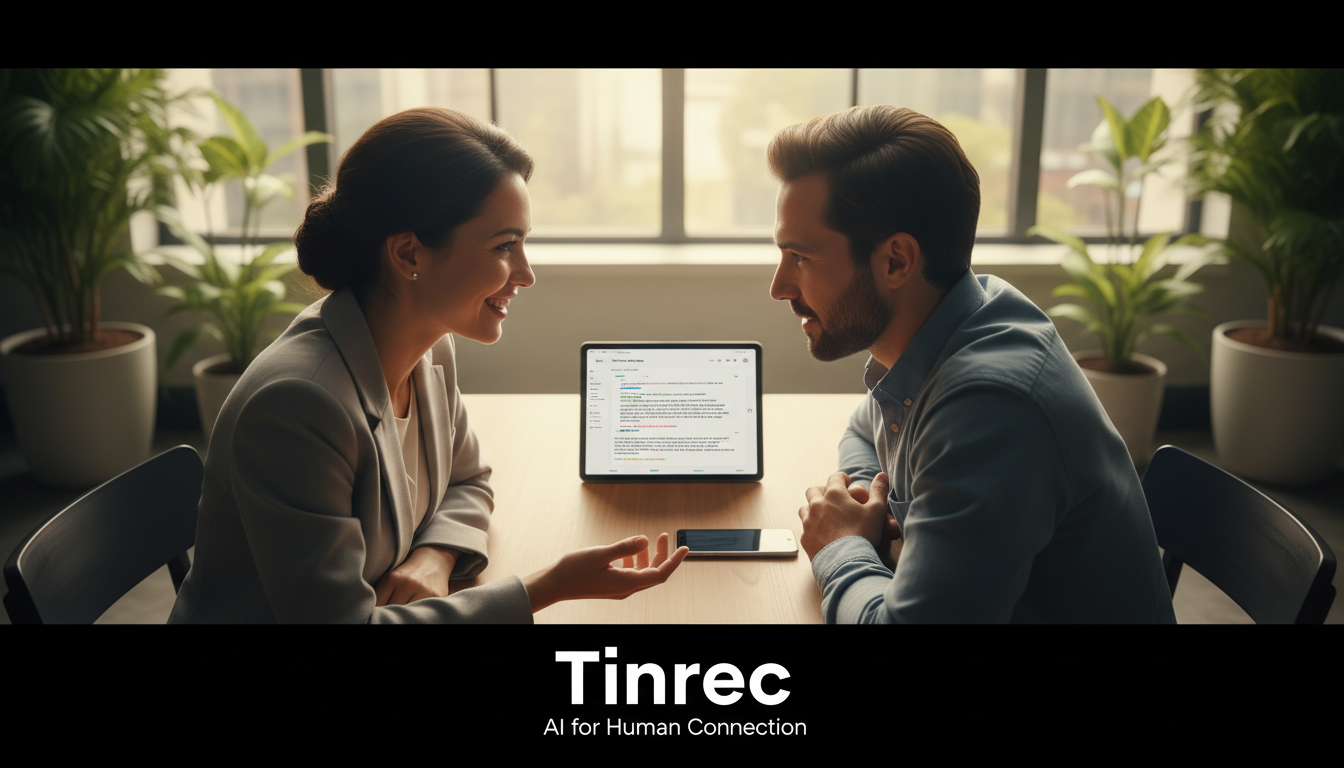
Step 1: Real-time Transcription for In-Person Interviews
During face-to-face interviews, you can enable real-time transcription.
- How: Go to Tinrec's real-time recording to text page and start recording.
- Result: The system transcribes speech into text in real time; no need to wait for audio file processing. Mark key points on the spot.

Step 2: Import Existing Audio Files
If you prefer using a dedicated recorder or have accumulated interview recordings, you can import them.
- How: Go to audio file to text feature and upload the file.
- Result: The system supports multiple audio formats, automatically differentiates speakers, and generates a full transcript with AI summary.

Step 3: Online Video and Podcast Research
Before interviews, background research often requires transcribing the interviewee's past YouTube talks or podcasts.
- How: Use the podcast/online video to text feature and paste the URL.
- Result: No need to download the video; the system directly parses the link and extracts text highlights, speeding up preparation.

Step 4: Deep Extraction with AI Chat Query
Manual summarization of tens of thousands of words of interview records is extremely time-consuming.
- How: Use the AI chat query to ask questions.
- Result: You can type "What is the interviewee's view on market trends in 2026?" and the AI will automatically retrieve and present a structured answer from the recording.

Interview Transcription FAQ
Q1: Can the iPhone's built-in voice memo app directly transcribe interviews? Apple has gradually added voice-to-text accessibility features in newer iOS versions, but it's limited for long interviews, multi-speaker differentiation, or automatic meeting summary generation. Most professionals still opt for third-party AI transcription software to handle complex scenarios.
Q2: Can AI tools record remote international interviews on Teams or Meet? Yes. Many AI tools (including Vocol AI mentioned above or importing meeting recordings via Tinrec) can handle international meetings. AI automatically recognizes multiple languages like English and Japanese, and provides post-meeting text organization.
Q3: Are there completely free AI transcription tools? Some tools like inFin claim to be free, while most advanced software uses a "free tier + subscription" model. For example, Clova Note offers 600 minutes per month, and Tinrec's free version offers 100 minutes per month. If your interview frequency is low, leveraging free tiers usually meets basic needs.
Q4: Is AI transcription accurate with specialized terminology? Current AI is highly accurate for everyday conversation, but may misrecognize niche jargon, heavy background noise, or overlapping speech. A recommended approach is to use AI for a first draft, then quickly proofread key terms with ChatGPT or manually.
Q5: Do AI-generated transcripts still require manual cleanup? If using a basic tool that only provides raw transcription, you may need to manually adjust formatting or remove filler words (like "um," "like"). If using a tool with AI summarization (e.g., Tinrec), the system directly provides structured minutes and action items, saving most manual formatting time.
Q6: Are AI tools suitable for confidential business interviews? For highly sensitive legal cases, undisclosed trade secrets, or content requiring extreme privacy, we recommend hiring professional human transcribers and signing an NDA. For general internal work meetings, public interviews, or study notes, AI tools are highly effective for boosting efficiency.
Turn every recording into actionable outcomes
Get 60 free transcription minutes when you sign in. No credit card required.
Related Reading
You might also like

3 Ways to Record Google Meet in 2026: No Bot Needed for Automatic Transcripts
Google Meet's built-in recording has plan and permission restrictions, and meeting bots can make participants uncomfortable. This article covers 3 methods to record Google Meet, using Tinrec as an example to explain how desktop-based bot-free recording can simultaneously generate transcripts, summaries, and action items, along with purchasing considerations and FAQs.

Google Meet vs Tinrec: Which Meeting Notes Method Saves More Time in 2026?
Beyond Google Meet 2024 tutorials, you might care more about how to organize after the meeting. This article compares Google Meet's built-in transcription with Tinrec, covering recording methods, Chinese transcripts, post-meeting summaries, and team data retention, to help you decide which meeting notes workflow suits you best.

Tinrec vs Samsung Galaxy AI Voice-to-Text in 2026: 5-Dimension Comparison — Which Is More Practical for Cross-Device Meeting Notes?
From a mid-level manager's hands-on perspective, this compares Samsung Galaxy AI's voice-to-text assistant and Tinrec across 5 key differences: what you get after transcription, how meeting audio gets in, cross-device support, Chinese recognition, and quota/cost — and explains which meeting scenario fits which tool.
How to Use Notion AI Audio Transcription in 2026: 5-Step Test and Tinrec Comparison
How do you use Notion AI audio transcription? Starting from a real meeting scenario, this article first breaks down Notion AI meeting notes in 5 steps, then compares Notion AI and Tinrec across 5 dimensions: recording sources, Chinese and multilingual support, post-meeting organization, export and integration, and team governance, to help you decide which one your meetings should use.
2026 Voice-to-Text App Comparison: Which Is Best for Chinese Meetings and Team Knowledge Retention?
How to choose a voice-to-text app in 2026? Starting from real meeting note pain points, this article outlines 4 key buying factors and compares Tinrec, Otter.ai, Notta, and Yating Transcription on Chinese transcription, post-meeting organization, and team collaboration. It also honestly lists pricing, limitations, and pitfalls to help you find the best voice-to-text tool for your needs.

4 iPhone Transcription AI Tools Tested in 2026: Which One Actually Saves You Time?
Two-hour meeting, two more hours to organize? This article compares four common iPhone recording-to-text methods: iOS built-in transcription, Notta, PLAUD NotePin, and Tinrec. It outlines four key buying criteria, four common pitfalls, and explains Tinrec's real-world performance in Chinese meetings, post-meeting AI Q&A, and team knowledge retention, helping you decide which one to choose.

4 Best iPhone Transcription Solutions in 2026: Built-in vs. Apps vs. AI Tools
How to choose an iPhone audio-to-text solution? This article compares Apple's built-in Voice Memos, Granola, Notta, and Tinrec, covering Chinese language support, post-meeting organization, team collaboration, and pricing to help you find the right fit.

2026 AI Transcription Tools Comparison: 4 Picks Tested for Chinese Accuracy & Post-Meeting Efficiency
We tested 4 AI transcription tools in 2026, comparing Chinese recognition, online meeting recording, free tiers, and post-meeting organization. We cover 4 key buying factors and 4 common mistakes, and compare Tinrec, Notta, Granola, and Otter.ai to help you choose the best fit.

5 Best iPhone Transcription Apps in 2026: Which Saves the Most Time for Cantonese Meetings?
Which iPhone transcription app is best? We tested Tinrec, Apple Voice Memos, Otter.ai, and Granola using a Cantonese meeting recording with mixed Chinese and English. We compared recognition accuracy, post-meeting organization, cross-platform use, and team sharing to help you save time on transcripts.