

Turn recordings into transcripts and summaries in minutes
Upload audio or video for multilingual transcription, AI notes, and action items
5 Best iPhone Transcription Apps in 2026: Which Saves the Most Time for Cantonese Meetings?
Still Typing Transcripts After Meetings? You Need a Post-Meeting Workflow
It's 7:30 PM, the conference room is empty, and you're still wearing headphones, listening to a 90-minute recording and typing every word. This scene plays out daily in every office building in Central.
Cantonese meetings are even trickier. With mixed Chinese and English, tons of names and company terms, and colleagues talking over each other, many tools produce Chinese text that you'll spend hours editing. If the transcript isn't usable, it's as good as not transcribed.
Then there's the awkward moment: your boss asks, "Who mentioned the budget last time?" You remember someone did, but you have to listen to the whole recording again to answer.
These three pain points are essentially the same problem: recordings are just raw material. What you really need is meeting data that you can search, query, and follow up on. Here are the criteria we actually use when choosing a tool.
Before Choosing an iPhone Transcription App, Understand These 4 Key Points
1. Chinese/Cantonese recognition isn't about "how many languages are supported"
Conference rooms have air conditioning noise, keyboard clicks, overlapping speakers, mixed Chinese and English, and lots of jargon. No tool should promise a fixed accuracy rate because conditions change results. What you should look at is whether it has ways to handle this, such as letting you maintain industry terms so words like "fiscal year," "seat," and "KPI" aren't always wrong.
2. What you can do after transcription
A tool that only produces a transcript is only doing one-third of the job. For the same recording, some tools automatically generate summaries, chapters, key points, and action items; some even let you ask questions directly about the meeting content. This gap affects when you get off work more than transcription itself.
3. Input sources and cross-platform
Your meetings aren't all the same: sometimes in-person, sometimes Zoom, sometimes a recording from a client. Plus, you might record on your phone today and want to organize on your computer tomorrow. If a tool is tied to one device, it'll be painful to use.
4. How quotas are calculated and where team data is stored
How much free quota, what happens when you exceed it, and whether real-time recording and file import use the same quota—all need to be clear. If meeting notes are shared with colleagues, ask: which account holds the data? Will it still be there after a colleague leaves?
Tinrec – Our Top Pick After Testing
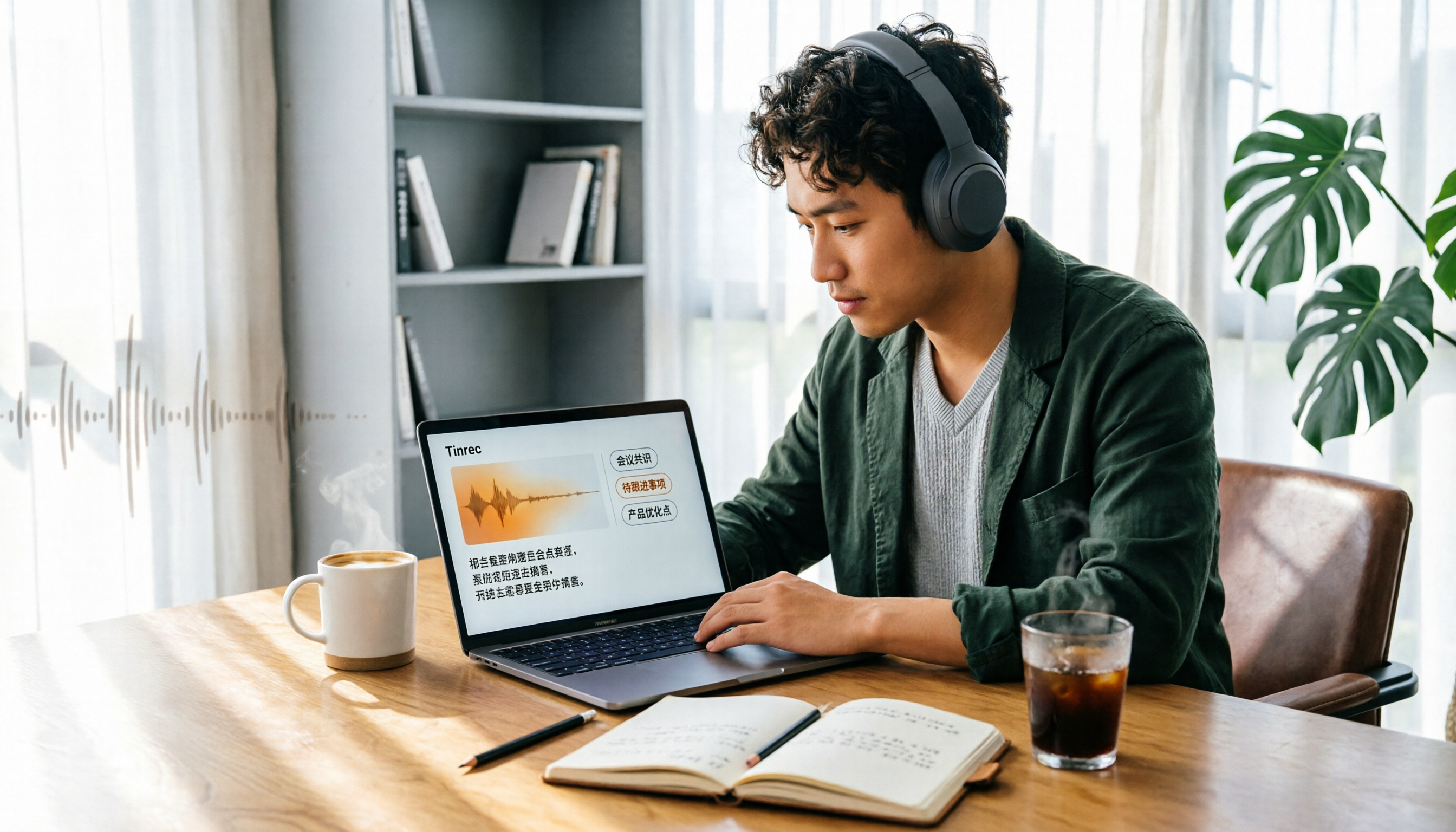
Tinrec is an AI meeting notes and collaboration tool for individuals and teams, available on mobile app, desktop, and web.
No bot for online meetings, real-time transcription for in-person
For in-person meetings, just start recording on your phone and get a live transcript. For online meetings (Zoom, Google Meet, Microsoft Teams, Webex), use the desktop version to capture system audio directly—no need to invite a meeting bot as a "fifth participant," and no unknown account appears in the meeting list. Note: you manually start recording; it doesn't automatically join all meetings on your calendar.
Transcript is just the start; post-meeting workflow is key
After recording, AI automatically generates summaries, chapters, key points, and action items—who's responsible for what and when it's due, without you having to listen again. For long meetings, it can also produce a mind map to help you quickly see topic relationships. Then you can export to common file formats or send to Notion, Google Docs, OneNote, Dropbox for further editing, and use Agent to generate reports, tables, and meeting minutes.
AI Q&A is its biggest differentiator
After recording, you can ask Tinrec directly: "What were the three objections the client raised last quarter?" It won't just return a bunch of keyword search results; it answers based on semantic understanding and can query across multiple meetings. Most tools at this price point are still stuck at "Ctrl+F for keywords."
Chinese, multilingual, and real-time translation
It covers Chinese meetings, mixed Chinese-English content, and multilingual meetings. During recording, you can choose to view original text, translation, or bilingual. The team version also has team hotwords to maintain common terms and improve recognition of professional vocabulary.
Team version is a separate space, not a shared account
For departments or project teams, the team version provides a separate space: invite members, set owner/admin/member roles, assign or revoke seats, centrally store recordings and action items, view usage trends and member rankings, query and export audit logs, and an audio recycle bin (30-day retention, recoverable or permanently deleted). Roles and seats are separate: roles determine who can manage the team, seats determine who can record, upload, edit, import/export. Members with valid access but no seat can still view, play, and read team data.
Stop organizing recordings by hand
Upload audio or video and automatically get a transcript, summary, and action items
Test conditions
We evaluated using an indoor Cantonese meeting recording with air conditioning noise and mixed Chinese-English content, not a studio environment. Under these conditions, Tinrec's transcript was readable and usable. But to be clear: accuracy is affected by recording quality, accent, noise, overlapping speakers, and jargon—same for any tool. So for important content, we recommend cross-checking with the transcript timestamps and recording.
Main advantages
- No extra hardware or meeting bot needed—just a phone and a computer.
- Beyond transcript, you get summaries, action items, AI Q&A, and multi-format export—so you're buying the entire post-meeting workflow, not just transcription.
- Works across mobile, desktop, and web; recordings and transcripts are stored in the cloud, not locked to one iPhone.
Limitations (to be honest)
The free personal version is a basic experience quota; heavy users need to upgrade to weekly or Pro. Actual quotas and prices are subject to the official purchase page. The team version provides 2,000 minutes of shared import quota per paid seat per month; file and web imports deduct from the team shared quota, not individual member quotas; real-time recording currently doesn't deduct minutes under an active team plan. Also, team permissions are "team-level sharing, role governance, seat control"—not a per-file permission system. If your company requires file-level access control, you'll need to evaluate separately.
Pricing (team version)
First eligible team trial is 7 days, 1 free seat, 300 minutes shared import quota; team monthly USD 29.80 per paid seat per month; annual USD 199 per paid seat per year, about USD 16.58 per month. Prices, promotions, and final amounts are subject to the official purchase page.
Who it's for
People who frequently have Cantonese or mixed Chinese-English meetings, want to use AI to extract key points right after recording, need to organize across phone and computer, or want to turn meeting data into team assets.
Besides Tinrec, What Other Options Are There?
Apple Voice Memos (iOS 18 or later): Free, no installation. After upgrading to iOS 18 on iPhone 12 or later, you see a transcript while recording and can copy it; earlier recordings are also automatically transcribed. Apple officially lists support for English, Spanish, Portuguese, Italian, French, German, Japanese, Korean, Simplified Chinese, and Traditional Chinese. But it's a standalone feature: no summaries, no action items, no AI Q&A, and no unified organization on computer. To know "what was the conclusion last meeting," you still have to read from start to finish.
Otter.ai: A mature choice for English business meetings. Free version has 300 minutes per month; annual Pro is about USD 8.49 per user per month. If 90% of your meetings are in English and you don't want to pay, it's very cost-effective. But its positioning and accumulation are mainly for English meetings; Chinese meeting experience, bot-free desktop recording, and Chinese meeting data accumulation are not its focus. Prices subject to official page.
Granola: Also a bot-free AI meeting notes tool. Basic is free, Business is USD 14 per user per month. It features "your handwritten notes + AI enhancement." But note two things: it doesn't support uploading pre-recorded audio files, and it doesn't retain meeting recordings. If you need to replay audio or handle client recordings, be aware. Tinrec retains recordings, supports audio/video file import, and has real-time translation and team spaces.
Pitfall Guide: 4 Most Common Mistakes When Choosing a Transcription App
Pitfall 1: Thinking "having a transcript" means done. A transcript is just raw material; what you need after the meeting are key points, action items, and answers you can query. When choosing a tool, look at what it offers after transcription.
Pitfall 2: Meeting notes stored in a colleague's personal account. If a colleague changes jobs, leaves, or their phone breaks, the entire project's meeting history disappears. Team-shared meeting data should belong to the team space and be transferable when members change.
Pitfall 3: Not checking how quotas are calculated. Real-time recording and file import are often two separate quotas in many tools. When purchasing for a team, ask: does it deduct from individual or team shared quota? What happens when exceeded?
Pitfall 4: Ignoring recording legality and consent. Recording and transcription must comply with local laws. Obtain consent from participants when required; don't cut corners.
Conclusion: Which One Should You Choose?
In short: transcription is just the first step. The key to choosing the right tool is "what you can do after recording."
- For Cantonese or mixed Chinese-English meetings, need transcript, summary, and action items → Tinrec (most complete post-meeting workflow)
- Want to ask directly after recording "who mentioned the budget" or "what were the client's objections" → Tinrec (AI Q&A is rare at this price)
- Record on phone, organize on computer, don't want to be tied to one device → Tinrec (mobile app, desktop, web)
- Department needs to share meeting notes, manage seats and usage, need audit logs → Tinrec team version
- 90% of meetings are in English, zero budget → Otter.ai (the only competitor scenario recommended in this article)
- Don't want to install any app, just need a copyable transcript → Apple Voice Memos
If you have meetings every day, we suggest starting with Tinrec's free version, run it with your own meeting recording, see if the transcript quality and AI Q&A really help your workflow, then decide whether to upgrade. No need to pay upfront—try first.
References
- View Voice Memos transcript on iPhone - Apple Support (Taiwan)
- iPhone recording to text free transcript! iOS 18 supports 10 languages | Quality Life | 500 Times
- [iPhone Voice Memos to Text] Complete tutorial of 3 methods! iOS built-in, app, recorder, which is best?
- iPhone Voice Memos to text tutorial, transcript without third-party built-in - Mr. Mad
- iPhone recording to text free app "Aiko" no shortcut recording to transcript tutorial - Mr. Mad
Turn every recording into actionable outcomes
Get 60 free transcription minutes when you sign in. No credit card required.
Related Reading
You might also like

4 iPhone Transcription AI Tools Tested in 2026: Which One Actually Saves You Time?
Two-hour meeting, two more hours to organize? This article compares four common iPhone recording-to-text methods: iOS built-in transcription, Notta, PLAUD NotePin, and Tinrec. It outlines four key buying criteria, four common pitfalls, and explains Tinrec's real-world performance in Chinese meetings, post-meeting AI Q&A, and team knowledge retention, helping you decide which one to choose.

4 Best iPhone Transcription Solutions in 2026: Built-in vs. Apps vs. AI Tools
How to choose an iPhone audio-to-text solution? This article compares Apple's built-in Voice Memos, Granola, Notta, and Tinrec, covering Chinese language support, post-meeting organization, team collaboration, and pricing to help you find the right fit.

2026 AI Transcription Tools Comparison: 4 Picks Tested for Chinese Accuracy & Post-Meeting Efficiency
We tested 4 AI transcription tools in 2026, comparing Chinese recognition, online meeting recording, free tiers, and post-meeting organization. We cover 4 key buying factors and 4 common mistakes, and compare Tinrec, Notta, Granola, and Otter.ai to help you choose the best fit.
4 Audio-to-Text Tools Tested in 2026: Can ChatGPT or Tinrec Turn Your Recordings into Transcripts?
Want to use ChatGPT to turn audio files into transcripts, but it can't read audio files and its recording mode only works on macOS and certain paid workspaces? This hands-on comparison of 4 audio-to-text tools covers importing existing audio, Chinese recognition, post-meeting organization, and team data retention—plus 3 common mistakes to avoid when choosing a tool.

2026 Top 5 Speech-to-Text Software Comparison: Which Free Version Is Good Enough?
Starting from the overtime pain points of Central office workers, this article tests and compares free speech-to-text solutions in 2026, breaks down 5 key factors to consider when choosing a tool, and uses Tinrec to demonstrate the complete workflow from real-time transcription, AI summaries, action item extraction, AI Q&A, to team workspace retention.

2026 4-Way Audio-to-Text Comparison: Is Samsung Galaxy AI Enough?
Is Samsung Galaxy AI's speech-to-text assistant good enough? This article starts with three common recording organization mistakes, breaks down 5 key buying factors, and compares Samsung's built-in feature, Tinrec, Otter.ai, and Notta. It also covers 4 pitfalls to avoid, helping you decide based on your budget and use case.

2026 Free Speech-to-Text Options: 5 Common Types Explained
A student's guide to the common types and limits of free speech-to-text options in 2026, plus how Tinrec's instant transcription, AI summaries, action item extraction, AI Q&A, and team spaces work for class notes, group discussions, and senior projects, with advice on choosing between the free plan, weekly pass, Pro, and team plans.

5 Chinese Speech-to-Text Tools Tested in 2026: Which Saves the Most Time on Meeting Notes?
A mid-level manager who runs 15 meetings a week shares hands-on experience: when choosing a Chinese audio-to-text tool, the key isn't whether it supports Chinese, but whether it can handle your meeting format, organize the transcript afterward, and provide enough team governance. Using Tinrec as an example, this covers bot-free meeting recording, Chinese transcripts, AI summaries and action items, and the practical uses and limits of team spaces.

2026 AI Transcription Tools Buying Guide: 6 Tested Picks & Advice
Which tool should you use for class recordings, group discussions, or online project meetings? This guide, based on real student scenarios, reviews 6 AI transcription and meeting note tools—Tinrec, Notta, Otter.ai, Granola, TurboScribe, and NotebookLM—so you can quickly compare free tiers, pricing, and selection order.