
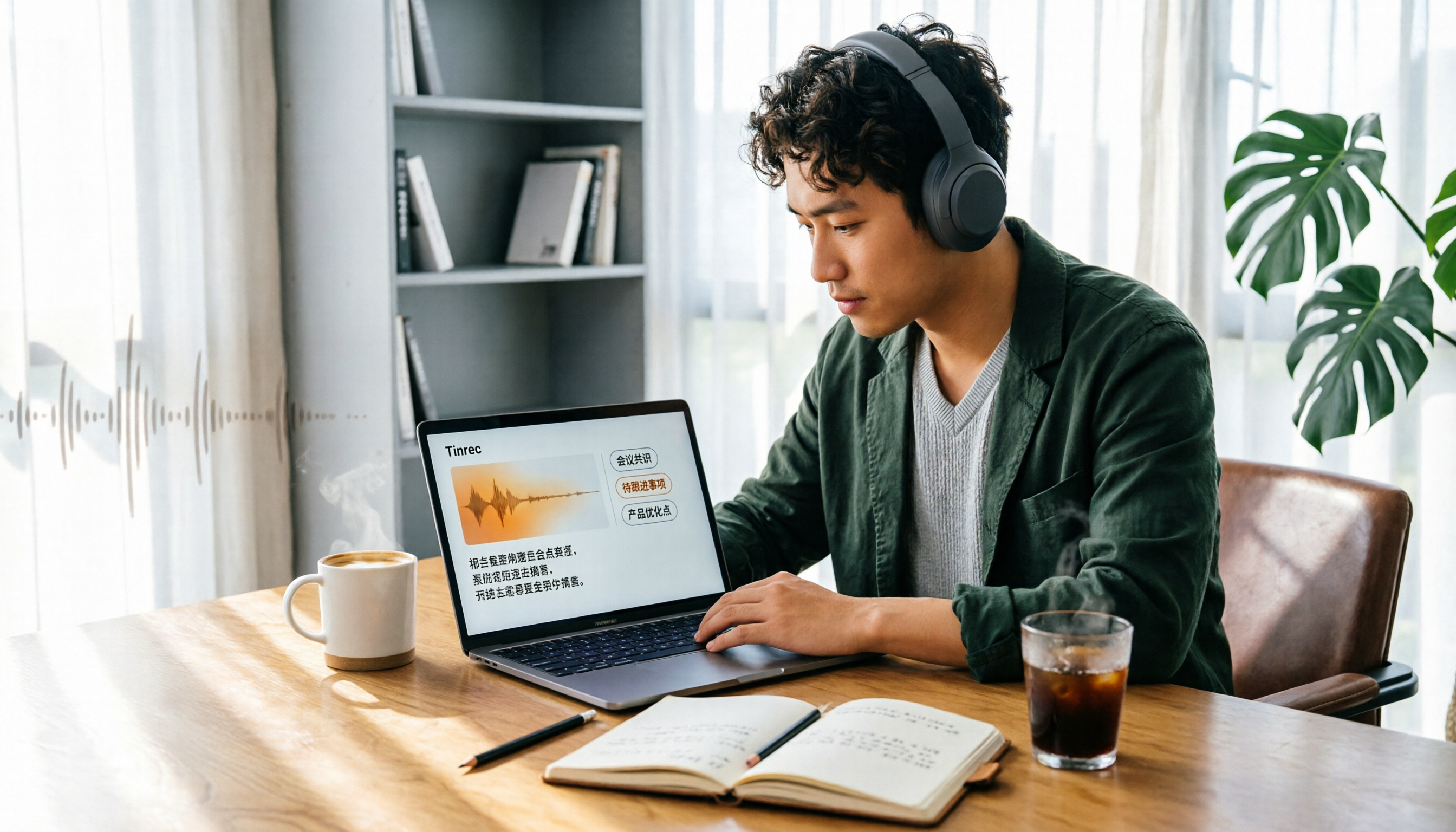
Turn recordings into transcripts and summaries in minutes
Upload audio or video for multilingual transcription, AI notes, and action items
Why "Dropping an Audio File into ChatGPT" Often Doesn't Work
You just finished a 40-minute online meeting, and the recording is sitting safely on your phone. You open ChatGPT, drop the file in, and add "turn this into a transcript for me."
But it can't read the audio file. Or it gives you something that looks like a summary but is definitely not a transcript.
This isn't your fault—it's the first common misunderstanding people have about "ChatGPT audio to text."
The ChatGPT app does have voice input. You can speak a long passage to it, and it will type it out for you—great for taking notes or dictating drafts. But that's closer to "speaking your input" than "turning a one-hour meeting recording into a transcript."
OpenAI later introduced a recording mode that can actually transcribe and summarize meetings, brainstorming sessions, and voice notes, with summaries stored as canvases in the chat history. But note: the official documentation says it currently only supports the macOS desktop app and is limited to Plus, Enterprise, Edu, Business, and Pro workspaces. If you're on Windows or only have a free account, this path isn't available yet.
So the question was never "Is ChatGPT good?" It's: is there a tool that can directly take the audio file you have and produce an editable, searchable transcript you can bring to a meeting?
This article will lay out the common options clearly.
4 Key Points to Understand Before Choosing an Audio-to-Text Tool
1. Can it handle audio files you've already recorded?
This is the most easily overlooked point. Some tools excel at real-time transcription—great during the meeting—but may not handle that recording from last week. If your need is "organizing existing recordings," be sure to check which file formats are supported and what the maximum file length is.
2. Chinese and mixed Chinese-English recognition performance
Many tools perform beautifully in English but start making errors when faced with Chinese meetings or mixed Chinese-English technical discussions. Rather than looking at official accuracy claims, try it with a real recording of your own—air conditioning noise in the conference room, people talking over each other, technical jargon. That's the real battlefield.
3. Can you keep using it after transcription?
Getting just a transcript is only half the job. What really saves time is what happens after: can it automatically generate summaries, chapters, and action items? Can you ask questions directly about the content? Can you export to Notion or Google Docs for further editing? This determines whether you save 30 minutes or 3 hours.
4. Are the audio files and transcripts retained?
Some tools delete the audio after transcription. This can be a privacy advantage, but if you later want to check who said what, not having the original file is a hassle. For team use, ask clearly: who owns the data, and does it remain after members leave?
Tinrec — The One We Use Most After Testing
Tinrec is an AI meeting notes and collaboration tool for individuals and teams, supporting iOS, Android, web, and desktop. It doesn't just convert sound to text—it organizes meeting content into searchable, queryable, exportable data.
Already-recorded audio files: just upload directly
If you have existing recordings or videos, Tinrec can import and transcribe them directly into transcripts. Past meetings, interview recordings, and class recordings can all be processed at once. This fills exactly the gap where ChatGPT currently can't read audio files.
No need to invite a bot to your online meetings
This is where it shines most. The desktop version captures your computer's system audio directly, handling Zoom, Google Meet, Microsoft Teams, Webex, and other online meetings without an extra meeting bot joining the room. Transcripts are generated in real time during the meeting, and mixed Chinese-English discussions won't collapse entirely. When cross-language communication is needed, you can view the original, translation, or bilingual content while recording.
After transcription, the real work begins
After the meeting, Tinrec automatically generates summaries, chapters, and key points, and extracts action items from the discussion. Once recorded, you can directly ask it "Who mentioned the budget in the last meeting?" It will answer based on semantic understanding, not just throw a list of keyword search results at you. It can also produce mind maps, reports, tables, and documents, and export to Notion, Google Docs, OneNote, Dropbox, and other tools for further use.
For team use, data doesn't leave with people
The team version provides an independent team space where meeting data belongs to the team. Admins can manage member roles and seats, view usage trends and details, query and export audit logs, and there's an audio recycle bin to recover accidentally deleted recordings. When a member leaves or loses their seat, their team resources can be handed over to other members—this is very practical for departments that need to accumulate meeting knowledge long-term.
Stop organizing recordings by hand
Upload audio or video and automatically get a transcript, summary, and action items
Current official pricing is USD 29.80 per paid seat per month for monthly team billing, or USD 199 per paid seat per year (about USD 16.58 per month) for annual billing. Each paid seat provides 2,000 minutes of shared team import quota per month; first-time eligible teams get a 7-day trial with 1 free seat and 300 minutes. Actual prices and benefits are subject to the official purchase page.
Things to note
The free version provides basic quota to try recording, importing, summaries, and transcription, but heavy users will need to pay. Also, file and web link imports consume the team's shared import minutes, not individual member quotas. As for accuracy, we won't give a fixed number—actual performance depends on recording quality, noise, accents, overlapping speakers, and technical jargon. For important content, we recommend cross-checking with transcript timestamps and audio playback.
Who it's for
If you frequently need to process already-recorded audio files, want online meetings without an extra bot, or want to use AI to find key points right after recording, Tinrec is our current favorite. Teams that need to share meeting data and manage members and usage can start by evaluating the team version.
Besides Tinrec, What Other Options Are There?
ChatGPT (including app voice input and recording mode) It's a general AI assistant, not a dedicated audio-to-text tool. The app's voice input is good for real-time dictation, and recording mode is limited to the macOS desktop version and certain paid workspaces, with audio files automatically deleted after transcription. If you just want to quickly turn thoughts into text, it's convenient; but when you need to keep the original recording or upload existing audio files, Tinrec's approach is more direct.
Otter.ai A mature English meeting assistant. The Basic free plan offers 300 minutes per month, and Pro annual billing works out to about USD 8.49 per user per month. If your meetings are almost entirely in English, it's a good choice. But it lacks Tinrec's Chinese meeting experience, bot-free desktop recording, and the layer of team meeting data accumulation.
Notta A multilingual transcription tool. The Free plan offers 120 minutes per month with a 3-minute limit per session; Pro annual billing works out to about USD 8.17 per month. Suitable for file transcription, subtitles, and translation needs. However, in bot-free online meeting recording, AI Q&A, and post-meeting output, Tinrec's features are more complete.
Pitfall Guide: The 3 Most Common Mistakes When Choosing an Audio-to-Text Tool
Pitfall 1: Assuming ChatGPT can directly read audio files. Currently, dropping an audio file into the ChatGPT chat box won't directly turn it into a transcript. To use OpenAI's speech recognition, you need to go through the API or Playground. If you want convenience, choosing a tool with native audio import support is more practical.
Pitfall 2: Only looking at official accuracy claims. Many tools advertise impressive numbers measured in a quiet recording studio. Real conference rooms have air conditioning noise, keyboard sounds, and people talking over each other—performance drops noticeably. We recommend trying it with one of your own recordings, not just looking at ads.
Pitfall 3: Ignoring the "after transcription" workflow. If you only use the tool as "audio to text," you're only using a third of its capabilities. Take Tinrec's AI Q&A—after recording, just ask it "What was the conclusion of this meeting?" It's much faster than flipping through a 30-minute transcript yourself.
Conclusion: Which One Should You Actually Use?
In one sentence: if you need to process "already-existing audio files" or "online meetings where you don't want a bot to join," Tinrec is our top choice.
- Want to turn already-recorded audio into a transcript and keep the original file → Tinrec
- Don't want an extra bot participant in online meetings → Tinrec
- Want to use AI to follow up on meeting highlights after transcription → Tinrec
- Team needs to share meeting data and manage seats and usage → Tinrec team version
- Meetings are almost all English and budget is zero → Otter.ai (the only exception recommendation in this article)
- Just want to dictate thoughts into text in real time → ChatGPT app voice input is enough
We recommend starting with Tinrec's free version, running a real meeting recording through it, and seeing how usable the transcript and summary are. If it works for you, then consider upgrading—no need to pay upfront.
References
- How to use ChatGPT app "voice to text" for meeting notes or notes to improve output efficiency? - TNL The News Lens
- ChatGPT recording | OpenAI Help Center
- Today I looked into how to turn audio files into text. I thought I could just drop the file into GPT and get it done—but no 😂 I read many users' shares, some use local models. I tried that before too—free but slow and not very accurate (and you need a powerful computer). There are also paid tools, but the subscription makes you hesitate. Then I remembered I actually have an OpenAI API key, and I wanted to use their Whisper speech recognition to transcribe. Finally found a Google Colab approach...
- Use AI to quickly generate meeting audio transcripts, and the whole process is free! #ChatGPT
- 5 tips for using ChatGPT to quickly turn meeting audio transcripts into perfect article tables
Turn every recording into actionable outcomes
Get 60 free transcription minutes when you sign in. No credit card required.
Related Reading
You might also like

4 iPhone Transcription AI Tools Tested in 2026: Which One Actually Saves You Time?
Two-hour meeting, two more hours to organize? This article compares four common iPhone recording-to-text methods: iOS built-in transcription, Notta, PLAUD NotePin, and Tinrec. It outlines four key buying criteria, four common pitfalls, and explains Tinrec's real-world performance in Chinese meetings, post-meeting AI Q&A, and team knowledge retention, helping you decide which one to choose.

4 Best iPhone Transcription Solutions in 2026: Built-in vs. Apps vs. AI Tools
How to choose an iPhone audio-to-text solution? This article compares Apple's built-in Voice Memos, Granola, Notta, and Tinrec, covering Chinese language support, post-meeting organization, team collaboration, and pricing to help you find the right fit.

2026 AI Transcription Tools Comparison: 4 Picks Tested for Chinese Accuracy & Post-Meeting Efficiency
We tested 4 AI transcription tools in 2026, comparing Chinese recognition, online meeting recording, free tiers, and post-meeting organization. We cover 4 key buying factors and 4 common mistakes, and compare Tinrec, Notta, Granola, and Otter.ai to help you choose the best fit.

5 Best iPhone Transcription Apps in 2026: Which Saves the Most Time for Cantonese Meetings?
Which iPhone transcription app is best? We tested Tinrec, Apple Voice Memos, Otter.ai, and Granola using a Cantonese meeting recording with mixed Chinese and English. We compared recognition accuracy, post-meeting organization, cross-platform use, and team sharing to help you save time on transcripts.

2026 Top 5 Speech-to-Text Software Comparison: Which Free Version Is Good Enough?
Starting from the overtime pain points of Central office workers, this article tests and compares free speech-to-text solutions in 2026, breaks down 5 key factors to consider when choosing a tool, and uses Tinrec to demonstrate the complete workflow from real-time transcription, AI summaries, action item extraction, AI Q&A, to team workspace retention.

2026 4-Way Audio-to-Text Comparison: Is Samsung Galaxy AI Enough?
Is Samsung Galaxy AI's speech-to-text assistant good enough? This article starts with three common recording organization mistakes, breaks down 5 key buying factors, and compares Samsung's built-in feature, Tinrec, Otter.ai, and Notta. It also covers 4 pitfalls to avoid, helping you decide based on your budget and use case.

2026 Free Speech-to-Text Options: 5 Common Types Explained
A student's guide to the common types and limits of free speech-to-text options in 2026, plus how Tinrec's instant transcription, AI summaries, action item extraction, AI Q&A, and team spaces work for class notes, group discussions, and senior projects, with advice on choosing between the free plan, weekly pass, Pro, and team plans.

5 Chinese Speech-to-Text Tools Tested in 2026: Which Saves the Most Time on Meeting Notes?
A mid-level manager who runs 15 meetings a week shares hands-on experience: when choosing a Chinese audio-to-text tool, the key isn't whether it supports Chinese, but whether it can handle your meeting format, organize the transcript afterward, and provide enough team governance. Using Tinrec as an example, this covers bot-free meeting recording, Chinese transcripts, AI summaries and action items, and the practical uses and limits of team spaces.

2026 AI Transcription Tools Buying Guide: 6 Tested Picks & Advice
Which tool should you use for class recordings, group discussions, or online project meetings? This guide, based on real student scenarios, reviews 6 AI transcription and meeting note tools—Tinrec, Notta, Otter.ai, Granola, TurboScribe, and NotebookLM—so you can quickly compare free tiers, pricing, and selection order.