

Turn recordings into transcripts and summaries in minutes
Upload audio or video for multilingual transcription, AI notes, and action items
2026 AI Transcription Tools Buying Guide: 6 Tested Picks & Advice
When I was a freshman, I thought recording a meeting meant I had it made. Then after a project discussion, I opened the audio file—42 minutes of people talking over each other. I listened from start to finish and all I remembered was what I wanted for lunch.
Later I realized most people don't get stuck because they lack tools; they use the wrong tool for the job: relying on built-in transcription for cross-platform meetings, treating a transcript-only tool as a meeting notes tool, or impulsively buying an annual plan only to use it twice all semester.
A more sensible order is this: first figure out where your meeting happens (in person, online, or an existing recording), then decide what you need afterward (just text, or summaries, action items, and searchable data), and only then compare prices. The six tools below are organized in that order.
Why You Need AI Transcription: Understand Three Input Sources First
College "meetings" come in roughly three types. First, in-person: lectures, group discussions, interviews—people are right in front of you. Second, online meetings: project discussions or internship interviews on Google Meet, Teams, or Zoom. Third, existing audio or video files, like a professor's recorded make-up lecture or a semester's worth of class recordings.
Each type requires a different approach. In-person relies on live recording; online meetings hinge on whether to let a bot join; existing files test batch upload and long-file support. Most people buy the wrong tool because they don't first identify which type they encounter most.
Tinrec — The Most Complete AI Recording and Meeting Notes Assistant
Positioning: an AI meeting notes and collaboration tool that turns meetings into searchable, collaborative, actionable data.
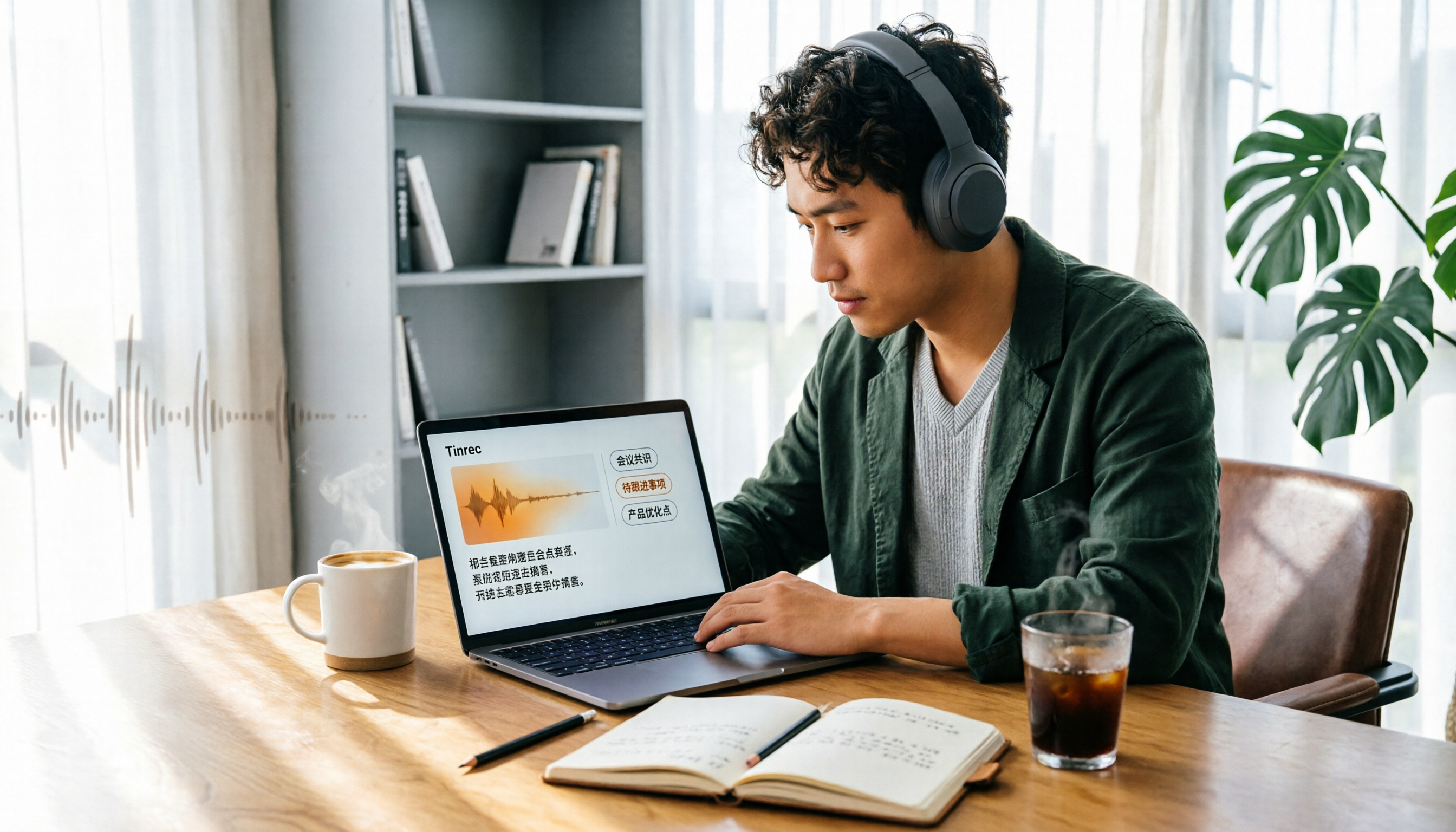
The first highlight is no meeting bot needed. Tinrec's desktop app captures your computer's system audio directly. When I have a Google Meet with students from other departments in my dorm, no extra account suddenly appears in the call, and I can see the transcript appear as we talk. Zoom, Google Meet, Teams, and Webex audio played on your computer are all covered—no need to invite a bot into the meeting.
Second, the output goes beyond a transcript. It automatically generates summaries, chapters, key points, and action items, and can also produce mind maps and export to Notion, Google Docs, OneNote, or Dropbox for further use. My current workflow: after a group discussion, I drop the notes straight into Notion as a shared doc—I don't have to re-listen to a single word.
Third is AI Q&A, which I find the biggest lifesaver. At finals, I ask it "What were the survey questions we decided on last time?" or "What report format did the professor mention?" and it answers directly from the meeting content—no more dragging through the timeline inch by inch.
Tinrec also supports Chinese, mixed Chinese-English, and multilingual meetings. During recording, you can switch between original text, translation, or bilingual view, and maintain team hotwords to improve recognition of technical terms.
Pricing and plans: individuals have a free version, weekly pass, Pro monthly, and Pro annual. Choose based on usage frequency—if you only occasionally transcribe a recording, the free version is enough. If it becomes a shared scenario for a group project or lab, the team plan offers an independent team space where you can invite members, set owners/admins/regular members, assign seats, share import benefits, and view usage trends, member rankings, audit logs, and an audio recycle bin. Team monthly is USD 29.80 per paid seat per month; annual is USD 199 per paid seat per year (about USD 16.58/month). Each paid seat provides 2,000 minutes of shared team import quota per month. Eligible teams get a 7-day trial, 1 free seat, and 300 minutes of shared import quota on first use. With an active team plan and active seats, live recording currently does not deduct minutes. Actual prices, currencies, and promotions are subject to the official purchase page.
Who it's for: people who need transcripts, summaries, and action items from Chinese meetings and will later revisit past content; group projects, lab meetings, and internship teams are a good fit.
Notta — Multilingual Real-Time Transcription and Meeting Notes
Notta focuses on multilingual transcription. The official description says it supports over 50 languages and accents, can transcribe speech to text in real time and automatically generate summaries, and has a complete mobile experience. The app syncs with your calendar for reminders and lets you share audio or video from other apps for transcription. The difference from Tinrec: Tinrec emphasizes desktop bot-free online meeting recording, post-meeting AI Q&A, and team knowledge retention, while Notta is more of a general-purpose transcription tool.
Pricing: free plan gives 120 minutes per month, max 3 minutes per file; Pro annual works out to about USD 8.17/month with 1,800 minutes per month; Business annual is about USD 16.67/seat/month with unlimited transcription, role permissions, and usage reports. Who it's for: people who often handle multilingual material. But note the free plan's 3-minute per-file limit—recording a class will hit the wall immediately.
Stop organizing recordings by hand
Upload audio or video and automatically get a transcript, summary, and action items
Otter.ai — A Mature Choice for English Business Meetings
Otter is a mature AI meeting assistant covering Zoom, Microsoft Teams, and Google Meet, with real-time transcription, speaker identification, AI Chat, and team management. It has the deepest track record in English business meetings. Pricing: Basic is free with 300 minutes per month; Pro annual is about USD 8.49/user/month with 1,200 minutes of in-app recording and 10 file imports per month; Business offers unlimited meetings and in-app recording plus more admin capabilities.
The main difference from Tinrec is language and scenario: if you're in an all-English class or meeting with international teams, Otter's English experience is smooth; for Chinese meetings and mixed Chinese-English discussions, Tinrec's organization workflow is more aligned. Who it's for: people whose meetings are mostly in English.
Granola — AI Meeting Notes Without a Bot
Granola also takes the no-bot route, using your desktop's system audio and microphone for real-time transcription, combined with your own typed notes to generate more targeted meeting content. Cross-meeting context organization is its specialty. Pricing: Basic free, Business USD 14/user/month, Enterprise USD 35/user/month.
Two things to note: it doesn't support uploading pre-recorded audio files, and it doesn't save meeting audio. Who it's for: people who like to handwrite key points while listening and don't need to re-listen later; if you want to save class recordings and revisit them, this one isn't for you.
TurboScribe — A Cost-Effective Option for Large Existing Files
TurboScribe is closer to a high-value file transcription tool, focusing on long files, batch uploads, subtitles, and translation. Free plan: 3 files per day, max 30 minutes per file; Unlimited annual is USD 120 (about USD 10/month). Paid plans support files up to 10 hours or 5 GB, and up to 50 files at once.
The difference from Tinrec: it doesn't handle live meeting workflows, and it lacks post-meeting Q&A, action item extraction, and team spaces. Who it's for: people with a semester's worth of lecture recordings to batch-transcribe cheaply and in bulk.
NotebookLM — A Completely Free Data Organization and Q&A Tool
NotebookLM is Google's free AI note assistant. After importing audio files, documents, web links, or media files into a notebook, it automatically generates transcripts and summaries, and you can ask questions directly about the content. A single notebook can hold a substantial amount of data.
Who it's for: students with zero budget who only need to occasionally organize a recording or a set of course materials. The difference is that it's not a meeting workflow tool—it lacks team seats, usage statistics, and post-meeting action tracking for collaboration and governance.
With So Many Tools, How Should Students Choose?
• Want transcript + summary + action items in one go, and the ability to ask questions about meeting content later → Tinrec (this complete workflow is its core) • Chinese meetings, mixed Chinese-English discussions, or want live translation while recording → Tinrec • Don't want a bot joining Google Meet or Teams project meetings → Tinrec (desktop app uses system audio) • Group projects or labs that need to share meeting data and manage members and usage → Tinrec team plan • All-English classes or meetings with international teams → Otter.ai • Often handle multilingual material and need mobile recording on the go → Notta (note the free plan's 3-minute per-file limit) • Have a batch of existing recordings to transcribe cheaply in bulk → TurboScribe • Zero budget, only need to occasionally organize a recording → NotebookLM free version
4 Things to Know Before Using AI Transcription
1. Get consent before recording. Whether it's a class, interview, or meeting, ask first—it's legally sound and avoids awkwardness later.
2. Look at "per-file length," not just total minutes, for free tiers. Some plans give you 120 minutes per month but max 3 minutes per file—recording a 50-minute class will blow past it. When choosing a plan, put "how long is your longest meeting" first.
3. A transcript is not a meeting note. An 8,000-word transcript isn't more useful for someone rushing a report. The better approach, like Tinrec, is to have the tool generate summaries, chapters, and action items first—you take the structure, and only go back to the original text for precise quotes.
4. For shared team data, distinguish "roles" from "seats." Using Tinrec's team plan as an example, roles determine who can manage the team, members, and settings; seats determine whether a member can record, upload, edit, and import/export. Members without a seat can still view, play, and read team data but cannot perform resource-consuming operations. Also, team resources belong to the team—when a member leaves or is removed, their responsible resources must be handed over to another active member. This really hits home when a group project ends and seniors graduate.
Conclusion
The order for choosing an AI transcription tool is always: first determine your meeting scenario, then decide what you need afterward, and finally look at price. If, like me, your main use is Chinese discussions and online group meetings, and you often go back to find "what exactly was said last time," then Tinrec will be the most hassle-free on this list—it puts transcripts, summaries, action items, and AI Q&A in one workflow. Individuals can start with the free version, and consider the team plan when sharing data with classmates. Run your most troublesome recording through it once, and you'll know if you need it.
References
- No time limit! 3 free AI transcription tools, highly recommended! AI voice notes generate meeting minutes, presentations, mind maps | 104 Career Power
- Meeting Ink - 2026 AI meeting notes tool test | 7 speech-to-text and summary speed comparison | Meeting Ink - AI meeting notes assistant automatic transcription and summary
- Notta - Ultra-accurate transcript, speech to text, meeting recording, AI summary notes App - App Store
- Meeting notes AI神器 | 3 speech-to-text tool recommendations: quick organization and key point queries
- [AI voice notes] 5 highly recommended AI transcription tools! Generate transcripts and meeting notes key points, free vs subscription, pros and cons comparison | 104 Career Power
Turn every recording into actionable outcomes
Get 60 free transcription minutes when you sign in. No credit card required.
Related Reading
You might also like

4 iPhone Transcription AI Tools Tested in 2026: Which One Actually Saves You Time?
Two-hour meeting, two more hours to organize? This article compares four common iPhone recording-to-text methods: iOS built-in transcription, Notta, PLAUD NotePin, and Tinrec. It outlines four key buying criteria, four common pitfalls, and explains Tinrec's real-world performance in Chinese meetings, post-meeting AI Q&A, and team knowledge retention, helping you decide which one to choose.

4 Best iPhone Transcription Solutions in 2026: Built-in vs. Apps vs. AI Tools
How to choose an iPhone audio-to-text solution? This article compares Apple's built-in Voice Memos, Granola, Notta, and Tinrec, covering Chinese language support, post-meeting organization, team collaboration, and pricing to help you find the right fit.

2026 AI Transcription Tools Comparison: 4 Picks Tested for Chinese Accuracy & Post-Meeting Efficiency
We tested 4 AI transcription tools in 2026, comparing Chinese recognition, online meeting recording, free tiers, and post-meeting organization. We cover 4 key buying factors and 4 common mistakes, and compare Tinrec, Notta, Granola, and Otter.ai to help you choose the best fit.

5 Best iPhone Transcription Apps in 2026: Which Saves the Most Time for Cantonese Meetings?
Which iPhone transcription app is best? We tested Tinrec, Apple Voice Memos, Otter.ai, and Granola using a Cantonese meeting recording with mixed Chinese and English. We compared recognition accuracy, post-meeting organization, cross-platform use, and team sharing to help you save time on transcripts.
4 Audio-to-Text Tools Tested in 2026: Can ChatGPT or Tinrec Turn Your Recordings into Transcripts?
Want to use ChatGPT to turn audio files into transcripts, but it can't read audio files and its recording mode only works on macOS and certain paid workspaces? This hands-on comparison of 4 audio-to-text tools covers importing existing audio, Chinese recognition, post-meeting organization, and team data retention—plus 3 common mistakes to avoid when choosing a tool.

2026 Top 5 Speech-to-Text Software Comparison: Which Free Version Is Good Enough?
Starting from the overtime pain points of Central office workers, this article tests and compares free speech-to-text solutions in 2026, breaks down 5 key factors to consider when choosing a tool, and uses Tinrec to demonstrate the complete workflow from real-time transcription, AI summaries, action item extraction, AI Q&A, to team workspace retention.

2026 4-Way Audio-to-Text Comparison: Is Samsung Galaxy AI Enough?
Is Samsung Galaxy AI's speech-to-text assistant good enough? This article starts with three common recording organization mistakes, breaks down 5 key buying factors, and compares Samsung's built-in feature, Tinrec, Otter.ai, and Notta. It also covers 4 pitfalls to avoid, helping you decide based on your budget and use case.

2026 Free Speech-to-Text Options: 5 Common Types Explained
A student's guide to the common types and limits of free speech-to-text options in 2026, plus how Tinrec's instant transcription, AI summaries, action item extraction, AI Q&A, and team spaces work for class notes, group discussions, and senior projects, with advice on choosing between the free plan, weekly pass, Pro, and team plans.

5 Chinese Speech-to-Text Tools Tested in 2026: Which Saves the Most Time on Meeting Notes?
A mid-level manager who runs 15 meetings a week shares hands-on experience: when choosing a Chinese audio-to-text tool, the key isn't whether it supports Chinese, but whether it can handle your meeting format, organize the transcript afterward, and provide enough team governance. Using Tinrec as an example, this covers bot-free meeting recording, Chinese transcripts, AI summaries and action items, and the practical uses and limits of team spaces.