
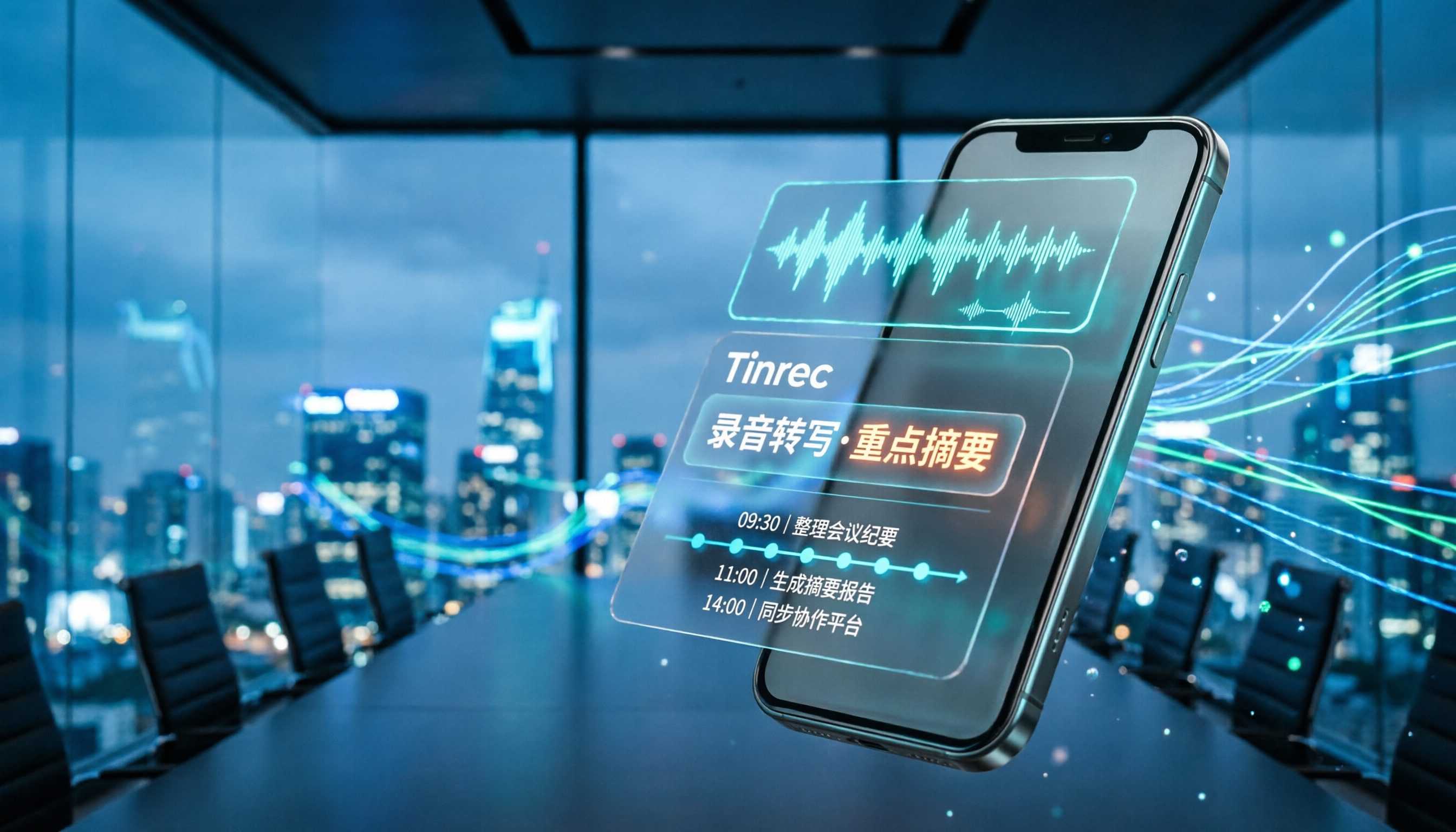
Turn recordings into transcripts and summaries in minutes
Upload audio or video for multilingual transcription, AI notes, and action items
2-Hour Meeting, 2 More Hours to Transcribe?
"I'll record it now and organize it later"—this mindset has wasted countless hours.
You feel relieved during the meeting, but afterward, staring at a 90-minute audio file, you don't even know where to start. Scrubbing the timeline, pausing, typing, rewinding, and listening again—a two-hour meeting often takes more than double that time to process.
The bigger issue is that most recording apps only solve the "saving" problem, not the "finding and using" problem.
If this sounds familiar, this article is for you. There are plenty of recording apps out there, but finding one suited for meeting notes, interview transcription, and class notes isn't as hard as you might think.
4 Key Factors to Consider Before Choosing an iPhone Recording App
1. Do You Need Just "Recording," or "Usable Data After Recording"?
Many people focus only on audio quality when downloading a recording app, but the real time cost comes after the recording ends.
If a tool only gives you an audio file, you'll still have to do the organizing yourself. On the other hand, if it can transcribe the audio, automatically extract key points and action items, or even let you ask questions about the content, the time saved far outweighs minor differences in audio quality.
2. How Big Is the Gap Between AI Summaries and Raw Transcripts?
A transcript is the raw material; an AI summary is the finished product.
Some tools only provide transcripts, leaving you to sift through thousands of words to find conclusions. Good tools automatically break long meetings into sections, highlight key points, and even list "who is responsible for what and when it's due." That's the real value of meeting notes.
3. Does Cross-Platform Support Matter?
You might record on your iPhone but want to organize on your computer back at the office. If the tool is mobile-only, you'll have to transfer files back and forth.
Tools that support iOS, Android, and web versions let you switch devices seamlessly, and your recordings are centrally managed—no more scattered files.
4. Is the Free Tier Actually Enough?
Free versions typically limit monthly recording minutes or file length.
Before choosing, estimate your usage: if you have 2 meetings a week, each 30–60 minutes, that's about 240–480 minutes a month. If the free tier only offers 100 minutes, it won't last a month. Don't just look at the word "free"—check if the allowance matches your actual usage.
Tinrec: The Most Effort-Saving Choice in Our Testing
Tinrec is an AI meeting notes and collaboration tool that supports real-time voice-to-text transcription, audio upload for organization, and bot-free meeting recording across iOS, Android, desktop, and web.
Recording Is Just the Start—What Matters Is What Happens After
What sets Tinrec apart from typical recording apps is its focus on "what happens after recording."
During a meeting, start real-time recording, and the transcript appears on screen simultaneously. When the meeting ends, AI summaries, chapters, and key points are already organized. It automatically extracts action items from the discussion, like "John needs to finish the budget by July 20," so you don't have to dig through the transcript yourself.
Even better is the AI Q&A feature. After recording, you can ask Tinrec directly: "What was the conclusion of this meeting?" or "How much was the budget cut?" It answers based on the recording content, not just keyword search results. This is especially useful for historical recordings—instead of re-listening to an hour, just ask for the key points.
Bot-Free Online Meeting Recording
Tinrec's desktop version can capture system audio directly, handling online meetings on Zoom, Google Meet, Microsoft Teams, and Webex.
This means you don't need to invite a bot account to your meeting or worry about participants seeing a strange third-party member. Just open the desktop app, hit record, and the audio and transcript sync in real time.
Multilingual Support and Real-Time Translation
Tinrec supports Chinese and multilingual transcription, plus real-time translation.
For meetings with mixed Chinese and English, you can view the original text, translation, or a side-by-side bilingual view. The team version also lets you set custom vocabulary, so company product names, project codes, or technical terms are recognized more accurately during transcription.
Personal and Team Plans
The personal plan starts with a free tier, ideal for occasional recording needs. The free version offers basic allowances to experience recording, import, summarization, and transcription. Heavy users can consider the Pro monthly or annual plan, with the annual plan offering better value per month.
Stop organizing recordings by hand
Upload audio or video and automatically get a transcript, summary, and action items
The team plan upgrades the personal tool into a team workspace. Meeting data belongs to the team, members can view and search historical meetings, and admins can manage roles, seats, usage, and audit logs. When a member leaves, meeting data doesn't disappear with their personal account—it can be transferred to other active members during handover.
Practical Limitations
To be honest, Tinrec's accuracy is affected by the recording environment. It performs best in quiet meeting rooms; with background noise, multiple people talking over each other, or heavy accents, the transcript may need some review.
Additionally, the free tier has limited allowances, so heavy users will need to pay. But if you only have a few meetings a week, starting with the free version to experience the transcription, summarization, and Q&A flow is a practical approach before deciding to upgrade.
Who Is It For?
If you frequently need to organize meeting notes, interviews, or lecture recordings and don't want to spend time re-listening to audio, Tinrec is definitely worth trying. Especially if you need cross-platform support or want to centrally manage meeting data, its web version and team workspace will be very helpful.
Beyond Tinrec: Other Options
Otter.ai
A mature choice for English meetings, with a generous free tier of 300 minutes per month. However, it's strongest with English content; its Chinese meeting organization isn't as tailored as Tinrec, and the gap is more noticeable in AI Q&A and post-meeting action item depth for Chinese scenarios. If you primarily record English meetings, Otter is worth considering; if Chinese is your main language, Tinrec is more seamless.
Voice Memos (Apple Built-in)
iPhone's free built-in recording tool with a simple interface, perfect for jotting down ideas or personal memos. But its role is "recording," not "organizing." While it has transcription, it doesn't auto-generate summaries, action items, or support AI Q&A. If you just need to capture audio, the built-in app is enough; for post-meeting organization, you'll need another tool.
Notta
Positioned similarly to Tinrec, covering transcription, translation, and team features. However, Notta's free version limits each recording to 3 minutes, significantly reducing its practicality. Its bot-free desktop recording and team workspace integration aren't as complete as Tinrec's. If you only need to transcribe short audio clips, Notta is worth a try; but for the full meeting notes workflow, Tinrec is more efficient.
Pitfall Guide: 4 Common Mistakes When Choosing a Recording App
Pitfall 1: Focusing Only on Audio Quality, Ignoring Organization Costs
Many people obsess over sample rates and noise reduction when choosing a recording app, only to leave the audio files piled up in their phone unorganized.
Audio quality just needs to be "clear enough." What really matters is whether the tool saves you time on post-processing. Transcription, summaries, action items, and Q&A features are what determine if you'll keep using it.
Pitfall 2: Assuming "Free" Means "Enough"
Free versions usually have usage limits.
Before downloading, check: How many minutes does the free plan give per month? Is there a limit on file length? If you have 3 meetings a week, the free allowance might run out in two weeks. Instead of hitting the limit unexpectedly, estimate your usage first and then choose a plan.
Pitfall 3: Overlooking Cross-Platform Needs
You record on your iPhone today, want to organize on your computer tomorrow, but the tool is mobile-only, so you have to transfer files yourself.
If you switch between computer, tablet, and phone, cross-platform support directly impacts your experience. The existence of web and desktop versions matters more than you think.
Pitfall 4: Using AI Tools Only for "Voice-to-Text"
If you just feed audio into a tool to get a transcript, you're only using a third of its value.
With Tinrec, for example, AI Q&A lets you ask about key points in the recording, action item extraction helps organize next steps, and Agent post-processing can generate meeting reports and tables. Spending two minutes asking AI for conclusions is much faster than manually scanning a 30-minute transcript.
Summary: Which One Should You Choose?
If you just need to record audio, the iPhone's built-in Voice Memos is sufficient—no need to download another app.
But if your goal is to "turn meetings and interviews into usable data," Tinrec is currently the most complete tool for that.
Here are recommendations for common scenarios:
- Need Chinese meeting transcription, summaries, and action items → Tinrec (most complete Chinese experience)
- Want to ask AI about key points after recording, without re-listening → Tinrec (AI Q&A is a core strength)
- Need cross-device use across phone, computer, and web → Tinrec (iOS, Android, desktop, and web supported)
- Want to centrally share meeting data with your team → Tinrec Team Plan (workspace, seats, audit logs included)
- Only record English meetings and have budget constraints → Otter.ai (generous free tier)
We recommend starting with Tinrec's free version and testing transcription, summarization, and Q&A with your real meeting recordings. Upgrade if you find it helpful—there's no need to pay upfront.
Also, remember to be mindful of local regulations when using any recording tool and obtain consent from participants when required.
References
- 10x Efficiency Boost! 11 Best iPhone Recording Apps in 2026: AI Transcription Is Impressive - Tinrec Blog
- Voice Memos App - App Store
- Expert-Reviewed Top 10 Recording Apps Ranking | mybest
- 10 Best Voice Recorder Apps for iPhone [2025]
- 5 Best Free Mobile Recording Apps in 2023: Screen Recording, Ringtones, and Voiceovers!
Turn every recording into actionable outcomes
Get 60 free transcription minutes when you sign in. No credit card required.
Related Reading
You might also like

2026 Comparison of 4 Online Transcription Tools: Yating vs. Tinrec — Which Should You Choose?
Starting from the real need for 'Yating online transcription,' this comparison examines Tinrec, Yating, Notta, and TurboScribe across Chinese recognition, post-meeting organization, online meeting recording, and team collaboration. It clearly explains each tool's limitations and ideal users to help you pick the one that truly saves time.

Cantonese Speech-to-Text App Comparison 2026: Tinrec vs Otter.ai — Which Wins on Five Dimensions?
Comparing Tinrec and Otter.ai across five dimensions—Cantonese with mixed English recognition, bot-free meeting recording, post-meeting AI organization, cross-platform input, and team seat governance—to help you decide which Cantonese speech-to-text app truly fits your meeting scenarios and budget.

2026 Comparison of 5 Transcription Tools' Free Tiers: Which Free Version Is Most Generous?
How many free minutes does Yating Transcription actually offer? Public sources cite 20 minutes, 120 minutes, and about 300 minutes. This article explains why these figures conflict, how pricing works after the free quota runs out, and compares the free plans and ideal use cases of Tinrec, Notta, Otter.ai, and TurboScribe to help you judge whether a one-time free allotment covers your actual usage.

Best Transcription Tools in 2026: Testing 3 Options, Yating Free Plan Limits and Tinrec Differences
People searching for "Yating transcription free" often ask: how much can the free version handle, do I have to pay to upload audio files, and is it enough for a meeting? This article compares Yating, Tinrec, Otter.ai, and Notta in terms of free quotas, Chinese recognition, and post-meeting organization, and lists 3 common pitfalls when choosing a tool to help you decide which one is worth using long-term.

Yating Transcription 2026 Guide: Is It Good, Limitations, and Better Alternatives
From a student's real-world usage scenarios, this guide examines whether Yating Transcription is good, common pitfalls, and why transcription is only the first step. It also explains how Tinrec uses live transcription, AI summaries, action item extraction, and AI Q&A to turn class and group discussion recordings into materials that can actually be reviewed and delivered.

3 Transcription Tools Tested for 2026: How Long Can Yating Record, and Which Tool Is Best for Long Meetings?
How long can Yating Transcribe record? The official documentation doesn't specify a single-recording limit; the real constraints are audio-file billing and free hours. This article breaks down Yating's duration and pricing rules, and compares Notta, TurboScribe, and Tinrec on long meetings, post-meeting organization, and team collaboration to help you choose the right tool.

4 Online Audio Transcription Tools Tested in 2026: PLAUD File-to-Text vs. AI Meeting Summaries—Which Saves the Most Time?
Stuck with a pile of PLAUD recordings and unsure how to quickly transcribe and summarize them online? This article uses a real meeting workflow to compare Tinrec, PLAUD, Otter.ai, and Notta, and shows you how to export audio from the PLAUD App and turn it into searchable, queryable meeting data.

Tinrec vs Plaud Note in 2026: 5-Dimension Comparison — Is Plaud Recording Still Worth It?
How to choose an AI recording tool in 2026? This article compares Tinrec and Plaud Note across 5 dimensions: bot-free online meeting recording, post-meeting summaries and AI Q&A, team spaces and seat management, and the cost structure of hardware versus subscription. It's for SMB managers and team leads evaluating meeting note tools, with a pitfalls guide and scenario-based selection advice at the end.

2026 AI Recording & Note-Taking Tools Compared: After Plaud's Cloud Playback, Which One Actually Saves You Time?
Starting from the real frustration of 'Plaud recording online viewing,' this hands-on comparison of Plaud, Otter.ai, Granola, and Tinrec examines differences in meeting transcription, post-meeting organization, Chinese language support, and team collaboration, offering mid-level managers who need to report upward and track downward an actionable selection guide.