
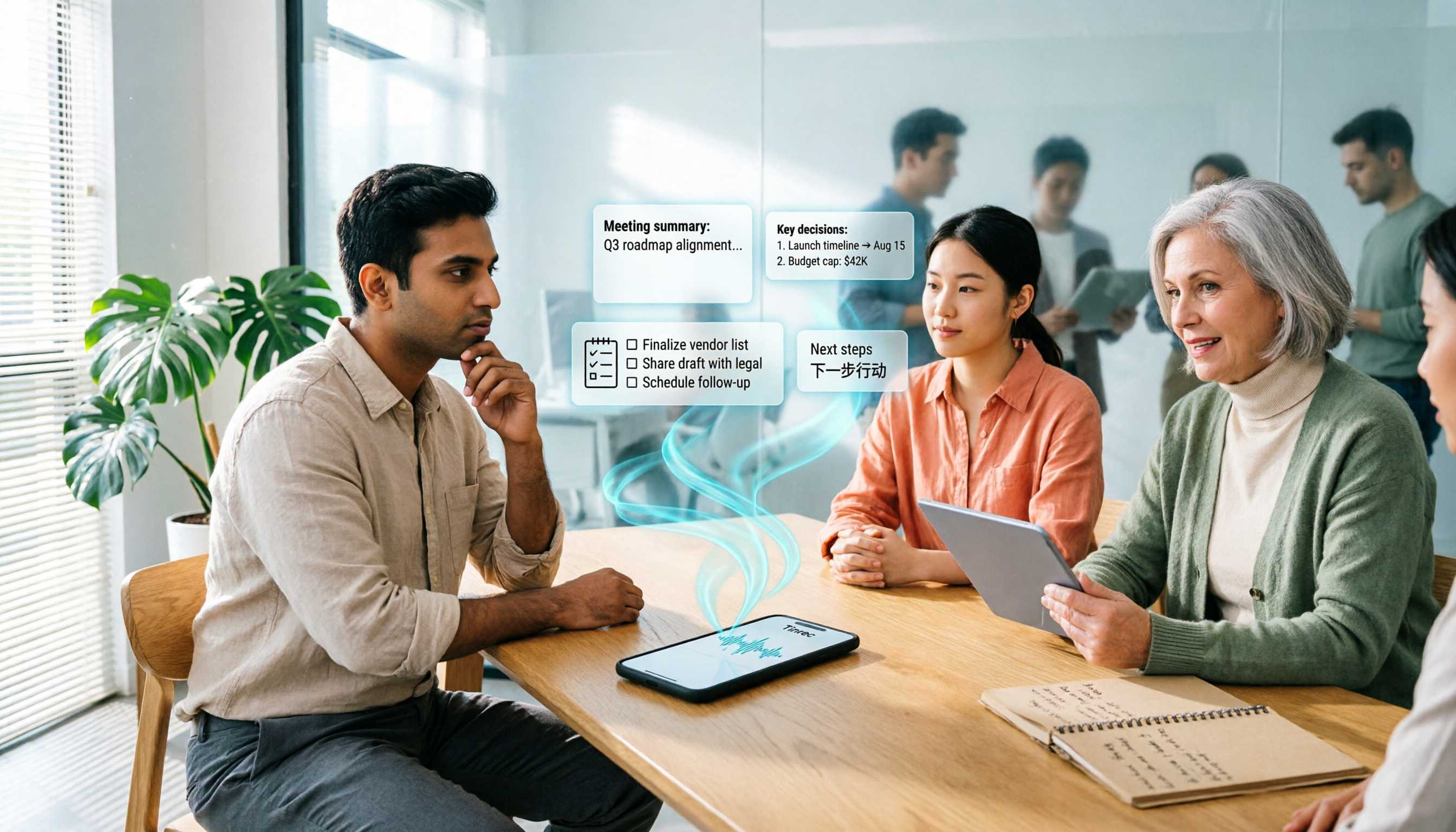
Turn recordings into transcripts and summaries in minutes
Upload audio or video for multilingual transcription, AI notes, and action items
2 iPhone Live Transcription Apps Compared in 2026: Built-in Voice Memos vs Tinrec — Which Saves More Time on Meeting Notes?
Honestly, whenever someone asks me "How do I turn a recording into text on iPhone?" I always ask first: Do you want a block of text, or a meeting record you can actually use right away?
That's the most common misconception. Many people think that once the transcript is generated, the job is done. But for a one-hour meeting, the transcript is thousands of words long, and you still have to re-listen, pick out the key points, and create to-dos yourself. What really eats up time is never the recording — it's the organizing work after it becomes text.
In this article, I'm not just comparing "which one turns speech into text" — I'm comparing "which one lets you do less work after transcription." iPhone's built-in Voice Memos is the first answer many people think of, while Tinrec is the option that, based on my testing over the past few years, is more complete when it comes to meeting organization.
Why Are People Looking for Alternatives to iPhone's Built-in Voice Memos?
Let me start with the conclusion: The built-in transcription feature itself is useful, and there's no need to dismiss it.
On iOS 18.0 or later and iPhone 12 or later, Voice Memos lets you tap the text button while recording to generate a live transcript. After recording, you can view or copy the transcript, or even add it to Notes. The transcript also supports jumping: tap a word and it jumps to the corresponding position in the recording, making it easy to replay.
However, two things are worth noting. First, the requirements: This feature requires iOS 18.0 or later and only supports iPhone 12 or later, so users with older phones or who haven't updated can't use it. Second, the output format: The built-in feature gives you a transcript. You can copy it and paste it into Notes, but summaries, chapters, to-dos, and follow-ups still need to be handled separately.
If you only occasionally turn a casual recording into text, the built-in feature is truly enough.
But if your scenario involves weekly meetings, client interviews, classes, or cross-department discussions, and you want to grasp the key points right after recording — or even share them with colleagues — then you'll start looking for a more complete solution. That's where Tinrec is worth learning about.
Tinrec vs iPhone Built-in Voice Memos: What's Different in the Core Experience?
Input Sources and Platform Coverage
Meetings don't only happen on iPhone. Besides in-person recording, most people also need to handle online meetings on their computer, or audio and video files that colleagues send afterward.
The built-in iPhone approach is mainly based on recording with the phone's microphone, and the transcript stays in the iPhone along with the recording.
Tinrec, on the other hand, supports live recording, audio and video file uploads, and the desktop version can directly capture computer system audio to handle meetings on Zoom, Google Meet, Microsoft Teams, Webex, etc., without needing a separate bot to join. For hybrid meetings that combine in-person and online, this coverage is much more practical.
Processing After the Transcript
The transcript is the starting point, not the end. What really saves time is whether someone helps you condense the transcript into something readable.
The built-in approach gives you the full transcript, which you can copy and put into Notes, but the rest of the organizing is up to you.
Tinrec automatically generates a summary, chapters, and key points after transcription, extracts to-dos from the discussion, and can further produce reports, tables, and documents when needed. For the same one-hour meeting, what you get is not just a transcript but a working draft you can move forward with.
Asking Questions About Meeting Content
Many times we don't want to reread the entire transcript; we want to ask a specific question: What was the conclusion? Who is responsible for which item?
The built-in approach relies on you scrolling and searching for keywords yourself.
Tinrec supports AI Q&A around meeting content. You can ask questions directly about a single meeting or multiple meetings, and the system uses semantic understanding to provide answers. This is the feature I use most myself, especially when looking back at a meeting from a month ago — the difference is very clear.
Language and Translation
For cross-language meetings, a transcript is just the baseline; being able to understand it at the same time is the key.
Tinrec supports multilingual meeting transcription. During recording, you can view the original text, translation, or bilingual content, and it can handle Chinese and mixed Chinese-English meetings. If your team or clients mix languages, this design can save a lot of back-and-forth confirmation time.
Actual recognition performance is affected by recording quality, background noise, accents, multiple people speaking at once, and technical terminology — this should be made clear upfront.
Team Collaboration and Data Retention
Personal use and team use have very different needs. Individuals care about speed; teams care about whether the data remains available and findable after it's saved.
The built-in transcript mainly follows the personal device and Notes.
Tinrec's team plan provides an independent team space. Meeting data belongs to the team and includes member management, role and seat settings, sharing permissions, usage analytics, audit logs, an audio recycle bin, and team hotwords. Even without a seat, members can still view, play, and read team data; only with a seat can they record, upload, edit, and export. When a member leaves, their team resources must be handed over to other active members, so data isn't taken away by individuals.
Stop organizing recordings by hand
Upload audio or video and automatically get a transcript, summary, and action items
Tinrec's Core Features at a Glance
Live recording to text: Open Tinrec and start recording; text is generated in sync. During the meeting, you can check for missed key points, and the transcript is complete by the time it ends.
Bot-free online meeting recording: The desktop version directly captures computer system audio to handle meetings played on a computer via Zoom, Google Meet, Microsoft Teams, Webex, etc., without an extra meeting bot joining. Note that this is not "automatically joining all meetings on your calendar" — the user actively initiates the recording.
AI summaries, chapters, and to-dos: Automatically breaks long meetings into structured sections and extracts action items from the discussion, ideal for post-meeting organization of weekly and project meetings.
AI Q&A and multi-format export: You can continue asking questions about meeting content and export results to Notion, Google Docs, OneNote, Dropbox, etc., or directly generate reports, tables, and documents to fit your existing workflow.
Team space: Centrally stores meeting data scattered across personal devices and chat rooms. New members can view historical data after joining, and managers can track members, seats, usage, and activity logs.
Real-World Use Cases
Weekly meetings: Start Tinrec recording before the meeting, then review the summary and to-dos afterward. Copy "who does what" into your task list, saving the time you used to spend listening to the recording while typing.
Client interviews: Use live transcription during the interview to confirm you haven't missed any requirements. Later, use AI Q&A to look back at objections and commitments the client mentioned, without re-listening to the entire recording.
Organizing existing audio files: Upload meeting recordings or videos provided by colleagues and let Tinrec transcribe and summarize them — much faster than listening from scratch.
Cross-language meetings: Turn on translation and read in original, translated, or bilingual mode to avoid missing the meaning of key phrases.
Things to Consider When Choosing a Transcription Tool
Device and system requirements: First confirm whether your device and system version meet the requirements. For iPhone's built-in feature, transcription requires iOS 18.0 or later and iPhone 12 or later; Tinrec offers mobile, web, and desktop versions.
Is the output only a transcript? A transcript is a necessary condition, but summary, chapters, to-dos, and Q&A capabilities determine how much time you'll still spend after the meeting.
Are input sources broad enough? In-person recording, online meetings, existing audio files, and video files — ideally all four scenarios should be covered.
Team use and permissions: If meeting data is to be shared, understand the differences between roles, seats, and member relationships, and know whether people without seats can view or edit.
Can data be exported and retained? Confirm export formats, whether audio is retained, and whether accidentally deleted items can be recovered. Tinrec provides an audio recycle bin to restore accidentally deleted audio before permanent cleanup.
Pricing and quotas: Built-in features come with the system; Tinrec's personal plan includes a free version, weekly pass, Pro monthly, and Pro annual. The team plan offers a 7-day trial for first-time eligible users, 1 free seat, and 300 minutes of shared team import quota. Paid seats are USD 29.80 per paid seat per month, or USD 199 annually (about USD 16.58 per month), with each paid seat providing 2,000 minutes of shared team import quota per month. Under an active team plan and seat, live recording is currently not deducted by the minute. Actual prices and benefits are subject to the official purchase page.
Conclusion: Is Tinrec Worth a Try?
If your need is just to occasionally turn a phone recording into text, iPhone's built-in Voice Memos is sufficient, and you don't need to spend extra money.
But if you're dealing with weekly meetings, client interviews, cross-language discussions, or even need a team to share the same meeting data, then Tinrec aims to solve exactly the most time-consuming part after transcription: automatic summaries, chapters, to-dos, AI Q&A, export, and retaining data in a team space.
I suggest starting with the free version and running one of your own real meeting recordings through it to see how accurately it captures summaries and to-dos, then decide whether to go further. That's more direct than reading any review.
Finally, a reminder: When recording and transcribing involve other people's conversations, please comply with local laws and obtain participants' consent when necessary.
Frequently Asked Questions
Q1: What are the requirements for iPhone's built-in transcription feature?
It requires iOS 18.0 or later and only supports iPhone 12 or later. If eligible, tap the text button while recording in Voice Memos to generate a transcript; after recording, you can also view or copy the transcript.
Q2: Can Tinrec be used on iPhone?
Yes. Tinrec offers mobile recording, a web version, and a desktop version. The desktop version is suitable for handling online meetings that take place on a computer.
Q3: Is Tinrec's free version enough?
If you just want to try it occasionally, the free version provides basic quota for recording, importing, summarizing, and transcribing. If you have steady needs every week, you can evaluate the weekly pass, Pro monthly, or annual plan based on your usage frequency.
Q4: Does Tinrec require a meeting bot to join meetings?
No. Tinrec's desktop version records online meetings by capturing computer system audio, without an extra bot account joining. Note, however, that recording must be actively initiated by the user; it is not currently a mode that automatically joins calendar meetings.
Q5: Can transcription accuracy be guaranteed?
No tool should promise a fixed accuracy rate. Actual performance is affected by recording quality, noise, accents, overlapping speakers, and technical terminology. In practice, it's best to treat AI transcripts as a tool that greatly reduces organizing costs, and still verify important content by replaying the recording.
Q6: What's the difference between the team plan and the personal plan?
Personal plan data is managed under an individual account; the team plan is an independent team space where meeting data belongs to the team, with added management capabilities such as members, roles, seats, sharing permissions, usage analytics, audit logs, and an audio recycle bin.
References
- View Voice Memos transcripts on iPhone - Apple Support (Taiwan)
- iPhone Notes and Voice Memos also have transcription! Turn class, meeting, and speech content into text in seconds: simple 4-step tutorial | BusinessNext
- How to turn iPhone Voice Memos into text: built-in transcription without third-party apps - Mr. Mad
- Recommended apps for live speech-to-text: 1. iPhone/iPad Notes app - supports live text conversion - free - supports Chinese and English
- How to transcribe iPhone recordings? Learn three easy methods for iPhone audio-to-text!
Turn every recording into actionable outcomes
Get 60 free transcription minutes when you sign in. No credit card required.
Related Reading
You might also like

4 Cantonese Subtitle Generators Compared: Which Saves the Most Time After Meetings?
How to choose a Cantonese subtitle generator? This article compares the actual workflows of Tinrec, Subanana, Zeemo, and CantoSub, covering free tier limits, mixed Chinese-English handling, colloquial vs. written output, and whether subtitles can be turned into summaries, action items, and team data. It also lists four common pitfalls to avoid.

Tinrec vs cantonese.ai 2026: 5-Dimension Comparison for Cantonese Speech-to-Text Efficiency
Cantonese speech-to-text shouldn't just be about copying transcripts. This article addresses common misconceptions and compares cantonese.ai and Tinrec across 5 dimensions. It also covers Tinrec's real-time transcription, bot-free online meeting recording, AI summaries and action items, AI Q&A, team spaces, plus buying tips and FAQs.

2026 Cantonese Translation Tools Compared: Which One Turns a Full Cantonese Meeting into Usable Notes?
Cantonese translation is more than pasting sentences into a translation website. This article looks at three scenarios—single-sentence queries, Cantonese meetings, and interview transcripts—and outlines four key factors for choosing a tool. It compares Tinrec, Google Translate, Microsoft Translator, and Cantonese Translation Master, with four common pitfalls and scenario-based recommendations.

4 Cantonese Subtitle Apps Tested in 2026: After the Subtitles Are Generated, Which One Helps You Actually Use the Content?
There are more Cantonese subtitle apps to choose from, but the real question is: what happens after the subtitles are generated? This article compares Tinrec, Subanana, Zeemo, and CantoSub across four dimensions—spoken vs. written output, mixed Chinese-English handling, post-meeting organization, and team collaboration—and highlights the three most common pitfalls when choosing, so you can find the one that fits your workflow.

6 Best Live Transcription and Translation Apps in 2026: Free Tiers and AI Summaries Compared
How to choose a live transcription and translation app in 2026? This article reviews six tools—Tinrec, Vurbo.ai, Instant Voice Translate, Notta, TurboScribe, and Apple Notes Live Dictation—comparing free tiers, translation methods, post-meeting organization, and pricing to help you find the best real-time voice translation solution for meetings, travel, or interviews.
How to Add Cantonese Subtitles in Filmora 2026: 5-Step Guide from Recording to Subtitles
Many people think built-in AI subtitles in editing software can handle Cantonese, but the real bottleneck is speech-to-text. This article breaks down the Cantonese subtitle workflow into 5 steps, explaining how to use Tinrec to produce accurate transcripts, summaries, and bilingual content, then return to editing software for layout, and covers tool selection tips and FAQs.

2026 Comparison of 2 Taiwanese Hokkien Translation Tools: Free Instant Translation vs AI Meeting Notes
When Taiwanese Hokkien comes up in a meeting, do you need to understand it in the moment, or do you need a usable record afterward? This article focuses on Taiwanese Hokkien translation needs and compares the free instant translation service Lohankha with the AI meeting notes tool Tinrec, covering word and phrase translation, transcript generation, post-meeting organization, and team collaboration to help you decide which tool fits your work situation.

4 iPhone Live Transcription Translation Apps Tested in 2026: Which Bilingual Transcript Saves the Most Time?
iPhone's built-in Voice Memos can transcribe audio, but live translation and post-meeting AI organization are still limited. This article tests 4 solutions, comparing Tinrec, Apple's built-in tools, Notta, and PLAUD on live translation, bilingual transcripts, AI Q&A, and team collaboration to help you find the most time-saving option.

6 Taiwanese-to-Chinese Translation Tools Tested and Compared in 2026: Which Is Most Practical for Transcripts, Summaries, and Team Organization?
How do you choose a Taiwanese-to-Chinese translation tool? This article starts with the most common misconceptions and compares Tinrec, Lohankha, iTaigi, the Ministry of Education's Taiwanese Common Word Dictionary, the Taiwanese AI Translation App, and Tâi-Gí 做伙耍. It explains each tool's suitable scenarios, transcript and summary capabilities, differences in team collaboration, and the limitations of free and paid plans, helping you find the one that truly saves you organization time.