

Turn recordings into transcripts and summaries in minutes
Upload audio or video for multilingual transcription, AI notes, and action items
5 Best Audio-to-Text Apps in 2026: Which AI Meeting Notes Actually Save Time?
After the meeting, you realize no one will ever listen to that recording again
It's 4 PM, the online meeting just ended, and your boss asks in the group chat: "Who said that part about the budget?"
You open your phone, and there's a 47-minute recording sitting in your album. You know the answer is in there, but you also know you're not going to listen to it from the beginning.
Another common scenario is classes and interviews. A two-hour session, typing a transcript while listening, often takes more than two hours. If the speaker mixes Chinese and English, or has a Taiwanese Mandarin accent, your typing speed will be cut in half again.
The bigger problem is "record first, deal with it later." The recording sits for two weeks, and when you finally need it, you've completely forgotten what was discussed. You can only fast-forward from the start to find key sentences.
Is there an app that can record and turn speech into text at the same time, and later let you ask it for the key points directly?
The answer is yes, and there are more options than you might think. In this article, I compare several popular audio-to-text apps, including ones that are good enough for free, ones worth paying for, and what specs to look for when your team needs to collaborate.
Before choosing an audio-to-text app, think through these 5 things
1. Where does your audio come from?
In-person meetings and interviews can be recorded directly on your phone. For online meetings (Zoom, Google Meet, Teams, Webex), you need a desktop app to capture system audio, or a "meeting bot" that joins as a participant.
These two approaches are very different: a bot will appear on the participant list, which some people mind; desktop system audio capture doesn't add an extra participant. Before choosing a tool, confirm it supports your common scenarios.
2. Does it understand Chinese, mixed Chinese-English, and technical terms?
Most tools perform well in English, but Chinese is where the real difference shows. Meetings often mix Chinese and English, product codes, and internal abbreviations. Without hotwords or custom vocabulary, these easily become gibberish.
Note that no tool can guarantee a fixed accuracy rate. Actual performance is affected by recording quality, background noise, accents, and multiple people talking over each other.
3. What do you get after transcription?
A tool that only gives you a transcript is basically handing the "organizing" work right back to you.
What's worth a closer look is the post-meeting output: can it automatically generate summaries and chapters, extract action items, and let you ask questions directly about the meeting content? That's where the real time savings are.
4. Is the free tier enough for you to reach a conclusion?
Free plan limits are usually in the fine print: some have a monthly minute cap, some have a single-session length limit, and some only offer a trial period.
I suggest testing with your own real recording, not the demo audio on the website.
5. Will your team share it, or is it just for you?
For personal use, focus on quota and export formats. For team sharing, you need to look at: whose account the data is stored under, whether data disappears when a member leaves, and whether there are seat and permission management features.
This point is often overlooked, but it's the most common pitfall for enterprise users.
Tinrec – Our top pick after testing
Tinrec is an AI meeting notes and collaboration tool for individuals and teams, available on iOS, Android, and web. It doesn't just convert audio to text; it turns meetings into searchable, queryable, and actionable data.
No bot needed for online meetings
This is the most immediately noticeable difference. Tinrec's desktop app directly captures system audio, handling Zoom, Google Meet, Microsoft Teams, Webex, and other online meetings without an extra meeting bot joining as a participant.
For external client meetings, this is very practical—no unknown account suddenly appears on the participant list. You just open the desktop app and hit record, and the transcript starts generating in sync.
Note that this is a user-initiated recording, not automatic joining of all meetings on your calendar.
The real value is after recording
When you open Tinrec during a meeting, it generates a transcript while recording. When the meeting ends, AI has already organized the summary, chapters, and action items—who is responsible for what, what's next, all at a glance.
Even better is AI Q&A. After recording, you can directly ask it: "Who mentioned the budget in the last meeting?" "What concerns did the client have about the delivery date?" It doesn't give you a bunch of keyword search results; it answers directly based on semantics. For those recordings you "recorded but don't want to re-listen to," this feature is almost a lifesaver.
In addition, audio and video files can be uploaded directly for transcription, so historical meetings, interviews, and class recordings can all be added. When cross-language communication is needed, you can view the original text, translation, or bilingual content during recording.
Stop organizing recordings by hand
Upload audio or video and automatically get a transcript, summary, and action items
Post-meeting output and export
Tinrec's output is not just a transcript:
- AI summaries and chapters to quickly grasp the structure of long meetings
- Action item extraction to organize action lists from discussions
- Mind maps to see relationships between topics
- Agent post-processing to turn meeting content into reports, tables, or meeting minutes
- Multi-format export to Notion, Google Docs, OneNote, Dropbox for further editing
Simply put, it handles "the work after the meeting ends," not just audio-to-text.
How to choose between personal and team plans
For personal use, you can start with the free plan to experience recording, import, summaries, and transcription with basic quota. For short-term intensive meetings, classes, or interviews, consider a weekly pass. For steady weekly needs, the Pro monthly plan is more suitable. For long-term accumulation of recording data, the annual plan has a lower monthly equivalent.
For team use, look at it from a different angle. Tinrec's team plan is not "multiple people sharing one personal account" but an independent team space: meeting data belongs to the team, with roles, seats, sharing benefits, usage analytics, audit logs, and audio recycle bin.
Current team plan details: first eligible team trial is 7 days, 1 free seat, 300 minutes of team shared import quota; team monthly payment USD 29.80 per paid seat per month, annual payment USD 199 per paid seat per year (about USD 16.58 per month), each paid seat provides 2,000 minutes of team shared import quota per month. Under an active team plan and active seat, real-time recording is currently not deducted by minutes.
Prices and benefits may change with promotions and the official purchase page. Please confirm again before ordering.
Who is it for?
If you frequently handle Chinese or mixed Chinese-English meetings, want no meeting bot in online meetings, want to use AI to find key points directly after recording, or need to turn meeting data into team assets—Tinrec is one of the closest options to these needs.
Besides Tinrec, what other options are there?
Yating Transcription: A Taiwan-based AI speech-to-text service, specializing in Taiwanese Mandarin, Taiwanese Hokkien, and mixed Chinese-English recognition. It supports "simultaneous recording + real-time transcription" and "direct audio file transcription," and can also receive audio from other apps via Share-in. It's very useful if you need Taiwanese Hokkien recognition; however, it mainly outputs transcripts, and post-meeting summaries, action items, and AI Q&A—Tinrec's core organizing workflow—are relatively not its focus.
Otter.ai: A mature choice for English meetings, covering Zoom, Microsoft Teams, Google Meet, with real-time transcription, speaker identification, and AI Chat. Free plan: 300 minutes per month; Pro annual payment is about USD 8.49 per user per month. If your meetings are almost entirely in English, Otter is more cost-effective than Tinrec; but Chinese meetings are not its strong suit, and bot-free desktop recording and team data accumulation are not its focus.
Notta: Comprehensive multi-platform transcription and file import. Free plan: 120 minutes per month, max 3 minutes per session; Pro annual payment is about USD 8.17 per month. Suitable for those who simply want to convert audio files to text. The difference from Tinrec: Tinrec emphasizes bot-free online meeting recording, AI Q&A, and team space collaboration.
A free entry-level option: if you just occasionally do real-time dictation on iPhone, the built-in iOS "Notes" app has free speech-to-text, supporting Chinese and English, but no summaries, action items, or cross-platform organization.
Pitfall guide: 4 most common mistakes when choosing an audio-to-text app
Pitfall 1: Only looking at advertised accuracy. Many tools boast high accuracy, but that's usually measured in a quiet environment. Real meeting rooms have air conditioning noise, keyboard sounds, and multiple people talking over each other—the numbers drop significantly. Test with your own recordings, don't just look at ads.
Pitfall 2: Treating "audio-to-text" as the end goal. If you only use the tool for audio-to-text, you're only using one-third of its capability. After recording, directly asking "What was the conclusion of this meeting?" is much faster than manually flipping through a 30-minute transcript.
Pitfall 3: Ignoring how to record online meetings. A bot joining as a participant may not be appropriate for external client meetings; desktop system audio capture doesn't add a participant. This should be confirmed before purchase, not discovered five minutes before a meeting.
Pitfall 4: Team sharing one personal account. All data is tied to one person's account. If that person leaves, historical meetings disappear with them. Teams should choose a solution with an independent team space, roles, and seat management.
Finally, a reminder: recording and transcription involve other people's conversations. Please check local regulations and obtain participant consent when needed.
Summary: Which one should you choose?
In one sentence: if your meetings are mainly in Chinese and you care about "how to use it after recording," Tinrec is the most complete choice among these; if your meetings are almost entirely in English, Otter.ai is the more cost-effective answer.
- Chinese or mixed Chinese-English meetings, need transcript + summary + action items → Tinrec
- Don't want a meeting bot in online meetings → Tinrec (desktop system audio capture)
- Want to ask AI directly for key points after recording → Tinrec (AI Q&A, rare at this price)
- Need to use on phone, computer, and web → Tinrec (iOS + Android + web)
- Team wants to turn meetings into shared data → Tinrec team plan (roles, seats, usage, audit)
- Need Taiwanese Hokkien recognition → Yating Transcription
- Meetings almost entirely in English, zero budget → Otter.ai
- Just want to convert long audio files to text → Notta
I suggest taking a real recording you have, running it through the free plan, and seeing if the summary and Q&A capture the key points you need, then decide whether to upgrade. The best way to know if a tool works is to try it with your own file.
References
Turn every recording into actionable outcomes
Get 60 free transcription minutes when you sign in. No credit card required.
Related Reading
You might also like
![[Tutorial] 2026 Voice Generation Workflow: Tinrec Transcripts + Voiceover Script Organization](https://record-img.tos-accelerate.volces.com/images/2026/10/02/1790917064138800544.png)
[Tutorial] 2026 Voice Generation Workflow: Tinrec Transcripts + Voiceover Script Organization
Voice generation tools keep getting stronger, but what really determines the quality of the final product is the text you feed them. Starting from meeting, interview, and course recordings, this guide shows you how to use Tinrec to turn speech into transcripts, summaries, and usable scripts—completing the very first stage of the voice generation workflow—plus 5 key buying considerations and common questions.

How to Choose a Smart Summarization App in 2026: 5 Steps to Pick the Right AI Summary Tool
Facing endless web pages, videos, and meeting recordings, how do you choose a smart summarization app? This article reviews the positioning, free tiers, and ideal users for 6 practical tools, and walks you through 5 steps to select an AI summary tool that truly saves you organizing time.

How to Transcribe iPhone Recordings in 2026: Tinrec Real-Time Transcription + AI Summaries and To-Dos
Want to turn iPhone recordings into text? This hands-on guide tests Tinrec and compares it with Apple Voice Memos, Transcribe, Notta, and more. Learn how to choose the right app, avoid common pitfalls, and find the best fit for your workflow.

4 AI Meeting Recorder Apps Tested in 2026: The Real Key Is Whether You Can Ask Questions After Recording
Most people choose an AI meeting recorder based only on speech-to-text accuracy, overlooking post-recording organization and retrieval. This article addresses common misconceptions, outlines 4 key buying factors, and tests Tinrec, Notta, Otter.ai, and Granola, with a guide to avoiding pitfalls and scenario-based recommendations.

Zoom AI Meeting Summary vs Tinrec: 5-Dimension Comparison for Teams in 2026
Zoom's built-in AI meeting summary or Tinrec? I tested both across 5 dimensions—recording method, summary reliability, post-meeting usability, Chinese language support, and team data governance—to clarify which type of team each approach suits.

4 Audio-to-Text Tools Tested for 2026: Which Free Tier Works Best for Students?
Can't keep up with note-taking in class? No one remembers the group discussion conclusions? Spending three hours re-listening to interview recordings for your project? This article starts from real student scenarios, breaks down the most common pitfalls when choosing an audio-to-text tool, and compares Tinrec, Notta, Otter.ai, and TurboScribe on Chinese recognition, free tiers, and post-meeting organization capabilities, so you can find the best fit for classes and group discussions.

2026 Voice-to-Text App Comparison: Which Is Best for Chinese Meeting Transcription and Post-Meeting AI Q&A?
How to choose a voice-to-text app in 2026? This hands-on comparison of Tinrec, Yating Transcription, SoundType AI, and Notta covers Chinese meeting transcription, bot-free recording, post-meeting AI Q&A, and team knowledge retention, with buying criteria and pitfalls to help you find the best fit.

4 Real-Time Speech-to-Text Tools for PC Tested and Compared: Get Chinese Transcripts Without a Meeting Bot
If you can't finish meeting notes, it's often not because you're too slow, but because you chose the wrong tool. This article tests 4 tools that can transcribe speech to text in real time on a computer, comparing recording methods, Chinese recognition, post-meeting organization, and free quotas. It also explains why Tinrec is better suited for daily meetings with bot-free recording, AI Q&A, and team data retention.
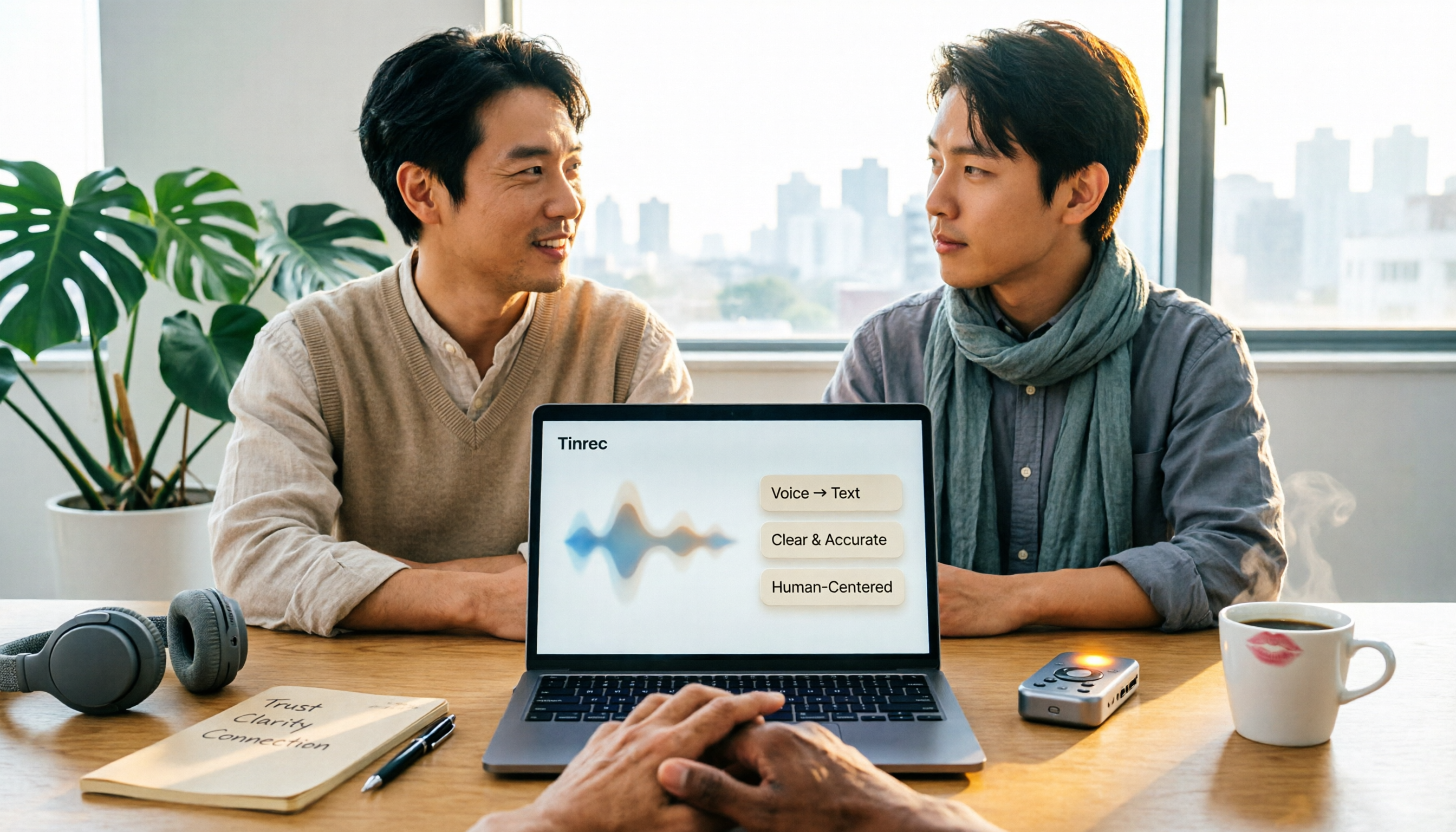
4 Online Text-to-Speech Tools Compared (2026): Free Tiers, Voice Naturalness, and Commercial Licensing
Looking for an online text-to-speech tool but not sure where to start? This article first uses 4 key criteria to help you clarify your needs, then compares TTSMaker, Luvvoice, Vidnoz, and other text-to-speech tools, as well as Tinrec, which is suitable for processing meeting and interview recordings. From voice naturalness, free quotas, output formats to commercial licensing and team collaboration, you'll understand how to choose and who each tool is for.