

Turn recordings into transcripts and summaries in minutes
Upload audio or video for multilingual transcription, AI notes, and action items
Many people's first misconception about a "smart summarization app" is thinking that if you just throw content in and hit summarize, you'll get a set of key points ready to use directly.
After actually trying a few, you'll find that what you often get is a piece of text that "reads smoothly but misses the point," and sometimes even the original key numbers are gone.
The problem is usually not the AI, but that you chose the wrong tool from the start.
Summarization tools actually come in several types: those specialized for web articles, those for video and audio, and those for meeting recordings. If you have meeting content but use a web summarization tool to handle it, the result will naturally be unsatisfactory.
A more reasonable approach is to first confirm what your most common "input source" is, then check whether the tool's output can be used further—can it be searched, can you ask follow-up questions, can it be exported.
Below is a review of 6 smart summarization apps that I've personally looked into and that readers often ask about, covering everything from meetings to web pages, and at the end I'll walk you through the selection steps.
Why Do You Need a Smart Summarization App?
There's too much to read every day. A long article, a 40-minute YouTube video, a one-hour online meeting—it's hard to keep up with just your eyes and handwritten notes.
A common situation: the meeting is over, the transcript is available, but no one goes back to look at it; next time you want to check who said a certain decision, you have to fast-forward through the recording from the beginning.
What smart summarization apps aim to solve is this gap—compressing lengthy content into scannable key points, ideally with the ability to continue asking questions and keep using it.
Smart Summarization App 1 | Tinrec—Turning Meetings into Searchable, Actionable Data
Tinrec is an AI meeting notes and collaboration tool for individuals and teams. It handles not just "converting voice to text," but also the organization and reuse of meetings after they end.
The first highlight is bot-free recording of online meetings. The desktop version directly captures computer system audio. When handling meetings on Zoom, Google Meet, Microsoft Teams, Webex, etc., there's no need to invite a meeting bot, the screen stays clean, and you don't have to explain to participants who the extra account is.
The second highlight is summaries, chapters, and action items all in one. After the meeting, you get not just a transcript, but also AI summaries, chapter highlights, and action items. Project weekly meetings or client meetings can directly follow up on progress.
The third highlight is the ability to ask follow-up questions about meeting content. Tinrec supports AI Q&A, for example, "Which version did this meeting finally decide to change?" No need to re-listen to the recording, just ask. It can also export results to Notion, Google Docs, OneNote, Dropbox, and other tools for further processing.
The fourth highlight is team spaces. The team version stores meeting data centrally in a team space. New members can view historical meetings, and administrators can manage roles, seats, usage, and audit logs. Note that the team version is team-level sharing, not file-level granular permissions.
For plans, the personal version has a free version, weekly pass, Pro monthly, and Pro annual, choose based on usage frequency; the team version offers a 7-day first trial, 1 free seat, 300 minutes of team shared import quota, monthly USD 29.80 per paid seat per month, annual USD 199 per paid seat per year (about USD 16.58 per month), each paid seat has 2,000 minutes of team shared import quota per month. Actual prices are subject to the official website.
Who it's for: People who mainly have Chinese meetings, need post-meeting organization, and even want to keep meeting data for long-term team use.
Smart Summarization App 2 | Otter.ai—A Mature Choice for English Business Meetings
Otter.ai is a long-established AI meeting assistant that supports Zoom, Microsoft Teams, Google Meet, with real-time transcription, speaker identification, AI Chat, and team management.
The difference from Tinrec: Otter's English business meeting mindset is more mature, while Tinrec emphasizes Chinese meeting experience and bot-free recording.
Pricing: Basic is free, 300 minutes per month; Pro annual is about USD 8.49 per user per month, including 1,200 minutes of in-app recording per month and 10 file imports.
Who it's for: People whose meetings are mainly in English and whose teams are already used to American-style meeting tools.
Smart Summarization App 3 | Notta—Multilingual Transcription and Summarization
Notta overlaps quite a bit with Tinrec, also offering multi-platform transcription, meeting notes, file import, translation, and team plans.
Its multilingual transcription performs well, but bot-free online meeting recording and post-meeting AI Q&A are not its main focus.
Free plan: 120 minutes per month, max 3 minutes per single item; Pro annual is about USD 8.17 per month, 1,800 minutes per month.
Who it's for: People who often have foreign language audio files that need transcription and translation.
Stop organizing recordings by hand
Upload audio or video and automatically get a transcript, summary, and action items
Smart Summarization App 4 | Granola—Bot-Free Meeting Summaries with Handwritten Notes
Granola is also a bot-free meeting note tool that transcribes in real time via desktop system audio and microphone, then combines with your own typed notes to generate summaries.
Note that it does not support uploading pre-recorded audio files, nor does it save meeting audio; if you need to go back and listen to the original recording, this is a limitation.
Basic is free, Business is about USD 14 per user per month, Enterprise is about USD 35 per user per month.
Who it's for: People who are used to typing their own notes during meetings, only need summaries, and don't need to keep recordings.
Smart Summarization App 5 | TurboScribe—An Affordable Option for Long Files and Batch Transcription
TurboScribe is more of a cost-effective file transcription tool, focusing on long files, batch uploads, subtitles, and translation.
The difference from Tinrec is clear: TurboScribe excels at processing large amounts of existing files at once, but lacks real-time meetings and team collaboration.
Free plan: 3 files per day, max 30 minutes per file; Unlimited annual is USD 120 (about USD 10 per month), paid version supports up to 10 hours or 5 GB per file, and can upload 50 files at once.
Who it's for: People who already have a bunch of audio or video files and need to convert them to text in one go.
Smart Summarization App 6 | Summarize Text (Chrome Extension)—A Free Choice for Quickly Summarizing Web Pages
If you just want to know "what is this long article about," you don't necessarily need to sign up for a whole service.
"Summarize Text" is a free extension in the Chrome Web Store. After installation, you can summarize web pages and articles with one click, and it also supports PDF summarization. It's suitable for occasional use and zero budget.
Its features are relatively simple, with no meeting recording, transcript search, or team space, but if your need is just scanning web pages, it's actually enough.
Who it's for: Students, people who need to quickly digest large amounts of web content, and those who don't want to spend extra money.
With So Many Options, How Should You Choose?
- Want the most complete post-meeting workflow (transcription + summary + action items + AI Q&A + export) → Tinrec, complete the whole process in one set
- Often handle Chinese or mixed Chinese-English meetings → Tinrec, Chinese experience and real-time translation are its focus
- Don't want a meeting bot to join the meeting → Tinrec or Granola, both use desktop to capture system audio
- Need to keep meeting data for the team, and manage members and usage → Tinrec team version, with team space, seats, and audit
- Meetings mainly in English, team already uses American tools → Otter.ai
- Often need multilingual transcription and translation → Notta
- Have a bunch of existing long files to batch transcribe → TurboScribe
- Zero budget, just want to quickly see web page highlights → Summarize Text (Chrome extension)
4 Things to Know Before Using a Smart Summarization App
First, summaries cannot replace the original text. AI may miss or misunderstand details. For important numbers and commitments, it's recommended to go back to the transcript or recording to verify. For example, with Tinrec, the transcript retains timestamps, so you can jump back to the original speech to confirm.
Second, be sure to check the free quota clearly. Almost all tools' free plans have minute or file limits, such as Notta's free version only having 3 minutes per session. Before choosing, calculate roughly how much you'll use in a month.
Third, get consent before recording. Recording and transcription involve local regulations and others' privacy. Inform participants before the meeting, and obtain consent if necessary before starting.
Fourth, meeting notes and file transcription are two different things. If you're handling existing files, a file transcription tool is enough; if it's a fixed weekly online meeting, you need a tool that can record in real time and support subsequent collaboration.
Conclusion
There's no "one app to rule them all" for smart summarization apps. The key is whether you most often handle web pages, video/audio, or meetings.
If your needs lean towards meetings, and you want to be able to ask follow-up questions after summarizing, export, and keep it for the team to continue using, Tinrec is the most complete workflow in this list; its desktop bot-free recording also saves you the hassle of dealing with a bot every meeting.
Start with the free plan, verify with one or two meetings whether the summaries it produces are helpful to you, then decide whether to move to a paid plan.
FAQ
Q1: Is the free version of a smart summarization app enough? It depends on your usage. For occasional web page summaries, a free extension is enough; but if you have meetings to record every week, the free quota usually runs out quickly. It's recommended to try the free version first to test output quality, then consider paying.
Q2: Can smart summarization apps summarize YouTube videos? Some tools support it, for example, Tinrec can handle web link imports, and Otter.ai and Notta also have their own ways of handling video/audio. The actual support range depends on each tool's current plan.
Q3: Are summaries accurate? Can they completely replace manual notes? It's not recommended to expect that. AI can greatly reduce organizing time, but recording quality, accents, and multiple people speaking at once all affect results. Important information should still be verified against the original.
Q4: What's the difference between Tinrec personal and team versions? Personal version data belongs to the individual account; the team version is an independent team space, data belongs to the team, and it adds members, roles, seats, shared quota, usage analysis, audit logs, and audio recycle bin capabilities.
Q5: Can team members without a seat still see meeting data? They can view, play, and read, but cannot upload, edit, or import/export. In other words, roles govern management, seats govern usage eligibility.
Q6: Do I need to inform the other party before recording? It's recommended. Recording and transcription involve local regulations and others' privacy. It's safer to explain the purpose and obtain consent before the meeting.
References
- Which web summarization app is good? Conclusion first: 2026 latest 8 AI tool recommendations - Tinrec Blog
- Universal YouTube and web AI summary assistant "HoneyNote AI" lifetime version free giveaway - Mr. Mad
- Summarize Text - Chrome Web Store
- How to use AI to capture key points and summarize articles in 60 seconds (free tool) — Studio Global
- Summarize Videos & Websites in Seconds
Turn every recording into actionable outcomes
Get 60 free transcription minutes when you sign in. No credit card required.
Related Reading
You might also like

How to Choose a Voice Tool in 2026: Meeting Transcription + Multilingual Translation Comparison
Many people search for "voice tools" to read text aloud, but meetings and interviews really need to turn audio into usable text data. This article first clarifies the difference between text-to-speech readers and meeting transcription tools, then compares Tinrec and Otter.ai across five dimensions: Chinese and multilingual recognition, bot-free recording, post-meeting workflow, team governance, and pricing. Finally, it offers clear recommendations for different needs.
2026 One-Click AI Summarizer Comparison: Meeting & Long-Form Tools That Actually Save Time
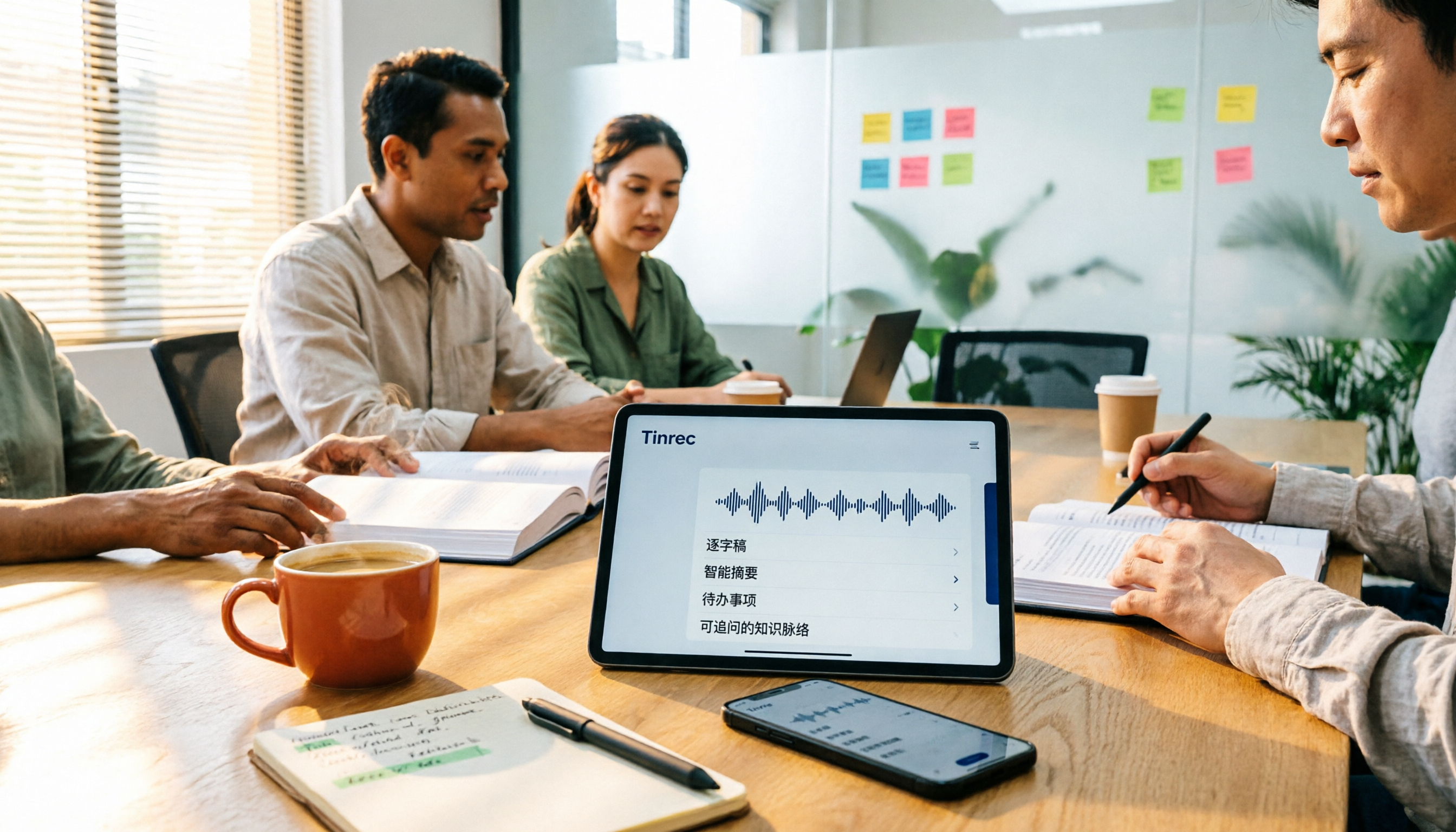
One-click AI summarization isn't just about pressing a button—it's about whether you can keep working with the summary afterward. This article breaks down four decision points: live transcription, AI summaries, action item extraction, and AI Q&A, and demonstrates a complete workflow from recording to transcript to meeting minutes and team knowledge retention using Tinrec.

4 Best Voice Memo Transcription Tools in 2026: Is iPhone Built-in Enough?
Recorded a meeting, class, or interview but never have time to listen back? We tested 4 voice memo transcription methods, including iPhone's built-in Voice Memos and Notes apps, Tinrec, Otter.ai, and PLAUD recording hardware. We compare Chinese transcription quality, cross-platform capabilities, post-meeting workflows, and free tiers, plus provide selection criteria and 3 common pitfalls to help you find the most time-saving solution.
How to Transcribe iPhone Voice Memos in 2026: Built-in Transcription + Tinrec AI Organization
iPhone has a free built-in way to transcribe voice memos, but many people don't know about it or only discover its limits after trying. This article starts with common misconceptions and compares Apple's built-in Voice Memos transcription with Tinrec, helping you find the best transcription workflow for your needs.

5 AI Meeting Minutes Tools Tested for 2026: Which One Actually Saves You Post-Meeting Time?
Two-hour meeting, then another hour to write up the minutes? This article compares 5 AI meeting minutes tools in real-world scenarios, covering 4 key points to consider before choosing and 4 common pitfalls to avoid. It also takes a deep dive into Tinrec's bot-free online meeting recording, AI summaries, AI Q&A, export options, and team workspace management, helping Hong Kong office workers find the one that truly saves post-meeting time.
![[Tutorial] 2026 Voice Generation Workflow: Tinrec Transcripts + Voiceover Script Organization](https://record-img.tos-accelerate.volces.com/images/2026/10/02/1790917064138800544.png)
[Tutorial] 2026 Voice Generation Workflow: Tinrec Transcripts + Voiceover Script Organization
Voice generation tools keep getting stronger, but what really determines the quality of the final product is the text you feed them. Starting from meeting, interview, and course recordings, this guide shows you how to use Tinrec to turn speech into transcripts, summaries, and usable scripts—completing the very first stage of the voice generation workflow—plus 5 key buying considerations and common questions.

How to Transcribe iPhone Recordings in 2026: Tinrec Real-Time Transcription + AI Summaries and To-Dos
Want to turn iPhone recordings into text? This hands-on guide tests Tinrec and compares it with Apple Voice Memos, Transcribe, Notta, and more. Learn how to choose the right app, avoid common pitfalls, and find the best fit for your workflow.

4 AI Meeting Recorder Apps Tested in 2026: The Real Key Is Whether You Can Ask Questions After Recording
Most people choose an AI meeting recorder based only on speech-to-text accuracy, overlooking post-recording organization and retrieval. This article addresses common misconceptions, outlines 4 key buying factors, and tests Tinrec, Notta, Otter.ai, and Granola, with a guide to avoiding pitfalls and scenario-based recommendations.

Zoom AI Meeting Summary vs Tinrec: 5-Dimension Comparison for Teams in 2026
Zoom's built-in AI meeting summary or Tinrec? I tested both across 5 dimensions—recording method, summary reliability, post-meeting usability, Chinese language support, and team data governance—to clarify which type of team each approach suits.