

Turn recordings into transcripts and summaries in minutes
Upload audio or video for multilingual transcription, AI notes, and action items
How to Transcribe iPhone Voice Memos in 2026: Built-in Transcription + Tinrec AI Organization
Many people think that to turn an iPhone recording into text, they have to download a separate app or pay for a transcription service. Honestly, I used to think so too. But starting with iOS 18, the built-in Voice Memos app can transcribe recordings for free, as long as you have an iPhone 12 or later.
However, the built-in feature has its limits—it's great for simply turning recordings into text, but if you need meeting summaries, action item extraction, cross-platform organization, or team sharing, the built-in option isn't enough. This article will walk you through two approaches to iPhone transcription: the free built-in option and AI meeting tools like Tinrec, so you can see which one fits your needs better.
iPhone Built-in Transcription vs Tinrec | Quick Overview
Bottom line first: iPhone's built-in transcription is free and simple enough, while Tinrec is an advanced choice that lets you keep working with the transcript after it's done.
- iPhone built-in Voice Memos transcription: Apple's native feature, free, requires iPhone 12 or later and iOS 18 or later (Traditional Chinese requires iOS 18.4 or later). You can view the transcript while recording or after recording in the Voice Memos app.
- Tinrec: An AI meeting notes and collaboration tool that supports real-time recording to text, bot-free online meeting recording, audio/video file transcription, and offers AI summaries, chapters, action items, AI Q&A, multi-format export, and team spaces. The personal plan has a free tier to try, and the team plan provides independent team spaces.
This article compares them across 5 dimensions: supported devices and languages, post-transcription organization, input sources and export, team collaboration and management, and pricing and quotas. After reading, you'll know which one to use.
Dimension 1 | Supported Devices and Languages
The limitations of iPhone's built-in transcription are clear. You need an iPhone 12 or later, and the system must be iOS 18 or later; for Traditional Chinese, you need iOS 18.4 or later. Supported languages include English (all variants), Spanish, Portuguese, Italian, French, German, Japanese, Korean, Simplified Chinese, and Traditional Chinese. It works best in a quiet environment with clear audio.
Tinrec, on the other hand, isn't tied to an iPhone model and works via web, desktop, and mobile. It supports Chinese, Traditional Chinese, and multilingual meeting scenarios, and offers real-time translation and bilingual viewing. Note that actual transcription quality can be affected by recording quality, accents, background noise, and overlapping speakers.
→ This dimension: If you only use an iPhone and your language is on the supported list, the built-in option is sufficient; if you need cross-device, cross-platform, or more language flexibility, Tinrec is more suitable. It's a tie, but Tinrec wins on cross-platform.
Dimension 2 | Post-Transcription Organization
iPhone's built-in transcript can be viewed, searched, copied, and can generate summaries via Apple Intelligence's Writing Tools (requires a supported device and settings). But beyond that, there's no action item extraction, chapter segmentation, or AI Q&A. You still have to read through the entire transcript and manually organize the key points.
Tinrec treats "after transcription" as the core. It automatically generates summaries, chapters, key points, action items, and mind maps, and can answer questions about the meeting content, further generating reports, tables, and documents. It turns the transcript into material you can keep working with, rather than just a block of text.
→ This dimension: Tinrec clearly wins.
Dimension 3 | Input Sources and Export
iPhone's built-in feature mainly focuses on recordings within the Voice Memos app and transcription in the Notes app. You can't directly upload existing audio or video files for transcription, and there's no third-party export integration—at best, you can copy the transcript and paste it elsewhere.
Tinrec offers diverse input sources: real-time recording, bot-free online meeting recording on desktop (which can capture audio playing on your computer from platforms like Zoom, Google Meet, Microsoft Teams, Webex), audio/video file upload, mobile recording, and some web link imports. For output, you can export to Notion, Google Docs, OneNote, Dropbox, and other tools to continue using it in your existing workflow.
→ This dimension: Tinrec wins.
Dimension 4 | Team Collaboration and Management
iPhone's built-in transcript is stored on your personal device, with no team sharing, permission management, or usage tracking. If meeting notes stay only on an individual's phone, other team members can't see them, and it's hard to turn them into company assets.
Stop organizing recordings by hand
Upload audio or video and automatically get a transcript, summary, and action items
Tinrec's team plan provides independent team spaces, allowing you to create multiple teams, invite members via join links, and set roles like owner, admin, and regular member. The team plan also distinguishes between "roles" and "seats": roles determine management permissions, while seats determine whether a member can record, upload, edit, import, and export. Admins can view team usage trends, member rankings, and details, query and export audit logs, manage team hotwords, and restore accidentally deleted audio files via the audio recycle bin. When a member leaves or loses their seat, team resources can be transferred to other active members, so data isn't taken away by individuals.
→ This dimension: If you're just using it personally, the built-in option is enough; if your team needs to share meeting data and manage members, Tinrec's team plan wins.
Dimension 5 | Pricing and Quotas
iPhone's built-in transcription is completely free, provided with system updates, with no quota limits (but you must meet device and version requirements). This is also its biggest advantage.
Tinrec's personal plan has a free version to try basic quotas, plus weekly, Pro monthly, and Pro annual plans for different usage frequencies. For the team plan, eligible teams get a 7-day trial with 1 free seat and 300 minutes of shared team import quota. Team monthly is USD 29.80 per paid seat per month; team annual is USD 199 per paid seat per year, about USD 16.58 per month. Each paid seat provides 2,000 minutes of shared team import quota per month; real-time recording under an active team plan and active seat currently does not deduct minutes. Prices, currencies, and promotions are subject to the official purchase page.
→ This dimension: For free needs, choose iPhone built-in; for advanced organization, cross-platform, or team collaboration, Tinrec's paid plans are more worthwhile. It's a tie, but for different scenarios.
What Are the Unique Advantages of Each?
Tinrec's unique advantages:
- Bot-free meeting recording: The desktop version directly captures computer system audio, without inviting an extra bot to join Zoom, Meet, Teams, or Webex meetings.
- AI Q&A and post-processing: You can continue asking questions about one or multiple meetings and generate reports, tables, documents, and other work products.
- Team data retention: Meeting data belongs to the team, with team spaces, member roles, seat management, usage analytics, audit logs, and audio recycle bin.
- Cross-platform and multi-format export: Available on web, desktop, and mobile, and can export to Notion, Google Docs, OneNote, Dropbox, and other tools.
iPhone built-in unique advantages:
- Completely free, native to the system: No extra app to install, no payment, and it works with iOS updates.
- Simplest operation: Open Voice Memos, record, and tap "View Transcript" to see the text—perfect for light, one-off transcription.
Conclusion: Which One Should You Choose?
- If you only use an iPhone, just need to turn recordings into text, and your device and language are supported → iPhone's built-in Voice Memos transcription is enough, completely free.
- If you need meeting summaries, action items, AI Q&A, cross-platform use, or uploading audio/video files → Tinrec is more suitable.
- If you're a team that needs to share meeting notes, manage member seats and usage → Tinrec's team plan is a more complete choice.
- If you often have Zoom, Meet, or Teams meetings on your computer and don't want a bot to join → Tinrec's desktop bot-free recording is very convenient.
In one sentence: iPhone built-in solves "whether you can transcribe," while Tinrec solves "what to do after transcription." We suggest trying Tinrec's free version first and testing it with your own recordings.
FAQ
Q1: Does iPhone transcription cost money? A: The built-in Voice Memos transcription is free, but requires iPhone 12 or later and iOS 18 or later; Traditional Chinese requires iOS 18.4 or later. Tinrec has a free version to try basic quotas, and advanced features require payment.
Q2: Does iPhone built-in transcription support Chinese? A: Yes, but Traditional Chinese requires iOS 18.4 or later, and the device must be iPhone 12 or later. Simplified Chinese is also on the supported list.
Q3: Can iPhone transcription be exported? A: The built-in transcript can be copied and pasted into emails or documents; Tinrec supports multi-format export and integration with Notion, Google Docs, OneNote, Dropbox, and other tools.
Q4: Can iPhone built-in transcription organize meeting action items? A: The built-in option can generate summaries via Apple Intelligence, but has no action item extraction, chapters, or AI Q&A; Tinrec provides these post-processing capabilities.
Q5: Can Tinrec record Zoom and Google Meet? A: Yes, the desktop version records by capturing computer system audio, without a bot joining the meeting. Actual supported platforms and results are subject to product documentation.
Q6: Which one is recommended for team use? A: If you need to share meeting data, manage members and seats, and view usage and audits, Tinrec's team plan provides independent team spaces and related governance features. If it's just for personal free use, iPhone built-in is very convenient.
References
- View Voice Memos transcripts on iPhone - Apple Support (Taiwan)
- iPhone voice to text free transcription! iOS 18 supports 10 languages | Quality Life | 500 Times
- [iPhone Voice Memos to Text] Complete guide to 3 methods! iOS built-in, app, recorder—which is best?
- Record and transcribe audio in Notes on iPhone - Apple Support (Hong Kong)
- iPhone Voice Memos to text tutorial: free built-in transcription without third-party apps - Mr. Mad
Turn every recording into actionable outcomes
Get 60 free transcription minutes when you sign in. No credit card required.
Related Reading
You might also like

2026 Comparison of 2 English Meeting Minutes Tools: Tinrec vs Otter.ai — Which Is Better for Chinese Teams?
How do you write English meeting minutes? This article compares Tinrec and Otter.ai, covering bot-free recording, mixed Chinese-English support, post-meeting AI Q&A, team collaboration, and pricing, to help you decide which tool is better for Chinese teams that need to produce English meeting minutes. It also covers standard formats and common phrases for English meeting minutes.

4 Best Speech-to-Text Tools in 2026: iFlytek Recorder, Tinrec, and Online Options Compared
When searching for 'iFlytek speech to text,' you might be torn between a voice recorder and software solutions. This article starts with key buying factors, compares iFlytek Recorder, Tinrec, Notta, and Granola, and shares pitfalls to avoid and scenario recommendations to help you find the right tool for meeting notes, interview transcripts, and team collaboration.
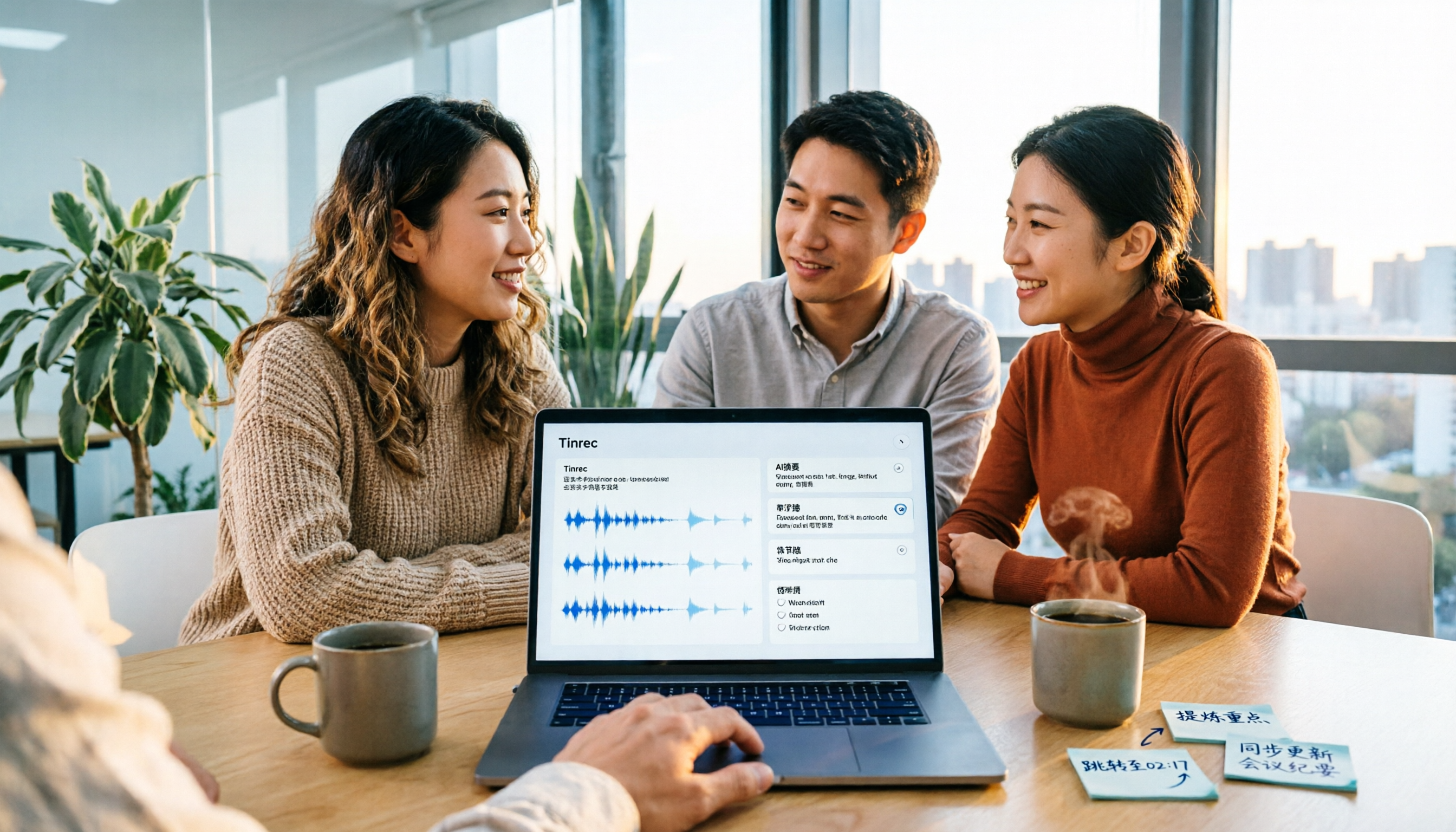
2026 Video Summarization Tools Compared: Which One Actually Saves You from Rewatching?
How to choose a video summarization tool? This article breaks down 4 common approaches, provides 5 practical purchasing checkpoints, and uses Tinrec to illustrate the complete workflow from transcription to AI summary, chapters, action items, and team spaces. It also includes pricing and quota details for personal and team plans to help you find the best fit.

4 Best Free Online Text-to-Speech Tools in 2026: Which Free Version Is Enough?
We compare four free online text-to-speech tools—TTSMaker, Luvvoice, Vidnoz AI, and Toolbang—covering language support, commercial licensing, output formats, and customization options to help you decide which one fits your needs for learning, voiceover, or accessibility reading.

2026 Comparison of 5 Online Voice Tools: Is Google Text-to-Speech Free Version Enough?
It's 11 PM, the video is finally edited, but the voiceover still isn't recorded. An hour after a meeting ends, the transcript is still blank. This article starts from two needs—'speak out' and 'write down'—and compares free online text-to-speech options like Google Cloud Text-to-Speech, Sound of Text, and Chrome text-to-speech extensions. It also shares hands-on experience with Tinrec for speech-to-text, including free limitations and team pricing.

How to Choose a Voice Tool in 2026: Meeting Transcription + Multilingual Translation Comparison
Many people search for "voice tools" to read text aloud, but meetings and interviews really need to turn audio into usable text data. This article first clarifies the difference between text-to-speech readers and meeting transcription tools, then compares Tinrec and Otter.ai across five dimensions: Chinese and multilingual recognition, bot-free recording, post-meeting workflow, team governance, and pricing. Finally, it offers clear recommendations for different needs.

2026 One-Click AI Summarizer Comparison: Meeting & Long-Form Tools That Actually Save Time
One-click AI summarization isn't just about pressing a button—it's about whether you can keep working with the summary afterward. This article breaks down four decision points: live transcription, AI summaries, action item extraction, and AI Q&A, and demonstrates a complete workflow from recording to transcript to meeting minutes and team knowledge retention using Tinrec.

4 Best Voice Memo Transcription Tools in 2026: Is iPhone Built-in Enough?
Recorded a meeting, class, or interview but never have time to listen back? We tested 4 voice memo transcription methods, including iPhone's built-in Voice Memos and Notes apps, Tinrec, Otter.ai, and PLAUD recording hardware. We compare Chinese transcription quality, cross-platform capabilities, post-meeting workflows, and free tiers, plus provide selection criteria and 3 common pitfalls to help you find the most time-saving solution.

5 AI Meeting Minutes Tools Tested for 2026: Which One Actually Saves You Post-Meeting Time?
Two-hour meeting, then another hour to write up the minutes? This article compares 5 AI meeting minutes tools in real-world scenarios, covering 4 key points to consider before choosing and 4 common pitfalls to avoid. It also takes a deep dive into Tinrec's bot-free online meeting recording, AI summaries, AI Q&A, export options, and team workspace management, helping Hong Kong office workers find the one that truly saves post-meeting time.