
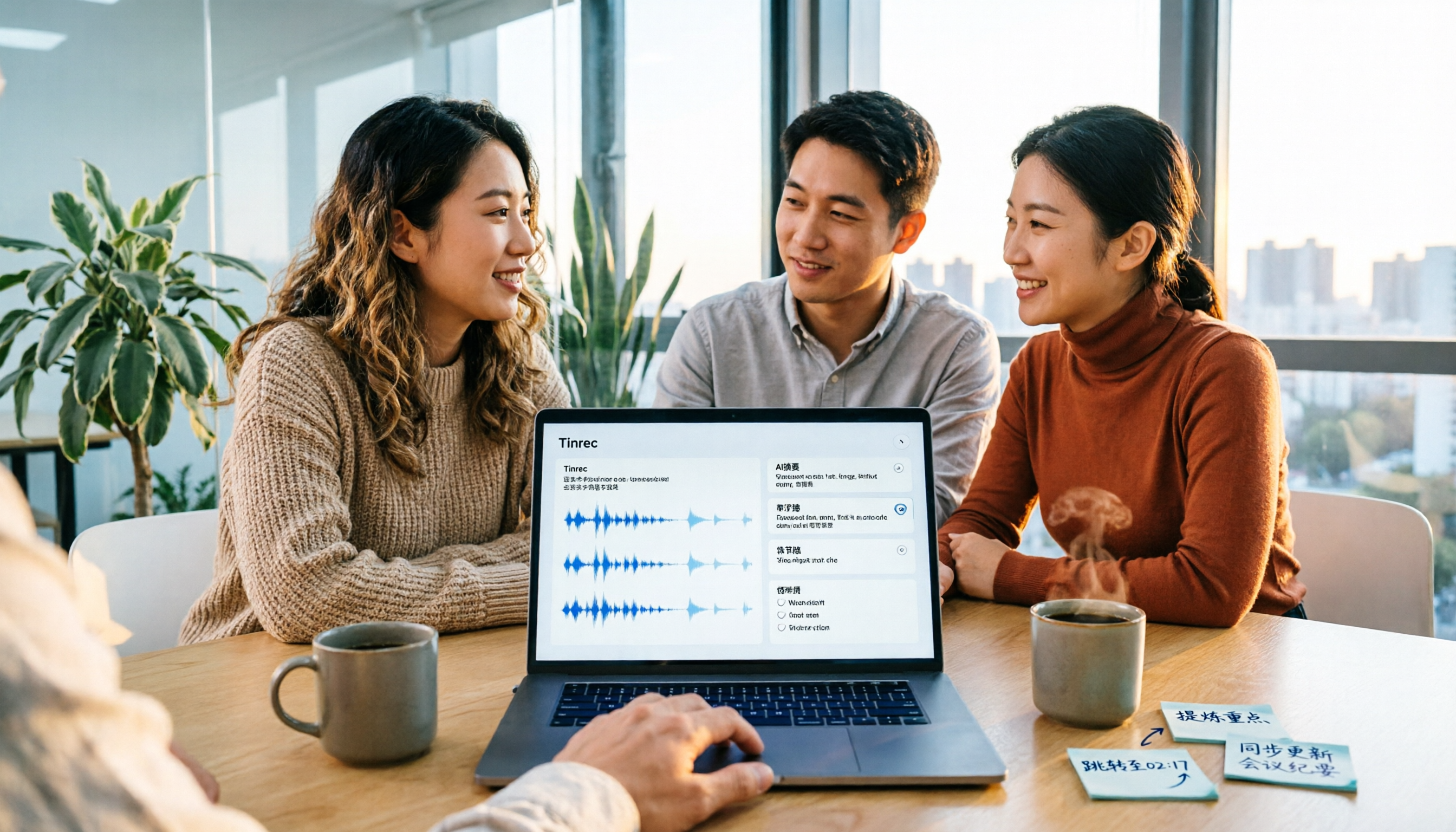
Turn recordings into transcripts and summaries in minutes
Upload audio or video for multilingual transcription, AI notes, and action items
2026 Video Summarization Tools Compared: Which One Actually Saves You from Rewatching?
"In that 60-minute client interview video last week, did the client say 'let's discuss the budget later' or 'no budget increase this quarter'?" To confirm one sentence, you watched the entire video from minute 1 to minute 48—and just like that, an afternoon was gone.
This isn't about your note-taking skills; it's that videos are inherently hard to search. This article skips vague definitions and takes a purchasing evaluation angle to break down 4 common video summarization approaches, and explains how AI meeting note tools like Tinrec can actually save you time and which teams they suit.
What Can Video Summarization Do for You?
Scenario 1: Meeting recordings, condensed from 60 minutes to 5 minutes
Weekly meeting recordings often run an hour, and someone still has to write up notes afterward. Take Tinrec as an example: after importing a meeting recording or audio file, it generates a transcript, AI summary, chapters, and key points. You can trace who said what at which minute and second back to the original timestamp for verification, without rewatching from the first minute.
Scenario 2: Client interview videos, ask for key points directly afterward
During the interview, you're busy asking follow-up questions; afterward, you want to confirm "what were the client's concerns about pricing." Tinrec supports AI Q&A around meeting content. You can ask questions directly about the video, and it will organize answers based on semantic understanding, rather than dumping a full transcript for you to sift through.
Scenario 3: Online courses and lecture videos, turned into reviewable notes
After a 90-minute lecture, you might only remember three key points. Tinrec breaks long content into chapters and key points, and can export to Notion, Google Docs, OneNote, Dropbox, and other tools, turning it directly into your own review notes.
Scenario 4: Content creation and repurposing
If you want to use interview videos to write articles or scripts, Tinrec's Agent post-processing can generate reports, tables, and documents based on meeting content, first organizing the material into an editable structure before entering your existing workflow.
What Are the Core Capabilities of Video Summarization?
1. Video and audio transcription: This is basic, but the difference lies in "what you get after transcription." Tinrec supports uploading existing audio and video files, as well as live recording to text, suitable for organizing historical meetings, interviews, and course recordings.
2. AI summary and chapters: Tinrec's summary isn't just compressing the transcript into a paragraph; it structurally organizes meeting themes, chapters, and key points, so you see the big picture first before deciding whether to dive deeper.
3. Action item extraction: The most common situation in project meetings is "everyone talks enthusiastically, but after the meeting no one remembers what to do." Tinrec extracts action items from the discussion, giving to-dos a basis to follow.
4. AI Q&A: After transcription, you can ask Tinrec directly—"What was decided at the end of this meeting?" "Which competitor did the client mention?"—it answers based on semantic understanding, something pure transcription tools can't do.
5. Output and export after transcription: The transcript is just raw material. Tinrec supports generating documents, reports, and tables, and can export to common formats and third-party tools, so meeting results can be directly used for reporting, archiving, or collaboration.
6. Bot-free recording of online meetings: Tinrec's desktop version directly captures computer system audio, handling Zoom, Google Meet, Microsoft Teams, Webex, and other online meetings without inviting an extra meeting bot into the room.
Practical Application Scenarios
Project and department meetings: For weekly project meetings, use Tinrec's desktop version to record online meetings directly, and immediately get transcripts, summaries, and to-dos afterward, eliminating the need for extra manpower for meeting notes.
Courses and lectures: Students or professionals needing continuing education can import course videos into Tinrec, quickly review with chapters and key points, and search specific sections directly via transcript before exams.
User interviews and research: After interviews, use Tinrec to organize transcripts and insights, then use AI Q&A to cross-compare different interviewees' statements, saving significant time from re-listening to recordings.
Stop organizing recordings by hand
Upload audio or video and automatically get a transcript, summary, and action items
Client communication and after-sales: Sales and customer service can organize client interviews and solution discussions into follow-up materials, with requirements, objections, and commitments all documented.
5 Things to Note When Choosing a Video Summarization Tool
First, see how the 4 common approaches differ:
| Approach Type | Main Problem Solved | Post-Meeting Organization | Team Data |
|---|---|---|---|
| Platform built-in transcription | That platform's own online meetings | Mostly transcripts | Tied to a single platform |
| Meeting bot | Joins meetings as a participant to record | Summaries and action items | Requires separate management |
| Pure transcription tool | Turns audio/video files into text and subtitles | Mainly subtitles and translation | Weaker |
| Tinrec | Bot-free recording + post-meeting organization and team collaboration | Summaries, chapters, to-dos, Q&A, export | Team space, seats, usage, audit |
Next, 5 questions to ask yourself when actually purchasing:
1. Is the summary accurate enough to take to a meeting? Don't just look at promotional numbers. Tinrec covers Chinese, Traditional Chinese, and multilingual meeting scenarios, but actual performance is still affected by recording quality, noise, accents, overlapping speakers, and technical terminology; for important content, verify against the transcript and recording.
2. Is there post-processing after transcription? Tools that only provide transcripts essentially hand the organization work right back to you. Tinrec offers summaries, chapters, to-dos, AI Q&A, and Agent post-processing—this is the biggest difference from pure transcription tools.
3. Can it handle your video sources? Your material might be online meetings, phone recordings, or existing video files. Tinrec supports live recording, bot-free desktop recording of online meetings, audio/video file uploads, mobile recording, and can process some web link content.
4. Can it handle Chinese and mixed Chinese-English meetings? Teams in Taiwan often mix Chinese and English in meetings. Tinrec supports Chinese and multilingual content, and provides a team hotword feature to maintain technical terminology, making product names and project codes more accurately recognized.
5. Does the team need to use it together? This is where budgets are most easily miscalculated. Tinrec's personal plan is divided by usage tasks into Free, Weekly Pass, Pro Monthly, and Pro Annual. If meeting data needs to be shared across people, and seats and usage need to be managed, consider the team plan: first-time eligible users can try 7 days, 1 free seat, 300 minutes of team shared import quota; monthly is USD 29.80 per paid seat per month, annual is USD 199 per paid seat per year (about USD 16.58 per month), each paid seat provides 2,000 minutes of team shared import quota per month. Under an active team plan and active seats, live recording currently does not deduct by minutes; file and web imports use the team shared import quota. Actual prices and benefits are subject to the official purchase page.
One more thing to distinguish the team plan from the personal plan: it's not "multiple people sharing one personal account," but an independent team space that can manage member roles and seats, uniformly store meeting data, view usage trends and member details, query and export audit logs, and recover accidentally deleted audio files from the recycle bin (currently 30-day retention). Note that roles determine who can manage the team, and seats determine who can record, upload, edit, and export; active members without seats can still view, play, and read team data.
Frequently Asked Questions
Can video summarization completely replace manual video watching?
Not recommended. AI can greatly reduce the cost of manual recording and organization, but may miss or misinterpret details; for important information, verify against the transcript timestamp and original audio.
What can the free version do?
Tinrec's free version provides basic quota, letting you experience recording, import, summary, and transcription. If you only occasionally organize a video, the free version is enough to judge whether this workflow suits you.
Do online meetings always require inviting a meeting bot?
Not necessarily. Tinrec's desktop version captures computer system audio, without an extra bot joining the meeting. However, note that it's currently not an "auto-join all calendar meetings" mode; you need to actively open Tinrec to start recording.
Can team members without seats see data?
They can view, play, and read team data; but to perform resource-using operations like recording, uploading, editing, importing/exporting, they need a seat.
Are there legal issues with recording transcription?
When involving recording and transcription, please comply with local regulations and obtain participant consent when needed.
Conclusion
Video summarization solves not the "transcription" itself, but whether the information in the video can be reused. If you have to rewatch the entire video every time to find a conclusion, then the video is just a file taking up space.
For individual users, Tinrec's free version can first process a meeting recording or course video to see if the summaries, chapters, and to-dos it organizes match your work habits; for teams needing cross-person sharing, seat and usage management, evaluate the team plan's shared quota and governance features. Start by giving it a 60-minute video, then decide whether to move your entire workflow over.
References
Turn every recording into actionable outcomes
Get 60 free transcription minutes when you sign in. No credit card required.
Related Reading
You might also like

2026 Comparison of 2 English Meeting Minutes Tools: Tinrec vs Otter.ai — Which Is Better for Chinese Teams?
How do you write English meeting minutes? This article compares Tinrec and Otter.ai, covering bot-free recording, mixed Chinese-English support, post-meeting AI Q&A, team collaboration, and pricing, to help you decide which tool is better for Chinese teams that need to produce English meeting minutes. It also covers standard formats and common phrases for English meeting minutes.

4 Best Speech-to-Text Tools in 2026: iFlytek Recorder, Tinrec, and Online Options Compared
When searching for 'iFlytek speech to text,' you might be torn between a voice recorder and software solutions. This article starts with key buying factors, compares iFlytek Recorder, Tinrec, Notta, and Granola, and shares pitfalls to avoid and scenario recommendations to help you find the right tool for meeting notes, interview transcripts, and team collaboration.

4 Best Free Online Text-to-Speech Tools in 2026: Which Free Version Is Enough?
We compare four free online text-to-speech tools—TTSMaker, Luvvoice, Vidnoz AI, and Toolbang—covering language support, commercial licensing, output formats, and customization options to help you decide which one fits your needs for learning, voiceover, or accessibility reading.

2026 Comparison of 5 Online Voice Tools: Is Google Text-to-Speech Free Version Enough?
It's 11 PM, the video is finally edited, but the voiceover still isn't recorded. An hour after a meeting ends, the transcript is still blank. This article starts from two needs—'speak out' and 'write down'—and compares free online text-to-speech options like Google Cloud Text-to-Speech, Sound of Text, and Chrome text-to-speech extensions. It also shares hands-on experience with Tinrec for speech-to-text, including free limitations and team pricing.

How to Choose a Voice Tool in 2026: Meeting Transcription + Multilingual Translation Comparison
Many people search for "voice tools" to read text aloud, but meetings and interviews really need to turn audio into usable text data. This article first clarifies the difference between text-to-speech readers and meeting transcription tools, then compares Tinrec and Otter.ai across five dimensions: Chinese and multilingual recognition, bot-free recording, post-meeting workflow, team governance, and pricing. Finally, it offers clear recommendations for different needs.

2026 One-Click AI Summarizer Comparison: Meeting & Long-Form Tools That Actually Save Time
One-click AI summarization isn't just about pressing a button—it's about whether you can keep working with the summary afterward. This article breaks down four decision points: live transcription, AI summaries, action item extraction, and AI Q&A, and demonstrates a complete workflow from recording to transcript to meeting minutes and team knowledge retention using Tinrec.

4 Best Voice Memo Transcription Tools in 2026: Is iPhone Built-in Enough?
Recorded a meeting, class, or interview but never have time to listen back? We tested 4 voice memo transcription methods, including iPhone's built-in Voice Memos and Notes apps, Tinrec, Otter.ai, and PLAUD recording hardware. We compare Chinese transcription quality, cross-platform capabilities, post-meeting workflows, and free tiers, plus provide selection criteria and 3 common pitfalls to help you find the most time-saving solution.

How to Transcribe iPhone Voice Memos in 2026: Built-in Transcription + Tinrec AI Organization
iPhone has a free built-in way to transcribe voice memos, but many people don't know about it or only discover its limits after trying. This article starts with common misconceptions and compares Apple's built-in Voice Memos transcription with Tinrec, helping you find the best transcription workflow for your needs.

5 AI Meeting Minutes Tools Tested for 2026: Which One Actually Saves You Post-Meeting Time?
Two-hour meeting, then another hour to write up the minutes? This article compares 5 AI meeting minutes tools in real-world scenarios, covering 4 key points to consider before choosing and 4 common pitfalls to avoid. It also takes a deep dive into Tinrec's bot-free online meeting recording, AI summaries, AI Q&A, export options, and team workspace management, helping Hong Kong office workers find the one that truly saves post-meeting time.