

Turn recordings into transcripts and summaries in minutes
Upload audio or video for multilingual transcription, AI notes, and action items
It's 11 PM, the video is finally edited, but the voiceover still isn't recorded. You don't want to use your own voice, so you open your browser and search for 'Google text-to-speech online,' hoping to find a tool where you can paste text and get audio.
Another scenario is even more common: after an hour-long online meeting, the notes are still sitting in a blank document. You just want a transcript and a few action items quickly.
Both involve voice, but they require completely different tools. This article will walk you through the online options one by one.
Looking for a Google text-to-speech online tool? First, clarify whether you need 'speak out' or 'write down'
The first need is 'speak out.' For video voiceovers, audiobooks, language learning, or presentation dubbing, you have text and need audio.
The second need is 'write down.' For meetings, interviews, or classes, you have audio and need searchable, organized text.
Many people search for 'Google text-to-speech online' but actually mean the second type—they just don't know what keywords to use. Clarify your direction first to avoid wasting time on the wrong tool.
Next, I'll cover criteria for choosing a tool, then look at free Google options, and finally discuss speech-to-text, where I'll recommend what I found best after testing.
Before choosing an online voice tool, understand these 4 key points
Voice naturalness. The free Google Translate voice engine sounds robotic, like reading a script. Google Cloud Text-to-Speech is different, using Gemini technology to offer over 380 natural, fluent voices and support for more than 75 languages and dialects—that's the main difference.
How free quotas work. Google Cloud Text-to-Speech charges based on characters sent for synthesis per month. WaveNet voices are free for the first 1 million characters per month, and standard (non-WaveNet) voices are free for the first 4 million characters per month. Free doesn't mean unlimited—check the units first.
Can you get the file? Some tools only let you preview online, while others let you download MP3s directly. If the audio is for a video, export capability is key.
What to do with the output. This is most overlooked. If your real problem is meeting notes, text-to-speech tools won't help because they only read text aloud, not turn audio into transcripts.
How to use Google text-to-speech online? 3 free routes
Route 1: Google Cloud Text-to-Speech. This is Google's official text-to-speech service, offering over 380 voices and support for more than 75 languages and dialects. Gemini-TTS can synthesize single or multi-speaker audio from text and even use natural language prompts to specify style, accent, speed, tone, and emotion. It's suitable for those willing to read documentation or with technical backgrounds, and can be used via Media Studio or API.
Route 2: Sound of Text. Open the webpage, paste text, choose a language from the Voice menu (select Chinese for Chinese, no simplified/traditional distinction), press Play to preview, and press Download to get a free MP3—no registration or software needed. It uses Google Translate's text-to-speech engine. Note that the free version only has female voices and sounds robotic; for more natural voices, you'd need the paid Hearling from the same team.
Route 3: Chrome text-to-speech extensions. These extensions can convert any text on the browser into clear speech, support multiple languages, and allow custom voice options—one click to start reading. Best for long reading sessions on webpages, Google Docs, or PDFs, as an assistive tool for 'read and listen.'
All three routes have free options but only solve 'speak out.' If you realize you actually want to organize meetings, you need a different approach.
Tinrec — Our top pick for speech-to-text after testing
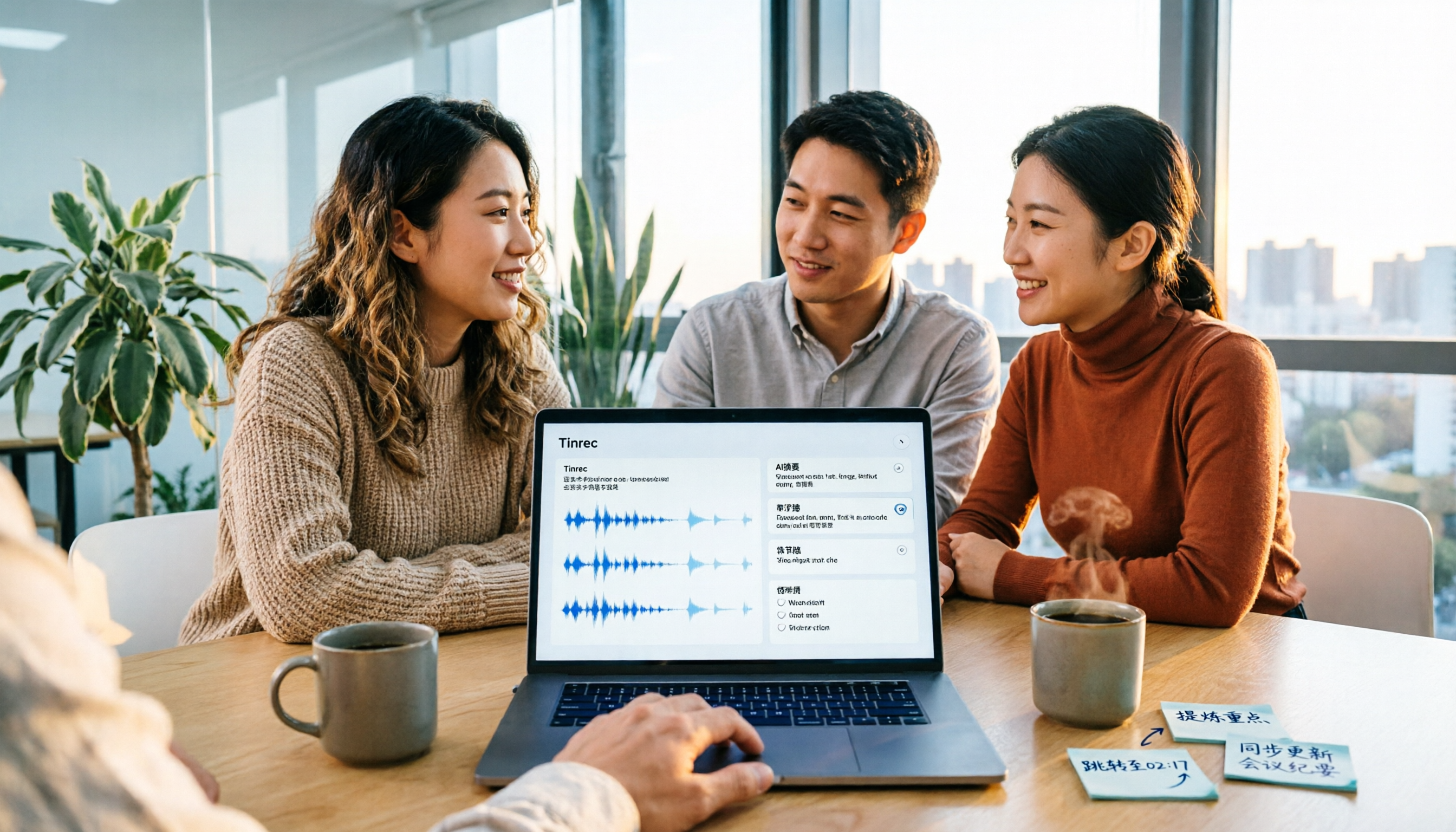
Tinrec is an AI meeting notes and collaboration tool for individuals and teams, supporting iOS, Android, desktop, and web.
The first thing I look at is its online meeting recording method. Tinrec's desktop version directly captures computer system audio, handling meeting audio from platforms like Zoom, Google Meet, Microsoft Teams, and Webex played on the computer, without inviting a meeting bot. For those who have impromptu meetings, skipping the 'remember to invite the bot' step makes a big difference.
Stop organizing recordings by hand
Upload audio or video and automatically get a transcript, summary, and action items
Second is the post-transcription workflow. After a meeting, Tinrec produces a transcript and automatically generates AI summaries, chapters, and action items—who's responsible for what and next steps can be directly carried forward. It also supports AI Q&A about meeting content, like asking 'What was the conclusion of the last meeting?' without manually Ctrl+F-ing through a 30-minute transcript.
Third is output and collaboration. Transcripts and organized results can be exported to Notion, Google Docs, OneNote, Dropbox, etc., for further use, and can generate reports, tables, and documents. Cross-language meetings support real-time translation, viewable in original, translated, or bilingual format.
If you're using it as a team, Tinrec's team version is a separate team space, not multiple people sharing one account. Team data belongs to the team, with member roles, seat management, team hotwords, usage analytics, audit logs, and audio recycle bin. Currently, team monthly is USD 29.80 per paid seat per month, annual is USD 199 per paid seat per year (about USD 16.58 per month), each paid seat provides 2,000 minutes of team shared import quota per month; eligible teams can try 7 days free with 1 free seat and 300 minutes shared import quota. Under an active team plan and active seat, real-time recording currently doesn't deduct minutes.
Honest limitations: First, Tinrec is not a text-to-speech tool; it won't read text into MP3—leave that to the Google routes above. Second, actual transcription quality is affected by recording quality, background noise, accents, overlapping speech, and technical terms; I won't guarantee a fixed accuracy rate, and important content should be verified with timestamp playback. Third, free and low-cost plans have quota limits, and heavy users need to pay.
In short, if you have several online meetings weekly, need Chinese transcripts, want to use AI to find key points after meetings, and switch between devices, Tinrec is currently the smoothest choice.
Besides Tinrec, what other options are there?
Sound of Text: A free online text-to-speech tool using Google Translate's TTS engine. Paste text, choose a language, preview, and download MP3—no registration. But its free voices are all female and robotic, and it lacks transcripts, summaries, action items, and team spaces—it only reads text aloud, not records meetings.
Chrome text-to-speech extensions: Read webpages, documents, and PDFs directly from the browser, support multiple languages, and adjust speed—useful for long reading and accessibility. However, it only does real-time reading, doesn't produce editable transcripts, can't handle Zoom or Meet meeting audio, and lacks Tinrec's team shared space.
Google Cloud Text-to-Speech: The most natural sound quality among the three, offering over 380 voices and support for over 75 languages, with WaveNet voices free for the first 1 million characters per month. But it's essentially an API for developers, requiring coding or Media Studio, and it only synthesizes text to speech, not turning meeting recordings into transcripts and action items.
Pitfall guide: 4 most common mistakes when choosing online voice tools
Pitfall 1: Confusing 'text-to-speech' and 'speech-to-text.' This is the most common mistake. Google text-to-speech reads text aloud, while meeting notes need the opposite—turning audio into text. Wrong direction, and no expensive plan can fix it.
Pitfall 2: Only looking at free quotas, not limitations. Google Cloud Text-to-Speech's free quota is by characters; Sound of Text is free but robotic; Chrome extensions are free but don't produce files. Free plans usually have limits on quantity, length, or features—check before investing time.
Pitfall 3: Not thinking about how to use the output. Can audio files or transcripts integrate into your workflow? Can they export to Notion, Google Docs, OneNote, Dropbox? If you have to manually copy-paste everything, it's wasted effort.
Pitfall 4: Forgetting recording consent and regulations. Recording and transcription involve others' voices and personal data. Depending on local laws, get consent before recording, and for team use, pay attention to data retention and cleanup processes.
Conclusion: Which one should you choose?
In one sentence: For 'speak out,' go with Google routes; for 'write down,' use Tinrec.
- For video voiceovers, free MP3 downloads → Sound of Text
- For the most natural synthesized voice, willing to read API docs → Google Cloud Text-to-Speech
- For real-time browser reading, accessibility → Chrome text-to-speech extensions
- For meeting transcripts, summaries, action items → Tinrec
- For cross-platform use on phone and computer → Tinrec
- For team sharing of meeting data, managing seats and usage → Tinrec team version
I suggest starting with Tinrec's free version, trying it with a real online meeting to see if the workflow suits you, then consider upgrading—no need to pay upfront.
References
- Text-to-Speech: Natural, fluent AI voices and speech synthesis service | Google Cloud
- Speech-to-Text: AI voice input and transcription | Google Cloud
- Sound of Text: Download Google Translate voice online without software, text-to-speech MP3
- Sound of Text: Free online text-to-speech tool, easily create Google voice voiceover files - Kocpc
- Text to Speech — Text to Speech Extension - Chrome Web Store
Turn every recording into actionable outcomes
Get 60 free transcription minutes when you sign in. No credit card required.
Related Reading
You might also like

2026 Comparison of 2 English Meeting Minutes Tools: Tinrec vs Otter.ai — Which Is Better for Chinese Teams?
How do you write English meeting minutes? This article compares Tinrec and Otter.ai, covering bot-free recording, mixed Chinese-English support, post-meeting AI Q&A, team collaboration, and pricing, to help you decide which tool is better for Chinese teams that need to produce English meeting minutes. It also covers standard formats and common phrases for English meeting minutes.

4 Best Speech-to-Text Tools in 2026: iFlytek Recorder, Tinrec, and Online Options Compared
When searching for 'iFlytek speech to text,' you might be torn between a voice recorder and software solutions. This article starts with key buying factors, compares iFlytek Recorder, Tinrec, Notta, and Granola, and shares pitfalls to avoid and scenario recommendations to help you find the right tool for meeting notes, interview transcripts, and team collaboration.
2026 Video Summarization Tools Compared: Which One Actually Saves You from Rewatching?
How to choose a video summarization tool? This article breaks down 4 common approaches, provides 5 practical purchasing checkpoints, and uses Tinrec to illustrate the complete workflow from transcription to AI summary, chapters, action items, and team spaces. It also includes pricing and quota details for personal and team plans to help you find the best fit.

4 Best Free Online Text-to-Speech Tools in 2026: Which Free Version Is Enough?
We compare four free online text-to-speech tools—TTSMaker, Luvvoice, Vidnoz AI, and Toolbang—covering language support, commercial licensing, output formats, and customization options to help you decide which one fits your needs for learning, voiceover, or accessibility reading.

How to Choose a Voice Tool in 2026: Meeting Transcription + Multilingual Translation Comparison
Many people search for "voice tools" to read text aloud, but meetings and interviews really need to turn audio into usable text data. This article first clarifies the difference between text-to-speech readers and meeting transcription tools, then compares Tinrec and Otter.ai across five dimensions: Chinese and multilingual recognition, bot-free recording, post-meeting workflow, team governance, and pricing. Finally, it offers clear recommendations for different needs.

2026 One-Click AI Summarizer Comparison: Meeting & Long-Form Tools That Actually Save Time
One-click AI summarization isn't just about pressing a button—it's about whether you can keep working with the summary afterward. This article breaks down four decision points: live transcription, AI summaries, action item extraction, and AI Q&A, and demonstrates a complete workflow from recording to transcript to meeting minutes and team knowledge retention using Tinrec.

4 Best Voice Memo Transcription Tools in 2026: Is iPhone Built-in Enough?
Recorded a meeting, class, or interview but never have time to listen back? We tested 4 voice memo transcription methods, including iPhone's built-in Voice Memos and Notes apps, Tinrec, Otter.ai, and PLAUD recording hardware. We compare Chinese transcription quality, cross-platform capabilities, post-meeting workflows, and free tiers, plus provide selection criteria and 3 common pitfalls to help you find the most time-saving solution.

How to Transcribe iPhone Voice Memos in 2026: Built-in Transcription + Tinrec AI Organization
iPhone has a free built-in way to transcribe voice memos, but many people don't know about it or only discover its limits after trying. This article starts with common misconceptions and compares Apple's built-in Voice Memos transcription with Tinrec, helping you find the best transcription workflow for your needs.

5 AI Meeting Minutes Tools Tested for 2026: Which One Actually Saves You Post-Meeting Time?
Two-hour meeting, then another hour to write up the minutes? This article compares 5 AI meeting minutes tools in real-world scenarios, covering 4 key points to consider before choosing and 4 common pitfalls to avoid. It also takes a deep dive into Tinrec's bot-free online meeting recording, AI summaries, AI Q&A, export options, and team workspace management, helping Hong Kong office workers find the one that truly saves post-meeting time.