
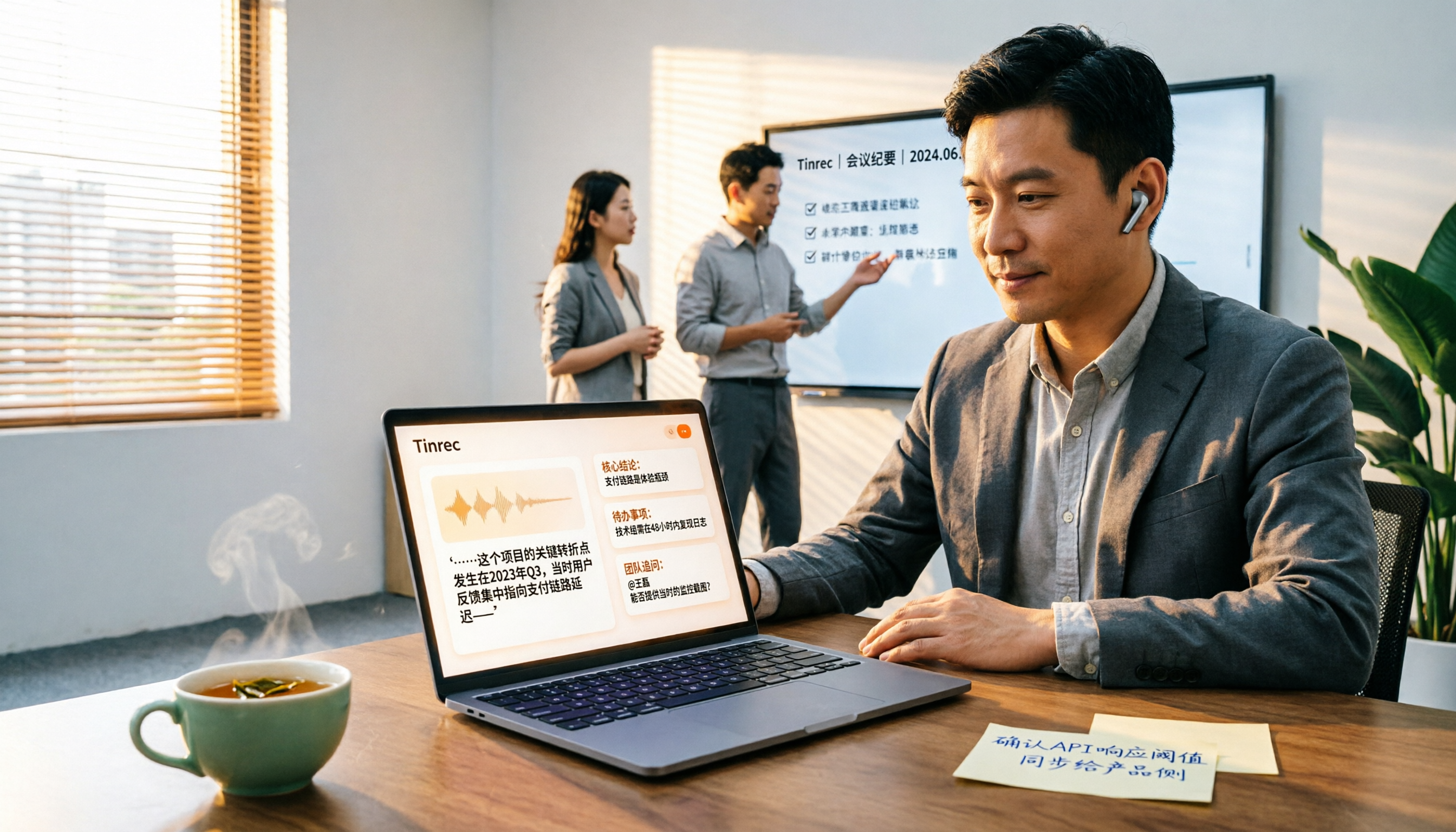
Turn recordings into transcripts and summaries in minutes
Upload audio or video for multilingual transcription, AI notes, and action items
YouTube Audio to Text: Do You Want "Readable Captions" or "Work-Ready Data"?
Let me ask you a question first: How much of that 40-minute YouTube video you watched last week do you still remember?
I attend about 15 meetings a week, manage a team of 10, and also watch a lot of videos for work—industry keynotes, competitor product demos, online courses. These videos don't just end when you finish watching; they usually need to become a quote in a meeting, a one-page summary for the team, or a slide in a presentation.
That's where the problem lies. YouTube has captions, but captions aren't the same as usable data: they run line by line with the video, sentences are choppy, proper nouns are often misheard, and you can't "ask it questions." When it's time to actually write meeting minutes or a weekly report, you still have to rewatch the video.
So the first decision point isn't "which tool has the highest accuracy" but these three questions:
- Do you want "captions while watching" or "a text file after watching that you can search, quote, and turn into action items"?
- Is your source material only YouTube videos, or does it also include your own recorded online meetings and phone-recorded interviews?
- Are you using it alone, or do you need to put it into a team so 10 people can search together?
Once you think through these three questions, choosing a tool becomes much faster. My own answer is clear: I want text that can go directly into my workflow, and the team needs to be able to share it. The hands-on comparison below is ranked according to this standard.
How Does YouTube Itself Turn Audio into Text?
Let's talk about YouTube's side first. YouTube's built-in captions and transcripts are essentially speech recognition (ASR): the system listens to the audio in the video and automatically maps it to lines of text; videos with captions directly use the original caption track.
Its advantages are that it's free, real-time, and right in the player. But the drawbacks are fatal for office workers:
- Punctuation and sentence breaks are choppy, reading like a run-on list, and can't be pasted directly into meeting minutes.
- Proper nouns, product codes, and names are often misheard, and you can't fix them all at once.
- You can only "watch," not search across videos, and you can't generate summaries or action items with one click.
- If the video is taken down or permissions change, the timestamps you noted may no longer match.
If you're on a zero budget and only occasionally need a snippet of text, there's a crude method online: route the audio from a phone or computer playing the video through a virtual audio cable into Google Docs' voice typing, letting it type while the video plays. This works, but only if the video's speech is very clean, the accent isn't too heavy, and it must run in real time—no timestamps, no batch processing, and no summaries. It's fine for emergencies, but not for a workflow.
Before Choosing a YouTube-to-Text Tool, Understand These 4 Key Points
Accuracy depends on your own material, not on advertising numbers. Recognition is affected not just by the engine but also by recording quality, air conditioning noise, echo, accents, people talking over each other, and technical jargon. I suggest taking a real video or meeting recording of your own and testing it—that's more useful than reading ten reviews. Any claim of a fixed accuracy rate deserves some skepticism.
A transcript is the starting point, not the end. For a mid-level manager, the real time sink isn't "converting to text" but organizing after the text is out: who said this, what was the conclusion, who needs to do what, and by when. So the second thing to look at is—does this tool automatically provide summaries, chapters, action items, and can you directly ask questions about the content?
Source coverage must match your actual scenarios. YouTube videos, online meetings, and phone-recorded interviews are three different sources. If your meetings are on Zoom or Teams, a tool that only handles YouTube links won't help much.
Can you take it with you afterward, and can the team share it? Whether you can export to Notion, Google Docs, OneNote, Dropbox determines if it's an island. If you lead a team, you also need to ask: who owns the data, and will it leave with a member when they do?
Tinrec — Our Team's Top Choice After Hands-On Testing
Tinrec is an AI meeting notes and collaboration tool for individuals and teams, covering iOS, Android, desktop, and web. It doesn't just convert audio to text; it organizes meeting recordings into searchable, summarizable, queryable, exportable, and further processable data.
Scenario 1: Online meetings. Tinrec's desktop version directly captures the computer's system audio, handling Zoom, Google Meet, Microsoft Teams, Webex, and others without inviting a meeting bot as a participant. Our team's meeting room is often full, and adding another bot only makes things messier—this "no-bot" approach is a plus for us. During the meeting, it transcribes in real time, and by the end, the summary and action items are already there.
Scenario 2: Videos and existing files. Pre-recorded audio and video files can be imported for transcription; web link import can handle some public video content, which is a handy supplementary capability for "turning YouTube videos into text first and then reading"—but to be clear, its main focus is meeting notes and team collaboration, not a pure video download and conversion tool.
Stop organizing recordings by hand
Upload audio or video and automatically get a transcript, summary, and action items
Scenario 3: After recording is the key. Tinrec automatically generates summaries, chapters, key points, and action items, and also supports mind maps, letting you see the structure of the entire meeting at a glance. The most useful feature is AI Q&A: you can directly ask it "Who mentioned the budget cap in the last meeting?" or "Which part did the client have the most opinions about regarding the delivery date?" It doesn't throw a list of keyword search results at you but gives answers based on semantics. After recording, you can continue to generate reports, tables, and meeting minutes, and export to Notion, Google Docs, OneNote, Dropbox for further use.
For the hands-on part, I won't write numbers like "accuracy rate X%" because that depends on your recording environment, and Tinrec doesn't market a fixed accuracy rate. My actual test method was: a roughly 40-minute product demo video with mixed Chinese and English and air conditioning noise, plus an 8-person in-person meeting recording. Mixed Chinese-English product codes and names did get errors, but after adding company-specific terminology and client abbreviations to the team hotwords, repeated typos noticeably decreased. For important amounts and commitments, I still click back to the corresponding timestamp in the transcript to verify—this isn't a tool issue but a habit anyone should have with any AI transcription.
Three advantages I think are worth it:
- No bot needed, so online meeting notes don't require an extra participant. When meeting externally, saying "we'll record and organize this" is much easier than "we'll send a bot into the meeting."
- The transcript is just the beginning. Summaries, chapters, action items, AI Q&A, and multi-format export allow one meeting to grow into weekly reports, documents, and tables, rather than just another file that needs manual organization.
- Personal and team use follow the same path. The team version isn't multiple people sharing a personal account but an independent team space: meeting data belongs to the team, and members have roles (who can manage the team, members, audit, and team settings) and seats (who can record, upload, edit, import/export). Active members without a seat can still view, play, and read team data; only with a seat can they perform resource-consuming operations like uploading, editing, and importing/exporting. When a member leaves or is removed, their team resources are handed over to other active members and don't leave with the individual.
Limitations should also be clear. The free version provides a basic quota, suitable for trying out a few videos and meetings; if you're like me and have meetings daily and need to organize videos, you'll need to go for a weekly pass or Pro, with actual quotas and prices subject to the official page. Also, the team version is a paid seat system: monthly USD 29.80 per paid seat per month, annual USD 199 per paid seat per year (about USD 16.58 per month), each paid seat provides 2,000 minutes of team shared import quota per month, and real-time recording under an active seat is currently not deducted by minutes; eligible teams get a 7-day trial, 1 free seat, and 300 minutes of shared import quota for the first time. Prices, currencies, and promotions are subject to the official purchase page.
Who is it for? If you need to handle Chinese or mixed Chinese-English meetings and videos, want to use AI to find key points directly after recording, and not just for yourself but also for a team to search together—Tinrec is the smoothest choice I've tried so far.
Besides Tinrec, What Other Options Are There?
Notta: A veteran choice for multi-platform transcription and translation, free version has 120 minutes per month, max 3 minutes per session, Pro annual is about USD 8.17 per month (1,800 minutes per month), Business annual is about USD 16.67 per seat per month. File transcription and translation perform well, but it doesn't have a desktop version that captures system audio without a bot, nor Tinrec's AI Q&A and Agent post-processing.
TurboScribe: A cost-effective file transcription tool, Free allows 3 files per day, 30 minutes per file, Unlimited annual is USD 120, paid version supports up to 10 hours or 5 GB per file, and up to 50 files at once. Long files and batch processing are its strengths; however, it's "turning files into text," with no real-time meeting transcription, and no Tinrec's summaries, action items, AI Q&A, and team space.
Vizard: Paste a YouTube link to get a transcript without downloading anything, videos with captions directly use the original caption track, supports over 180 languages, each line has a timestamp, and you can clip segments or translate based on specified sentences. The YouTube entry point is the most intuitive, but it stops at the "video" scenario; offline meetings, team databases, and member seat management are not in its scope.
Pitfall Guide: The 4 Most Common Mistakes When Converting YouTube Audio to Text
Pitfall 1: Thinking YouTube auto-captions can be submitted directly. Auto-captions lack punctuation and often have proper noun errors; directly screenshotting or copying them into meeting minutes is passing errors downstream. At least re-transcribe with a tool and fix key terms.
Pitfall 2: Only looking at advertised accuracy numbers. Numbers measured in a quiet studio will significantly drop in a real meeting with air conditioning noise and people talking over each other. Testing with your own material is more accurate than any promotion.
Pitfall 3: Only using the tool as "audio-to-text." If you only use it to generate transcripts, you're using only one-third of it. For example, Tinrec's AI Q&A lets you directly ask "What was the conclusion of this meeting?" or "Who agreed to what?" after recording, which is much faster than manually flipping through a 40-minute transcript.
Pitfall 4: Keeping all data in a personal account. This is the most common pitfall when leading a team: meeting recordings and notes are all in one person's account, and when they leave or change projects, the data scatters. For team use, choose a solution with an independent team space, role and seat management, and data handover mechanisms.
One final reminder: Before recording and transcribing, please comply with local laws and obtain consent from participants or relevant parties when necessary.
Conclusion: Which One Should You Choose?
To give the conclusion first: For "turning YouTube videos and meeting audio into work-ready text," Tinrec is our team's current top choice. Scenario breakdown as follows:
- Chinese or mixed Chinese-English meeting and video transcripts → Tinrec
- Want to ask AI directly after recording, need automatic summaries and action items → Tinrec
- Need to work on phone, desktop, and web → Tinrec
- Don't want an extra bot in the meeting → Tinrec desktop version
- Team needs to share data, manage seats and usage → Tinrec team version
- Many technical terms, need unified recognition vocabulary → Tinrec (team hotwords)
- Cross-border meetings need real-time bilingual viewing → Tinrec (real-time translation)
- Need to transcribe dozens of long files at once, budget-first → TurboScribe
- Only handle YouTube videos, need timestamps and clip segments → Vizard
The recommended approach is to start with Tinrec's free version, take your most troublesome video or messiest meeting and try it once, and see if the transcript and summary can be used directly. If it works well, consider upgrading—no need to pay upfront.
References
Turn every recording into actionable outcomes
Get 60 free transcription minutes when you sign in. No credit card required.
Related Reading
You might also like

2026 Comparison of 4 Meeting Transcription Tools: Which Latest Version Turns Meetings into Actionable Data?
How to choose the latest meeting transcription tools in 2026? Based on four key criteria, I tested and compared Tinrec, Otter.ai, Notta, and PLAUD, explaining bot-free recording, AI Q&A, action item extraction, and team data retention, with a guide to avoid pitfalls and scenario-based recommendations.

2026 Comparison of 4 Japanese Audio Summary Tools: Which Can Produce Usable Bilingual Summaries?
We tested 4 tools that handle Japanese audio, comparing Tinrec, Notta, Otter.ai, and TurboScribe across transcription, translation, summarization, and team collaboration, and compiled selection criteria and pitfalls to avoid.
Tinrec vs Otter.ai 2026: 6-Dimension Comparison — Which Is Better for Chinese Video-to-Text?
How do you convert video recordings to text? This article compares Tinrec and Otter.ai across 6 dimensions — from Chinese recognition, video file import, bot-free meeting recording, and post-meeting AI organization, all the way to team collaboration and pricing — to help you decide which tool better fits your video and meeting organization needs.
![[Tutorial] Tinrec Meeting Recording Summary 2026: Auto-Generate Summaries + Action Items](https://record-img.tos-accelerate.volces.com/images/2026/10/04/1791122785534449117.png)
[Tutorial] Tinrec Meeting Recording Summary 2026: Auto-Generate Summaries + Action Items
Meeting recording summaries aren't just about converting audio to text. This article breaks down common misconceptions and explains how to use Tinrec to turn meeting recordings into usable summaries, chapters, and action items, with real-world use cases and 5 key buying considerations.

4 Audio-to-Text Tools Tested and Compared in 2026: Which Free Version Is Good Enough?
Want to turn audio recordings into text but not sure which tool to pick? Starting from the question "where do you want to end up?" this article tests and compares 4 common audio-to-text tools, breaking down Chinese and mixed Chinese-English recognition, AI post-meeting organization, recording retention and old file import, and team collaboration, plus 3 common pitfalls in choosing a tool, to help you pick the most time-saving approach for your situation.

4 Best Meeting Transcription Apps in 2026: Which Saves the Most Time for Chinese Meetings?
Tired of meeting notes dragging past quitting time? This article covers 5 key factors for choosing a meeting transcription app, compares Tinrec, Otter.ai, Notta, and PLAUD Note on recording method, Chinese recognition, post-meeting output, and pricing, and highlights 4 common pitfalls to help you find the one that truly saves time.

2026 Comparison of 3 Online Voice Generation Tools: Tinrec, Otter.ai, and CapCut—Which Is Best for Chinese Transcripts?
Starting from the real struggles of students recording lectures, this hands-on comparison tests Tinrec, Otter.ai, and CapCut across six dimensions: Chinese recognition, recording methods, transcript post-processing, AI Q&A, student budget, and team collaboration, to find the best fit for Chinese classes and meeting notes.

4 iPhone Audio-to-Text Methods Compared in 2026: Are Built-in Features Enough?
A hands-on comparison of iPhone's built-in Voice Memos, Notes app, and iMessage audio transcription, plus how Tinrec differs for Chinese meetings, AI summaries, to-dos, Q&A, and team collaboration. If you just need short recordings transcribed, built-in tools are enough; if you frequently hold meetings and need post-meeting action items and cross-platform use, Tinrec saves more time.

4 Meeting Minutes Tools Tested and Compared in 2026: How to Write Meeting Minutes Without Turning Them Into a Transcript
The key to writing meeting minutes isn't typing speed—it's making three judgments: topics, decisions, and action items. This article covers the essentials of writing meeting minutes and common mistakes, and tests and compares four tools—Tinrec, Otter.ai, Notta, and PLAUD—to help you find the most time-saving post-meeting workflow.