
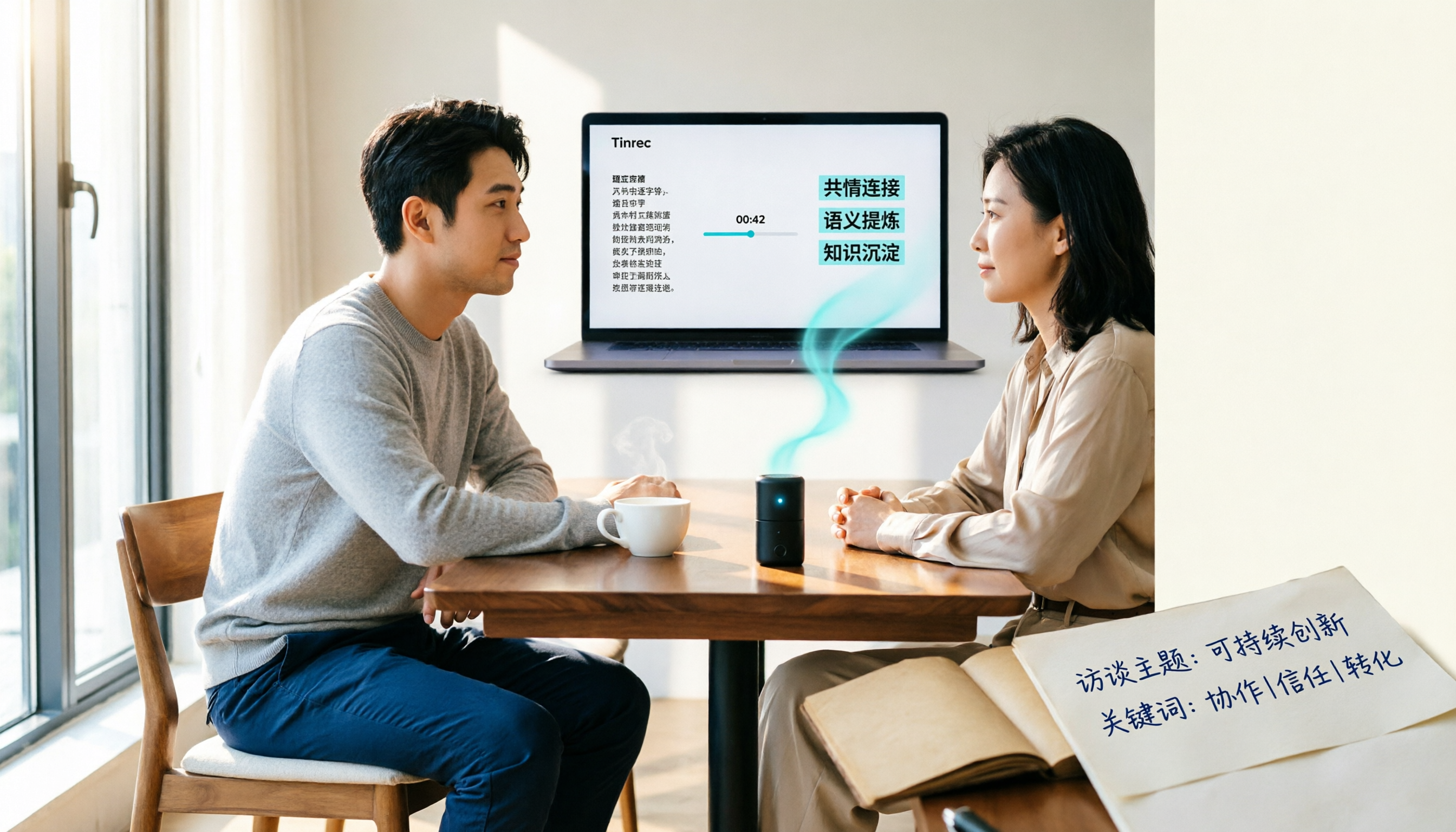
Turn recordings into transcripts and summaries in minutes
Upload audio or video for multilingual transcription, AI notes, and action items
4 Interview Transcription Tools Tested and Compared in 2026: How to Choose Between AI Transcription, Free Tools, and Manual Typing?
You're Not Slow at Typing — That's Usually Not Why Interview Transcripts Never Get Done
The first thought most people have is "is there a faster transcription app?" So they spend two hours comparing tools, signing up for accounts, and testing a clip — only to realize they still have zero words transcribed.
Honestly, three things usually slow you down.
First, treating transcription as purely a typing problem. An interview involves audio quality, speaker attribution, punctuation, and paragraph breaks — typing is only part of it.
Second, assuming free auto-caption tools are good enough. Caption tools output short phrases chopped by timestamp, with no punctuation and no paragraphs. You'd have to retype everything if you want to quote it.
Third, assuming more complete transcripts are always better. If your analysis method only requires thematic coding, forcing yourself to produce a full verbatim transcript means spending several times more hours than necessary.
Here are some concrete numbers. A one-hour interview produces roughly 13,000–15,000 words of transcript. For pure manual transcription, the industry rule of thumb is 4–6 hours of work per hour of recording — and it's even slower with multiple speakers, heavy accents, or poor audio. Some practitioners find that a 60-minute interview often takes 3–4 times the recording length to process.
In other words, a one-hour interview can cost you an entire workday.
A more reasonable approach is to break the process apart: let speech recognition do 90% of the heavy lifting, and you only handle the final round of proofreading. This is the most practical compromise for most qualitative researchers, UX interviewers, and journalists today.
4 Key Points to Understand Before You Start Transcribing
1. Decide what level of detail you need first. Verbatim transcript, detailed transcript, and summary notes require very different amounts of work. Align with your analysis method first, then decide how detailed to go — otherwise you'll finish and realize the format is wrong and have to redo it.
2. Half of audio quality is determined before you hit record. The quieter the environment, the better. Keep the mic as close to the speaker as possible. In multi-person interviews, avoid talking over each other — overlapping speech is where transcription errors happen most, and fixing them afterward is often more exhausting than re-recording.
3. Agree on speaker codes beforehand. Use I for interviewer, R or P1, P2 for interviewees, and add session numbers for multiple interviews. Before recording, state the date, session number, and interviewee code — it'll make editing much faster.
4. Choose "transcription mode," not caption mode. This is a trap many people fall into. Using caption mode for interviews gives you a pile of punctuation-free fragments that are actually harder to work with.
Also keep in mind whether the transcription output can connect directly to downstream coding and quoting. Speaker attribution, timestamps, anonymization, and export formats — handle these during transcription so you don't have to redo work later.
Tinrec — From Interview Recording to Quotable Text
Tinrec is an AI meeting notes and collaboration tool for individuals and teams, available on iOS, Android, and web, with a desktop version that can handle online meetings directly.
It doesn't just convert audio to text — it organizes interview recordings into searchable, queryable, exportable data. For interviewers, that difference is very practical.
During the interview: live transcription as you record. For in-person interviews, open Tinrec's live recording and the transcript generates in sync. By the time the interview ends, you already have a searchable text draft — no need to listen through from the start. For cross-language interviews, real-time translation lets you view in original, translated, or bilingual mode.
Organizing phase: use AI summaries to grasp the main threads first. The transcript automatically generates summaries, chapters, and key points, letting you quickly identify which topics the interviewee covered, then go back and proofread key sections word by word. This saves not minutes but hours compared to transcribing from scratch.
Follow-up questions: ask the content directly. This is where Tinrec stands out. You can ask "what were the three main concerns the interviewee mentioned" and it answers based on semantic understanding, rather than dumping a list of keyword search results. With a 30,000-word transcript, the time this saves is very noticeable.
Stop organizing recordings by hand
Upload audio or video and automatically get a transcript, summary, and action items
Wrapping up: to-dos, reports, and export. Follow-up actions from the interview can be organized into to-dos. When you need deliverables, you can generate reports, tables, and documents, and export to Notion, Google Docs, OneNote, Dropbox, and other tools for further processing.
For research teams or multiple people running several interviews simultaneously, the Tinrec team plan is more suitable. It provides a dedicated team space that centralizes Audio, folders, and to-dos, with support for member invitations, role and seat management, shared team import quotas, usage analytics, team hotwords, and audit logs. When a member leaves or loses their seat, team resources can be transferred to other members. Accidentally deleted audio goes to the recycle bin and can be restored before permanent cleanup begins (currently 30-day retention).
On pricing, the personal plan lets you start with a free quota. For short-term intensive use, there's a weekly card. For regular use, there's a Pro monthly and annual plan. The team plan offers a 7-day trial for first-time eligible users, 1 free seat, and 300 minutes of shared team import quota. Paid seats are USD 29.80/seat/month, or USD 199/seat/year (about USD 16.58/month), with each paid seat providing 2,000 minutes of shared team import quota per month. Actual prices and benefits are subject to the official purchase page.
Note that transcription quality is still affected by audio quality, ambient noise, accents, overlapping speech, and technical terminology. For important sections, it's recommended to cross-check with audio playback. Also, interview recordings involve personal data of interviewees — remember to get consent before recording and comply with local regulations.
Overall, if you regularly handle Chinese or mixed Chinese-English interviews and want to ask follow-up questions right after recording and share materials with your team, Tinrec currently offers the most complete workflow.
Besides Tinrec, What Other Options Are There?
Notta: A multi-platform transcription tool with the most overlap with Tinrec. Free plan: 120 minutes/month, max 3 minutes per session. Pro annual: about USD 8.17/month, 1,800 minutes/month. Business annual: about USD 16.67/seat/month. The difference is that Tinrec emphasizes bot-free desktop recording, AI Q&A, and Agent post-processing — you can do more after recording. Prices subject to the official page.
Granola: A bot-free AI meeting notes tool. Basic is free, Business is USD 14/user/month, Enterprise is USD 35/user/month. It supports live transcript viewing, copying, and searching, but does not support uploading existing pre-recorded audio files and does not save meeting audio. If you already have a batch of interview recordings to transcribe or need to re-listen for verification later, consider this carefully.
TurboScribe: A high-value file transcription option. Free plan: 3 files/day, max 30 minutes per file. Unlimited annual: USD 120 (about USD 10/month). Paid version supports files up to 10 hours or 5 GB, with up to 50 files uploaded at once. For processing large volumes of long recordings at once, it's very cost-effective — but it lacks live meeting features, post-meeting Q&A, and team collaboration, so you'll still need to organize everything yourself after transcription.
Pitfalls Guide: 4 Most Common Mistakes in Interview Transcription
Pitfall 1: Using caption mode for interviews. Caption mode is designed to sync with video timelines, chopping sentences into fragments and dropping punctuation. For interviews, choose transcription mode — the output will be a readable, quotable document.
Pitfall 2: Not agreeing on speaker codes before recording. This happens most often in multi-person interviews. Agree on I, R, P1, P2 and session numbers beforehand — it saves at least one round of back-and-forth confirmation during editing.
Pitfall 3: Aiming for "word-for-word completeness" from the start. First determine whether you need a verbatim transcript, detailed transcript, or summary notes. Choosing the wrong level means wasting several times the work hours.
Pitfall 4: Treating the transcript as the finish line. Finishing the transcript and stopping there is the biggest waste. With a 30,000-word document, using AI summaries to grasp the main threads first, then proofreading key sections — or directly asking "what were the interviewee's concerns about pricing" — takes your organizing efficiency to a completely different level.
Summary: Which One Should You Choose for Your Interview Type?
- Chinese or mixed Chinese-English interviews, with audio retention and follow-up querying needed → Tinrec
- Phone recording, computer organizing, cross-platform needed → Tinrec (iOS, Android, web)
- Research team running multiple interviews simultaneously, needing shared data, seat and usage management → Tinrec team plan
- Already have a batch of old recordings for bulk transcription, budget-first → TurboScribe
- Pure English meetings, with your team's existing workflow on English tools → English business meeting tools like Otter.ai will be smoother
My suggestion: take one of your own interview recordings and run through the complete workflow once with a free quota — import, view the transcript, grab a summary, try asking a question. After one round, you'll clearly know which approach fits your batch of interviews. No need to pay upfront — confirming the workflow matches your research method matters more.
References
- Key Points for Interview Transcription Research
- How to Do Interview Transcription? Complete Guide to Converting Interview Audio to Text | Subanana
- How to Do Interview Transcription in 2026? 5-Step Complete Guide from Recording to Analyzable Text - Tinrec Blog
- How to Do Interview Transcription? Complete Guide to Qualitative Research Transcription and Coding Integration | Fengdao Knowledge Hub
- How to Quickly Organize Preliminary Interview Transcripts? | Mianjue Academy Salon
Turn every recording into actionable outcomes
Get 60 free transcription minutes when you sign in. No credit card required.
Related Reading
You might also like

How to Write Professional Meeting Minutes in 2026: 5 Steps from Pre-Meeting Prep to Post-Meeting Follow-Up
Writing professional meeting minutes isn't about typing speed—it's about choosing the right approach and tools. This guide outlines 5 steps for professional meeting minutes and compares 6 common methods, from pre-meeting agendas and recording only decisions and action items during the meeting, to the differences between Tinrec, Otter.ai, Notta, Granola, PLAUD Note, and built-in platform transcription, helping you choose the best fit based on budget, meeting type, and team size.

2026年4款录音转文字工具实测对比:谁能一键导出Notion?
从学生上课与小组会议的实际痛点出发,实测录音转文字后导出Notion的完整流程,整理挑选工具的5个判断重点、常见问题,以及Tinrec在逐字稿、摘要、待办与第三方导出上的实际表现。

How to Automatically Record Zoom Meetings in 2026: Tinrec's Bot-Free Recording + AI Summaries and Action Items
Zoom's built-in automatic recording requires host permissions and only produces a video file. This article shows you how to use Tinrec's desktop app to record Zoom meetings without a bot, automatically generate transcripts, summaries, and action items, with AI Q&A and team collaboration. Ideal for knowledge workers who have weekly meetings and need Chinese meeting notes.

2026 AI Meeting Transcription Tools Comparison: Tinrec vs Notta — Which Is More Reliable for Chinese Transcripts?
How accurate is AI meeting transcription? This practical comparison examines Tinrec and Notta on Chinese and mixed Chinese-English recognition, meeting audio capture, post-meeting processing depth, team data ownership, and quota design. It also covers 6 key considerations and FAQs to help you decide which tool fits your meeting scenarios.

Tinrec vs PLAUD Note 2026: 5-Dimension Comparison — Who Can Capture Key Points Faster from Large Audio Files?
Large audio files don't need to be compressed or manually edited first. This article compares Tinrec and PLAUD Note across 5 dimensions, explaining how to use AI transcripts, summaries, action items, and Q&A to organize key points, plus alternatives like Notta and Granola and a guide to avoiding common pitfalls.

2026 Audio-to-Text App Comparison: Tinrec vs Otter.ai — Which Is Better for Chinese Meetings Across 5 Key Dimensions?
How do you choose an audio-to-text app? This article compares Tinrec and Otter.ai, two of the most frequently compared tools, across five dimensions: Chinese and mixed Chinese-English recognition, meeting recording methods and input sources, post-meeting organization and AI applications, team collaboration and data governance, and pricing and quotas. It also summarizes each tool's unique strengths and suitable scenarios, helping you clearly explain which one to choose in a procurement meeting.

4 Google Meet Recording Solutions Tested in 2026: Built-in Recording vs Tinrec
Where do Google Meet recordings actually go? Why can't you find the file after hitting record? This article starts with the most common misunderstanding, breaks down the permissions, storage locations, and limitations of Google Meet's built-in recording, then tests and compares solutions like Tinrec, Granola, and Notta to help you choose the best approach for your meeting scenario.
Best Podcast Transcription Tools in 2026: 5 Tested, This One Saves the Most Time for Chinese Transcripts
Transcribing a 40-minute podcast manually often takes three to four hours. This article compares 5 methods for converting podcasts to text, covering Chinese recognition, long audio processing, AI summarization and Q&A, and team collaboration, plus 4 common pitfalls when choosing a tool.
How to Record LINE Calls in 2026: 5 Methods and Legal Considerations
LINE doesn't have built-in call recording. This guide covers 5 practical methods for recording LINE calls in 2026: iPhone system call recording, built-in screen recording, third-party recording apps, AI recording hardware, and Tinrec. It also explains speaker settings, file sizes, and legal considerations in Taiwan to help you choose the best approach.