
Turn recordings into transcripts and summaries in minutes
Upload audio or video for multilingual transcription, AI notes, and action items
Best Podcast Transcription Tools in 2026: 5 Tested, This One Saves the Most Time for Chinese Transcripts
After recording a 40-minute episode, you realize all your time goes into typing
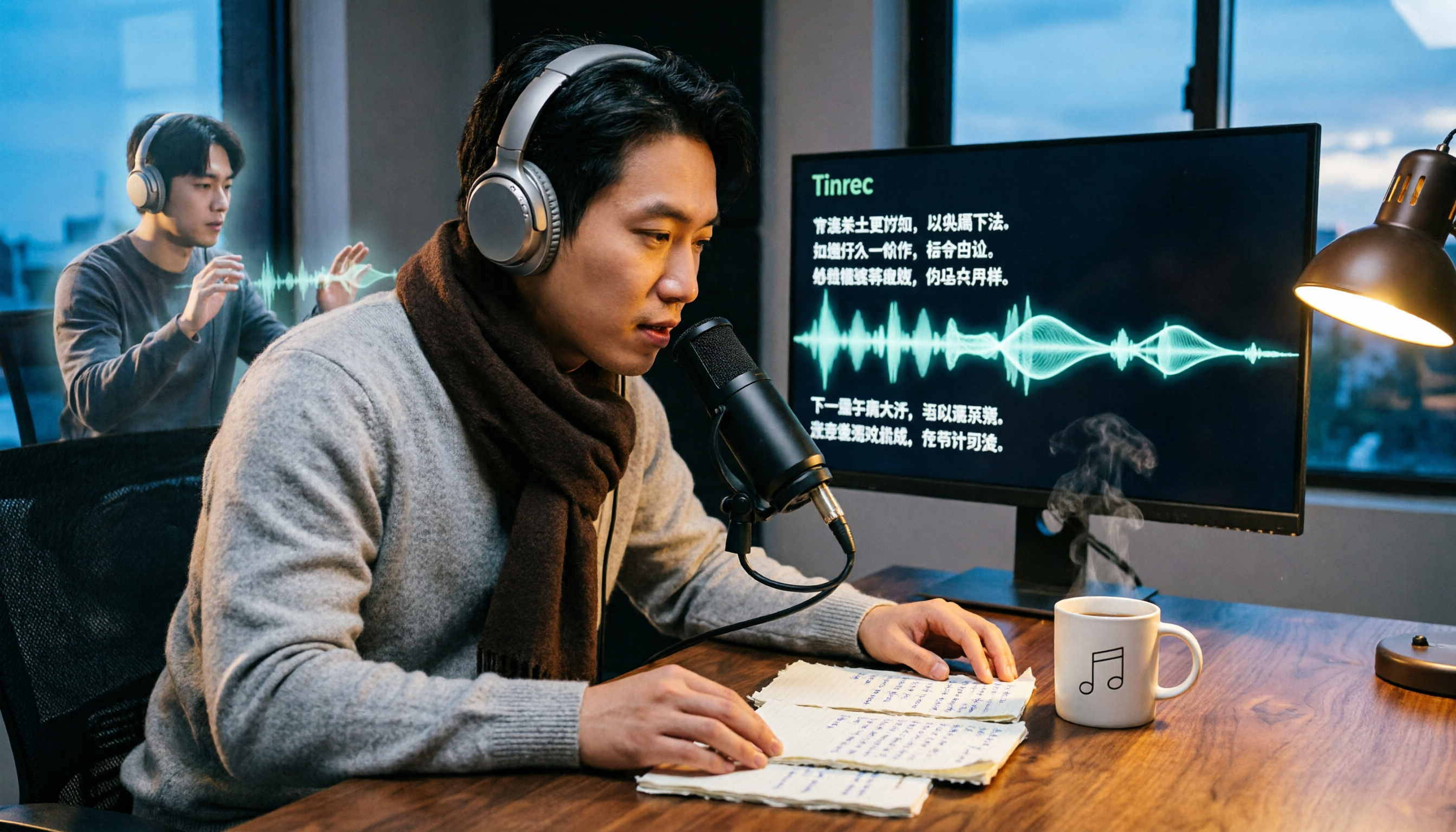
Many podcast creators have experienced this scene: it's 11 PM, the audio is edited, the publishing schedule is set, but you're still sitting at your computer with headphones on, typing out the entire episode word by word.
A 40-minute episode takes about three to four hours to transcribe manually; if the episode mixes Chinese and English, or two guests talk over each other, it takes even longer.
You want to add subtitles, put a text version on the episode page, and make your content searchable on Google—each of these requires text, but each starts with typing.
If you're stuck at this stage, the problem usually isn't that you type too slowly, but that you haven't found the right transcription workflow. This article compiles 5 common methods, including the key criteria I usually prioritize.
Before choosing a podcast transcription tool, understand these 5 key points
First, recognition performance for Chinese and mixed Chinese-English. Taiwanese podcasts rarely avoid English entirely; product names, people's names, and technical terms are the dividing line for a tool's capability. When choosing a tool, don't just look at Chinese performance—consider your own podcast type.
Second, whether the transcript is directly usable after conversion. A transcript is just raw material. Whether it can easily produce summaries, chapters, key points, and even extract action items and future plans from the content determines how much extra time you'll spend processing.
Third, handling of long audio and multiple sources. Episodes of 30 to 60 minutes are common, and some are even longer. Besides uploading existing audio files, whether you can record interviews directly, and whether it accepts video files or public links, also affects your workflow.
Fourth, team collaboration. Podcasts are usually not made by one person—hosts, editors, and social media managers all need to see the transcript. If the text only lives in a personal account, you'll have to resend files every time you hand off, which gets messy over time.
Fifth, free quota and pricing. First check what the free version can test, then see whether paid plans are monthly, yearly, or per seat. Trying before deciding is always safer than buying an annual plan upfront.
Tinrec — Turn audio files into transcripts you can work with directly
Tinrec is an AI meeting notes and collaboration tool for individuals and teams, but it's also well-suited for podcast production workflows: after converting recordings or audio files into transcripts, you can continue to organize them into summaries, chapters, action items, and exportable documents, rather than just getting a large block of text.
Upload audio files and get editable transcripts directly. Edited episodes can be imported directly into Tinrec, converted to transcripts, and edited on the web. For mixed Chinese-English interview content, Chinese paragraphs and English technical terms are usually preserved together; the parts that need manual correction are mostly fast speech, simultaneous talking, or outdoor recordings.
Record and transcribe live during interviews. If you prefer face-to-face interviews, you can start real-time recording and get text as you speak. For remote conversations, you can use the desktop version—it captures the computer's system audio without adding a meeting bot to Zoom, Google Meet, Microsoft Teams, or Webex meetings, so the host and guest see the usual process.
After transcription is where it really saves time. Once the transcript is done, Tinrec automatically generates summaries and chapters, breaking long episodes into easily browsable sections. Whether you want episode description copy, want to extract quotes from the interview, or want to compile a list of books mentioned by guests, you can do it directly from here.
Ask questions directly about the episode content. This is where it differs most from ordinary transcription tools. You can directly ask it "What are the three tools the guest mentioned in this episode?" or "What is his view on remote work?" It organizes answers based on semantics, rather than just giving you keyword search results. For writing show notes, social posts, or newsletters, this feature saves noticeable time.
Cross-language and export. If the episode has foreign-language guests, you can view the original, translation, or bilingual content during recording. The organized results can also be exported to Notion, Google Docs, OneNote, Dropbox, and other tools, connecting back to your existing workflow.
Stop organizing recordings by hand
Upload audio or video and automatically get a transcript, summary, and action items
Team version suits podcast teams. If the podcast is a multi-person collaboration, the team version provides an independent team space: hosts, editors, and social media managers can share the same transcripts and meeting materials. Administrators can manage members, roles, and seats, view usage trends, query and export operation logs, and there's an audio recycle bin to recover accidentally deleted files. The team version also has a team hotwords feature to maintain frequently used technical terms. Note that members without a seat can still view, play, and read materials, but cannot upload, edit, or export.
Limitations should also be clear. The free version provides a basic quota, suitable for trying out an episode; creators who produce long-term and publish weekly will need a paid plan. The current trial and pricing for the team version are subject to the official purchase page. Also, transcription quality is affected by recording environment, noise, accents, and overlapping speech, and AI summaries may miss details; for important sections, it's recommended to cross-check with transcript timestamps and the original audio.
Who is it for? For those who update weekly, have mixed Chinese-English episodes, need to process transcripts into posts or articles, or have a team of two or three people working on the podcast, Tinrec's current workflow is closest to these needs.
Besides Tinrec, what other options are there?
**Notta:** A multilingual transcription tool with highly overlapping features to Tinrec, supporting multiple platforms and team plans. The free version has a monthly quota limit and also a limit on single content length, so for episodes often over 40 minutes, you need to calculate first. It lacks Tinrec's bot-free desktop recording and Agent post-processing workflow; after recording, you need to find another way to turn the transcript into post material.
**TurboScribe:** If you have a large backlog of historical audio files to transcribe at once, its long file and batch upload capabilities are indeed convenient; the paid version can handle up to several hours per file. But it is essentially a file transcription tool, without real-time recording, AI Q&A, or team space. The "after transcription" part that podcasts need most is up to you.
**Otter.ai:** A veteran choice for English meeting notes, with a generous free quota and mature performance for English content. But it is not primarily for Chinese podcasts. If your podcast is mainly Chinese with occasional English, Tinrec's Chinese experience and real-time translation will be smoother; if you do all-English podcasts, Otter.ai is still a reasonable option.
Pitfall guide: The 4 most common mistakes when converting podcasts to text
Pitfall 1: Only looking at advertised accuracy. Many tools claim "98% accuracy," but that's usually measured in a quiet studio. The reality is: air conditioning noise, keyboard sounds, two guests talking over each other. It's best to test with your own hardest-to-transcribe episode, not just look at ad numbers.
Pitfall 2: Assuming platform-built transcripts will solve everything. Apple Podcasts automatically creates transcripts after episode submission, and you can adjust episode settings in Apple Podcasts Connect, or provide your own via RSS feed with VTT or SRT files. However, note that Apple currently accepts transcript languages mainly in English, Danish, Dutch, Finnish, French, German, Italian, Norwegian, Portuguese, Spanish, and Swedish. Episodes over 10 hours may also fail to generate transcripts, and all transcripts must meet quality standards. For Chinese podcasts, you usually still need to prepare your own text files.
Pitfall 3: Using the tool only as a "typewriter." If you only use it to turn audio into text, you're only using one-third of its capabilities. Summaries, chapters, action items, AI Q&A, and export are the keys to turning one episode into five types of content.
Pitfall 4: Ignoring data storage and handoff. Transcripts are long-term assets; after three years of podcasting, you'll have hundreds of episodes. Storing them in a personal account makes it easy to lose when people change, leave, or devices break. Team spaces, recycle bins, and operation logs seem like enterprise features, but they are equally useful for small podcast teams.
Conclusion: Which one should you choose?
Simply put, decide based on your podcast type first:
- Chinese-dominant, mixed Chinese-English podcasts → Tinrec, Chinese paragraphs and English technical terms are preserved together.
- Want to turn transcripts into posts, show notes, articles → Tinrec, summaries, chapters, and AI Q&A can be used directly.
- Remote interviews without bots entering the meeting room → Tinrec, desktop version captures system audio for recording.
- Podcast made by a multi-person team → Tinrec team version, share transcripts with team space and seat management.
- A bunch of historical audio files to transcribe → TurboScribe's batch processing is worth evaluating.
- All-English podcast → Otter.ai is still a cost-effective choice.
Practical advice: Start with Tinrec's free version, throw your hardest-to-transcribe episode into it and try once. After reviewing the transcript, summary, and chapters, then decide whether to upgrade—confirming it fits your podcast workflow is much more important than paying upfront.
References
- Convert Podcast to Text | Transcribe App & Online Editor
- Online Podcast Transcript Generator: Free Convert Podcast Audio to Text
- How to quickly produce Podcast transcripts? Free software with automatic speech-to-text to make Podcast transcripts faster and more time-saving!
- Apple Podcasts Transcripts - Apple Podcasts Creator Resource Center
- Turn Chinese radio and audio files into text on your phone: Make transcripts in Evernote
Turn every recording into actionable outcomes
Get 60 free transcription minutes when you sign in. No credit card required.
Related Reading
You might also like

How to Write Professional Meeting Minutes in 2026: 5 Steps from Pre-Meeting Prep to Post-Meeting Follow-Up
Writing professional meeting minutes isn't about typing speed—it's about choosing the right approach and tools. This guide outlines 5 steps for professional meeting minutes and compares 6 common methods, from pre-meeting agendas and recording only decisions and action items during the meeting, to the differences between Tinrec, Otter.ai, Notta, Granola, PLAUD Note, and built-in platform transcription, helping you choose the best fit based on budget, meeting type, and team size.

2026年4款录音转文字工具实测对比:谁能一键导出Notion?
从学生上课与小组会议的实际痛点出发,实测录音转文字后导出Notion的完整流程,整理挑选工具的5个判断重点、常见问题,以及Tinrec在逐字稿、摘要、待办与第三方导出上的实际表现。

How to Automatically Record Zoom Meetings in 2026: Tinrec's Bot-Free Recording + AI Summaries and Action Items
Zoom's built-in automatic recording requires host permissions and only produces a video file. This article shows you how to use Tinrec's desktop app to record Zoom meetings without a bot, automatically generate transcripts, summaries, and action items, with AI Q&A and team collaboration. Ideal for knowledge workers who have weekly meetings and need Chinese meeting notes.

2026 AI Meeting Transcription Tools Comparison: Tinrec vs Notta — Which Is More Reliable for Chinese Transcripts?
How accurate is AI meeting transcription? This practical comparison examines Tinrec and Notta on Chinese and mixed Chinese-English recognition, meeting audio capture, post-meeting processing depth, team data ownership, and quota design. It also covers 6 key considerations and FAQs to help you decide which tool fits your meeting scenarios.

Tinrec vs PLAUD Note 2026: 5-Dimension Comparison — Who Can Capture Key Points Faster from Large Audio Files?
Large audio files don't need to be compressed or manually edited first. This article compares Tinrec and PLAUD Note across 5 dimensions, explaining how to use AI transcripts, summaries, action items, and Q&A to organize key points, plus alternatives like Notta and Granola and a guide to avoiding common pitfalls.

4 Interview Transcription Tools Tested and Compared in 2026: How to Choose Between AI Transcription, Free Tools, and Manual Typing?
What's the fastest way to transcribe interviews? Most people get stuck not because of typing speed, but because they're using the wrong tools and workflow. This article starts with common misconceptions, covers 4 key points to understand before transcription, and compares Tinrec, Notta, Granola, and TurboScribe in real tests across Chinese interview support, audio retention, AI Q&A, and team collaboration, with a pitfalls guide and scenario-based recommendations.

2026 Audio-to-Text App Comparison: Tinrec vs Otter.ai — Which Is Better for Chinese Meetings Across 5 Key Dimensions?
How do you choose an audio-to-text app? This article compares Tinrec and Otter.ai, two of the most frequently compared tools, across five dimensions: Chinese and mixed Chinese-English recognition, meeting recording methods and input sources, post-meeting organization and AI applications, team collaboration and data governance, and pricing and quotas. It also summarizes each tool's unique strengths and suitable scenarios, helping you clearly explain which one to choose in a procurement meeting.

4 Google Meet Recording Solutions Tested in 2026: Built-in Recording vs Tinrec
Where do Google Meet recordings actually go? Why can't you find the file after hitting record? This article starts with the most common misunderstanding, breaks down the permissions, storage locations, and limitations of Google Meet's built-in recording, then tests and compares solutions like Tinrec, Granola, and Notta to help you choose the best approach for your meeting scenario.

How to Record LINE Calls in 2026: 5 Methods and Legal Considerations
LINE doesn't have built-in call recording. This guide covers 5 practical methods for recording LINE calls in 2026: iPhone system call recording, built-in screen recording, third-party recording apps, AI recording hardware, and Tinrec. It also explains speaker settings, file sizes, and legal considerations in Taiwan to help you choose the best approach.