
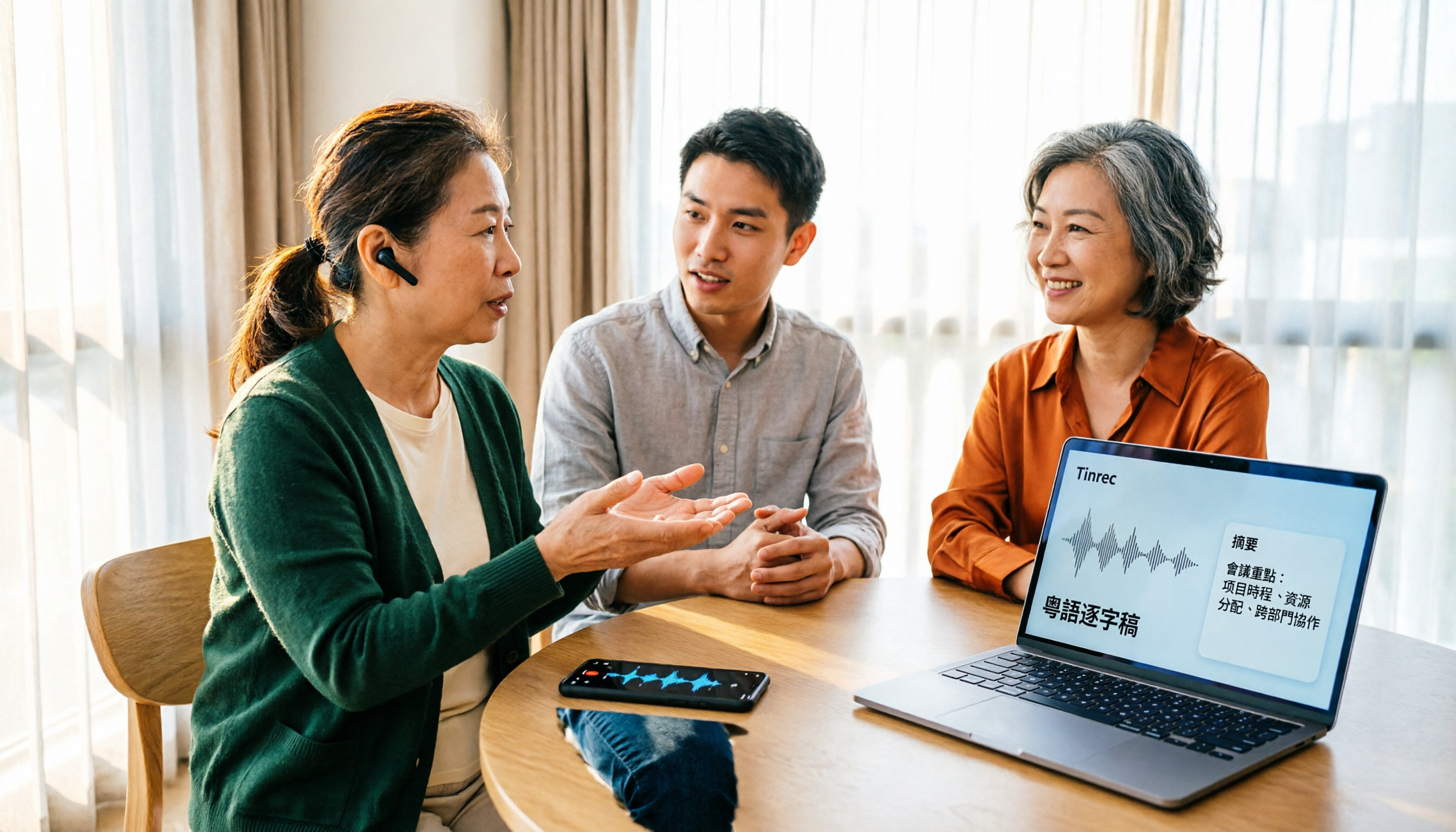
Turn recordings into transcripts and summaries in minutes
Upload audio or video for multilingual transcription, AI notes, and action items
3 Cantonese Audio-to-Text Tools Tested for 2026: How to Use Them and Which Free Version Is Enough
A 40-minute Cantonese client interview just ended. The recording is safely on your phone, but you don't really want to open it—because you know turning it into text might take another hour or more.
Cantonese audio-to-text tools have multiplied in recent years, but behind the question "how do you use them" are three very real issues: Where do you put the recording? Is the free version enough to finish organizing a meeting? Can the transcribed text directly become minutes and to-dos?
Currently, there are roughly three common approaches. The first is Chinese-oriented AI meeting note tools, such as Tinrec. The second is international meeting assistants that focus on English business meetings, such as Otter.ai. The third is using general AI tools like Google AI Studio to upload an audio file and ask it to transcribe. The third wins on being free and requiring few steps, but the downside is you have to do it manually each time, and there's no meeting management or team workspace.
This article focuses on Tinrec and Otter.ai, walking you through the differences across six dimensions and laying out the actual workflow clearly.
Tinrec vs Otter.ai | Quick Overview
Simply put, Tinrec is an AI meeting notes and collaboration tool for individuals and teams; Otter.ai is an early AI meeting assistant with a strong mindshare in English business meetings.
| Item | Tinrec | Otter.ai |
|---|---|---|
| Positioning | AI meeting notes and team collaboration | AI meeting assistant and meeting automation |
| Meeting capture | Desktop app captures system audio; no meeting bot needed | Offers meeting bot, desktop app, and other methods |
| Language focus | Focus on Chinese and multilingual meetings; supports mixed Chinese-English and real-time translation | Product design and market positioning centered on English business meetings |
| Pricing | Free version, weekly pass, Pro monthly/annual; Team version USD 29.80 per paid seat per month (annual USD 199) | Basic free 300 minutes per month; Pro annual equivalent USD 8.49 per user per month; Business has separate plans |
Prices and benefits are subject to change; refer to the official purchase pages of each provider.
Next, I'll compare six dimensions in order: Cantonese and Chinese recognition, meeting recording methods, post-meeting organization and AI Q&A, export and reuse, free quotas and pricing, and team collaboration and data retention.
Dimension 1 | Cantonese and Mixed Chinese-English Recognition
Otter.ai's feature design and market positioning have long centered on English business meetings, and it handles pure English meetings quite maturely; if your meetings are entirely in English, it's a smooth choice.
Tinrec, on the other hand, focuses on Chinese and multilingual meetings. It can also handle mixed Chinese-English conversations, and during recording you can view the original text, translation, or bilingual content in real time. For company-specific terminology, team hotwords can help maintain recognition quality.
Note that Cantonese recognition is affected by recording quality, accent, background noise, multiple people talking over each other, and technical terms. No tool can guarantee 100% accuracy. It's best to test with your own recording first before deciding on long-term use.
→ This dimension: If your meetings are mainly in Cantonese, Chinese, or mixed Chinese-English, Tinrec is a better fit.
Dimension 2 | Meeting Recording Methods: An Extra Bot or Do It Yourself?
Otter.ai supports different methods such as meeting bots and desktop apps, offering high flexibility, but the bot mode means an extra participant in the meeting.
Tinrec's desktop app directly captures the computer's system audio. When handling online meetings on Zoom, Google Meet, Microsoft Teams, Webex, etc., it doesn't require inviting an extra bot. In practice: before the meeting starts, open the Tinrec desktop app and select real-time recording; content is transcribed as it's spoken.
Note that this is "user-initiated recording," not automatically joining every meeting on your calendar, and Tinrec has no official partnership with these platforms. Also, before recording, be mindful of local laws and obtain consent from participants when necessary.
→ This dimension: If you don't want an extra bot in the meeting, Tinrec's approach is more convenient.
Dimension 3 | Post-Meeting Organization: Summaries, Chapters, To-Dos, and AI Q&A
Otter.ai offers summaries, action items, AI Chat, and team analytics, covering basic post-meeting organization.
Tinrec clearly focuses on "after transcription." Besides the transcript, it generates AI summaries, chapters, key points, and to-dos. Long meetings can be broken into readable sections. If you need to find a specific number or conclusion, you can ask AI directly about the meeting content, and use Agent post-processing to turn content into reports, tables, or documents.
Both have AI Q&A, but Tinrec offers more output types, which is more convenient for those who need to "deliver right after transcription."
→ This dimension: Tinrec has a slight edge in the variety of post-meeting outputs.
Stop organizing recordings by hand
Upload audio or video and automatically get a transcript, summary, and action items
Dimension 4 | Export Formats and Workflow Reuse
Otter.ai's integration and workflow capabilities are equally mature, especially suitable for teams already using English collaboration tools.
Tinrec supports multiple export formats, allowing transcripts and post-meeting documents to be brought into Notion, Google Docs, OneNote, Dropbox, and other common tools for further processing, so data isn't stuck in a single platform.
→ This dimension: Both can bring results into existing workflows, so it's a tie.
Dimension 5 | Free Quotas and Pricing
Otter.ai's Basic plan is free with 300 minutes per month; Pro annual equivalent is USD 8.49 per user per month, including 1,200 minutes of in-app recording per month and 10 file imports; Business offers unlimited meetings and in-app recording. Refer to Otter's official pricing page for actual plans.
Tinrec's free version provides a basic quota to experience recording, import, summaries, and transcription; a weekly pass is available for short-term intensive use; for steady weekly needs, the Pro monthly plan is suitable; for long-term data retention, the annual plan has a lower monthly equivalent. The team version is currently USD 29.80 per paid seat per month, or USD 199 per paid seat per year (about USD 16.58 per month). Each paid seat includes 2,000 minutes of team shared import quota per month; under an active team plan and seat, real-time recording is currently not deducted by minutes.
I won't say which is definitely cheaper, because usage varies greatly. Honestly, the selection logic should be: first figure out whether you "occasionally transcribe a recording" or "have regular weekly meetings," then compare plans.
→ This dimension: For short-term intensive use, Tinrec's weekly pass is more flexible; for long-term team use, look at seats and shared quotas.
Dimension 6 | Team Collaboration and Data Retention
Otter.ai's Business and enterprise plans are well-developed for team management, suitable for organizations primarily using English meetings.
Tinrec's team version is a separate team space, not multiple people sharing a personal account. Meeting data belongs to the team, and new members can see historical data after joining. Administrators can set owners, admins, and regular members, assign or revoke seats, view usage trends, member rankings, and details, and query and export audit logs. Deleted audio can be restored from the recycle bin (currently retained for 30 days; to-dos are not covered by the recycle bin).
Here, distinguish between "roles" and "seats": roles determine who can manage the team, seats determine who can record, upload, edit, and export. Members without seats can still view, play, and read team data. Also, when a member leaves or loses a seat, their team resources must be handed over to other active members; data doesn't leave with the individual.
→ This dimension: Both have team capabilities; if meetings are mainly in Chinese and you care about data handover after member changes and seat costs, Tinrec's team version is closer to your needs.
What Are the Unique Advantages of Each?
Tinrec's unique advantages
- Bot-free recording: Desktop app directly captures system audio, no extra participant in online meetings.
- Chinese and multilingual experience: Mixed Chinese-English, real-time translation, bilingual viewing, and team hotwords are designed for Chinese teams.
- Complete post-meeting workflow: Summaries, chapters, to-dos, mind maps, AI Q&A, all the way to Agent-generated reports and tables.
- Team governance: Team space, roles and seats, usage analytics, audit logs, audio recycle bin; data belongs to the team, not individuals.
Otter.ai's unique advantages
- High maturity for English business meetings, with features and integrations refined over time.
- Relatively rich ecosystem and workflow integrations for English teams.
Conclusion: Which Should You Choose?
- If your meetings are mainly in Cantonese, Chinese, or mixed Chinese-English → Tinrec
- If you don't want a meeting bot joining every online meeting → Tinrec (desktop app captures system audio)
- If you want summaries, to-dos, or even generated reports right after transcription → Tinrec
- If you need team space, seat management, and data handover after members leave → Tinrec team version
- If your meetings are almost all in English and your team uses English collaboration tools → Otter.ai is already sufficient
In one sentence: For most teams with mainly Chinese or Cantonese meetings, Tinrec is a more complete choice. It's recommended to start with the free version or a trial plan, test with your own recording, and see if the transcript quality and organization workflow suit you.
FAQ
Q1: What are the actual steps for Cantonese audio-to-text?
Using Tinrec as an example, open the web, desktop, or mobile app, then choose real-time recording (for offline meetings, interviews) or upload an audio/video file (existing recording); after transcription, you get a punctuated, searchable transcript, then generate summaries, chapters, to-dos as needed, or ask AI directly, and finally export in your desired format.
Q2: Is the free version enough?
Depends on usage. Otter.ai's Basic gives 300 minutes per month; Tinrec's free version provides a basic quota to experience recording, import, summaries, and transcription. If you only occasionally organize a recording, the free version is usually enough; if you have weekly meetings to handle, consider a paid plan.
Q3: Will mixed Chinese-English Cantonese turn into strange Chinese?
Tinrec is designed to handle mixed Chinese-English conversations together, keeping English words in the sentence as original. Actual results still depend on recording quality and accent.
Q4: What's the difference between the team version and the personal version?
Personal version data belongs to the individual account; the team version is a separate team space where meeting data belongs to the team, with additional capabilities like members, roles, seats, shared benefits, usage analytics, audit logs, and audio recycle bin.
Q5: What should I pay attention to before recording?
First confirm local laws on recording and obtain participant consent when necessary. Also, noisy environments and multiple people speaking at once reduce recognition accuracy; for important content, cross-check with transcript timestamps and audio playback.
References
- Free Cantonese Speech-to-Text App 2026 | Subanana
- Free + Cantonese OK: How to use Google AI Studio to turn your recording into...
- AI Cantonese Speech-to-Text Professional Cantonese Recognition
- Speech to Text - Google Play App
- [Free Tool] Cantonese Speech to Text! Just upload a file or YouTuber link. Up to 96% accuracy - YouTuber AI | Spend time on creativity, leave the AI to do the hustle work.
Turn every recording into actionable outcomes
Get 60 free transcription minutes when you sign in. No credit card required.
Related Reading
You might also like

4 Cantonese Speech-to-Text Tools Compared in 2026: Free vs Paid Options Explained
Questions about Cantonese audio transcription keep popping up on PTT, but the real problem isn't finding a tool—it's that most tools only support Mandarin. This article breaks down 4 key factors for choosing a tool, compares Tinrec, Otter.ai, Notta, and cSubtitle on Cantonese support, post-meeting organization, cross-platform availability, and pricing structure, and highlights 3 common pitfalls to help you pick the right tool within your budget.

How to Download Cantonese Speech-to-Text in 2026: A Complete 5-Step Guide
How do you download and choose a Cantonese speech-to-text tool? This article starts with the need to recognize Cantonese mixed with English, then walks through 5 steps from picking a platform and creating an account to exporting a transcript. It uses Tinrec to demonstrate desktop bot-free meeting recording, AI summaries, action items, and team collaboration in real use.

4 Cantonese Audio-to-Text Tools Tested for 2026: Which Handles Mixed Chinese-English Best and Who Organizes Your Meeting After?
A one-hour Cantonese meeting can take three hours to transcribe manually. This hands-on comparison of 4 Cantonese audio-to-text tools breaks down Cantonese models, mixed Chinese-English handling, post-meeting organization, and free tiers. It also covers Tinrec's real-world performance in post-meeting AI Q&A, action item extraction, and team knowledge retention, helping you choose the right tool and save hours of busywork.

Tinrec vs Plaud Note 2026: 5-Dimension Comparison for Cantonese Audio Transcription
Compare Tinrec and Plaud Note across 5 dimensions for Cantonese audio transcription: Cantonese and mixed Chinese-English recognition, input sources, post-meeting organization, team collaboration, and pricing. This article addresses common misconceptions to help you decide between software and hardware.

2026 Comparison of 4 Cantonese Speech-to-Text Tools: Which One Actually Saves Time on Post-Meeting Cleanup?
A hands-on 2026 comparison of the latest Cantonese speech-to-text tools. From converting spoken Cantonese to written Chinese, handling mixed Chinese-English recognition, to post-meeting organization workflows, we compare the real differences between Tinrec, Subanana, cSubtitle, and Granola, and highlight the 3 most common pitfalls when choosing a tool—so you can find a solution that truly saves you cleanup time.

4 Best Cantonese Speech-to-Text Tools in 2026: Which Handles Mixed Chinese-English Best?
We tested and compared the latest Cantonese speech-to-text tools in 2026, covering mixed Chinese-English recognition, spoken to written language conversion, and post-meeting AI summaries and action items. We compare Tinrec, Notta, Otter.ai, and PLAUD to help you find the best transcription solution for Cantonese meetings.

4 Best Cantonese Speech-to-Text Tools in 2026: How to Use Them and Which Saves the Most Time
The hardest part of a Cantonese meeting isn't recording—it's the cleanup afterward. This article breaks down 4 key factors for choosing a Cantonese transcription tool, compares Tinrec, Otter.ai, Notta, and Subanana in real-world use, and highlights 4 common pitfalls to help you pick the one that truly saves time.
Tinrec vs Notta 2026: Cantonese Speech-to-Text Comparison for Meetings
A mid-level manager's hands-on comparison of Tinrec and Notta for Cantonese speech-to-text across 5 key dimensions, plus alternatives like Otter.ai and Subanana. Includes buying criteria and pitfalls to help professionals who frequently run Cantonese meetings choose an AI tool that truly saves post-meeting cleanup time.

Tinrec vs Otter.ai 2026: 5-Dimension Comparison for Cantonese Speech-to-Text
The biggest pitfall in Cantonese speech-to-text isn't a lack of tools—it's choosing the wrong approach from the start. This article breaks down how to create Cantonese transcripts using 5 key dimensions, with hands-on comparison of Tinrec and Otter.ai across meeting recording, audio import, post-meeting organization, export, and team governance, plus a guide to avoiding pitfalls and scenario-based recommendations.