

Turn recordings into transcripts and summaries in minutes
Upload audio or video for multilingual transcription, AI notes, and action items
4 Best Meeting Productivity Tools of 2026: Which One Actually Saves You Post-Meeting Time?
Most People Take the Wrong First Step to Improve Meeting Efficiency
The two most common approaches are: frantically taking notes during the meeting, then spending an hour or two afterward replaying the recording and piecing together key points; or adding a meeting bot to every meeting to record on your behalf.
Both approaches have costs. Handwritten notes keep you looking down the entire meeting, unable to fully participate in discussions; meeting bots appear on the attendee list, and for client meetings or external interviews, you often have to explain them first—or they're simply not convenient to add.
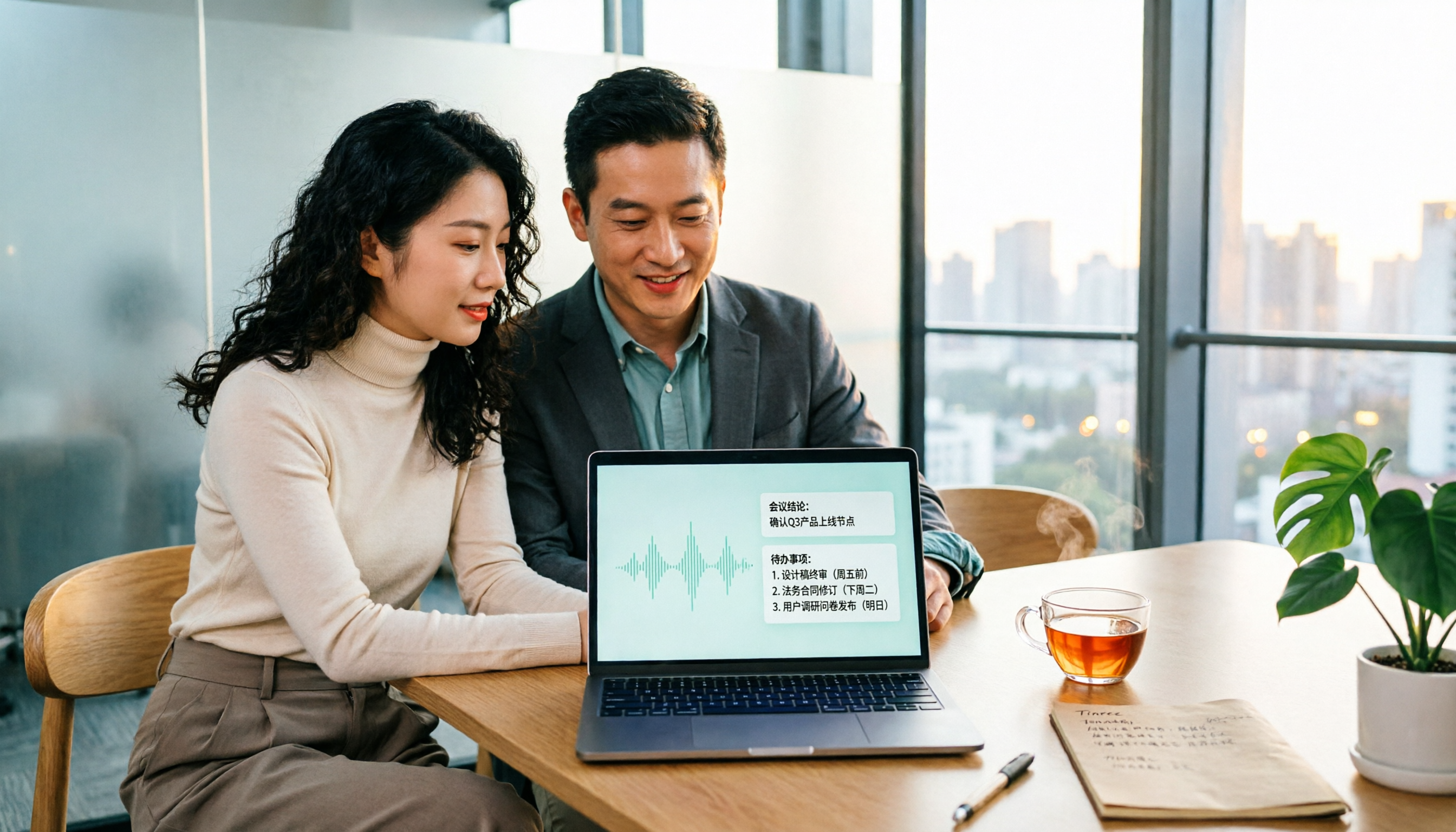
A more sensible approach is to let tools handle "recording" and "organizing" in the background while you focus on the discussion—transcripts, summaries, and action items are ready automatically after the meeting.
I tested 4 meeting productivity tools that are generating buzz in 2026, covering AI meeting assistants, bot-free note-taking tools, and AI recording hardware. Here's my usage order and reasoning.
Before Choosing a Meeting Productivity Tool, Understand These 4 Key Points
1. How is the meeting recorded?
Currently, there are three main methods: meeting bots joining as attendees, desktop software directly capturing computer system audio, and physical recording hardware. Bots are the most convenient but add an extra member to the list; system audio capture doesn't disturb anyone but requires you to actively press start recording. This difference is especially noticeable in client meeting scenarios.
2. What can you do after transcription?
A tool that only gives you a transcript is essentially handing the organizing work right back to you. What truly saves time is post-processing: automatic summaries, chapter segmentation, action item extraction, the ability to ask questions directly about meeting content, and exporting to Notion or Google Docs for further use. This is where the battle is won in 2026.
3. Experience with Chinese and multilingual meetings
Many tools perform well in English meetings but struggle noticeably with mixed Chinese-English, Taiwanese terminology, or multiple people talking over each other. If your meetings are primarily in Chinese, I recommend actually testing with a segment of your own recording rather than just relying on official page descriptions.
4. How are free quotas and team licensing calculated?
For individuals, it's about whether the free quota is sufficient and if there's a limit on single-session length; for teams, it's about whether there's an independent space, how members and seats are allocated, and whether usage and records can be checked. Many teams' pain point isn't the lack of tools, but that after purchasing, no one can clearly say who can use what and who can only view.
Tinrec – My Top Recommendation After Testing
Tinrec is an AI meeting recording and collaboration tool for individuals and teams, supporting web, desktop, and mobile. Its biggest difference from a simple recording app is that it handles the entire "after recording" workflow.
No extra bot needed for meetings. The desktop version directly captures computer system audio, handling meeting content played on Zoom, Google Meet, Microsoft Teams, Webex, and other platforms. In practice, no unfamiliar account appears on the attendee list—crucial for external client meetings. Note that it's "open Tinrec and start recording," not automatically joining every meeting on your calendar.
Organizing happens while recording. For offline meetings and interviews, you can start real-time recording and get a transcript as you go; for cross-language meetings, you can enable real-time translation and view in original, translated, or bilingual mode. After the meeting, AI generates summaries, chapters, and key points, extracts action items from discussions, and for long meetings, organizes them into mind maps for quick review of the topic structure.
Transcript is just the starting point, not the end. My most-used feature is AI Q&A—after the meeting, I directly ask it "What was the conclusion of this meeting?" or "What was the budget cap the client mentioned?" without searching through a 30-minute transcript myself. When deliverables are needed, I can use Agent post-processing to generate reports, tables, and documents, then export to Notion, Google Docs, OneNote, Dropbox, and other tools for further refinement.
From personal to team use, it's the same system. The team version provides an independent team space where meeting data belongs to the team, and you can manage members, roles, and seats, view usage trends and member details, query and export operation logs, and there's an audio recycle bin to recover accidentally deleted recordings. When a member leaves or loses their seat, their team resources can be transferred to others and won't disappear with their personal account.
Stop organizing recordings by hand
Upload audio or video and automatically get a transcript, summary, and action items
Testing insights and limitations. I tested with a mixed Chinese-English internal meeting recording. In segments where multiple people talked over each other, the transcript still needed cross-checking with the original—this is the same for all tools; but the usability of summaries and action items did save considerable manual organizing time. An honest reminder: transcription quality is affected by recording quality, ambient noise, accents, and overlapping speech. For important content, it's still advisable to verify against the transcript and recording. Also, the free version provides a basic quota; heavy users will need to pay. Individuals can choose weekly, Pro monthly, or Pro annual plans based on their needs.
Team pricing. Eligible teams can try 7 days free with 1 free seat and 300 minutes of shared team import quota. Team monthly is USD 29.80 per paid seat per month, annual is USD 199 per paid seat per year (about USD 16.58 per month), with each paid seat providing 2,000 minutes of shared team import quota per month; under an active team plan and active seats, real-time recording currently does not deduct minutes, while file and web imports use the shared team quota. Actual prices and promotions are subject to the official purchase page.
Who it's for. If you frequently hold Chinese meetings, don't want an extra bot on the attendee list, want to use AI to find key points directly after meetings, or need to turn meeting data into team assets, Tinrec is currently the closest fit for these needs.
Besides Tinrec, What Other Options Are There?
Otter.ai
A veteran AI meeting assistant for English business meetings, supporting Zoom, Teams, Meet. Free version offers 300 minutes per month; Pro annual is about USD 8.49 per user per month, including 1,200 minutes per month and 10 file imports. If 90% of your meetings are in English, it's a cost-effective choice. But note that its Chinese meeting experience is not a focus, and it lacks Tinrec's complete post-processing workflow of bot-free desktop capture plus real-time translation and exporting results to multiple tools.
Granola
Also a bot-free AI meeting note-taking tool, it transcribes in real-time via desktop system audio and microphone, and combines with your own notes to generate content. Business is USD 14 per user per month. It supports viewing, copying, and searching real-time transcripts, but does not support uploading pre-recorded audio files and does not save meeting audio. If you only do live meetings and don't need to retain recordings, consider it; but if you need to organize existing recordings or want a team database, Tinrec's recording retention, file import, and team space are more suitable.
PLAUD Note / NotePin
A representative of AI recording hardware, the device itself starts at about USD 159, with memberships like Starter (300 minutes per month), Pro (USD 99.99 per year, 1,200 minutes per month), etc. The advantage is portability and intuitive physical buttons; but it's a device you need to purchase separately, charge, and carry around. If you mainly handle online meetings and want to use it on both phone and computer, Tinrec's approach of no additional hardware and cross-device use is much simpler.
Pitfall Guide: The 4 Most Common Mistakes When Choosing Meeting Productivity Tools
Pitfall 1: Thinking you must have a meeting bot to record.
Bots are indeed convenient, but they appear on the attendee list, and for client or external interviews, you have to explain them first. Desktop system audio capture is another path—the meeting list stays clean, and you still get a transcript. First think about whether your meetings have outsiders, then decide which method to use.
Pitfall 2: Only looking at transcripts, not post-processing capabilities.
If your workflow only goes as far as "getting text," the time saved is actually limited—you still have to read it yourself and extract key points. When choosing a tool, look at summaries, chapters, action item extraction, and whether you can ask questions about the meeting.
Pitfall 3: Only looking at free minutes, ignoring single-session length and import limits.
Some tools seem generous with free quotas, but have separate limits on single file length or number of importable files; some tools don't support uploading existing recordings. Rather than comparing total minutes, first confirm whether your most common actions (live recording? uploading old files?) can run on the free version.
Pitfall 4: Team sharing a single personal account.
This is the most common and troublesome practice. Meeting data gets tied to an individual, and when that person leaves, the data is hard to find. A team version should have an independent space and clearly distinguish "roles" and "seats"—roles determine who can manage the team, seats determine who can record, upload, and edit; members without seats can still view and play data but cannot upload or edit. Also note that in most regions, recording involves personal data and consent rights; inform attendees and obtain consent before recording.
Conclusion: Which One Should You Choose?
In one sentence: In 2026, the key to choosing a meeting productivity tool is no longer "can it transcribe" but "can it help you do less work after transcription."
- Primarily Chinese meetings, don't want an extra meeting bot → Tinrec (desktop captures system audio, plus summaries, action items, and AI Q&A after the meeting)
- Want to ask questions directly about meeting content after the meeting, don't want to manually search transcripts → Tinrec (AI Q&A and Agent post-processing are its core differentiators)
- Need to use on phone, computer, and web → Tinrec (multi-platform, no additional hardware)
- Want to leave meeting data for the whole team → Tinrec team version (team space, members and seats, usage and logs, audio recycle bin)
- Almost only English meetings, budget priority → Otter.ai (free 300 minutes per month, a reasonable choice for English scenarios)
I suggest starting with Tinrec's free version. Run it with your own meeting recording to see how accurately summaries and action items are captured, and whether AI Q&A can answer the questions you really want to know. If it works for you, consider upgrading or introducing the team version—no need to pay from the start.
References
- 13 Best Meeting Scheduling Apps of 2026: My In-Depth Comparison
- 8 Best Video Conferencing Software of 2026 | Lark
- 20 Best Online Meeting Software of 2026: Complete Comparison
- 10 Best AI Meeting Summarizer Tools of 2026 (Tested Comparison) | HiNoter Blog
- Best Web Meeting Tools for Modern Teams in 2026
Turn every recording into actionable outcomes
Get 60 free transcription minutes when you sign in. No credit card required.
Related Reading
You might also like

5 Best Meeting Notes Software in 2026: Download Options, Free Tiers, and What to Look For
Stuck on how to download meeting notes software? This guide cuts through the common pitfalls, covering download methods, free tiers, and the differences between personal and team plans. Using Tinrec as an example, it shows a complete workflow from live transcription and AI summaries to action item extraction and team spaces, helping you decide which tool truly fits before you download.

2026 Meeting Efficiency Tools: Tinrec's Bot-Free Recording + AI Summaries and Action Items
With so many meeting efficiency tools available, how do you choose? This article examines four key criteria: how meetings are recorded, what you get after recording, Chinese language recognition experience, and who ultimately holds your data. We tested and compared Tinrec, Otter.ai, Granola, and PLAUD Note, compiling selection standards, pitfalls to avoid, and scenario-based recommendations to help you decide which tool to use.

2026 Meeting Efficiency Tools Comparison: Tinrec vs Otter.ai - Which Saves More Time for Chinese Teams?
How to choose meeting efficiency tools in 2026? This article compares Tinrec and Otter.ai across 5 dimensions: online meeting recording, Chinese language experience, post-meeting organization, team collaboration, and file import. Find out which is better for Chinese teams and budget-conscious professionals.

5 Best Meeting Notes Software in 2026: Hands-On Comparison & How Tinrec Turns Recordings into Actionable Minutes
How do you choose meeting notes software, and how do you actually take effective meeting minutes? This article starts from real-world use cases, compares Tinrec with common options like Plaud Note, and lays out a 6-step process for creating meeting minutes. It also covers free tiers, team roles and seats, pricing, and what to look out for when buying.

Tinrec vs Notta 2026: 5-Dimension Comparison for Chinese Meeting Notes
Tinrec or Notta? This article compares them across 5 dimensions: meeting capture method, post-meeting output, Chinese scenarios, team data governance, and flexibility. It also covers Tinrec's real-time transcription, AI summary, conversational query, and team space features to help you decide which is better for teaching, meetings, and team collaboration.

6 Meeting Productivity Tools Tested for 2026: Which AI Meeting Notetaker Saves the Most Time?
A mid-level manager leading a 10-person team and attending 15 meetings a week tested 6 meeting productivity tools: Tinrec, Otter.ai, Fireflies.ai, Notta, Granola, and TurboScribe. The comparison covers online meeting recording methods, Chinese transcription, post-meeting summaries and action items, team collaboration, free tiers, and pricing, with a quick reference table and scenario-based buying advice.

2026's Top 6 Meeting Productivity Tools Compared: Don't Just Count Transcription Minutes—Post-Meeting Organization Is Key
Meeting efficiency isn't just about the 60 minutes during the call. This comparison of 6 meeting productivity tools in 2026—including Tinrec, Otter.ai, Notta, Fireflies.ai, Granola, and TurboScribe—covers recording methods, post-meeting organization, team collaboration, and free vs. paid pricing to help you find the one that truly saves time.
2026 Top 5 Meeting Notes Software Comparison: Which Saves More Time with Bot-Free Recording and Chinese Transcription?
How to choose meeting notes software? This article starts from procurement decision factors, breaking down four key criteria: recording method, Chinese recognition, post-meeting organization, and team governance. It demonstrates Tinrec's actual workflow for bot-free online meeting recording, AI summaries, action item extraction, and team knowledge retention, with a version selection table and FAQs.

Tinrec vs Notta 2026: 5-Dimension Comparison for Chinese Meeting Notes
How to choose a meeting efficiency tool in 2026? This article compares Tinrec and Notta across 5 dimensions, from bot-free online meeting recording, Chinese recognition, post-meeting summaries and AI Q&A, team data retention, to quota pricing, and includes alternatives like Otter.ai and Granola plus 4 common pitfalls to avoid.