

Turn recordings into transcripts and summaries in minutes
Upload audio or video for multilingual transcription, AI notes, and action items
Tinrec vs Notta 2026: 5-Dimension Comparison for Chinese Meeting Notes
Two-hour meeting, two-hour cleanup—you don't need to work harder, you need the right tool
"At the 2 PM client meeting, you're listening and jotting down key points, but before you can read back the action items for confirmation, everyone has already logged off one by one."
Back at your desk, you realize your notes only have a few keywords. Who promised what and when it's due relies entirely on memory. So you spend another forty minutes recalling, scrolling through chat logs, and writing a follow-up email.
This isn't because you're not diligent enough; it's because the process isn't efficient.
Source material cites Microsoft Work Trend Index (2025) statistics: knowledge workers spend an average of 7.8 hours per week on post-meeting cleanup—writing notes, sending follow-ups, manually creating to-dos, and tracking down who promised what.
The same source also mentions that by 2026, AI meeting tools have evolved from "audio-to-text" to understanding discussion context and identifying decisions. This article uses 5 dimensions to compare Tinrec and Notta side by side, and includes other options worth considering.
Before choosing a meeting efficiency tool, understand these 5 key points
1. How does it "enter" the meeting? A meeting bot joins online meetings as a participant, taking up a slot, and for client meetings, you have to explain what it is. Another approach is to have desktop software directly capture the computer's system audio, without taking up a slot or causing disruption. Tinrec takes the latter approach, but note—it requires you to actively start recording, not automatically join every meeting on your calendar.
2. Is Chinese and mixed Chinese-English recognition stable enough? Meetings in Taiwan are rarely pure Chinese; they often include phrases like "let's align on this timeline." If the tool doesn't handle mixed Chinese-English well, the transcript will be full of breaks. Additionally, technical terms are key—whether you can maintain your own custom vocabulary makes a big difference.
3. Does it only give you a transcript, or "data you can work with"? Getting a transcript is just the first step. What most people really need is a summary, chapters, action items, and the ability to ask questions directly about the meeting content. If after every meeting you still have to manually Ctrl+F to find keywords, the time saved is actually limited.
4. Who ultimately holds the meeting data? If data only exists in personal accounts, when the person in charge leaves, the entire history disappears with them. The value of a team space is here—data belongs to the team, and new members can directly look up past discussions.
5. How are quotas calculated, and where are overages deducted from? Some tools give each member their own quota, while others share a pool across the team. If file imports consume personal quotas, it's easy for multiple users to compete. This point is especially overlooked when choosing a team plan.
Tinrec—Our top pick after hands-on testing
Tinrec is an AI meeting notes and collaboration tool for individuals and teams, supporting web, desktop, and mobile. It doesn't just convert audio to text; it turns meetings into searchable, summarizable, queryable, and exportable data.
During the meeting: No need to invite a bot The desktop version directly captures the computer's system audio, handling Zoom, Google Meet, Microsoft Teams, and Webex meetings played on the computer. Press record before the meeting, and the transcript grows as people speak. For cross-language meetings, you can view the original text, translation, or bilingual side-by-side in real time, without waiting until after the meeting to understand what the other party is saying.
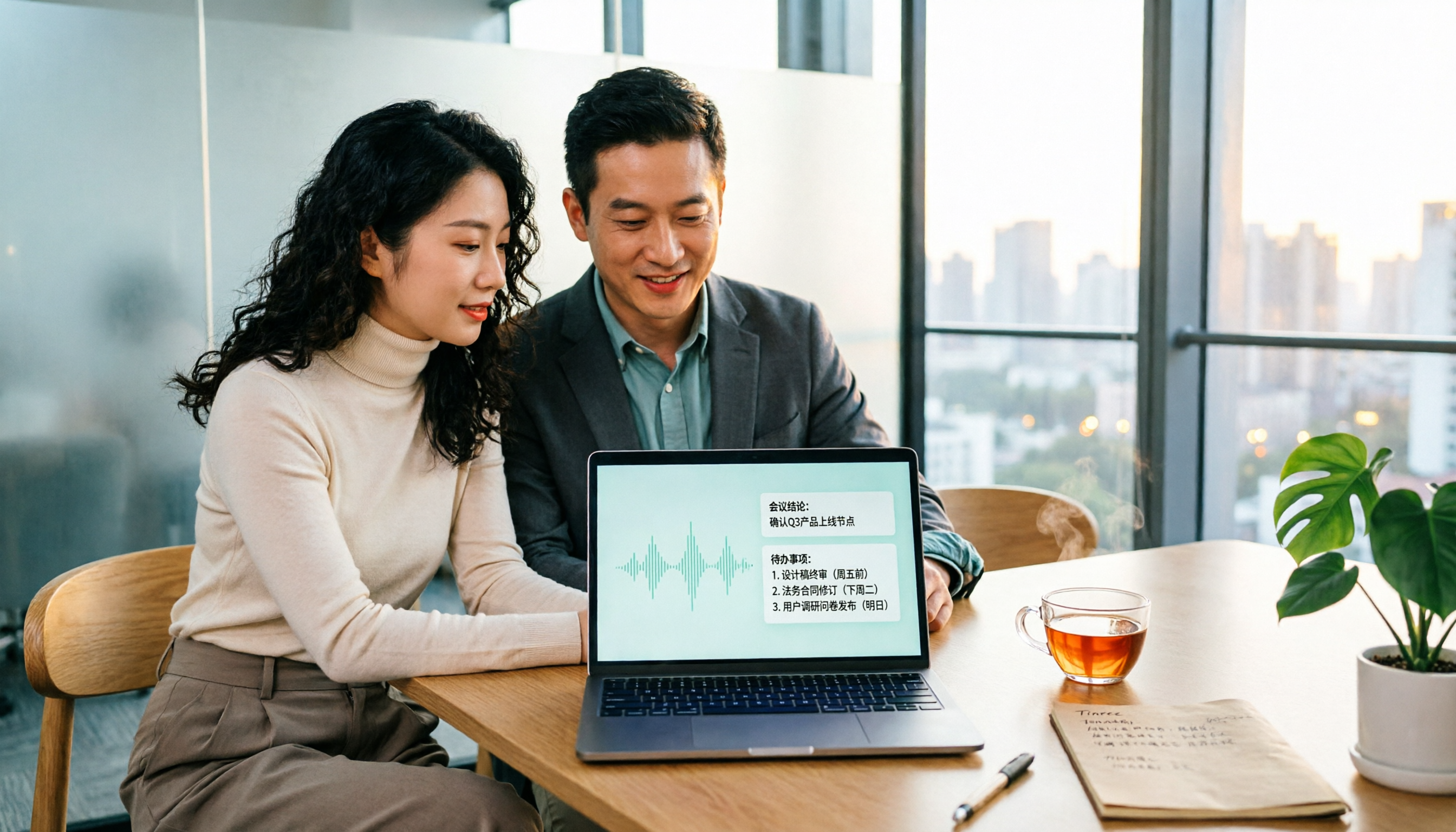
After the meeting: It gives you results, not just files As soon as the meeting ends, AI has already organized the summary, chapters, and action items—who is responsible for what and when it's due, clearly listed. There's also a mind map to help quickly understand the topic structure of the entire meeting.
Post-meeting queries: This is where it differs most from other tools After recording, you can directly ask it "Who mentioned the budget in the last meeting?" It will answer based on semantic understanding, rather than throwing a list of keyword search results. Furthermore, it can use Agent post-processing to generate reports, tables, and documents from meeting content, and export to Notion, Google Docs, OneNote, Dropbox, etc. for further processing.
Team use: Meetings become inheritable assets The team version provides an independent team space, and meeting data belongs to the team. Admins can manage member roles and seats, view usage trends and member rankings, query and export audit logs, and there's an audio recycle bin to recover accidentally deleted recordings. Team hotwords improve recognition of internal product names and project codes.
Stop organizing recordings by hand
Upload audio or video and automatically get a transcript, summary, and action items
Hands-on impressions I tested with a real mixed Chinese-English meeting recording (indoor environment, single microphone, occasional keyboard sounds). In segments where speakers took turns, the transcript was almost ready to use as notes; but when multiple people spoke at once, paragraphs still got mixed together. This is the same for all tools; the key is that it supports timestamp playback, so important content can be verified with the original audio.
Plans and pricing The personal version is divided into Free, Weekly Pass, Pro Monthly, and Pro Annual. For occasional recording organization, the free quota is sufficient; consider Pro if you have steady weekly needs. The team version's first eligible trial is 7 days, 1 free seat, and 300 minutes of team shared import quota; team monthly is USD 29.80 per paid seat per month, annual is USD 199 per paid seat per year, equivalent to about USD 16.58 per month, with each paid seat providing 2,000 minutes of team shared import quota per month. Under an active team plan and seat, real-time recording currently does not deduct minutes; file and web link imports use team shared minutes and do not consume members' personal quotas. Prices and benefits are subject to the official purchase page.
Limitations to note The free version has limited quota, and long-term high-frequency use requires payment. Also, the team version is currently team-level sharing; members can view team data, but need a seat to record, upload, edit, and export. There are no per-file permission settings. If your company requires file-level permission control, check compliance first.
Who it's for If you mainly hold Chinese or mixed Chinese-English meetings, don't want a bot joining, want to directly ask AI for conclusions after the meeting, and need data retained in a team space, Tinrec is currently the closest choice to these needs.
Besides Tinrec, what other options are there?
Notta A multi-platform transcription tool with the highest overlap with Tinrec. The official free version offers 120 minutes per month, with a maximum of 3 minutes per single content; Pro annual is about USD 8.17 per month, 1,800 minutes per month; Business annual is about USD 16.67 per seat per month, offering unlimited transcription, role permissions, and usage reports. Notta has a good reputation for multilingual transcription and is relatively affordable. However, it mainly obtains content via meeting bots or file uploads, unlike Tinrec's desktop version which can capture system audio without a bot; team governance (seat allocation, audit logs, audio recycle bin) is also relatively simpler.
Otter.ai A mature choice for English business meetings. Basic free version offers 300 minutes per month; Pro annual is about USD 8.49 per user per month, including 1,200 minutes of in-app recording and 10 file imports per month. If you almost always record English content, it's more cost-effective than Tinrec. But Chinese and mixed Chinese-English are not its strong suit; Tinrec's real-time bilingual translation and team hotwords are more practical in Chinese meeting scenarios.
Granola An AI meeting notes tool that also takes the bot-free route. Basic is free, Business is USD 14 per user per month. It emphasizes combining user-written notes with AI, suitable for those who like to handwrite key points while listening. Note that it does not support uploading pre-recorded audio files and does not retain meeting audio; if you need to keep recordings and organize historical files, Tinrec is more complete in this area.
Pitfall guide: 4 most common mistakes when choosing a meeting efficiency tool
Pitfall 1: Only looking at per-minute price, not how quotas are calculated. Both are "1,800 minutes per month," but one is per-person and the other is team-shared; the actual experience differs greatly. When choosing a team plan, first confirm whose quota file imports consume.
Pitfall 2: Thinking a transcript equals efficiency. A transcript is just raw material. If you still have to read through 30 minutes of content to find conclusions, you've only saved typing time. When choosing a tool, see if it can produce summaries, action items, and answer questions with a single sentence.
Pitfall 3: Letting a meeting bot join client meetings on its own. Recording client meetings usually requires prior notice and consent, especially if the other party is in Europe, where GDPR must be considered. This is a compliance issue many teams discover only after implementation.
Pitfall 4: Leaving meeting data in personal accounts. Today recorded with A's account, tomorrow B needs to take over, but can't find the file. Team space isn't needed by everyone from the start, but when handover time comes and data is scattered, the cost is high.
Conclusion: Which one should you choose?
Simply put, ask yourself three questions first: What language is the meeting content in? Do you want a bot in the meeting? Where should the data ultimately be stored?
- Chinese or mixed Chinese-English meetings, don't want a bot in → Tinrec (desktop version captures system audio without a bot)
- After recording, want to directly ask AI "Who mentioned the budget last time?" → Tinrec (supports AI Q&A for single and cross-meeting queries)
- Team needs unified meeting storage, seat and usage management → Tinrec team version
- Almost only record English meetings, zero budget → Otter.ai (free 300 minutes per month)
- Only need to convert long audio files to subtitles, no meeting management → TurboScribe (pure transcription tool, long file processing is its strength)
My advice: First run a free trial with a real meeting of your own, test with the noisiest, most accented segment, and if the recognition meets your needs, then consider upgrading. Whether a tool is good or not, listening to your own recordings is always the most accurate.
References
- 2026 Best 8 Meeting Scheduling Software Recommendations - Tinrec Blog
- 2026 13 Best Meeting Scheduling Apps: My In-Depth Comparison
- 2026 AI Efficiency Tools Practical Review: These 5 Boost My Work Efficiency by 300% - Zhihu
- AI Meeting Assistant: Complete Implementation Guide for SMEs to Save 70% Meeting Time in 2026
- 2026 Second-Generation AI Meeting Assistant Complete Guide: 6 Tools' Features and Selection Key Points - Tinrec Blog
Turn every recording into actionable outcomes
Get 60 free transcription minutes when you sign in. No credit card required.
Related Reading
You might also like

5 Best Meeting Notes Software in 2026: Download Options, Free Tiers, and What to Look For
Stuck on how to download meeting notes software? This guide cuts through the common pitfalls, covering download methods, free tiers, and the differences between personal and team plans. Using Tinrec as an example, it shows a complete workflow from live transcription and AI summaries to action item extraction and team spaces, helping you decide which tool truly fits before you download.

2026 Meeting Efficiency Tools: Tinrec's Bot-Free Recording + AI Summaries and Action Items
With so many meeting efficiency tools available, how do you choose? This article examines four key criteria: how meetings are recorded, what you get after recording, Chinese language recognition experience, and who ultimately holds your data. We tested and compared Tinrec, Otter.ai, Granola, and PLAUD Note, compiling selection standards, pitfalls to avoid, and scenario-based recommendations to help you decide which tool to use.

2026 Meeting Efficiency Tools Comparison: Tinrec vs Otter.ai - Which Saves More Time for Chinese Teams?
How to choose meeting efficiency tools in 2026? This article compares Tinrec and Otter.ai across 5 dimensions: online meeting recording, Chinese language experience, post-meeting organization, team collaboration, and file import. Find out which is better for Chinese teams and budget-conscious professionals.

5 Best Meeting Notes Software in 2026: Hands-On Comparison & How Tinrec Turns Recordings into Actionable Minutes
How do you choose meeting notes software, and how do you actually take effective meeting minutes? This article starts from real-world use cases, compares Tinrec with common options like Plaud Note, and lays out a 6-step process for creating meeting minutes. It also covers free tiers, team roles and seats, pricing, and what to look out for when buying.

Tinrec vs Notta 2026: 5-Dimension Comparison for Chinese Meeting Notes
Tinrec or Notta? This article compares them across 5 dimensions: meeting capture method, post-meeting output, Chinese scenarios, team data governance, and flexibility. It also covers Tinrec's real-time transcription, AI summary, conversational query, and team space features to help you decide which is better for teaching, meetings, and team collaboration.

6 Meeting Productivity Tools Tested for 2026: Which AI Meeting Notetaker Saves the Most Time?
A mid-level manager leading a 10-person team and attending 15 meetings a week tested 6 meeting productivity tools: Tinrec, Otter.ai, Fireflies.ai, Notta, Granola, and TurboScribe. The comparison covers online meeting recording methods, Chinese transcription, post-meeting summaries and action items, team collaboration, free tiers, and pricing, with a quick reference table and scenario-based buying advice.

2026's Top 6 Meeting Productivity Tools Compared: Don't Just Count Transcription Minutes—Post-Meeting Organization Is Key
Meeting efficiency isn't just about the 60 minutes during the call. This comparison of 6 meeting productivity tools in 2026—including Tinrec, Otter.ai, Notta, Fireflies.ai, Granola, and TurboScribe—covers recording methods, post-meeting organization, team collaboration, and free vs. paid pricing to help you find the one that truly saves time.

4 Best Meeting Productivity Tools of 2026: Which One Actually Saves You Post-Meeting Time?
How do you choose a meeting productivity tool in 2026? We tested 4 mainstream options, comparing meeting capture methods, post-transcription organization, Chinese multilingual experience, and team licensing costs, and identified the 4 most common pitfalls. Tinrec stands out as our top pick with bot-free desktop recording, AI Q&A, action item extraction, and team spaces. We also honestly list free version limitations and suitable use cases for each competitor.
2026 Top 5 Meeting Notes Software Comparison: Which Saves More Time with Bot-Free Recording and Chinese Transcription?
How to choose meeting notes software? This article starts from procurement decision factors, breaking down four key criteria: recording method, Chinese recognition, post-meeting organization, and team governance. It demonstrates Tinrec's actual workflow for bot-free online meeting recording, AI summaries, action item extraction, and team knowledge retention, with a version selection table and FAQs.