

Turn recordings into transcripts and summaries in minutes
Upload audio or video for multilingual transcription, AI notes, and action items
2024 AI Meeting Tools Compared: Which One Actually Turns Meetings into Action Items?
Let me start with a mistake I made.
At the beginning of 2024, when I was choosing AI office tools, I did what most people do: I opened one "annual AI tool recommendation" list after another, compared which had more features and looked the most versatile, then picked one and installed it. After two weeks, I gave up.
The reason was simple—those apps were indeed great at turning speech into text, but my bottleneck was never the lack of text. It was that hour after the meeting.
I attend about 15 meetings a week: weekly meetings, project progress meetings, one-on-ones, cross-department coordination, and reports to my boss. After the meeting ends, my work has just begun—I need to turn two hours of discussion into decisions, action items, owners, and deadlines, then send it to a team of 10. Handwritten notes start missing things after 30 minutes; re-listening to a full recording takes an hour for a 40-minute meeting; asking subordinates to help organize means they can't finish their own work.
Later, I changed my criteria: the dividing line for AI office tools is not "can it transcribe" but "can it turn a meeting into something you can directly use." This is not an annual list. I want to explain, from the perspective of a mid-level manager who attends 15 meetings a week, how to choose these tools and why I ultimately kept Tinrec.
What Can AI Meeting Notes Do for You?
Scenario 1: Meeting notes ready 5 minutes after the meeting Previously, a two-hour meeting required another hour of organizing afterward. Now, as the meeting ends, with Tinrec as an example, the AI has already organized the summary, chapters, discussion conclusions, and action items. Who is responsible for what and what the deadlines are are listed directly. I just need to confirm and fill in gaps.
Scenario 2: Boss asks "What was the conclusion on that thing last time?" This kind of question is the worst when you have to dig through notes. After transcription is complete, I can directly ask questions about the meeting content in Tinrec—"What was the conclusion on the budget last time?" "Who is responsible for this project?"—it finds the relevant passage based on semantics and answers, without me having to re-listen section by section.
Scenario 3: Assigned tasks have a record The most common situation with verbal assignments is that two days later the person says they forgot. Now meeting action items are extracted from the transcript, and I track them directly against the list, without relying on memory arguments.
Scenario 4: Tracking cost of cross-department communication The most time-consuming part of cross-department work is never the communication itself, but the confirmation after communication. Put meeting materials into Tinrec's team space, and relevant people can look and search on their own. I don't have to be a human messenger.
What Are the Core Capabilities of AI Meeting Notes?
1. Live transcription It's not transcribing after recording; it's producing text while people speak. During the meeting, I can watch the text run and confirm whether something was missed, and ask key questions on the spot when I see important numbers, rather than discovering a missing condition after the meeting.
2. Bot-free online meeting recording Many tools use a meeting bot that joins the meeting room as a "participant." Tinrec's desktop version takes a different approach: it directly captures the computer's system audio to handle online meetings on Zoom, Google Meet, Microsoft Teams, Webex, etc., without an extra account appearing in the participant list. Note that you still need to actively open Tinrec to start recording; it is not a bot that automatically joins all meetings on your calendar.
3. AI summaries and chapters A good summary is not condensing the transcript into a useless paragraph, but structuring it: what was the meeting's topic, what conclusions were reached, what remains undecided. Tinrec breaks long meetings into chapters, so when you need to find a decision from a 90-minute meeting, you don't have to watch from beginning to end.
4. Action item extraction This is the feature I feel most. The AI extracts "who, what to do, when" from the discussion. For someone like me who has to track 10 people's progress, it saves a manual organizing step.
5. AI Q&A and post-processing Transcription is only the first step. Tinrec supports follow-up questions around a single meeting or multiple meetings, and can further generate reports, tables, and documents, turning meeting content directly into deliverables. It also supports live translation, so cross-language meetings can be viewed in original, translated, or bilingual mode.
Real-World Use Cases
Weekly meetings and project progress meetings This is my most regular use. During the meeting, live transcription runs; after it ends, summaries and action items are automatically generated. I paste the action items into the team's work list, and at the next weekly meeting I track whether the previous action items were completed. This process used to take me 40 minutes; now it takes about 5 minutes.
Stop organizing recordings by hand
Upload audio or video and automatically get a transcript, summary, and action items
Customer interviews and requirements communication Customer requirements, concerns, and commitments are most likely to become "he said, she said" two weeks later. Record with Tinrec, transcribe, then use AI Q&A to ask questions like "What were the customer's concerns about pricing?" so you have a basis for aligning consensus later.
Internal training and courses Internal training or external courses often last two hours or more, and you forget after listening. After recording and transcribing, I ask the AI to organize key points into chapters. When I need to look up a method, I search directly instead of re-listening to the whole thing.
Knowledge retention for cross-department meetings If cross-department meeting materials stay only in personal accounts, they scatter when people leave. Put meetings into Tinrec's team space, and new members can see historical meeting materials, so the decision context continues.
5 Things to Watch When Choosing AI Office Tools
1. Look at "after the meeting," not just "transcription" Most tools can turn speech into text; the difference is what happens after. I suggest you actually throw a meeting recording of your own into it and see whether it gives you a transcript or something you can take to a meeting. Tinrec's design focus is on summaries, chapters, action items, Q&A, and export.
2. Does the recording method affect the meeting atmosphere? Solutions that require a bot to join the meeting add a stranger's account to the participant list, which some clients mind. Tinrec's desktop version uses system audio capture, does not add participants, and reminds you before recording to obtain consent according to local regulations.
3. Is it sufficient for Chinese and multilingual scenarios? Meetings in Taiwan often mix Chinese with English terms. Tinrec covers Chinese, Traditional Chinese, and multilingual meetings, supports mixed Chinese-English content organization, live translation, and bilingual viewing; the team version also has a hotword feature that lets you add internal product codes and proper nouns to improve recognition of professional terms. Actual performance is still affected by recording quality, accents, noise, and overlapping speakers; no tool should guarantee a fixed accuracy rate.
4. Data ownership and team governance If only you use it, you can skip this. But if you lead a team, you need to ask clearly: whose account is the data in? Will the data still be there after members leave? Tinrec's team version is an independent team space, data belongs to the team, and you can manage members, roles, and seats. Clarify: roles determine who can manage the team and members; seats determine whether members can record, upload, edit, import, and export. Members without seats can still view, play, and read team data, but cannot edit. Currently it is team-level shared visibility, not file-level granular permissions.
5. Does the quota and billing method match your usage rhythm? Don't just look at the monthly fee. Tinrec's personal version has a free version, weekly card, Pro monthly card, and Pro annual card. Choose according to your usage rhythm: use the free version for occasional recording organization, weekly card for short-term intensive interviews, Pro for stable weekly meetings, and annual card for long-term data retention. The team version currently is USD 29.80 per paid seat per month, or USD 199 per paid seat per year (about USD 16.58 per month). Each paid seat provides 2,000 minutes of team shared import quota per month; under a valid team plan and valid seats, live recording currently does not deduct minutes, while file and web imports consume the team shared quota. First-time eligible teams get a 7-day trial, 1 free seat, and 300 minutes of shared import quota. Prices and benefits are subject to the official purchase page.
FAQ
Q1: How accurate are AI meeting notes? Can they completely replace manual work? Don't expect 100% accuracy, and don't completely replace manual work. A more practical statement: it can greatly reduce the cost of manual note-taking and organizing, but important content should still be verified against transcript timestamps and recording playback. Performance is much better with clear audio and common scenarios; it degrades in noisy environments, overlapping speech, or with many technical terms.
Q2: How do I record online meetings? Do I need to invite an extra bot? Not necessarily. With Tinrec as an example, the desktop version captures the computer's system audio and can handle meeting audio played on Zoom, Google Meet, Microsoft Teams, Webex, etc., without inviting an extra bot. The prerequisite is that you actively open Tinrec to start recording.
Q3: Is the free version enough? When should I upgrade? If you only have two or three meetings a week, or just occasionally organize an interview, the free version's basic quota is enough to try. If you have meetings every day like me and also need to process a lot of historical recordings, Pro will be smoother; for short-term project sprints, consider the weekly card.
Q4: What's the difference between the team version and the personal version? Personal version data belongs to the personal account. The team version is an independent team space with member invitations, role and seat management, team shared benefits, usage analytics, audit logs, and an audio recycle bin. When members change, team resources can be handed over to other valid members. Also remember that team resources belong to the team, not to the individual uploader.
Q5: Do I need to inform participants before recording? Yes. Recording and transcription involve local regulations and personal data. In practice, I state at the beginning of the meeting that it will be recorded and for what purpose, and obtain consent if necessary before starting.
Conclusion
In 2024, app-based AI office tools are already mature, but what really sets them apart is not transcription speed—it's "that half hour after the meeting." Instead of comparing whose feature list is longer, ask yourself: can this tool, after I finish a meeting, directly give me something I can send out, track, and look back on?
If you have more than 3 meetings a week, I suggest trying Tinrec directly. Use the free version's basic quota to experience two or three meetings and feel what it's like to have meeting notes organized by AI; if it feels right, choose a weekly card, Pro, or team version based on your meeting density, and turn every meeting into reusable team data.
References
- Global 43 AI Tools Ranking, Perplexity, Gamma... a16z AI Apps Selected List at a Glance | BusinessNext
- 14 AI Tools You Must Know in 2024 (Part 2) | TechNews
- 2024 Strongest AI Tools Collection - Article - Dream & Hunter - Prize Hunter
- 14 AI Tools You Must Know in 2024 (Part 1) | TechNews
- Must-Learn to Keep Up! AI Tools You Must Know in 2024: Help You Find Jobs, Organize Data, and Auto-Generate Video Subtitles! | GQ Taiwan
Turn every recording into actionable outcomes
Get 60 free transcription minutes when you sign in. No credit card required.
Related Reading
You might also like

5 Free AI Office Tools Tested for 2026: Which One Gives Students Enough Free Usage?
Opening your folder before finals and realizing you never organized a semester's worth of recordings? This article tests 5 free AI office tools from a student's perspective, covering free quotas, mixed Chinese-English recognition, AI Q&A, and cross-platform support. Find out which one actually saves review time and which 'free' plans hide single-use limits.

How to Choose an AI Office Toolbox in 2026: 5-Step Review and Buying Guide
Tired of juggling a dozen AI tools while still working overtime? This guide breaks down the 4 key factors for evaluating an AI office toolbox based on real work scenarios. We test Tinrec's bot-free meeting notes, AI Q&A, and team spaces, and briefly review Otter.ai, Notta, and Granola for their best use cases. Includes a pitfalls guide and selection advice.

Tinrec vs Otter.ai 2026: 5-Dimension Comparison — Which AI Meeting Tool Should You Choose?
There are countless AI office tools, but when it comes to meeting notes and team collaboration, should you choose Chinese-focused Tinrec or English business meeting veteran Otter.ai? This article compares them across 5 dimensions—Chinese transcription, bot-free recording, post-meeting workflow, team governance, and input sources—to help you decide which one better fits your team and budget.

2026 Free AI Office Tools Buying Guide: 4 Tested Picks and Recommendations
There are plenty of free online AI office tools, but free versions often limit session length, struggle with Chinese recognition, or lack key features. Based on real meeting scenarios, this guide covers 4 key factors for choosing a free AI office tool, compares the free tiers, Chinese support, and post-meeting organization of Tinrec, Otter.ai, TurboScribe, and Granola, and includes 4 common pitfalls to avoid plus scenario-based recommendations.

2026 AI Office Tools Free Plans Compared: 4 Options Reviewed
Which AI office tool is best? From the perspective of a mid-level manager who holds 15 meetings a week, this article reviews the free plans and real limitations of 4 AI meeting and office tools in 2026, explains 4 key points to understand before choosing and 4 common pitfalls, and tests Tinrec's bot-free meeting recording, AI Q&A, and team data retention capabilities, with recommendations by use case.

2026 AI Office Tools Free Plan Roundup: 4 Tools Tested and Compared
Compare the free plans and hands-on performance of four AI office tools—Tinrec, Otter.ai, Notta, and Granola—covering Chinese meeting transcription, bot-free recording, and team knowledge retention to help you find the best meeting notes tool.

Best AI Office Tools Online in 2026: 7 Tested, This One Leads for Chinese Meeting Notes
Looking for AI office tools you can use online for meeting notes, interview summaries, and team collaboration? We tested 7 web-based options—Tinrec, Otter.ai, Fireflies.ai, Notta, Granola, TurboScribe, and built-in platform transcription—comparing highlights, free tiers, and ideal users, plus our selection method and usage tips.
How to Choose the Best AI Office Tool in 2026: 5 Steps to Find Your Perfect Match
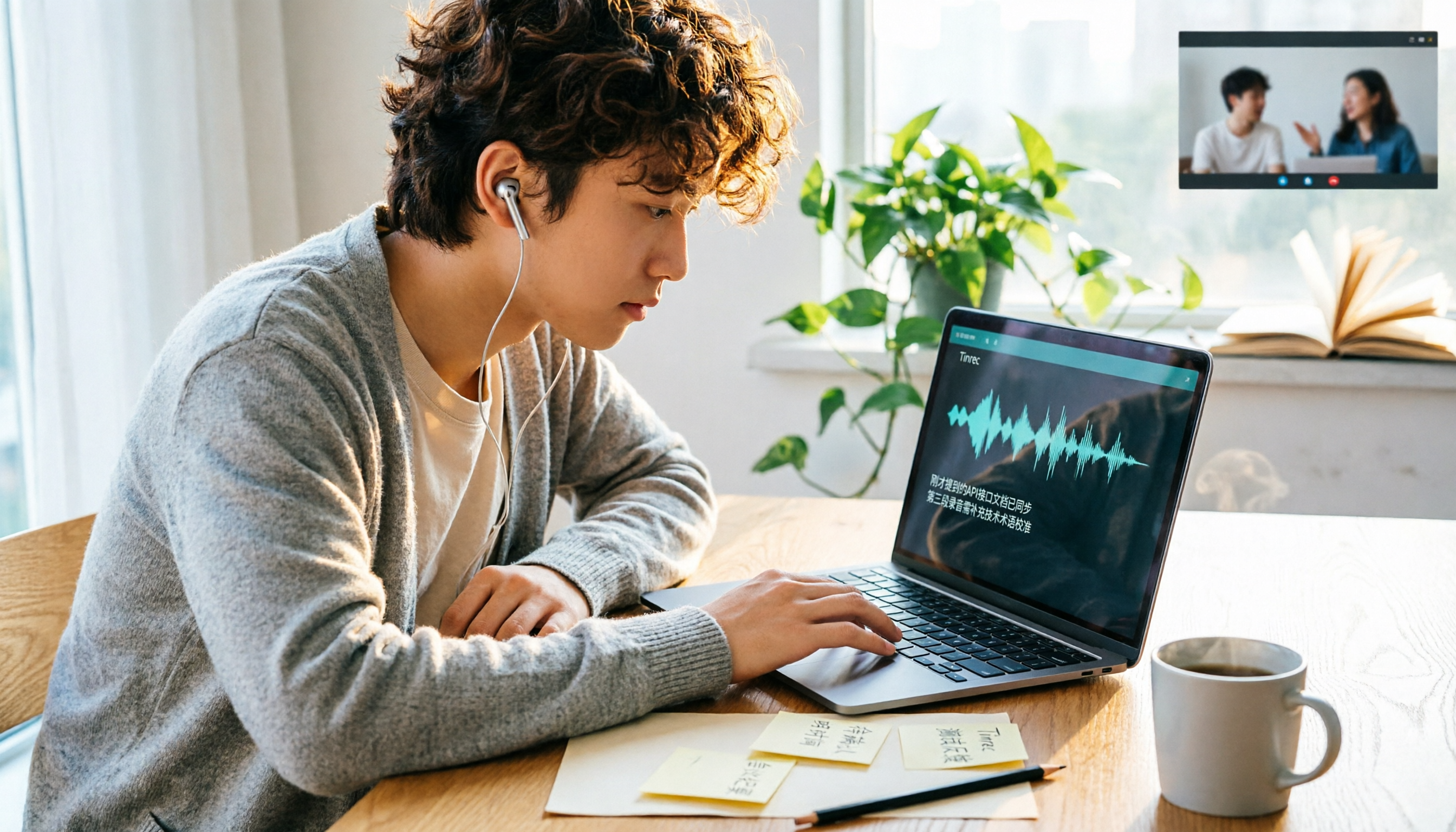
How to choose the best AI office tool in 2026? This guide starts from real student scenarios and walks you through 5 steps to decide which tool fits you: clarify your pain points, compare recording storage, online meeting recording methods, Chinese recognition, and free quotas. It also shares hands-on experience with Tinrec, including its limitations and team plan benefits, and wraps up with alternatives like Otter.ai, Notta, and Granola, plus common pitfalls to avoid.

4 AI Office Tools Compared for 2026: Which Is Easiest to Learn and Fastest to Master?
A 2026 side-by-side comparison of 4 AI office tools, focusing on learning curve and breaking down setup barriers, Chinese language support, post-meeting organization, and team adoption. Tinrec stands out as the top pick for its no-bot recording, AI Q&A, action item extraction, and team workspace, with comparisons to Otter.ai, Granola, and Notta on differences and ideal users.