

Turn recordings into transcripts and summaries in minutes
Upload audio or video for multilingual transcription, AI notes, and action items
Plaud Note Review 2026: 3 AI Note-Taking Solutions Compared — Which Is Most Cost-Effective for Students?
"My phone can record audio, so why spend extra money?" That's the question I kept asking myself before hitting checkout.
If you're also searching for a "Plaud Note review," you're probably at the same crossroads: should you buy a dedicated AI recording device, or just solve the workflow with software? I later realized this decision really comes down to answering three questions:
- Are you missing "recording" or "the key points after recording"? If you just want to capture the audio, your phone is enough. If you want transcripts, summaries, and action items, what you're really buying is "organizing capability."
- Are you willing to carry an extra device that needs charging? The value of hardware is portability, but the cost is remembering to bring it and charge it.
- Is your budget a one-time purchase or a monthly subscription? Students' cash flow follows the semester, and this makes a big difference.
I'm a senior in Information Management, rushing to finish my graduation project. My daily life rotates between classes, group discussions, and internship interviews. This article will clarify the key points of Plaud Note reviews, the differences between hardware and software approaches, and then share how I've actually used Tinrec for class notes this semester — so you know what you're buying before you spend money.
What Can AI Recording and Note-Taking Tools Do for Students?
Scenario 1: Can't keep up with note-taking in a tough required course
The professor talks fast and flips slides even faster. Handwriting can't keep up, and borrowing a classmate's notes is often incomprehensible. With Tinrec, for example, you turn on real-time speech-to-text during class, see the text appear as you listen, catch missed parts on the spot, and by the end of class the transcript is already there.
Scenario 2: No one remembers the conclusions from group discussions
Five people talking over each other, and the group chat always asks afterward, "So what are we supposed to do now?" Tinrec organizes the discussion into summaries and action items, so you can see who's responsible for what and what's due next time in a simple list.
Scenario 3: Online classes and remote interviews — the hardest part is "recording"
Remote classes or online interviews often get stuck on how to record. Tinrec's desktop version directly captures system audio playing on your computer, without inviting a bot to join the meeting. This works for Zoom, Google Meet, Microsoft Teams, and Webex. But note: you still have to press start yourself — it's not a bot that automatically joins all meetings.
Scenario 4: Don't want to listen from the beginning for finals review
Re-listening to a two-hour recording eats up an entire evening. Tinrec's AI Q&A lets you directly ask, "Which chapters will the final cover according to the professor?" or "What's the definition of this theory?" It answers based on the content, and you can go back to verify the timestamp in the transcript.
What Are the Core Capabilities of These Tools?
Real-time speech-to-text
Not transcribing after recording, but generating text while recording. Tinrec's real-time transcription lets you confirm during class whether you missed anything, and ask follow-up questions immediately for parts you didn't understand — far more effective than trying to fix it later.
Bot-free online meeting and online class recording
Tinrec's desktop version records online meetings by capturing system audio, so no extra "participant" appears in the list — less intrusive for group discussions or interviews. This is a different approach from tools that require inviting a bot to join.
AI summaries, chapters, and action items
A transcript can be thousands of words and impossible to read before an exam. Tinrec automatically generates summaries, breaks long content into chapters, and extracts action items from discussions — these three together are the real source of "time savings."
AI Q&A around recordings
This is my most-used feature. After transcription, you can directly ask Tinrec: "When is the report due?" or "What references did my group members mention?" It answers based on semantic understanding, so you don't have to Ctrl+F for keywords yourself.
Multi-format export and post-meeting outputs
Organized content is only useful if you can take it with you. Tinrec supports exporting to Notion, Google Docs, OneNote, Dropbox, and other tools, and can use Agent post-processing to generate reports, tables, and documents — directly reusable for club proposals or project records.
Team spaces
For group projects, Tinrec's team version centralizes recordings, transcripts, summaries, and action items in one team space. New members can see previous discussion records, so you don't have to re-explain everything when someone joins.
Real-World Use Cases: How I Used It This Semester
General education lecture: Turning two hours into three pages of key points
Last semester I took a general education course known for being tough. The professor spoke fast and wrote messily on the board. I consistently used Tinrec for real-time recording, then spent five minutes after class reviewing the summary and chapters, pasting key points into my own notes. For finals review, I didn't re-listen to a single lecture — I just read the summaries and went back to the transcript for parts I had questions about.
Group project: Finalizing decisions five minutes after meetings
Our group discussions always ran over an hour, and we used to open a separate shared document afterward to recall conclusions. After switching to Tinrec, the summary and action items were ready by the end of the discussion. Members claimed their tasks, and even when our advisor asked "What was the conclusion last time?" we could answer directly from the records.
Internship interviews and conversations: Quick notes on mobile
While preparing for internship interviews, I'd do mock interviews with friends and record them on my phone, then have Tinrec transcribe them. Reviewing where I stumbled or gave irrelevant answers was much more effective than just re-listening.
Stop organizing recordings by hand
Upload audio or video and automatically get a transcript, summary, and action items
Finals crunch: Turning the whole semester into a searchable database
Accumulating a dozen or so recordings over a semester, the biggest fear is "I know the professor said it, but I can't find where." Tinrec turns these recordings into searchable, queryable data. Before exams, I scan through with the Q&A feature — far faster than digging through audio files.
5 Things to Consider When Choosing an AI Recording and Note-Taking Tool
1. Are you buying hardware or a complete workflow?
Hardware handles "recording," but the real time sink is organizing afterward. Tinrec requires no extra device and works on web, desktop, and mobile, letting you put your budget toward subscription and organizing workflow.
2. Chinese and mixed Chinese-English recognition experience
Classes in Taiwan almost always mix Chinese with English technical terms — the most common failure point. Tinrec covers Chinese, Traditional Chinese, and multilingual meeting scenarios, supports real-time translation and bilingual viewing, and the team version has a hotword feature to maintain department or lab terminology. Note that actual performance is affected by recording quality, accent, background noise, and multiple people speaking at once — don't trust any fixed accuracy numbers.
3. Free tier and subscription structure
Students care most about this. Tinrec's personal version has a free tier to experience recording, import, summaries, and transcription with basic quota. For short-term intensive meetings, courses, or interviews, you can use a weekly card; for steady weekly use, the Pro monthly card fits; for long-term data accumulation, the Pro annual card. Actual prices and benefits are subject to the official purchase page.
4. Cross-device support and exportability
Make sure the tool supports your devices. Tinrec has iOS, Android, desktop, and web versions, and importantly, organized content can be exported to your existing workflow rather than locked in one app.
5. Team collaboration and data ownership
If you'll use it for group projects or student clubs, distinguish between "roles" and "seats": roles determine who can manage the team, seats determine whether members can record, upload, edit, and import/export. Tinrec's team version currently uses team-level sharing — all active members can view, play, and read team data, but without a seat they can't perform uploads or edits. Team resources belong to the team; when a member leaves, they need to hand over responsible resources to other active members, so data doesn't disappear with the individual.
One more reminder: before recording, confirm whether the occasion is appropriate, obtain consent when necessary, and comply with local laws.
Plaud Note Review Highlights: What's the Difference Between Hardware and Software Approaches?
The Plaud Note series represents the hardware approach. Note Pro is a recording card that magnetically attaches to the back of your phone, while NotePin is a wearable version. Based on current official US website prices, NotePin is USD 159 and Note Pro is USD 189. Beyond the device, AI transcription and summaries require a separate subscription: Starter at 300 minutes per month, Pro at USD 99.99/year with 1,200 minutes per month, and Unlimited at USD 239.99/year (prices and benefits subject to the official page).
Its advantages are clear: physical buttons, portability, call recording, and no need to worry about what software the other person uses. For people who need to "record wherever they go," this form factor does have value. But two things need careful thought: first, you're essentially maintaining an extra device that needs charging and remembering to bring; second, hardware handles recording, but the real time-consuming work — organizing, finding key points, writing reports — still ends up happening in an app.
That's why I ultimately chose Tinrec — I didn't need another device, but I really needed something to turn a two-hour class into three pages of key points. Tinrec uses the desktop version to handle recording of online classes and meetings, and uses real-time transcription, summaries, action items, AI Q&A, and export to handle everything after recording. If your need is "portable physical recording," hardware like Plaud is worth considering; if what you want is "turning classes and meetings into searchable, queryable data," Tinrec's workflow will be much smoother.
Frequently Asked Questions
Is Plaud Note worth buying?
It depends on whether your pain point is "recording" or "organizing." If you often need to record on the go, spontaneously, without taking out your phone, hardware has its value. If your struggle is not having time to organize after recording, then what you actually need is a tool like Tinrec that produces summaries, action items, and Q&A.
Is Tinrec's free version enough?
If you only record one or two key classes a week, start with the free tier's basic quota to experience the full workflow, and consider a weekly card or Pro if it feels right. My advice: record the class you find most difficult first, see if the summary helps, then decide whether to pay.
Can Tinrec record Zoom, Google Meet, and Microsoft Teams?
Yes, through the desktop version capturing system audio, without inviting a bot to join the meeting. But you have to press start yourself — it doesn't automatically join all meetings.
Can team members without a seat see the data?
Yes. Active members can view, play, and read team data even without a seat; they just can't upload, edit, or import/export. When actual operations are needed, the admin can assign seats.
Is accuracy guaranteed?
Don't rely on fixed numbers. Transcription quality is affected by recording environment, accents, overlapping speech, and technical terminology. A more practical approach is to cross-check important content against transcript timestamps and recordings, treating AI as a time-saving assistant rather than a complete replacement for human review.
How is the team version priced?
Tinrec's team version offers a 7-day trial for first-time eligible users, 1 free seat, and 300 minutes of team shared import quota. Monthly billing is USD 29.80 per paid seat per month; annual billing is USD 199 per paid seat per year (about USD 16.58/month). Each paid seat provides 2,000 minutes of team shared import quota per month, and real-time recording under active seats is currently not deducted by minutes. Actual amounts are subject to the official purchase page.
Conclusion
Back to the three questions from the beginning: are you missing recording or key points, are you willing to carry an extra device, and is your budget a one-time purchase or a subscription. Once you're clear on these three things, you won't go wrong choosing between hardware like Plaud Note and software workflows like Tinrec.
For me personally, what really saved me this semester was "not having to spend time organizing after recording" — real-time transcription during class, reviewing summaries after class, and scanning with Q&A before exams turned the whole semester's content into a searchable database.
If you're still on the fence, the most practical approach is to start with the free version, pick the class you find most challenging, record it once, and see if that summary helps you. If it does, then talk about whether to spend money.
References
- Plaud Note Pro Unboxing Review: The Latest AI Note-Taking Tool - Mobile01
- Plaud Note Pro Unboxing Review | Portable AI Smart Recording Evolves Again! Is It Good? Who Should Buy It? - Mr. Mad
- Six-Month Plaud Note Usage Review – Teacher Heng-Yu's Living Technology
- Plaud Note Pro Review | 30-Day Test in 2026: Monthly Plans, 3 Major Scenarios, 2 Major Drawbacks — Complete Review
- Plaud Note Pro Unboxing Review | Portable AI Smart Recording Evolves Again! Is It Good? Who Should Buy It? - Find Out Once and For All
Turn every recording into actionable outcomes
Get 60 free transcription minutes when you sign in. No credit card required.
Related Reading
You might also like
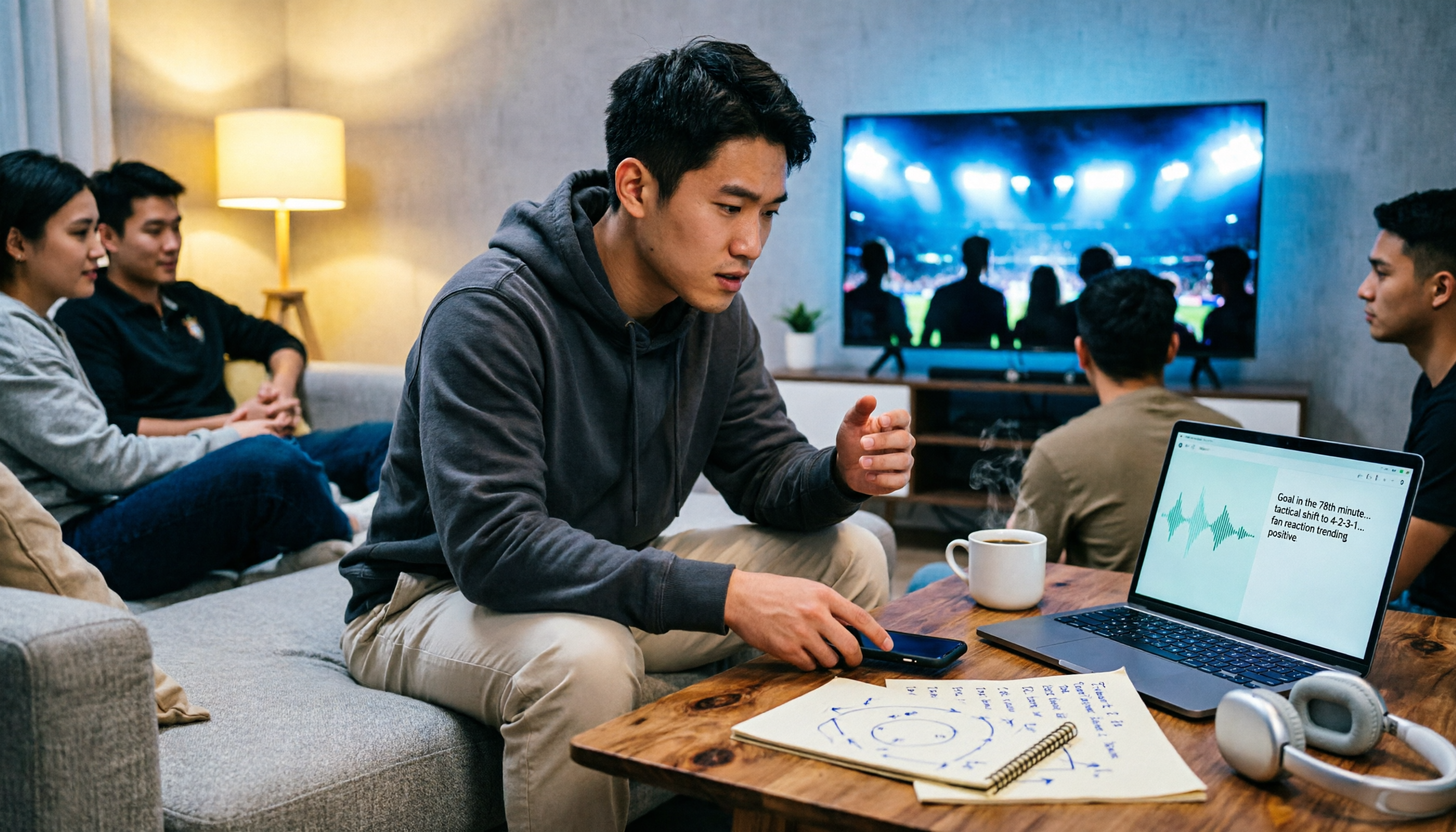
5 Best Audio Transcription Tools in 2026: A Side-by-Side Comparison (Even Useful for Watching Manchester United vs Nottingham Forest)
A complete overview of Manchester United vs Nottingham Forest match data, head-to-head history, and key points to watch, plus a side-by-side comparison of 5 audio transcription tools covering post-match analysis, podcast recording, team debriefs, and meeting notes, with free and paid pricing.

2026 AI Meeting Notes Comparison: Fireflies vs Notta vs Tinrec – Which Is Best for Chinese Meetings?
Comparing Fireflies.ai and Notta? This article examines four key decision factors—meeting recording method, post-meeting organization, Chinese language experience, and team authorization—through hands-on testing of Fireflies.ai, Notta, and Tinrec. It also lists official pricing and limitations to help you determine which tool suits your meeting style.

2026 Notta vs. Tinrec: No-Bot Recording & Team Knowledge Hub
Cut through three common pitfalls and compare Notta and Tinrec across five dimensions: how meeting audio gets in, what you get after transcription, Chinese language performance, team data ownership, and pricing/quotas—so you can decide which tool truly fits your meeting workflow.

2026 AI Meeting Recorder Comparison: Notta vs Pocket vs Tinrec — Which Should You Choose?
Notta and Pocket are often compared, but they solve different problems: one is software transcription, the other is hardware recording. This article uses five decision steps to break down their input sources, post-transcription outputs, team collaboration, and real costs, with Tinrec as a reference point, and concludes with tailored buying advice.

Tinrec vs Notta 2026: 5-Dimension Comparison — Which Is Better for Chinese Meetings and Team Knowledge Retention?
Notta offers a feature-rich toolbar and broad language support, but meeting notes are more than transcription. From the perspective of a mid-level manager with 15 meetings per week, I compare Tinrec and Notta across 5 dimensions: recording method, post-meeting organization, Chinese-language experience, team knowledge retention, and pricing. I also include use cases for Otter.ai and Granola, plus 4 key pitfalls to avoid when choosing a tool.

Notta AI Review 2026: 5-Step Test & 6 Meeting Note Tools
Is Notta AI worth it? This article uses 5 evaluation steps to test and compare six meeting note tools—Notta, Tinrec, Otter.ai, Fireflies.ai, TurboScribe, and PLAUD Note—covering features, Chinese transcription performance, and actual pricing. It also summarizes free quotas, recording consent, and team seat considerations to help you choose the right tool at a glance.

Chelsea vs Nottingham Forest 2026: 5-Factor Preview – Who Takes Three Points at the City Ground?
Chelsea travel to the City Ground to face Nottingham Forest on November 27, 2026. This preview breaks down the matchup across five dimensions—head-to-head record, recent form and standings, injury lists, home/away context, and the last meeting—while noting statistical differences between sources, so you can quickly grasp the key points before kickoff.

2026 Plaud Note Buying Guide: Top 3 PTT Questions Answered + Hardware-Free AI Meeting Notes
PTT opinions on Plaud Note are split: some call it convenient, others call it a waste of money. This guide breaks down the hardware, subscription, and post-meeting organization costs to consider before buying in 2026, and compares hardware-free AI meeting note solutions like Tinrec to help you choose the right tool for your needs.

2026 Comparison of 6 Recording-to-Text Tools: Plaud vs. Tinrec — Which Should You Choose?
Plaud and Tinrec are often compared, but they take different approaches: Plaud is a portable recording hardware device, while Tinrec is an AI meeting notes and team collaboration tool. This article lists 6 recording-to-text solutions and helps you decide which fits your meeting workflow based on use cases, pricing, team permissions, and post-meeting workflows.