

Turn recordings into transcripts and summaries in minutes
Upload audio or video for multilingual transcription, AI notes, and action items
Notta AI Review 2026: 5-Step Test & 6 Meeting Note Tools
When choosing a meeting note tool, there are really only two things to evaluate: language—whether the tool can handle meetings that mix Chinese and English, or even Cantonese and English—and workflow—after recording, do you still need to manually organize the transcript left in the app? Notta has a solid reputation on both fronts: App Store rating of 4.2, over 21,300 reviews on Google Play, and more than 1 million downloads, making it a recognizable name in the market. But in 2026, there are more options than ever. Below, we use 5 evaluation steps and a list of 6 tools to clarify whether Notta is worth using and when you should consider alternatives.
Why Do You Need an AI Meeting Note Tool?
Replaying a one-hour audio file and typing out notes sentence by sentence after a meeting is a reality for many office workers after hours. Today's tools can convert live recordings, existing audio files, and even meetings on Zoom, Google Meet, and Teams directly into transcripts, then use AI to generate summaries, key points, and action items. Rather than comparing whose buttons look nicer, first understand your work pattern: do you have daily online meetings, or do you occasionally organize an interview recording? This article follows that logic, covering 6 tools one by one, and ends with a 5-step selection method.
Option 1 | Tinrec (Miao Ting Recording) — The Most Complete AI Meeting Notes and Team Collaboration Assistant
Its positioning is simple: not just converting voice to text, but turning meetings into searchable, queryable, and transferable team data.
No bot needed—record online meetings directly. The desktop version captures computer system audio, so when handling meetings on Zoom, Google Meet, Microsoft Teams, and Webex, you don't need to invite an extra meeting bot to join as a participant. The screen stays clean, and you don't have to explain an extra account to attendees.
The real value comes after transcription. Beyond the transcript, it automatically generates summaries, chapters, key points, and action items. For long meetings, you can jump chapter by chapter and return to the relevant section when you need details, without reading from start to finish.
You can keep asking questions. It supports AI Q&A around single or cross-meeting data—for example, asking "What were the three objections the client mentioned last time?" is much faster than flipping through the transcript. With Agent post-processing, it can also generate reports, tables, and documents, serving directly as the draft for post-meeting deliverables.
Cross-language and workflow. During recording, you can view the original text, translation, or bilingual content. Afterwards, export to Notion, Google Docs, OneNote, Dropbox, and other tools for further processing. The team version also offers hotword management, making it smoother when handling industry terminology.
Pricing and versions. The personal version includes a free plan, weekly card, Pro monthly, and Pro annual, choose based on usage density. The team version is US$29.80 per paid seat per month, or US$199 per paid seat per year (about US$16.58/month). Each paid seat provides 2,000 minutes of team shared import quota per month. Eligible teams get a 7-day trial, 1 free seat, and 300 minutes of shared quota on first signup. Under an active plan and seat, real-time recording currently does not deduct minutes.
Who it's for. Departments or project teams that have many mixed Chinese-English meetings, don't want to add a bot, and want to turn meeting notes into team assets.
Option 2 | Notta — A Veteran Choice for Multilingual Transcription
Notta's core selling point is broad language coverage. Both official and third-party sources indicate support for real-time transcription and translation in 58 languages. Some media cite transcription accuracy of up to 98.86% in quiet environments, which is indeed attractive for cross-language meetings. Functionally, it supports real-time transcription, audio file transcription, AI summaries, and automatic AI note generation. It can record meetings on mainstream platforms like Zoom, Google Meet, and Teams. Pro plans and above offer custom vocabulary and summary templates, allowing you to adjust output format by meeting type. The built-in Notta AI assistant is based on GPT-4 technology and can summarize, explain concepts, translate, and list action items.
On pricing, the free version offers 120 minutes per month, with a maximum of 3 minutes per session. Pro annual billing is about US$8.17/month for 1,800 minutes per month. Business annual billing is about US$16.67 per seat per month, with role permissions and usage reports. To be honest, the free version's 3-minute per-session limit is essentially unusable for a one-hour meeting—you'd have to process it in segments. Also, its meeting recording follows an app or bot approach, not desktop system audio capture. Actual transcription performance is still affected by recording quality, accent, background noise, and terminology. Who it's for: individual users who frequently handle multilingual materials, mainly do file transcription, and are budget-sensitive.
Option 3 | Otter.ai — A Mature Choice for English Business Meetings
Otter is a veteran representative of AI meeting assistants, covering Zoom, Teams, and Google Meet, with real-time transcription, speaker identification, AI Chat, and team management. The official pricing page shows Basic is free with 300 minutes per month. Pro annual billing is about US$8.49 per user per month, including 1,200 minutes of in-app recording and 10 file imports per month. Business plan pricing and benefits are subject to change. It has also added Traditional Chinese support, so mixed Chinese-English meetings work, but the overall product mindset still leans toward English business scenarios. Who it's for: employees at foreign companies, those whose meetings are mainly in English, and users who need mature team collaboration.
Stop organizing recordings by hand
Upload audio or video and automatically get a transcript, summary, and action items
Option 4 | Fireflies.ai — Strong in Meeting Automation and Integrations
Fireflies' strengths are meeting automation, meeting bots, AI summaries, AskFred, and extensive third-party integrations. Annual pricing is Free US$0, Pro US$10 per seat per month, Business US$19 per seat per month, Enterprise US$39 per seat per month. Note that its "unlimited transcription" is still subject to storage space, file upload speed, and AI Credit rules—it should not be simply understood as all capabilities being completely unlimited. Who it's for: sales and operations teams that value automated workflows and need to connect to many external systems.
Option 5 | TurboScribe — A Cost-Effective Option for Long Files and Batch Transcription
TurboScribe is closer to a file transcription tool, focusing on long files, batch uploads, subtitles, and translation. The free version allows 3 files per day, with a maximum of 30 minutes per file. Unlimited annual billing is US$120 (about US$10/month). The paid version supports files up to 10 hours or 5GB, and up to 50 files per upload. It does not focus on real-time meeting collaboration, but if your pain point is a mountain of historical recordings to process at once, this combination is very cost-effective. Who it's for: researchers, content creators, and users who need to process large amounts of long audio files.
Option 6 | PLAUD Note/NotePin — The Hardware Route for Portable Recording
PLAUD sells a hardware experience. The US official website shows NotePin at US$159 and Note Pro at US$189. Membership plans are Starter with 300 minutes per month, Pro at US$99.99/year (1,200 minutes per month), and Unlimited at US$239.99/year. The advantage is a physical device you can carry anywhere with long battery life, suitable for face-to-face interviews and phone call recording. The trade-off is carrying an extra device, and online meeting processing still relies on the companion app. Who it's for: users who are often on the go and need a physical recording device.
With So Many Options, How Should You Choose? 5 Steps
Step 1: First distinguish whether you're handling "meetings" or "files." If you have daily online meetings, choose a real-time meeting solution. If you have a pile of historical recordings, prioritize a file transcription tool. If you need both, a solution like Tinrec that covers real-time recording, online meetings, and file import will save you a lot of hassle.
Step 2: Look at the language of your meetings. For pure English meetings, Otter and Fireflies are mature. For mixed Chinese-English meetings that need bilingual comparison, Tinrec's real-time translation, bilingual viewing, and team hotwords are more aligned with actual needs. Notta offers many languages, but you need to calculate whether the free version's 3-minute limit per session is enough.
Step 3: Decide whether you want a bot in the meeting. Some companies do not allow third-party bots to join meetings, or clients may find it intrusive. If you don't want to add a bot, Tinrec's desktop version captures system audio directly—a different approach.
Step 4: Consider what you need to deliver after the meeting. If you only need a transcript, many tools can do that. If you need summaries, chapters, action items, queryable AI Q&A, and then generate reports or tables to submit, Tinrec connects this entire workflow—that's the biggest difference from pure transcription tools.
Step 5: Check whether you have team governance needs. When multiple people share, you need visibility into who used how much, who can record and export, and how to take over data from departing colleagues. Tinrec's team version separates roles and seats, providing usage analytics, audit logs, and an audio recycle bin (30-day retention for recovery), which is much more secure than several people sharing one account.
4 Things to Know Before Using an AI Meeting Note Tool
1. Free quotas usually have per-session limits. Notta's free version offers 120 minutes per month but only 3 minutes per session. TurboScribe's free version allows 30 minutes per file. Processing long meetings in segments is common. Rather than repeatedly testing free versions, first confirm your meeting length, then choose a plan.
2. Accuracy is not a fixed number. Figures like 98.86% cited by vendors or media usually assume a quiet environment and clear audio. Overlapping speakers, technical terminology, and accents will lower performance. For important content, verify against the recording timestamps.
3. Get consent before recording. Recording regulations vary by region. Saying "I'm recording this for notes" before a meeting is a basic step, and companies should have clear internal guidelines.
4. Team versions require distinguishing "roles" and "seats." Roles determine who can manage members, audits, and team settings. Seats determine whether a member can record, upload, edit, and export. For example, in Tinrec's team version, members with an active role but no seat can still view, play, and read team data, but cannot upload or edit—this is why several people should not share one account.
Conclusion
Back to the original question: Is Notta AI worth using? If you mainly handle multilingual file transcription, have a limited budget, and your meetings are short, its value is indeed decent. But if you have daily mixed Chinese-English online meetings, don't want to add a bot, and need to hand off action items and team transitions, pure transcription tools will fall short. With the goal of "turning meetings into searchable, collaborative team data," Tinrec's completeness is clearly higher, and its value is worth spending one meeting's time to verify.
Sources: "Notta - Super Accurate Transcript, Speech to Text, Meeting Recording, AI Summary Notes" App Store; "Notta - Speech to Text, Voice Notes and Recording" Google Play; "Comparison of 5 AI Meeting Note Tools: Otter, Notta Features and Pricing"; "Notta | Learn AI"; "[2026 Notta Review and Tutorial] How Accurate is Traditional Chinese Meeting Transcription? Features, Pricing, and Operation Guide at a Glance!". Pricing and benefits are subject to each tool's official page.
References
- Notta - Super Accurate Transcript, Speech to Text, Meeting Recording, AI Summary Notes - App Store
- Notta - Speech to Text, Voice Notes and Recording - Google Play
- Comparison of 5 AI Meeting Note Tools: Otter, Notta Features and Pricing
- Notta | Learn AI
- [2026 Notta Review and Tutorial] How Accurate is Traditional Chinese Meeting Transcription? Features, Pricing, and Operation Guide at a Glance! — LeadingMRK
Turn every recording into actionable outcomes
Get 60 free transcription minutes when you sign in. No credit card required.
Related Reading
You might also like
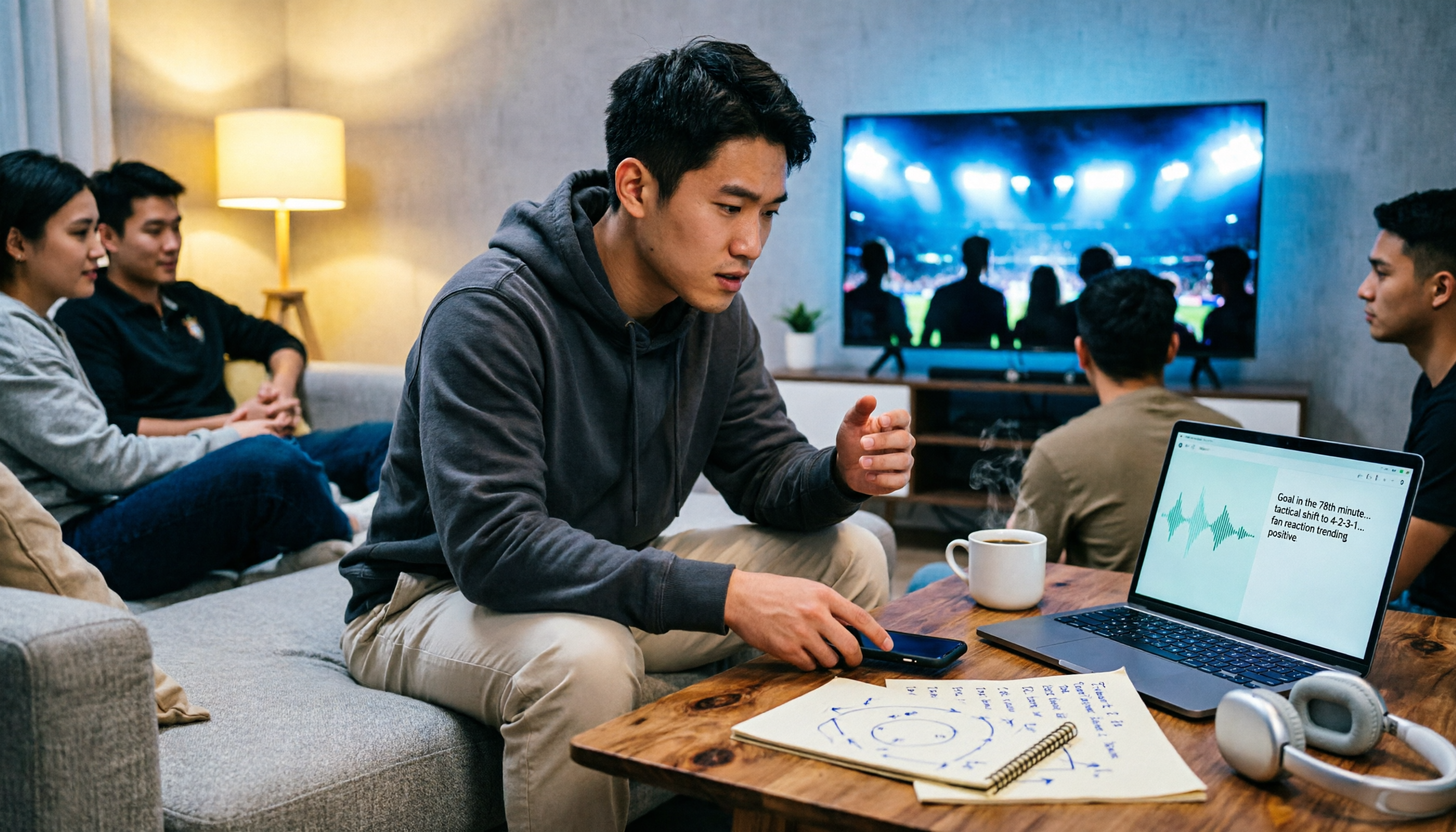
5 Best Audio Transcription Tools in 2026: A Side-by-Side Comparison (Even Useful for Watching Manchester United vs Nottingham Forest)
A complete overview of Manchester United vs Nottingham Forest match data, head-to-head history, and key points to watch, plus a side-by-side comparison of 5 audio transcription tools covering post-match analysis, podcast recording, team debriefs, and meeting notes, with free and paid pricing.

2026 AI Meeting Notes Comparison: Fireflies vs Notta vs Tinrec – Which Is Best for Chinese Meetings?
Comparing Fireflies.ai and Notta? This article examines four key decision factors—meeting recording method, post-meeting organization, Chinese language experience, and team authorization—through hands-on testing of Fireflies.ai, Notta, and Tinrec. It also lists official pricing and limitations to help you determine which tool suits your meeting style.

2026 Notta vs. Tinrec: No-Bot Recording & Team Knowledge Hub
Cut through three common pitfalls and compare Notta and Tinrec across five dimensions: how meeting audio gets in, what you get after transcription, Chinese language performance, team data ownership, and pricing/quotas—so you can decide which tool truly fits your meeting workflow.

2026 AI Meeting Recorder Comparison: Notta vs Pocket vs Tinrec — Which Should You Choose?
Notta and Pocket are often compared, but they solve different problems: one is software transcription, the other is hardware recording. This article uses five decision steps to break down their input sources, post-transcription outputs, team collaboration, and real costs, with Tinrec as a reference point, and concludes with tailored buying advice.

Tinrec vs Notta 2026: 5-Dimension Comparison — Which Is Better for Chinese Meetings and Team Knowledge Retention?
Notta offers a feature-rich toolbar and broad language support, but meeting notes are more than transcription. From the perspective of a mid-level manager with 15 meetings per week, I compare Tinrec and Notta across 5 dimensions: recording method, post-meeting organization, Chinese-language experience, team knowledge retention, and pricing. I also include use cases for Otter.ai and Granola, plus 4 key pitfalls to avoid when choosing a tool.

Chelsea vs Nottingham Forest 2026: 5-Factor Preview – Who Takes Three Points at the City Ground?
Chelsea travel to the City Ground to face Nottingham Forest on November 27, 2026. This preview breaks down the matchup across five dimensions—head-to-head record, recent form and standings, injury lists, home/away context, and the last meeting—while noting statistical differences between sources, so you can quickly grasp the key points before kickoff.

Plaud Note Review 2026: 3 AI Note-Taking Solutions Compared — Which Is Most Cost-Effective for Students?
Starting from students' real needs for class notes and group discussions, this review summarizes key points about Plaud Note, explains the differences between hardware-based recording and software workflows, and compares Tinrec's practical uses for real-time speech-to-text, online class recording, AI summary Q&A, and team collaboration — helping you understand exactly what you're paying for before you spend money.

2026 Plaud Note Buying Guide: Top 3 PTT Questions Answered + Hardware-Free AI Meeting Notes
PTT opinions on Plaud Note are split: some call it convenient, others call it a waste of money. This guide breaks down the hardware, subscription, and post-meeting organization costs to consider before buying in 2026, and compares hardware-free AI meeting note solutions like Tinrec to help you choose the right tool for your needs.

2026 Comparison of 6 Recording-to-Text Tools: Plaud vs. Tinrec — Which Should You Choose?
Plaud and Tinrec are often compared, but they take different approaches: Plaud is a portable recording hardware device, while Tinrec is an AI meeting notes and team collaboration tool. This article lists 6 recording-to-text solutions and helps you decide which fits your meeting workflow based on use cases, pricing, team permissions, and post-meeting workflows.