

Turn recordings into transcripts and summaries in minutes
Upload audio or video for multilingual transcription, AI notes, and action items
Recently, I helped a team organize their meeting materials.
Opening the folder, there were over forty recordings, with filenames like "1112 Weekly Meeting" or "1113 Client A."
I asked: Which segment discusses the budget cap?
No one could answer.
The recordings were all there, but the content within them might as well not have been saved.
Over the past few years, many people have searched for "Notta 2026," and I suspect most are trying to solve the same thing: turning meeting content into something truly usable.
So in this article, I won't talk about spec sheets. I want to discuss "how to turn meetings into assets" and what criteria you should use when choosing tools in 2026.
In 2026, the problem with meeting notes is no longer "can it transcribe?"
Over the past three or four years, speech-to-text tools have solved the "typing" issue.
Now almost every provider can do it, and Chinese recognition is also at a certain level.
So the real pain point has shifted.
I've observed three:
First, recordings are saved but can't be found. You can't remember which meeting or which minute that statement was made.
Second, transcripts are long, but you still have to read from the beginning. Transcribing doesn't equal understanding.
Third, decisions are scattered across individual accounts. When someone leaves or changes computers, the data is lost.
(Screenshot here: A folder full of unnamed recording files, with an arrow pointing to the filename "Meeting 3.")
None of these three problems can be solved by "transcription accuracy."
What they need is: searchable, queryable, and owned by the team.
First, let's look at what Notta offers in 2026
Notta has made several adjustments to its plans over the years.
Currently, there are Free, Premium, Business, and Enterprise plans. In July 2026, they added Business Plus for corporations, allowing enterprises to choose "not to use content for AI training."
On the hardware side, the Notta Memo series also launched a new model, Notta Memo Pro, in 2026.
These are reasonable choices for those who need "batch transcription of large files, subtitle creation, and multilingual translation."
However, if your pain points are the three mentioned above—not wanting to invite another bot into online meetings, needing to continue searching, asking, and handing over in a team space after meetings—that's a different topic.
(Screenshot here: Notta's official plan page, with an arrow pointing to the free version's single-session length limit description.)
It's worth clarifying upfront: free plans usually have monthly quotas and single-session length limits.
This isn't a drawback per se, but if your meetings often run ninety minutes, you should be prepared when testing with free quotas.
What can Tinrec do for you? Three specific scenarios
Scenario 1: After the meeting, data is already in the team space
Previously, after a meeting, you had to do three things: export the transcript, paste it into a collaborative document, and manually organize action items.
Now, change the order: while the meeting is still ongoing, the transcript is already being generated.
When the meeting ends, the summary, chapters, and action items are ready, and it's been in the team space from the start, not in someone's download folder.
Scenario 2: Online meetings without inviting a bot
Tinrec's desktop version directly captures the computer's system audio.
It works with Zoom, Google Meet, Microsoft Teams, and Webex, but doesn't require an extra "participant" to appear in the list.
This is especially noticeable in external meetings. When clients see an extra recording bot in the list, it feels different.
Scenario 3: Three months later, asking "why did we change this spec?"
This is where AI Q&A truly shines.
You don't need to re-listen to three hours; just ask questions directly to the meeting data, and it will answer based on the content.
(Screenshot here: The Q&A input box on the right side of the meeting page, with an arrow pointing to the question "Who mentioned the budget?")
What are Tinrec's core capabilities?
Bot-free recording of online meetings. The desktop version captures system audio, initiated by the user. It's not a calendar-based bot and won't automatically join all your meetings—this needs to be clarified upfront to avoid false expectations.
Real-time transcription while recording. Suitable for offline meetings, interviews, and phone calls. You can confirm on the spot whether key points are missed.
Summaries, chapters, and action items. This isn't just condensing the transcript into a paragraph; it's structured organization: what was discussed, what conclusions were reached, and who is responsible for what.
AI Q&A. After transcription, you can ask follow-up questions about a single meeting or across meetings. This layer is key to turning "data into knowledge."
Real-time translation and bilingual view. For cross-language meetings, you can view the original text, translation, or side-by-side bilingual display.
Export and post-processing. Supports export to common tools like Notion, Google Docs, OneNote, and Dropbox, and can further generate reports, tables, and meeting minutes.
Stop organizing recordings by hand
Upload audio or video and automatically get a transcript, summary, and action items
Team space and governance. This is the focus of the team version, which I'll discuss separately later.
The difference between team and personal versions isn't just the number of people
Many people think the team version is just "multiple people sharing one account." It's not.
It's an independent team space where meeting data belongs to the team, not the person who uploaded it.
There are several concepts in the team version that need to be clarified:
Roles determine who can manage members, seats, audits, and team settings.
Seats determine whether members can record, upload, edit, and import/export.
Member relationships determine whether this person belongs to this team.
Members who are active but have no seat can still view, play, and read team data, but cannot upload or edit.
The significance of this design: new hires can read historical meetings immediately, but only need a seat when they need to contribute content.
(Screenshot here: The member list on the team settings page, with an arrow pointing to the difference between the "Role" and "Seat" columns.)
Additionally, when a member leaves or is removed, team resources are not taken away and can be handed over to other active members.
There's also an often-underestimated feature: team hotwords.
Maintain your industry's terminology and product codes in it, and the recognition experience for technical terms will be much more stable.
Practical application scenarios
Project weekly meetings. Regular weekly meetings are best suited for team space retention. Three months later, when you need to check "which meeting decided this," you can search directly for the answer.
Customer interviews. The most painful part after an interview isn't typing; it's extracting quotable sentences from an hour-long conversation. With real-time transcription and AI Q&A, you can directly ask "What were the customer's concerns about pricing?"
Cross-language meetings. When you need real-time translation and bilingual comparison, viewing while recording is more efficient than post-meeting translation.
Courses and self-study. Online courses and lecture recordings can be reviewed with AI Q&A after transcription, much faster than replaying.
Handover and inventory. During project handover, give historical meeting data to the next person, not a bunch of recording files.
5 things to consider when choosing an AI meeting notes tool
First, can it avoid inviting a bot? This is especially important for external and client meetings. Tinrec's desktop version captures system audio and doesn't require an extra participant.
Second, what else is there after the transcript? A tool that only gives you a transcript is essentially returning the organization work to you. Check if it has summaries, chapters, action items, and Q&A.
Third, who owns the data? Data in personal accounts follows the person; data in team spaces follows the team. This difference is most significant during staff turnover.
Fourth, performance with Chinese and technical terms. Don't just look at official copy; test with your own meeting recordings. Tinrec supports team hotwords, which can be adjusted for your industry terminology.
Fifth, is the permission design clear? Note that "roles" and "seats" are two different things. If a tool only says "you can set permissions," ask clearly whether it's file-level, team-level, or only role-level. Tinrec currently offers team-level sharing plus role and seat governance, not fine-grained per-file permissions.
Frequently Asked Questions
Q: Where should I start when choosing an AI meeting notes tool in 2026?
Start by thinking about "what you want to do with it after the meeting," not "how accurate is the transcription." You want it to be searchable, queryable, and transferable—these three things determine your tool choice.
Q: Does Tinrec need to add a bot to meetings?
No. The desktop version directly captures computer system audio. But note: it won't automatically join all your calendar meetings; you need to actively start recording.
Q: What exactly is the difference between the team and personal versions?
Personal version data belongs to the individual. The team version has an independent space, member invitations, role and seat management, sharing benefits, usage analytics, audit logs, and an audio recycle bin.
Q: Can members without a seat see team data?
They can view, play, and read. But they cannot upload, edit, or import/export. This is the distinction between "reading" and "using."
Q: Can the transcribed content be taken elsewhere?
Yes. It supports export to tools like Notion, Google Docs, OneNote, and Dropbox, and can further generate reports and tables.
Q: Can accuracy be guaranteed?
It's not recommended to ask this, nor for anyone to promise it. Actual performance is affected by recording quality, ambient noise, accents, overlapping speech, and technical terminology. For important content, it's advisable to replay and verify with timestamps.
Finally, I want to give you a starter checklist
Tools will keep changing, but methods will remain.
No matter which system you use today, I recommend running through this process first:
- Pick a meeting recording from last week—not the most important one, just a regular one.
- Upload or re-record it, and see how the transcript looks.
- After the meeting, do only one thing: read the summary and action items, not the transcript.
- Try asking it a question: "Did this meeting mention any timeline risks?"
- Connect the export to your existing workflow and test it once.
- If the team will use it, first create a team space, invite only two people, run it for a month, then expand.
I used to think meeting notes were just about "having a record."
Later I realized that what really saves time isn't the transcription step, but being able to find that sentence three months later.
Test step by step, and you can gradually build a meeting data process that suits your team.
References
- [Latest 2026] Notta Pricing Plans and Monthly Fees? All Plans' Costs and Features at a Glance | AI Transcription Tool Guide
- Notta Promo Code 2026 | Get Discount on Notta Memo AI Voice Recorder
- Notta Launches Latest Model "Notta Memo Pro" of AI Voice Recorder "Notta Memo" Series on October 13, 2026 | Notta Corporation Press Release
- Notta Pricing, Features, and Case Studies | BOXIL
- What is Transcription Tool Notta? Actual Accuracy, Usage, and Pricing Explained
Turn every recording into actionable outcomes
Get 60 free transcription minutes when you sign in. No credit card required.
Related Reading
You might also like

tl;dv vs Notta in 2026: 5-Dimension Comparison — Which Is Better for Team Meetings?
How to choose between tl;dv and Notta? This article compares them across 5 dimensions: free quota, transcription method, language support, AI post-meeting output, and team governance. It also covers how Tinrec differs with bot-free recording and team data retention, helping teams make actionable purchasing decisions.

Notta 2026 Latest Features: A Complete Guide to Transcription and Team Knowledge Retention
A rundown of Notta's 2026 updates, from the Notta Memo Pro hardware to Notta Brain's search and tool integrations, plus a breakdown of the four workflow problems these features address. It also uses Tinrec to demonstrate how to connect recording, transcription, summaries, action items, AI Q&A, and team knowledge retention into a practical workflow.

Otter vs Notta vs Tinrec: Best English Meeting Transcription Tools in 2026
Comparing Otter, Notta, and Tinrec for English meeting transcription? This guide evaluates five key dimensions—meeting capture, language support, post-meeting organization, team collaboration, and quotas—to help Chinese-speaking teams find the right audio-to-text solution for English and mixed Chinese-English meetings.

Notta 2026 Guide: Plan Limits & Meeting Transcription Workflow
The 2026 Notta update centers on the Notta Memo Pro recording hardware, a separate product line from the app subscription. This guide breaks down the free plan's 120 minutes and 3-minute per-recording limit, compares Pro and Business plans, and walks through a five-step workflow: recording, transcription, proofreading, summarization, and team sharing. It also compares when to use Notta versus Tinrec.

2026 AI Meeting Recorder Comparison: Why PLAUD Note and Notta Users Are Switching to Tinrec
2026 comparison of PLAUD Note, Notta, and Tinrec, covering meeting capture, post-meeting organization, team collaboration, and cost structure to help mid-level managers decide which is better for Chinese-language meetings and team knowledge retention.

Tinrec vs Notta in 2026: 5-Dimension Comparison — Which Should Plaud NotePin Users Choose?
Compare Tinrec and Notta across 5 dimensions — online meeting recording, post-meeting AI workflows, team governance, real-time quotas, and Chinese-language experience — with concrete buying advice for readers considering Plaud NotePin.

PLAUD vs Notta 2026: 5-Factor Comparison — Which Is Right for You?
PLAUD and Notta are often compared, but one is recording hardware and the other started as transcription software—comparing specs directly can lead to the wrong choice. This article breaks down 5 dimensions: how recording starts, battery life and independence, transcription and post-meeting processing, pricing and long-term cost, and team collaboration. It tells you which work style should choose PLAUD, which should choose Notta, and when you shouldn't buy either.

Tinrec vs Notta 2026: 5-Factor Comparison — Which Is Better for Chinese-Language Team Meetings?
How to choose between Notta and Tinrec? This article compares two AI meeting note tools across 5 dimensions: meeting capture method, post-meeting organization and follow-up Q&A, team governance, Chinese and multilingual experience, and pricing and quotas. If you value bot-free recording, AI Q&A, and team knowledge retention, Tinrec is more complete; if you only need multilingual transcription and a free entry point, Notta still has advantages.
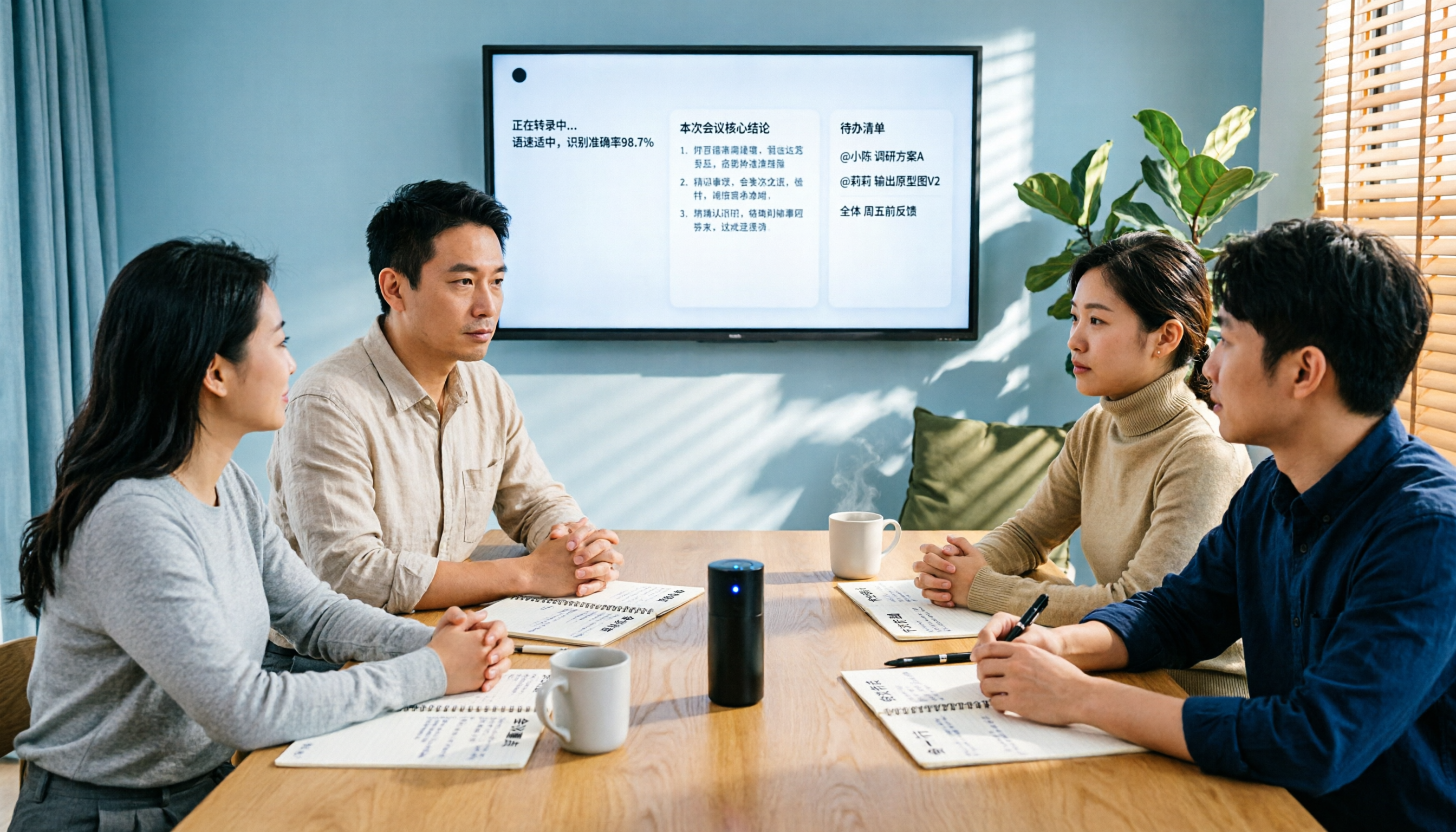
2026 Comparison of 3 Audio-to-Text Tools: How to Choose Between Notta, Rimo Voice, and Tinrec
A side-by-side comparison of Notta, Rimo Voice, and Tinrec. Using real meeting scenarios for mid-level managers, we explain the differences in Chinese meeting transcription, bot-free online meeting recording, post-meeting summaries and action items, team spaces and seat management, and pricing models to help you decide which tool better fits the daily needs of teams in Taiwan.