
Turn recordings into transcripts and summaries in minutes
Upload audio or video for multilingual transcription, AI notes, and action items
Otter Meaning in Chinese: A Complete 2026 Guide from Otter the Animal to AI Meeting Note Tools
A while ago, a friend messaged me asking: "What does the software otter mean in Chinese?"
I realized this question actually hides three completely different needs.
Some people just want a dictionary definition. Some think Otter is the name of a Chinese software. And others have already started an English meeting and want a tool that can record, organize, and answer follow-up questions for them.
If you don't separate these three things first, it's easy to get lost in search results and still not know what you're looking for.
My approach is simple: first confirm the literal meaning, then confirm the brand name, and finally return to your work task.
Because what really affects efficiency is never what Otter is called in Chinese, but whether you've chosen the right meeting notes workflow.
What Does Otter Mean in Chinese? First Distinguish Three Things
As an English word, Otter is commonly translated into Chinese as "水獭" (shuǐ tǎ), meaning otter.
When you see "Otter software," it's usually not a Chinese feature name but a brand name, most likely referring to AI transcription and meeting notes services like Otter.ai.
So a more accurate answer to "what does the software Otter mean in Chinese" is: Otter means otter; as a software name, it's an English brand and doesn't need to be forced into Chinese.
But if you're asking this because you're looking for a meeting notes tool, then the answer shouldn't stop at translation.
The real question you should ask is: Can this tool handle my meeting language, can it produce summaries and action items, and can it let the team use the results afterward?
This is also the most common pitfall I've seen when coaching teams over the years: treating "looking up a name" as "choosing a tool."
What Can AI Meeting Notes Do for You?
Let me start with the conclusion: AI meeting notes aren't about typing for you; they're about turning meetings into data you can continue working with.
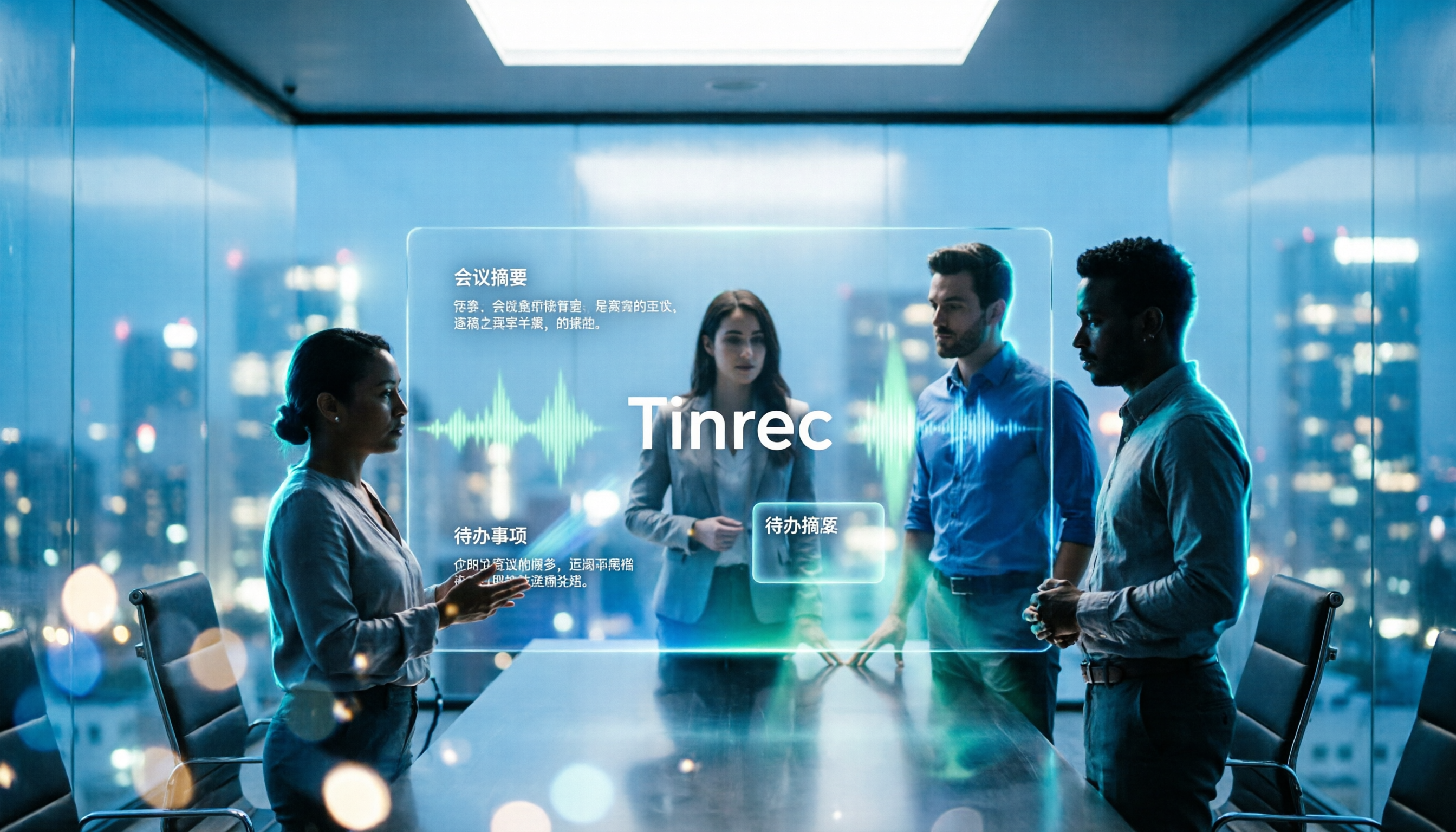
Take Tinrec as an example. It puts recording, transcription, summarization, action items, Q&A, and team knowledge retention into a single workflow.
Scenario 1: Capture conclusions within 5 minutes after a meeting.
In the past, after a one-hour meeting, I would spend extra time recalling who said what and what the next steps were.
Now, after recording a meeting with Tinrec, I can directly view the AI summary, chapters, and action items.
Who is responsible, what date it's due, and which decisions were retained—all in one place, no need to dig through chat logs.
Scenario 2: No extra bot needed for online meetings.
Some people, when recording Zoom, Google Meet, or Microsoft Teams meetings, add a meeting bot to the room.
Tinrec's desktop version captures system audio, so no extra bot needs to join.
For client meetings or internal decision meetings, having one less participant usually makes the process cleaner.
Scenario 3: Turn interview and course recordings into searchable transcripts.
Whether it's user interviews, expert interviews, lectures, or courses, Tinrec can convert audio or video files into transcripts.
After conversion, you can view summaries, jump to chapters, or directly ask the AI: "What were the interviewee's concerns about pricing?"
This is much faster than listening to the recording from the beginning.
Scenario 4: Turn historical meetings into a team Q&A database.
If meeting data stays only on personal computers, whoever takes over will have to ask a new round of questions.
Tinrec's team version centralizes meetings, transcripts, summaries, and action items in a team space.
New members can view historical data, and managers can see usage and activity logs.
What Are the Core Capabilities?
I usually don't look at feature lists but at whether these capabilities can connect into a workflow.
Tinrec's role here is not a single transcription feature but connecting before, during, and after meetings.
Record and Transcribe Simultaneously, with Real-Time Translation
Tinrec supports real-time audio-to-text, so you can see the transcript while the meeting is in progress.
If the meeting has cross-language content, you can view it in original, translated, or bilingual mode.
My advice: don't wait until after the meeting to organize. Confirm key terms are transcribed correctly during the meeting, and you'll have a much easier time afterward.
Desktop Version Records Online Meetings Without a Bot
Tinrec's desktop version captures system audio to handle meetings played on your computer from Zoom, Google Meet, Microsoft Teams, Webex, and others.
You don't need to invite a meeting bot, and you don't need to change your meeting habits.
But note: this is not automatic joining of all calendar meetings; you still need to actively open Tinrec to start recording.
Summaries, Chapters, Action Items, and Mind Maps
Transcription is just the raw material. Tinrec organizes long meetings into summaries, chapters, and key points, and extracts action items from discussions.
If the meeting structure is complex, mind maps can help you understand the relationships between topics.
This is especially useful for project weekly meetings and cross-departmental meetings, because you can grasp the big picture without re-listening to the entire meeting.
AI Q&A and Agent Post-Processing
Tinrec supports AI Q&A around meeting content.
You can ask: "What was decided at the end of this meeting?" "What risks did the client mention?" "Who is responsible for the next deliverable?"
Furthermore, you can use Agent to generate reports, tables, or documents from meeting content, directly turning them into post-meeting deliverables.
Team Spaces, Roles, and Seats
Tinrec's team version is not about multiple people sharing a personal account but an independent team space.
Teams can create multiple spaces, invite members, set owners, admins, and regular members, and allocate seats.
Here's the distinction: roles determine who can manage the team, and seats determine whether members can record, upload, edit, import, and export.
Active members without seats can still view, play, and read team data but cannot perform resource-consuming operations.
Export to Existing Workflows
Tinrec supports multiple export formats and can bring results to tools like Notion, Google Docs, OneNote, and Dropbox for further use.
Stop organizing recordings by hand
Upload audio or video and automatically get a transcript, summary, and action items
My habit: don't leave meeting notes in just one tool; always bring them back to the team's existing document or project management workflow.
Practical Application Scenarios
Next, I'll use four common scenarios to explain how Tinrec fits into daily work.
Project Weekly Meetings: Turn Discussions into Trackable Action Items
The biggest fear in a weekly project meeting is lots of discussion but scattered conclusions.
After recording the meeting with Tinrec, first review the summary and chapters to confirm the conclusions for each topic, then assign action items to members.
Store meeting data in the team space, and before the next weekly meeting, you can directly check the previous decisions without asking "Didn't we say last time...?"
Client Interviews: Capture Requirements, Objections, and Commitments
The value of client interviews isn't just in the moment but in organizing requirements, objections, and commitments afterward.
Use Tinrec to record and transcribe, then use AI Q&A to extract the budget, timeline, and concerns the client mentioned, and export as a visit record.
This is far more reliable than writing client records from memory alone.
Courses and Lectures: Quickly Grasp Key Points from Long Content
Courses or lectures are usually long and information-dense.
Import audio or video into Tinrec, convert to transcript, then view chapters and summaries, and return to the original timestamp when you need to quote.
If students or colleagues want to review together, you can also put the organized data into the team space.
Cross-Language Meetings: No Need to Re-listen to the Entire Meeting for Chinese Notes
The trickiest part of cross-language meetings is that participants discuss in different languages but need to consolidate into a single Chinese record afterward.
Tinrec supports real-time translation and bilingual viewing, so you can compare original and translated text during recording.
But I must remind you: translation and transcription can be affected by accents, noise, and overlapping speakers, so important decisions should still be verified against the original text.
5 Things to Consider When Choosing an AI Meeting Notes Tool
If you're comparing tools, I don't recommend comparing only "how many minutes per month."
Minutes are just the entry point; what really affects daily use is the following five things.
1. First Confirm Whether You Need Translation or a Meeting Workflow
If you're just looking up what Otter means in Chinese, a dictionary is enough.
But if you want post-meeting summaries, action items, and team collaboration, you need to see if the tool can connect the entire workflow.
Tinrec's positioning is to turn meetings into searchable, collaborative, and actionable data, not just give you a transcript.
2. Can It Handle Your Actual Meeting Style?
In-person meetings, online meetings, phone recordings, and existing audio files are all handled differently.
Tinrec supports real-time recording, desktop online meeting recording, audio/video import, and mobile recording.
First list the three types of meetings you have most often, then confirm whether the tool can handle them all.
3. After Transcription, Can It Help You Organize?
Tools that only provide transcripts still require you to read them afterward.
Tinrec generates summaries, chapters, action items, and mind maps, and you can ask follow-up questions via AI Q&A.
Rather than looking at how fast it transcribes, look at whether it can save you from reading several paragraphs.
4. Chinese and Multilingual Experience
If your meetings are mainly in Chinese, Chinese transcripts, mixed Chinese-English, and proper noun recognition are key.
Tinrec supports Chinese and multilingual meetings, and you can maintain common terms with team hotwords.
But don't believe fixed accuracy myths; actual performance is affected by recording quality, accents, noise, and overlapping speech.
5. Can Team Data Be Retained?
The difference between personal and team tools isn't the number of people but data ownership.
Tinrec's team version stores meeting data in a team space and provides roles, seats, usage analytics, audit logs, and an audio recycle bin.
When a member leaves or loses a seat, team resources should be handed over to other active members, and data won't be taken away with the individual.
Also, recording and transcription involve personal data, so consent should be obtained before recording in accordance with local regulations and team policies.
Frequently Asked Questions
Does Otter mean otter in Chinese?
Yes. As an English word, Otter is commonly translated into Chinese as "水獭" (shuǐ tǎ), meaning otter.
When it appears in a software name, it's usually a brand name and doesn't need to be translated into Chinese.
Is Otter a Chinese software?
Otter.ai is an AI transcription and meeting notes service developed by a US team, and it's more mature for English meeting scenarios.
If your meetings are mainly in Chinese, I recommend looking for tools that support Chinese transcripts, summaries, and Q&A, such as Tinrec.
Can Tinrec record Zoom, Google Meet, and Microsoft Teams?
Yes. Tinrec's desktop version captures system audio to handle meetings played on your computer from these platforms.
You don't need to invite a meeting bot, but you need to actively start recording; it doesn't automatically join all meetings.
Does Tinrec only provide transcripts?
No. Tinrec also generates summaries, chapters, action items, and mind maps, and supports AI Q&A, real-time translation, multiple export formats, and Agent post-processing.
Transcripts are just the starting point; the key is whether you can work directly afterward.
What's the difference between the team version and the personal version?
Personal version data belongs to the individual account; the team version has an independent team space, and meeting data belongs to the team.
The team version also includes members, roles, seats, sharing benefits, usage analytics, audit logs, and an audio recycle bin.
Members without seats can view, play, and read data but cannot upload, edit, or export.
Can I try the free version first?
You can use the free version to experience basic recording, import, summary, and transcription quotas.
If you have regular meetings every week, then consider a weekly card, Pro monthly card, or annual card based on usage frequency.
Is transcription accuracy guaranteed?
We don't recommend promising a fixed accuracy rate.
Actual performance is affected by recording quality, noise, accents, overlapping speakers, and technical terminology.
For important content, it's recommended to verify against transcript timestamps and recording playback.
Conclusion
Back to the original question: What does the software Otter mean in Chinese?
Literally, Otter means otter; as a software name, it's a brand, not a Chinese feature.
But if you're searching for this question, chances are you're not just looking up a word but looking for a tool to help you handle meetings.
My advice: don't stop at name translation; look at the workflow directly.
Take Tinrec as an example. From recording, transcription, summarization, action items, Q&A to team space, it solves how to use meetings afterward, not just turning voice into text.
You can start with the free version on a real meeting to see if the summaries and action items hit your needs.
Quick start:
- List the three types of meetings you handle most often.
- Use Tinrec's desktop version to record an online meeting and confirm no bot is needed.
- After the meeting, check whether the summary, chapters, and action items hit the mark.
- Use AI Q&A to ask about a key decision.
- Export the organized results to your existing document workflow.
- If the team wants to retain data, create a team space and allocate seats.
Test step by step, and you'll find the meeting notes method that suits you.
References
Turn every recording into actionable outcomes
Get 60 free transcription minutes when you sign in. No credit card required.
Related Reading
You might also like

2026 Comparison of 4 Client Visit Recording Tools: How Tinrec and Notta Differ in Visit Documentation Workflows
Most people's client visit records are as good as not written: only conclusions, written after the fact, scattered everywhere. This article breaks down the correct practices and essential fields for the three stages before, during, and after a visit, and compares Tinrec and Notta in terms of recording workflow, post-meeting organization, and team handover, helping you choose a tool that truly accumulates client data.

2026 Comparison of 4 Sales Meeting Notes Templates: Does AI-Generated Meeting Minutes Really Save Time?
Should sales meeting notes be on paper, spreadsheets, or AI tools? This article breaks down 4 common approaches and uses Tinrec as an example to test how transcripts, AI summaries, action item extraction, AI Q&A, and team spaces work, with 5 buying tips and FAQs.

How to Create a Client Visit Record Form in 2026: 5 Steps from Field Design to AI Organization
After a client visit, the recording sits there, and your notes are only three lines long. Before the next visit, you can't remember what you promised last time. This article starts with what fields a client visit record form should have, then walks you through 5 steps to turn visit records scattered across paper, Excel, and chat apps into searchable, transferable data. It also compares Tinrec, Notta, Otter.ai, and Granola in the context of visit records.

4 Sales Meeting Transcription Tools Tested: Which One Saves the Most Time on Chinese Meeting Notes in 2026?
The key to sales meeting notes is whether you can immediately deliver an action plan after the meeting, not how complete the recording is. Starting from the real needs of sales scenarios, this article outlines 4 key purchasing criteria and, with Tinrec as the main focus, compares Otter.ai, Notta, and Granola on Chinese transcription, bot-free recording, post-meeting Q&A, and team data retention, concluding with scenario-based selection recommendations.

2026 Comparison of 5 Sales Meeting Note Solutions: How to Combine Excel Templates, Google Sheets, and AI Tools for Maximum Time Savings
Relying solely on Excel for sales meeting notes often means spending twice as much time organizing after the meeting. This article reviews 5 practical sales meeting note solutions available in 2026, from Excel templates and Google Sheets shared calendars to AI transcription tools and recording hardware. It explains each option's positioning, limitations, and ideal users, and identifies the most time-saving combinations.

3 Sales Meeting Notes Tools Worth Trying in 2026: PTT FAQs and Templates Explained
People on PTT often ask how to write a sales meeting notes template, but the real problem is that no one organizes the notes afterward and the fields don't map to the sales process. This article starts with selection criteria, tests Tinrec's bot-free meeting recording, AI Q&A, and team spaces, compares use cases for Granola and TurboScribe, and ends with a pitfalls guide and selection advice.

2026 Sales Meeting Notes Template: Complete Guide with Fields, Examples & AI Automation
2026 Sales Meeting Notes Template: Complete guide covering client visits, proposals and quotes, and weekly sales tracking. Includes copy-paste fields and examples, plus how to use Tinrec to quickly organize recordings, transcripts, summaries, and action items into your template.

2026 Sales Meeting Notes Tools Buying Guide: 4 Hands-On Tests and Template Recommendations
Using a real sales meeting workflow, we break down how to choose a sales meeting notes tool: bot-free recording, post-meeting summaries and action items, AI follow-up questions, Chinese language support, and team collaboration. Includes a ready-to-use sales meeting notes template and compares the best-fit scenarios for Tinrec, Otter.ai, Fireflies.ai, and Granola.

2026 Comparison of 4 Sales Meeting Notes Tools: Which AI Auto-Generates Action Items Most Efficiently?
Many people on PTT ask how to write sales meeting notes, but the real hassle is post-meeting organization. This article uses sales meeting scenarios to compare four tools—Tinrec, Otter.ai, Notta, and Granola—from Chinese transcription, automatic summarization, action item extraction, AI Q&A, to team knowledge retention, helping you pick the most time-saving one.