

Turn recordings into transcripts and summaries in minutes
Upload audio or video for multilingual transcription, AI notes, and action items
2026 AI Meeting Recorder Comparison: Chat AI vs. Dedicated Tools — Which One Actually Delivers Meeting Minutes?
Many people think they're already using an AI meeting recorder — they toss a meeting recording into a chat AI assistant and ask it to "summarize into meeting minutes." I've tried this. The first time felt magical. By the third time, I gave up.
The reason is simple: you need a recording first, then a transcript, then you have to remember to paste the transcript in, and then it gives you back something that reads smoothly but misses the critical details — who's responsible, when it's due, what was decided. The real pitfall isn't that AI isn't smart enough. It's that you assume "AI helps write it" equals "you have meeting minutes."
I manage a team of 10 and sit through about 15 meetings a week: weekly syncs, project status updates, one-on-ones, cross-department coordination, and reporting to my boss. Here are the three misconceptions I stumbled into, and how I fixed them.
Three Misconceptions I Fell For
Misconception 1: Treating the transcript as meeting minutes. A transcript is raw material; minutes are conclusions. A two-hour meeting produces a transcript of over 10,000 words. Your boss won't want to read it, and two weeks later, neither will you.
Misconception 2: Treating chat AI as a meeting database. A chat window giving you a good answer doesn't mean you've built a repeatable process. Next time you need to look up "the conclusion from that March budget meeting," you still have to find that conversation thread and figure out how to re-paste the data.
Misconception 3: Assuming a meeting bot must join the room. Bots join as a "participant," which means explaining it in external meetings, notifying clients, and some companies don't even allow it.
A more sensible approach: use a dedicated AI meeting recorder for capture, organization, and retention, and treat chat AI as a post-processing assistant. This article uses Tinrec, which I'm currently using, as an example to walk you through the entire workflow.
What Can an AI Meeting Recorder Do for You?
Scenario 1: Get readable minutes within 5 minutes after a meeting
In the past, after a two-hour meeting, I'd spend another 40 to 60 minutes re-listening, typing, and extracting key points. Now, with Tinrec, as the meeting ends, the transcript, summary, chapters, and action items are already generated. Who's responsible for what and what's next are listed separately — I just proofread and add anything missing.
Scenario 2: Your boss asks "What was the conclusion last time?" — you answer in 10 seconds
This is reality. I used to flip through handwritten notes for 3 minutes and still not find it — a terrible feeling. Now meetings are retained in one place. I use Tinrec's AI Q&A to directly ask "What was the conclusion when we discussed the budget last time?" It answers based on the meeting content and even links to the original timestamp.
Scenario 3: Assigned tasks have a record you can follow up on
Verbal assignments are the most error-prone — ask two days later, and the person says they forgot, and you can't prove you said it. Once action items are automatically extracted from the meeting, it goes from "verbal" to "on record."
Scenario 4: No more relying on human translators for cross-language meetings
When meeting with overseas colleagues or clients, Tinrec supports viewing the original, translation, or bilingual content during recording, so you don't need to find someone to prepare a separate Chinese version afterward.
What Are the Core Capabilities of an AI Meeting Recorder?
1. Bot-free online meeting recording
This is the biggest differentiator. Tinrec's desktop version directly captures your computer's system audio, handling meeting audio played on your computer from platforms like Zoom, Google Meet, Microsoft Teams, and Webex — no extra bot needs to join the meeting. No need to explain "who's the extra person" in external meetings.
2. Real-time transcription and live translation
It transcribes as it records, not after the fact. During the meeting, you can follow along with the text to confirm nothing important is missed. For cross-language meetings, you can switch between original, translation, or bilingual view.
3. AI summaries, chapters, and action item extraction
It doesn't just condense the transcript into a paragraph — it structures the information: meeting topic, key discussion points, chapter breakdown, and action items listed separately. Especially useful for long meetings — you can recall the entire meeting just by scanning chapter titles.
4. AI Q&A (my most-used feature)
After transcription, you can directly ask questions about the meeting content: "What were the three concerns the client mentioned?" "Who said this?" Tinrec supports follow-up questions across single or multiple meetings — much faster than manual Ctrl+F.
5. Export and post-processing
Meeting results only count once they enter your workflow. Tinrec supports multiple export formats, so you can take content into Notion, Google Docs, OneNote, Dropbox, and other tools. You can also use Agent post-processing to generate reports, tables, and meeting summary documents.
Real-World Use Cases
Department weekly sync
Every week's 60-minute sync often raises the question: "Did we actually do what we discussed last week?" My approach: record the meeting with Tinrec, then pull out the action items and compare them against last week's list. Five minutes to confirm progress — no more relying on memory.
Stop organizing recordings by hand
Upload audio or video and automatically get a transcript, summary, and action items
One-on-one meetings
One-on-one content is sensitive, so I don't share transcripts around. Tinrec stores data in your own space, so I can look back at "what career direction we discussed last time" — avoiding starting from scratch each time and preventing inconsistent advice due to fuzzy memory.
Client interviews and requirements confirmation
What clients say can easily become "he said, she said" later. With transcripts and summaries, requirements, objections, and commitments can all be verified against the original text. The organized content can be exported as proposal materials — no retyping needed.
Cross-department coordination meetings
The most time-consuming part of cross-department work isn't communication — it's follow-up after communication. Meeting materials are stored in a shared team space, so new members can look up past meetings themselves instead of asking me "what was decided before?" every time.
5 Things to Consider When Buying an AI Meeting Recorder
1. Capture method: bot joining or system audio capture?
If you frequently hold external meetings, this is almost a deciding factor. Tinrec uses desktop system audio capture — no bot invitation needed. But understand that this means you need to actively open the desktop app to start recording, not automatic calendar-based joining of all meetings.
2. What can it do after transcription?
Transcription is just the first step. Can it generate summaries, chapters, action items? Can you continue asking questions? Can it export to the tools you already use? That's the key to saving time. Tinrec is fairly complete in this regard.
3. Handling Chinese and mixed Chinese-English
Meetings in Taiwan are rarely pure Chinese — they usually mix product names, technical terms, and English abbreviations. Tinrec covers Chinese, Traditional Chinese, and multilingual scenarios, and provides team hotwords so you can maintain company-specific terminology. Actual performance will still be affected by recording quality, accents, background noise, multiple people speaking simultaneously, and specialized jargon — keep reasonable expectations.
4. Data ownership and team governance
Personal notes and team assets are two different things. Tinrec's team plan provides an independent team space where data belongs to the team, with management of member roles, seats, sharing permissions, usage analytics, and audit logs. Note a common misunderstanding: members without a seat can still view, play, and read team data, but recording, uploading, editing, and exporting require a seat. This isn't file-level granular permissions — it's team-level sharing plus role and seat management.
5. Pricing and quota logic
Don't just compare "cost per minute." Tinrec's current structure: Personal plan offers a free tier, weekly pass, Pro monthly, and annual — choose based on usage frequency. Team plan: first-time eligible teams get a 7-day trial, 1 free seat, and 300 minutes of shared team import quota. Team monthly is USD 29.80 per paid seat per month; annual is USD 199 per paid seat per year (about USD 16.58/month), with each paid seat providing 2,000 minutes of shared team import quota per month. Additionally, under an active team plan and active seat, real-time recording currently does not deduct minutes; file and web imports use the shared team quota. Actual prices and benefits are subject to the official purchase page.
FAQ
Q1: What's the difference between chat AI and a dedicated AI meeting recorder?
The difference is the workflow. Chat AI excels at "you give it material, it writes for you," but it won't automatically capture meeting audio, won't build a repeatable database, and doesn't easily handle team permission management. Dedicated tools like Tinrec connect capture, transcription, summarization, Q&A, export, and team retention into one streamlined process.
Q2: Which meeting platforms are supported?
Tinrec's desktop version can handle audio played on your computer from Zoom, Google Meet, Microsoft Teams, and Webex meetings. It also supports real-time recording of in-person meetings and uploading existing audio and video files. Note: this means "can process audio played from these platforms on your computer" — it does not imply official partnerships with these platforms.
Q3: Is the free version enough?
If you only have 2-3 meetings a week and occasionally need a transcript, the free version's basic quota is enough to try it out. If you have meetings every day like me, choose a weekly pass or Pro based on frequency. If you need long-term meeting data retention, the annual plan has a lower monthly equivalent.
Q4: What's the difference between team and personal plans? Will data disappear when a member leaves?
Personal plan data belongs to the individual account; the team plan is an independent collaboration space where data belongs to the team. When a member leaves, is removed, or loses their seat, their team resources need to be handed over to other active members — they won't be taken away automatically. Deleted team audio goes to the recycle bin, currently retained for 30 days and recoverable before permanent deletion.
Q5: Can accuracy be guaranteed?
I wouldn't recommend anyone give you a fixed number. Transcription quality is affected by recording equipment, background noise, accents, speaking speed, and overlapping speakers. In practice: for important decisions and numbers, verify against the transcript timestamp and recording once. AI saves you typing and organizing — not responsibility. Also, follow local regulations for recording and transcription, and obtain participant consent when necessary.
Conclusion
If you ask me "chat AI or dedicated AI meeting recorder — which one?" my answer isn't either/or — it's division of labor: let a dedicated tool like Tinrec handle meeting capture and organization, and when you need to write external communications or polish tone afterward, hand it to chat AI for processing.
The criteria is simple: if you spend more than 30 minutes organizing minutes after a meeting, or you get stuck when asked "what was the conclusion last time?" — it's time to change your workflow. Tinrec's free version has a basic quota, enough to try two or three meetings. First confirm whether it actually saves you time in your meeting scenarios, then decide whether to upgrade.
References
- AI Meeting Minutes Software Recommendations: 5 App Reviews — Auto-Transcription Makes Meetings a Breeze!
- Conversational AI vs. Dedicated AI Meeting Recorder: Can ChatGPT Really Handle All Your Meetings? (2026)
- Meeting Ink - 2026 AI Meeting Minutes Tool Review | 7 Speech-to-Text and Summary Speed Comparison | Meeting Ink - AI Meeting Minutes Assistant: Auto-Transcribe and Summarize Meetings
- No More Taking Turns Writing Meeting Minutes! 3 AI Tools for Real-Time Notes and Summaries — Focus on Your Meeting | Manager Today
- Lately many people ask me if there's an AI tool for meeting notes. They're still typing manually, can't multitask, and it's a waste of time. My answer is always — SeaMeet. Why recommend it? Here's a summary: - Tied to Google Meet, syncs transcription and real-time summaries for online meetings — super convenient. - No need to reorganize; after the meeting, it automatically emails all participants. - Incredibly easy to use — I taught seniors with zero AI experience in 10 minutes. - In-person meetings...
Turn every recording into actionable outcomes
Get 60 free transcription minutes when you sign in. No credit card required.
Related Reading
You might also like

2026 AI Meeting Notes Showdown: Tinrec vs Otter.ai for Chinese-Language Meetings
A transcript is not a meeting summary. This article compares Tinrec and Otter.ai across five dimensions—Chinese transcription, meeting capture methods, post-meeting outputs, team governance, and pricing/quotas—to clarify common misconceptions and highlight each tool's unique strengths and ideal users, helping you choose based on your Chinese-language meeting and team knowledge retention needs.

2026 AI Meeting Notes Software Comparison: Can Free Versions Handle a Full Meeting?
With the decision-making focus on whether free versions are truly usable, this side-by-side comparison of Tinrec and Notta examines free quotas, online meeting recording methods, post-meeting organization depth, Chinese-language experience, team collaboration, and cost structure to help you choose the right AI meeting notes software without unpleasant surprises.

Best AI Meeting Notes Software? 2026 Hands-On Test of 4 Tools: This One Is the Smoothest for Chinese Meetings and Team Knowledge Retention
Still spending time re-listening to recordings and writing meeting notes after meetings? Based on real-world usage scenarios, this article outlines 4 key factors for choosing AI meeting notes software and hands-on tests the differences among Tinrec, Notta, Otter.ai, and Granola, covering Chinese transcription, bot-free recording, post-meeting Q&A, team seat management, and actual pricing to help you determine which tool suits your work style.

2026 AI Meeting Recorder Comparison: Which Free Version Is Enough?
How to choose a free AI meeting recorder? This article examines four key factors—free plan structure, meeting format, post-meeting workflow, and team data ownership—and compares the free plans of Tinrec, Notta, Otter.ai, and PLAUD. It also highlights three common pitfalls when choosing the wrong tool, helping you determine how far a free version can take you and when you truly need to pay.

2026 AI Meeting Notes Tools Compared: Which Free Online Version Is Enough?
There are many free AI meeting notes tools, but free quotas, how meetings are captured, and post-meeting organization capabilities vary widely. This article compares Tinrec, Notta, Otter.ai, and Granola from four angles: free quota, how online meetings are recorded, post-meeting AI organization, and team data ownership, and summarizes the four most common pitfalls when choosing a tool.
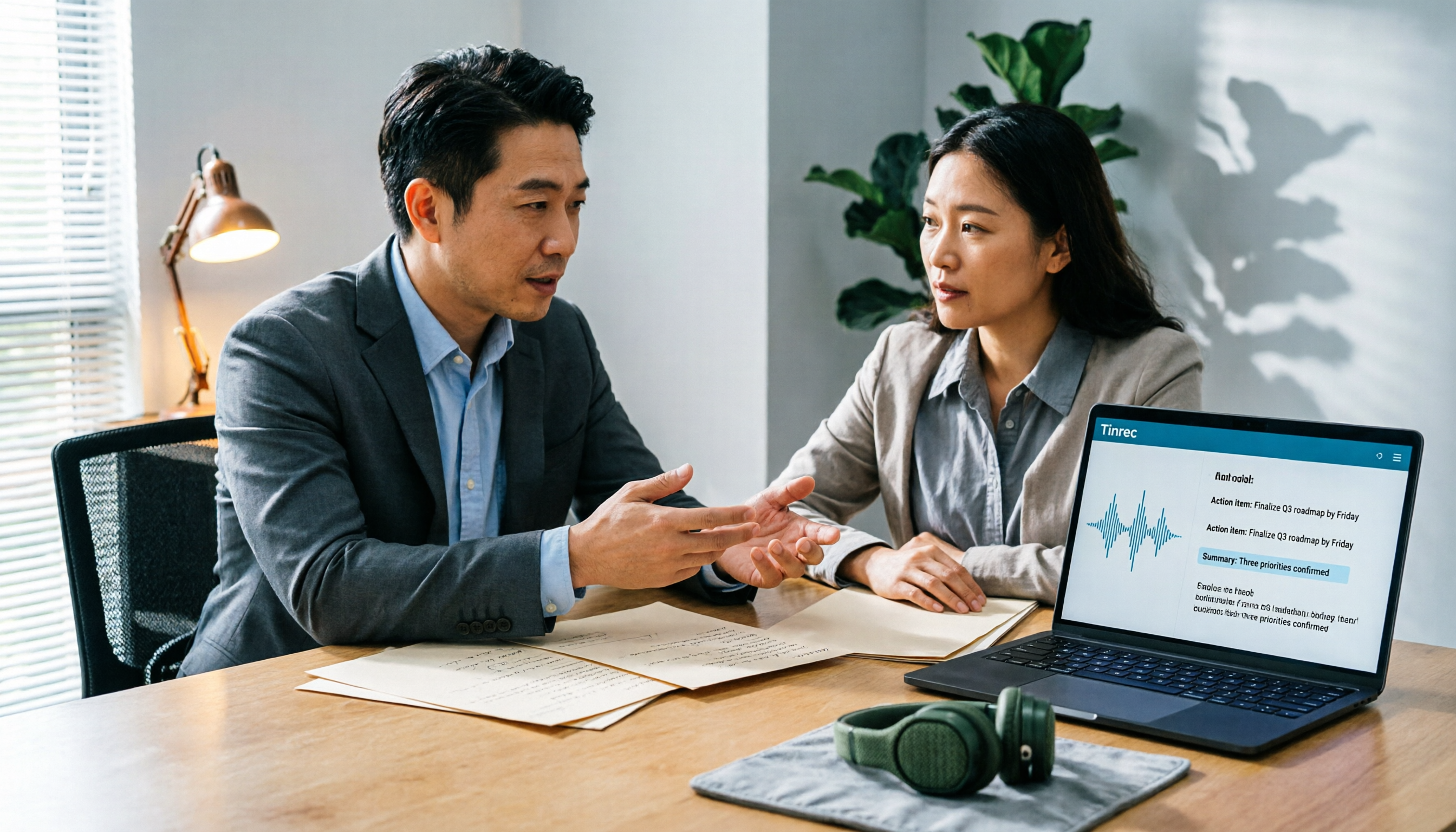
2026 AI Meeting Notes Software Comparison: Are Free Versions Enough?
A mid-level manager who attends 15 meetings a week tests four AI meeting notes tools—Tinrec, Notta, Otter.ai, and PLAUD NotePin—covering free tiers, Chinese recognition, post-meeting organization, and team data ownership, and outlines the four most common pitfalls of free versions plus practical selection advice.
2026 AI Meeting Notes Software Comparison: 5 Tools Tested, Post-Meeting Organization Is What Matters
When choosing AI meeting notes software, most people compare free minutes first, but the real time sink is post-meeting organization. This article breaks down the differences and limitations of Tinrec, Otter.ai, Notta, and PLAUD based on hands-on testing, 4 key buying factors, recording methods that don't require a bot to join meetings, and team collaboration. It also covers common selection mistakes to help you choose the right tool for your meeting style.

2026 AI Meeting Notes Tools Compared: Which One Actually Saves You Time?
AI meeting notes tools are everywhere, but transcription accuracy isn't the only difference. This hands-on comparison of Tinrec, Notta, Otter.ai, and Granola looks at four dimensions: how meeting audio gets captured, whether post-meeting output is actually usable, performance with Chinese and mixed Chinese-English speech, and team data ownership. We also cover key pitfalls to check before buying, so you can find the one that truly cuts your post-meeting cleanup time.

Tinrec vs Notta in 2026: 5-Dimension Comparison — Which Is Better for Chinese Meeting Notes?
There are countless AI meeting note tools, but what really matters is how they capture audio, how well they handle Chinese, and whether their output is directly usable after the meeting. This article compares Tinrec and Notta across 5 dimensions, and also clarifies the positioning of Otter.ai, Granola, and PLAUD to help you decide which fits your meeting style and team size.