
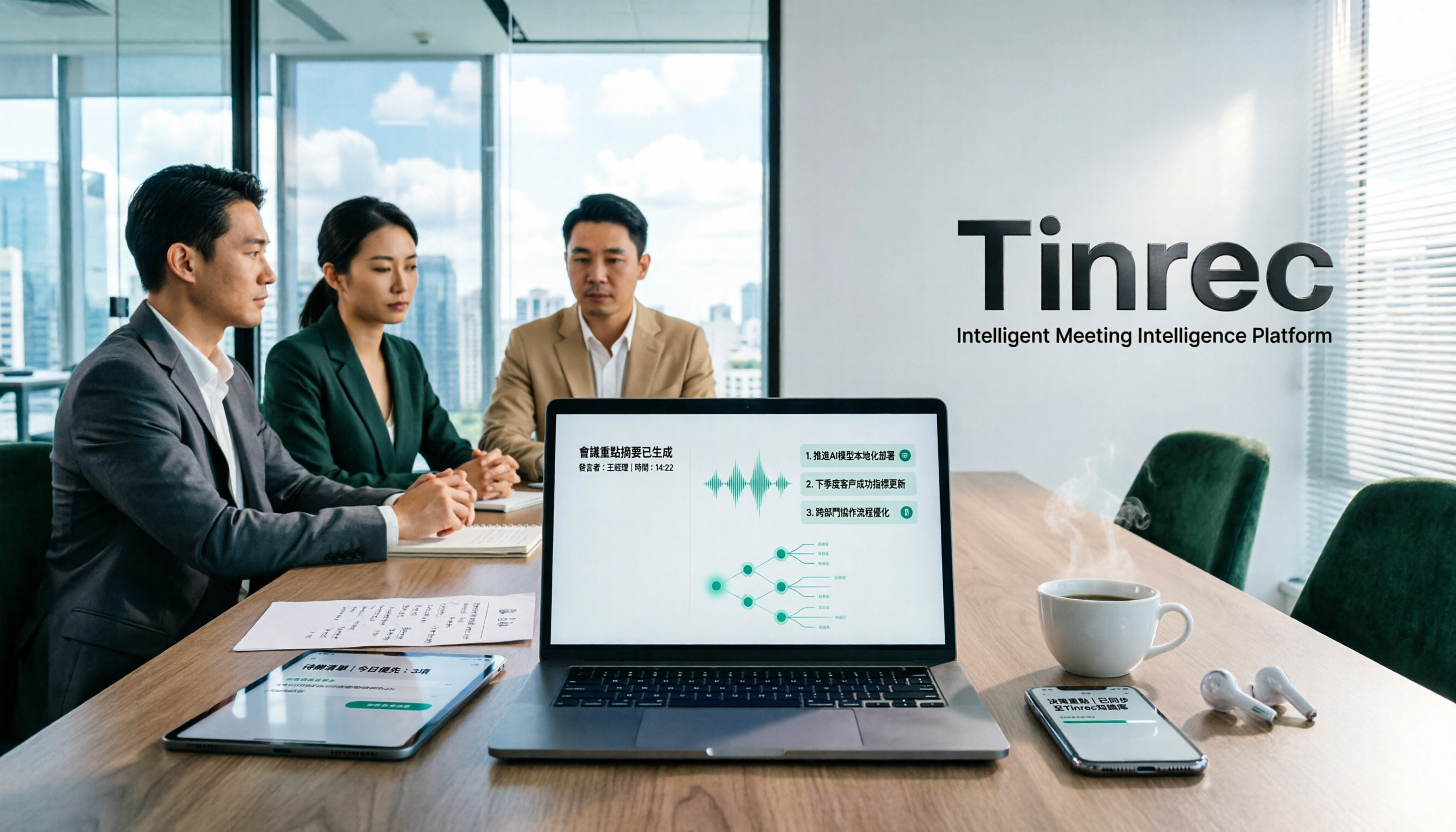
Turn recordings into transcripts and summaries in minutes
Upload audio or video for multilingual transcription, AI notes, and action items
Recently, I was organizing a two-hour all-Chinese product meeting. I fed the recording into Otter.ai, and the transcript came out quickly—but first, it was in Simplified Chinese; second, the mixed Chinese-English paragraphs were cut off; and third, several internal product terms all became homophone typos.
I spent more time proofreading than I did in the meeting itself.
Later, I realized something: it's not that Otter.ai is bad—it's that it was designed for English meetings.
So this article isn't about "which tool has the most features." I want to talk about a methodology question: when your meeting language is Traditional Chinese, in what order should you check tools so you don't discover after recording that you have to redo everything?
Here are the 5 steps I use myself.
Otter.ai vs Tinrec | Quick Overview
Let me start with the conclusion: these two are not the same type of tool.
Otter.ai is a mature English business meeting assistant, strong in English transcripts, speaker identification, AI Chat, and meeting integrations. Tinrec (秒聽錄音) focuses on Chinese meeting transcription, as well as post-meeting organization and team knowledge retention.
| Item | Otter.ai | Tinrec |
|---|---|---|
| Core positioning | AI meeting assistant, strong in English business meetings | AI meeting notes and team collaboration |
| Chinese output | Mainly Mandarin, outputs Simplified Chinese; Traditional Chinese and mixed Chinese-English require more proofreading | Chinese, Traditional Chinese, and multilingual meeting scenarios; supports mixed Chinese-English organization |
| Meeting capture | Meeting bot, desktop app, and other methods | Desktop version captures system audio; no bot needs to join the meeting |
| Post-meeting outputs | Summary, action items, AI Q&A | Transcript, summary, chapters, to-dos, mind map, AI Q&A, documents/reports/tables, third-party export |
| Team capabilities | Mature team and enterprise management | Team spaces, roles, seats, usage analytics, audit logs, audio recycle bin |
Pricing and quotas are subject to change: Otter's free plan offers 300 minutes per month, and Pro annual billing is approximately USD 8.49/user/month; Tinrec's team plan is USD 29.80/paid seat/month for monthly billing, or USD 199/paid seat/year for annual billing. Actual prices are subject to each party's official purchase page.
Step 1 | First confirm your meeting language—don't let the tool decide your output
This is the easiest step to overlook, and the most expensive.
Otter.ai's performance in English meetings is indeed mature, with speaker identification and real-time transcription at a certain level. But based on current public information and official documentation, its Chinese is mainly Mandarin and outputs Simplified Chinese; when encountering Traditional Chinese, Taiwanese Hokkien, or mixed Chinese-English, the error rate rises noticeably, usually requiring extensive manual proofreading.
Tinrec, on the other hand, treats Chinese meetings as its home turf: Chinese and Traditional Chinese transcription, mixed Chinese-English content organization, multilingual meetings, and team hotwords for maintaining professional terminology.
Note that no tool should promise a fixed accuracy rate. Recording quality, noise, accents, overlapping speakers, and specialized terminology all affect results.
→ Conclusion for this step: If meetings are mainly in Traditional Chinese, Tinrec is a more reasonable starting point; for all-English meetings, Otter is still competent.
Step 2 | Confirm how the meeting is recorded: bot joins, or system audio capture
Many people get stuck not on features, but on "having an extra bot in the meeting."
Otter's common approach is to have the meeting assistant join online meetings as a participant. This is convenient for internal meetings, but for client interviews and external proposals, it often requires an explanation first.
Tinrec's desktop version takes a different path: it directly captures computer system audio, handling meeting audio played on the computer from platforms like Zoom, Google Meet, Microsoft Teams, and Webex, without requiring an extra bot to join.
Let me clarify the boundary here: this is "the user actively opens Tinrec to start recording," not automatically joining all calendar meetings, and it does not imply official partnerships with these platforms.
→ Conclusion for this step: If you often meet with external parties and don't want a recording bot to appear, Tinrec's capture method saves communication overhead.
Stop organizing recordings by hand
Upload audio or video and automatically get a transcript, summary, and action items
Step 3 | Confirm whether you want a transcript or data you can keep working with
Getting only a transcript actually means you've completed just one-third of the work.
Otter provides summaries and action items, and supports AI Q&A—this part is not weak. But its value is mainly concentrated in "the meeting itself and post-meeting summaries."
Tinrec extends the workflow further: beyond the transcript, it automatically generates summaries, chapters, and key points, extracts to-dos, supports AI Q&A around meeting content, and can further produce meeting minutes, reports, and tables, and export to Notion, Google Docs, OneNote, Dropbox, and other tools for further processing.
My experience is: what really takes time is not transcription, but "turning discussions into something deliverable." Whether this part is covered makes a big difference.
→ Conclusion for this step: If you need post-meeting deliverables and further processing, Tinrec's workflow is more complete; if summary-level output is enough, Otter suffices.
Step 4 | Confirm whether you have cross-language meetings
As long as there is one foreign-language member on the team, meetings become mixed Chinese-English.
Otter performs stably in single-language, English-dominant meetings, but a conversation is usually transcribed primarily in one language.
Tinrec supports real-time translation, allowing you to switch between original text, translation, or bilingual view during recording. For multinational meetings where simultaneous understanding is needed, this design is more practical than "translating afterward."
Of course, translation is not omnipotent. Proper nouns, jokes, and implied tones still need to be checked against the original text.
→ Conclusion for this step: For regular cross-language meetings, Tinrec is on par or even better; for pure English single-language meetings, Otter is not at a disadvantage.
Step 5 | Confirm who ultimately holds the meeting data
This question is unnoticeable for individual use, but becomes painful as the team grows.
Otter has mature team and enterprise management capabilities, suitable for organizations already in English business workflows.
Tinrec's team version, on the other hand, offers independent team spaces: you can create multiple teams, invite members via join links, set owners/admins/regular members, and allocate or reclaim seats. Meeting data belongs to the team; when members leave, resources must be handed over and won't be taken away wholesale. Admins can also view usage trends, member rankings, and details, query and export audit logs, and mistakenly deleted audio can go to the recycle bin (currently retained for 30 days, TODO not in scope).
There's a common misunderstanding to clarify first: roles determine who can manage the team, seats determine who can record, upload, edit, and export. Valid members without seats can still view, play, and read team data, but cannot perform resource usage operations. The team version currently focuses on team-level sharing, not file-level granular permissions.
→ Conclusion for this step: If you need to turn meetings into traceable team assets, Tinrec's governance design is closer to this need.
What unique advantages does each have?
Tinrec's advantages:
- Chinese and Traditional Chinese meeting experience, supporting mixed Chinese-English and multilingual organization.
- Bot-free recording on desktop, no extra participant needs to enter the meeting.
- From transcript all the way to summaries, chapters, to-dos, Q&A, export, and Agent post-processing.
- Team spaces, roles, seats, usage, audit, and recycle bin give data a home.
Otter.ai's advantages:
- Deep accumulation in English business meetings, mature speaker identification and meeting integrations.
- Free plan offers 300 minutes per month, low entry barrier for short English meetings.
Conclusion: Who should you choose?
- If your meetings are mainly in Traditional Chinese → Tinrec
- If you often meet with external clients and don't want a recording bot to appear → Tinrec
- If you want post-meeting minutes, to-dos, and reports rather than just transcripts → Tinrec
- If your team needs member, seat, usage, and audit management → Tinrec team version
- If you hold pure English meetings, not long per session, and only need real-time transcripts and summaries → Otter.ai free version works well
In one sentence: For most Taiwanese teams' Chinese meetings, Tinrec is a more complete choice. But tools are supporting actors; methodology is the lead.
Quick Start Checklist
- Take a real Chinese meeting recording and test it with the free version first—don't use demo audio files.
- Check three things: Traditional Chinese character accuracy, mixed Chinese-English sections, and company proper nouns.
- Add frequently mistranscribed terms to team hotwords so you don't have to re-proofread next time.
- After the meeting, review the summary and chapters first, then go back to verify transcript timestamps.
- Extract to-dos and paste them into your existing task management workflow.
- When sharing with the team, first clarify who needs seats and who only needs to read.
Recording and transcription involve personal data and local regulations; remember to obtain participants' consent for external meetings.
Test step by step, and you'll gradually find the method that best suits your team.
References
- Is Otter.ai Good? 2026 Chinese Support, Pricing, Free Plan Limitations, and Alternatives - Z's AI Observation Room
- What is Otter Chinese? 2026 AI Speech-to-Text Tool Review and Alternative Recommendations - Tinrec Blog
- Otter.ai Pricing and Alternative Review: How to Choose a 2026 Meeting Notes AI Tool? Chinese Support and Pricing Comparison at a Glance - Tinrec Blog
- Otter.ai Doesn't Support Chinese? 2026 Best Chinese Speech-to-Text and AI Meeting Notes Alternatives - Tinrec Blog
- 2026 Otter.ai Alternative Review: How to Choose Chinese Transcript, Meeting Summary, and AI Query Tools? - Tinrec Blog
Turn every recording into actionable outcomes
Get 60 free transcription minutes when you sign in. No credit card required.
Related Reading
You might also like

How to Choose a Tongyi Tingwu Alternative in 2026: 5 Steps to a Working AI Meeting Notes Workflow in Taiwan
Looking for a Tongyi Tingwu alternative? The real hurdle is often not features, but account setup, payment, service region, and how meeting data is retained. This article breaks down a real meeting workflow into 5 steps to help you assess whether an AI meeting notes tool can actually work in Taiwan, and shares the workflow I kept after hands-on testing.

2026 One-Click Meeting Minutes Export Tools Compared: Which One Can Send the Minutes Directly?
Meeting notes don't end when you finish typing—the real bottleneck is the final step: exporting. This article uses real student scenarios to compare Tinrec and Granola across six dimensions: export workflow, minutes content, audio retention, import sources, free quota, and team collaboration, to tell you which one can turn meeting notes into a file others can open and use with one click.

2026 Free Automated Meeting Notes Options: 4 Methods Compared
Tired of spending time organizing meetings after they end? This article covers 4 free methods for automated meeting notes in 2026, from pure manual notes, built-in platform transcription, meeting bots, to desktop bot-free recording. Using Tinrec as a practical example, it explains free quotas, core capabilities, purchasing considerations, and team plan benefits to help you choose the right approach without wasting money.

2026 Comparison of 4 Class Recording Tools: What's Missing Between Transcripts and Notes?
Recorded lectures all semester but still need to re-listen before finals? The problem usually isn't the recording—it's treating transcripts as notes. This article starts with common organizing mistakes, explains how to choose tools for class recordings, and how to use AI summaries and Q&A to compress a one-hour lecture into Cornell notes. It also compares the practical differences and limitations of Tinrec, Otter.ai, Granola, and TurboScribe.

4 Best Free Speech-to-Text Tools in 2026: Which Free Tier Actually Works?
There are many free speech-to-text tools, but 'free' means very different things. This hands-on comparison of Tinrec, Otter.ai, Notta, and TurboScribe evaluates free quotas, Chinese recognition, post-meeting organization, and team collaboration to help you decide which free plan is truly sufficient.

2026 Comparison of 4 Whisper Speech-to-Text Alternative Apps: Which Saves the Most Time for Chinese Meetings?
Since Whisper desktop has been stuck in 2023, many people are looking for alternative apps. This article summarizes practical key points for choosing a Whisper alternative in 2026 from three perspectives: Chinese meetings, bot-free recording, and post-meeting organization, using Tinrec as an example to illustrate the complete workflow.

Meeting Minutes Abbreviations: MoM, mins., and 5 More Terms Explained (2026)
Confused by emails like 'Send MoM by EOD, CC the POC'? This guide breaks down the most common meeting minutes abbreviations—MoM, mins., AOB, action items, and more—then gives you a standard format you can complete in 30 minutes, plus the 4 most common mistakes and how to choose the right approach for your meeting.

5 Speech-to-Text Tools Tested and Compared in 2026: Which One from the PTT Buzz List Actually Saves You That Hour After Meetings?
Tired of spending evenings cleaning up meeting transcripts? This article reviews 5 speech-to-text tools buzzing on PTT and social media, comparing them on output goals, speaker separation, mixed Chinese-English recognition, and data processing location, plus the 4 most common pitfalls and scenario-based recommendations.

5 Best Speech-to-Meeting Notes Tools in 2026: How to Choose Based on Free Quotas, Transcription Speed, and Summary Quality
Still spending two or three hours re-listening to recordings after meetings? This article breaks down how to choose a speech-to-meeting notes tool based on five key factors: how free quotas are calculated, language and accent recognition, speaker separation, whether summaries can drive action, and timestamp needs. It also compares NotebookLM, CLOVA Note, EchoScript AI, Meeting Ink, and Yating Transcription to help you pick the right one and avoid wasted effort.