

Turn recordings into transcripts and summaries in minutes
Upload audio or video for multilingual transcription, AI notes, and action items
Tinrec vs Notta 2026: 5-Dimension Comparison — Which Turns Meeting Minutes into Excel Faster?
Why Your Meeting Minutes Never Make It into Excel — The Problem Usually Isn't the Template
My old approach was standard: open an Excel meeting minutes template with all the fields — date, chair, attendees, agenda, decisions, action items, owners, deadlines — and freeze the header row so it doesn't scroll away. Looked professional.
The problem was, thirty minutes into the meeting, I was still switching between 'host' and 'note-taker.' When discussion sped up, I could only jot down keywords; by the time the meeting ended, the sheet was two-thirds full, and the last third was filled in from memory. What I filled in wasn't the decision — it was my version of what I remembered.
Another scenario hurt more. Last week my boss asked me, 'What was the conclusion about the budget from the last cross-department meeting?' I opened the folder and found three files all named 'Meeting_Notes_final.' I scrolled for three minutes and still couldn't find that line. Excel's filter and sort are great — provided the content is correctly entered first.
There's another situation many people don't realize: when the note-taker is also a participant, no format can save you. It's not that the template is poorly designed — it's that one person can't simultaneously host, think, respond, and type every word.
So what really needs replacing isn't the Excel template — it's the process of how meeting content is generated. First generate the transcript and structured summary, then map them to Excel fields. That's the sustainable approach.
Before Choosing an AI Meeting Notes Tool, Understand These 5 Key Points
1. How meeting audio is captured This is the most easily overlooked. Some tools rely on a meeting bot joining as an 'attendee' — you have to invite it in advance, it appears on the participant list, and clients see a strange account in the meeting, which is a bit awkward. Another approach is desktop capture of system audio directly, without adding any participant. The latter makes a big difference for external meetings and client interviews. Ask clearly about this when choosing a tool.
2. Chinese and technical terminology recognition performance Don't just look at the official accuracy numbers — those are usually measured in quiet environments. Real meeting rooms have air conditioning noise, keyboard sounds, multiple people talking over each other, and your team's own product codes and abbreviations. There's only one way to judge: test with your own meeting recordings, especially the segments with mixed Chinese and English.
3. Whether post-meeting outputs match Excel fields To generate Excel from meeting minutes, you need the fields 'decisions,' 'action items,' 'owners,' and 'deadlines' filled in — not a beautiful long summary that misses the point. Whether the tool can extract action items separately and indicate who said what directly determines how much time you'll spend retyping after the meeting.
4. Export and downstream workflow Where do the notes go after they're done? If your team's official records live in Excel or Google Sheets, the tool needs at least structured table output or an easily copyable format — otherwise it becomes 'AI organized it beautifully, but I still spend half an hour pasting manually.'
5. Team data ownership and governance Personal versions are for individual use, with data in your own account. But as soon as multiple people are involved, you need to ask: Who owns the data? Do records remain after a member leaves? Who can upload, and who can only view? This becomes a real issue for teams of 10 or more.
Tinrec: Our Team's Primary Tool After Hands-On Testing
Tinrec is an AI meeting notes and collaboration tool for individuals and teams, available on iOS, Android, desktop, and web. It doesn't just convert audio to text — it organizes meetings into searchable, summarizable, queryable, and exportable data.
No more distracted typing during meetings. The desktop version captures system audio directly, so for online meetings on Zoom, Google Meet, Microsoft Teams, or Webex, you don't need to pull an extra bot into the meeting. I host while watching the live transcript appear, and I don't get interrupted when I need to respond. For in-person meetings, use live recording — transcribe as you record.
No more re-listening to two hours of audio. When the meeting ends, the summary, chapters, and key points are already organized into sections, and action items are extracted separately. This is crucial for 'generating Excel from meeting minutes' — I don't read a long summary from the top; I go straight to the action item list, confirm owners and deadlines, then decide which ones go into the Excel tracking sheet. The system can also generate reports, tables, and documents, essentially covering the post-meeting deliverable phase too.
The most distinctive feature is that you can ask it follow-up questions. After recording, you can directly ask: 'What was said in this meeting about the budget cap?' or 'Who mentioned providing test data?' It gives answers based on content understanding, not a pile of keywords for you to search yourself. Competing products in the same price range mostly don't have this capability yet.
Stop organizing recordings by hand
Upload audio or video and automatically get a transcript, summary, and action items
Hands-on impressions, including test conditions. I tested with two real recordings: one was a 20-minute cross-department meeting (indoor, with air conditioning noise, three people taking turns speaking), and one was a client interview with mixed Chinese and English. Sentences with Chinese-English switching were mostly captured; names and product codes occasionally needed correction. This performance is sufficient for 'producing usable minutes,' but I wouldn't say it's error-free — in noisy environments or when multiple people overlap, you still need to replay the transcript timestamps to confirm.
Three advantages. First, bot-free recording means no extra explanation for external meetings and no worry about clients seeing a strange account. Second, the post-transcription workflow is complete — summary, chapters, action items, AI Q&A, translation, and export form a full suite, not just a transcript. Third, the team version turns data into a team asset: independent team spaces, roles (owner/admin/member), seat allocation, usage analytics, audit logs, and an audio recycle bin (30-day retention). When a member leaves or loses a seat, their resources can be handed over to other members — data doesn't leave with the person.
Limitations, clearly stated. The free version provides a basic quota to try the workflow, but if you're like me with a dozen meetings a week, you'll need a paid plan. For short-term intensive meetings, a weekly pass works; for long-term steady use, consider the Pro monthly or annual plan; for long-term data accumulation, the annual plan. The team version is USD 29.80 per paid seat per month, or USD 199 per paid seat per year (about USD 16.58/month), with 2,000 minutes of team shared import quota per paid seat per month. Under an active plan, live recording currently isn't deducted by minute. The first eligible team trial is 7 days, 1 free seat, 300 minutes shared import quota. Prices and benefits are subject to the official purchase page. Also note: the team version currently focuses on team-level sharing, not file-level granular permissions; members without seats can view, play, and read data, but recording, uploading, editing, and exporting require a seat.
Who it's for. People who frequently hold Chinese or mixed Chinese-English meetings, don't want bots in meetings, need to immediately organize decisions and action items into Excel or table tracking after meetings, and need meeting records accessible to the whole team.
Besides Tinrec, What Other Options Are There?
Notta: A multi-platform transcription tool supporting file import, translation, and team plans — the highest overlap with Tinrec. The free version offers 120 minutes per month with a 3-minute limit per item, which is tight for full meetings; Pro annual billing is about USD 8.17/month with 1,800 minutes per month. It can do file transcription and translation, but lacks Tinrec's AI Q&A directly around meetings and the Agent post-processing that generates tables and documents from content.
Otter.ai: A mature choice for English meetings. Basic is free with 300 minutes per month; Pro annual billing is about USD 8.49 per user per month, including 1,200 minutes of in-app recording and 10 file imports per month, and it also offers a desktop app. If 90% of your team's meetings are in English, it's a good deal. But Chinese meetings aren't its strong suit, and it doesn't have Tinrec's combination of bot-free desktop recording with real-time Chinese translation.
Granola: Bot-free AI meeting notes that transcribe via desktop system audio plus microphone, combining handwritten notes to generate content. Basic is free; Business is USD 14 per user per month. Note that it doesn't support uploading pre-recorded audio and doesn't save meeting audio files — if you need to replay the recording to verify a sentence afterward, this path won't work. Tinrec retains audio for replay and comparison, which is a key practical difference.
Pitfall Guide: The 4 Most Common Mistakes When Turning Meeting Minutes into Excel
Pitfall 1: Thinking a fancier Excel template will make you faster. Format solves 'what the data looks like,' not 'how the data gets there.' If your bottleneck is that no one can type during the meeting, ten templates won't help. Solve how content is generated first, then discuss field design.
Pitfall 2: Comparing only free minutes, not post-meeting outputs. A bigger free quota doesn't mean it's better. You need the fields 'decisions,' 'action items,' 'owners,' and 'deadlines' correctly filled in — not a thirty-minute transcript dumped on you. During the trial, run your own meeting recording through it and see if it extracts action items.
Pitfall 3: Archiving AI summaries directly as official records. AI misses things and misunderstands, especially when multiple people talk over each other or technical terms come up. My approach: treat summaries and action items as drafts, and always verify key decisions by replaying the transcript timestamps. This is still much faster than typing manually, but it won't go wrong.
Pitfall 4: Ignoring data ownership. Recording team meetings for half a year on a personal account — when the person leaves, the records scatter. If meeting records are a team asset, they should live in a team space and be handed over clearly when members change. Ask this when choosing a tool, not after something goes wrong.
Conclusion: Which One Should You Choose?
In one sentence: if you want to generate Excel from meeting minutes, what really needs optimizing is the path 'from audio to structured fields,' not the template.
- Frequently hold Chinese or mixed Chinese-English meetings, don't want bots joining → Tinrec (Chinese experience, bot-free desktop recording)
- Want to directly ask after meetings 'What was that conclusion last time?' → Tinrec (AI Q&A is its most obvious gap over most competitors)
- Need to organize decisions and action items into tables and further generate report documents → Tinrec (Agent post-processing)
- Teams of 10+ needing seat management, usage, and activity logs → Tinrec team version (roles, seats, usage analytics, audit logs, audio recycle bin)
- 90% of meetings are in English, only need basic summaries → Otter.ai (it's genuinely good at this scenario)
- Only need to transcribe pre-recorded files, no live meeting involved → file transcription tools like Notta or TurboScribe are more suitable
My own approach: first use the free quota to run two or three meetings, deliberately testing with the 'messiest cross-department meeting' to see if the action item extraction accuracy is acceptable. Once the workflow is smooth, consider upgrading — no need to pay from the start.
One final reminder: recording and transcription involve personal data and local regulations. Notify people before meetings as required, and don't skip getting consent. Tools are meant to save time, not create trouble.
References
- Meeting Minutes Template XLS: Excel Format and Fields | NoteLyn AI
- How to Create a 2026 Meeting Minutes Template in Excel? 5 AI Audio Transcription Tools Reviewed and Practical Guide - Tinrec Blog
- 3-Minute AI | Four Excels for One Meeting? Bring Data to Life as a Webpage | Blue Angel's Salon
- 2022 Meeting Minutes Excel Template (Fully Automatic) - Zhihu
- [Meeting Minutes Template Download 2026] 6 Meeting Notes Apps Recommended | Format Tutorial and Writing Examples
Turn every recording into actionable outcomes
Get 60 free transcription minutes when you sign in. No credit card required.
Related Reading
You might also like

2026 AI Meeting Management Tools Comparison: Tinrec vs Granola for Recording, Organization, and Team Knowledge
Compare Tinrec and Granola across bot-free recording, audio retention, Chinese and bilingual support, post-meeting outputs, and team governance to help readers quickly decide which AI meeting management tool fits their workflow.

2026 AI Agent Meeting Review Tools Compared: Which One Turns Decisions into Action Items?
Starting from the pain points of mid-level managers in review meetings, this comparison of Tinrec, Otter.ai, Fireflies.ai, and Granola covers differences in bot-free recording, Chinese-language meetings, action item extraction, AI Q&A, and team governance to help you choose an AI Agent tool that turns meeting conclusions into action.

How to Turn Meeting Minutes into a PowerPoint in 2026: Tinrec Highlights + Presentation Outline Walkthrough
Turning meeting minutes into a PowerPoint isn't just about pasting a transcript into a slide tool. This guide uses Tinrec to demonstrate the full workflow—from recording and transcription to AI summaries, action item extraction, and presentation outlines—plus 5 things to consider when choosing a meeting minutes tool and answers to common questions.

5 AI Agent Recording Tools Tested: Which One Actually Saves You Time in 2026?
The real nightmare begins after the meeting ends. This article compares AI Agent recording tools like Tinrec, Granola, Notta, and TurboScribe from real-world usage scenarios, covering the 4 key factors to consider when choosing, our main pick after testing, how each tool differs in positioning, and the 4 most common pitfalls—helping you find the one that truly saves time.

2026 AI Agent Action Item Extraction Free Plans Compared: 4 Options at a Glance
Many people think a transcript equals a to-do list, but they still end up reading it from scratch and copying tasks manually. This article compares four common approaches to AI Agent action item extraction and their free-tier differences, using Tinrec as an example to illustrate the full workflow from recording and transcription to summaries, action items, follow-up questions, and export, plus five things to consider when choosing a tool.

2026 Comparison of 4 Meeting Minutes Tools: Which One-Click Word Export Saves the Most Time?
Still typing meeting minutes into Word after the meeting? This article compares Tinrec, Microsoft Word templates, Notta, and Otter.ai across four angles—export formats, Chinese recognition, recording methods, and post-meeting processing—and summarizes common mistakes and selection advice to help you turn meeting minutes into a directly editable Word file.
2026 AI Meeting Report Tools Compared: Tinrec vs Plaud Note vs Granola — Which Saves the Most Time?
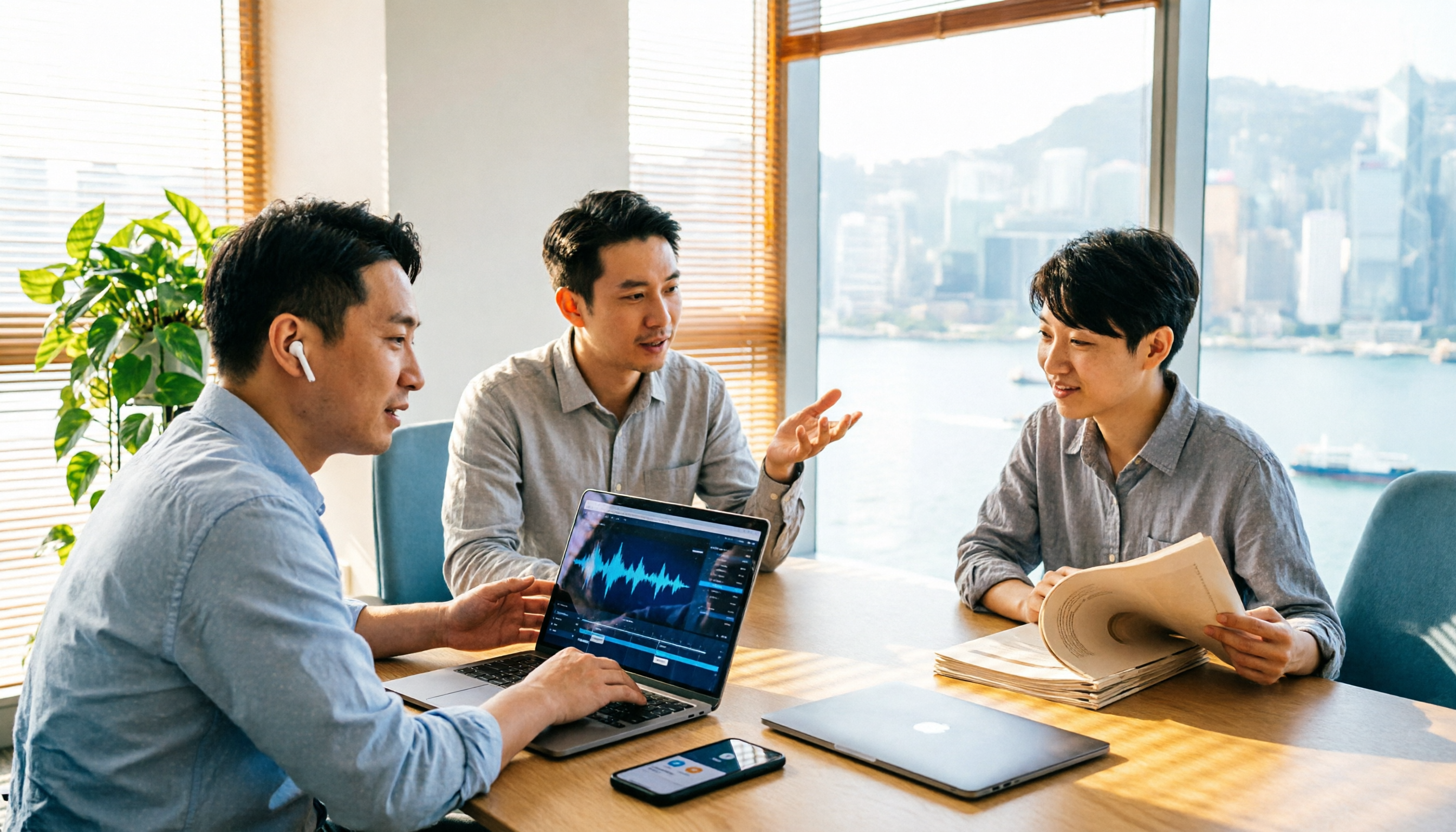
Turning meeting recordings into reports isn't just about transcription—it's about what happens after the meeting. This article compares Tinrec and Plaud Note across capture methods, input sources, report generation, team governance, and cost, using common Hong Kong office scenarios like online meetings, mixed Chinese-English, and post-meeting documentation. It also explains why Granola isn't ideal for team archiving.

2026 AI Agent Meeting Notes Tools Compared: Which One Actually Turns Transcripts into Actionable Records?
Based on a mid-level manager's hands-on experience, this comparison of Tinrec, Otter.ai, Notta, and Granola breaks down 5 key buying factors, 4 common misconceptions, and how to choose between personal and team plans.

2026 Free Meeting Minutes to Word Export Options: Tinrec vs Otter.ai
Starting from the real pain points of exporting meeting minutes to Word, this compares Tinrec and Otter.ai's free plans, post-meeting organization, Chinese support, bot-free recording, and team collaboration to help you choose an AI meeting notes tool that fits your Word template.