
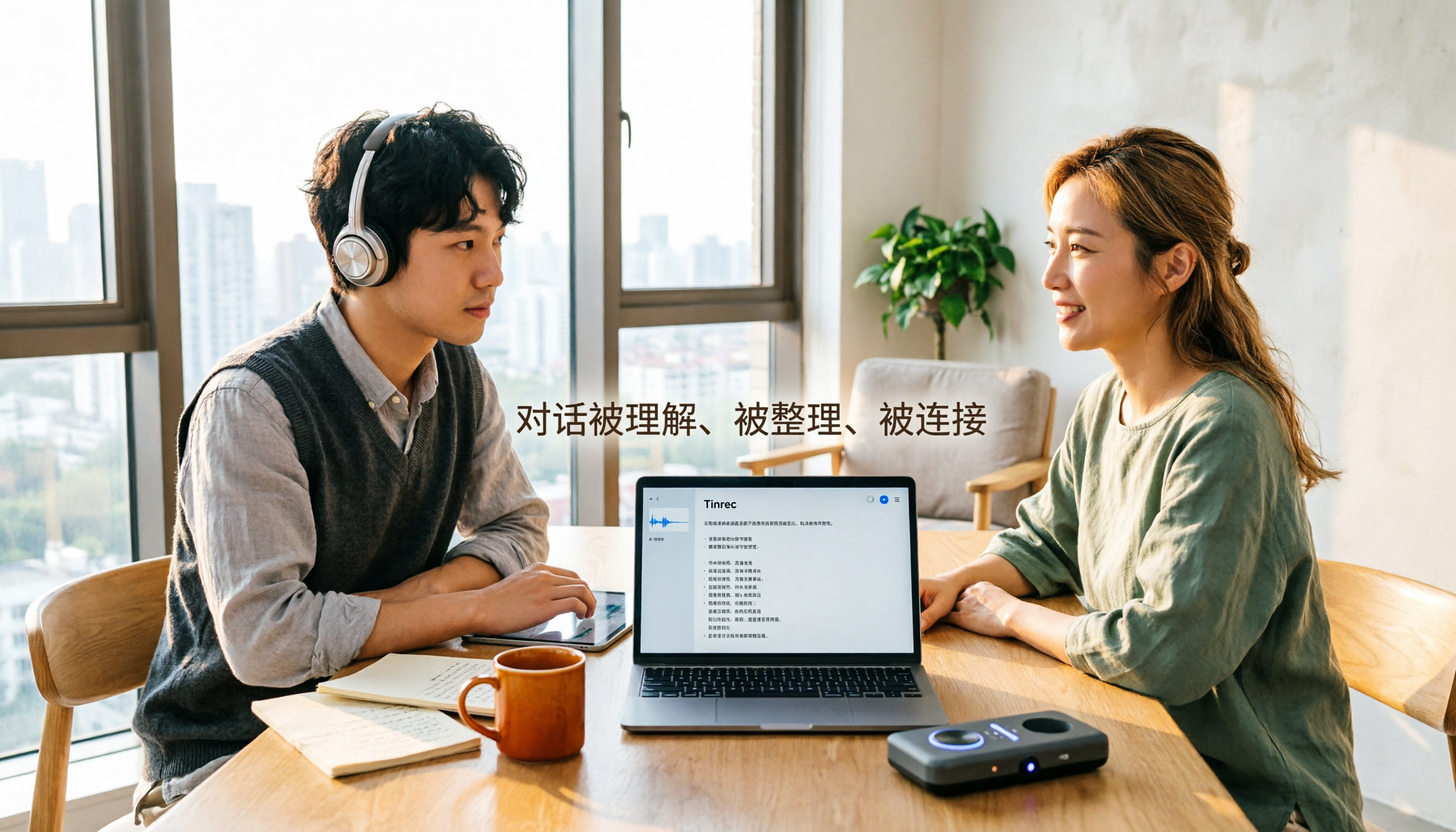
Turn recordings into transcripts and summaries in minutes
Upload audio or video for multilingual transcription, AI notes, and action items
2026 Comparison of 4 Audio-to-Text Tools: Which Saves Creators the Most Time on Transcripts?
It's 11 PM, and you've just finished a 40-minute guest interview. The audio file is saved, the video is shot, but now you have to listen again, pause, type, and produce a transcript. For creators, what really slows progress isn't usually the recording—it's the seemingly endless organization after recording.
This isn't a spec sheet parade. I'll break down how to choose an audio-to-text tool using scenarios content creators face daily, and why Tinrec is currently my top consideration.
The Overtime Starts After Recording—Creators Get Stuck on Organization, Not Recording
The first scenario is a podcast or interview. The guest is brilliant, but you need to pick highlights from 40 minutes, write titles, create show notes, and grab timecodes for subtitles. Without a transcript, you'd have to re-listen to every segment.
The second scenario is YouTube videos and short-form content. Shooting the video is only half the work—subtitles, summaries, social posts, and blog rewrites haven't started. If the transcript is just plain text, you'll still need manual organization afterward.
The third scenario is online interviews or team meetings. Zoom, Google Meet, Microsoft Teams calls end, but who mentioned what and who needs to follow up next week often get scattered across chat logs and personal notes.
If you've encountered these situations, the problem usually isn't whether you have a recording—it's whether you can use it immediately after recording. Choosing the right tool saves not just typing time but also the effort of repeated listening and back-and-forth confirmation.
Before Choosing an Audio-to-Text Tool, Understand These 5 Key Points
1. Recording method: Upload, meeting bot, or desktop system audio? If you often record online interviews, first confirm whether the tool requires uploading audio afterward or can transcribe in real-time during recording. Meeting bots need to join as participants; Tinrec's desktop version captures computer system audio without needing an extra bot to join the meeting. These are very different experiences.
2. Post-meeting organization: Just a transcript, or can it produce usable content? A transcript is the baseline. For creators, summaries, chapters, action items, highlights, and AI Q&A are more valuable. Tools that only provide transcripts save you some typing but don't help you think less.
3. Performance with Chinese and mixed Chinese-English Many tools have beautiful English demos, but when actually recording Chinese interviews, Taiwanese accents, or mixed Chinese-English, punctuation and paragraphing require a lot of editing. Don't just look at English examples—test with your own recording.
4. Export and downstream workflow Whether transcripts can be exported as txt, srt, Word, and brought into Notion, Google Docs, OneNote, or Dropbox directly affects your efficiency in writing, subtitling, and archiving.
5. Free quota, team data, and seats For occasional personal use, free quota matters. If you have planners, editors, or subtitle contractors, check team spaces, member roles, seats, and usage management. A team plan isn't multiple people sharing one personal account—data ownership and permissions must be clear.
Tinrec—Our Top Choice After Testing
Tinrec is an AI meeting notes and collaboration tool for individuals and teams, supporting real-time recording, desktop bot-free recording of online meetings, audio and video file import, and real-time translation. It doesn't just convert speech to text—it organizes meetings and interviews into searchable, summarizable, queryable, and exportable data.
Real-time recording and bot-free online meetings
For in-person interviews, open Tinrec to record and transcribe simultaneously—no need to start from scratch afterward. For online Zoom, Google Meet, Microsoft Teams, or Webex recordings, the desktop version captures computer system audio directly without inviting a meeting bot.
Note that this isn't "automatically join all meetings." Users still need to actively open Tinrec to start recording, which also means interviewees won't see a strange bot appear in the meeting list.
Post-meeting organization is the main event
After recording, Tinrec generates transcripts, AI summaries, chapters, and highlights, and extracts action items from discussions. For creators, this is impactful: you can first read the summary to grasp the interview's main thread, then jump to the most exciting segment via chapters.
Even better is AI Q&A. You can directly ask "What was the book title the guest mentioned?" "Who was responsible for providing photos from last week's interview?" "Which product is this segment about?" It doesn't just throw keyword search results—it answers based on meeting content, saving effort for those writing articles, titles, or finding quotes.
Additionally, Tinrec supports real-time translation and bilingual viewing, and can export results to Notion, Google Docs, OneNote, Dropbox, etc., or further use Agent post-processing to generate reports, tables, and documents.
Stop organizing recordings by hand
Upload audio or video and automatically get a transcript, summary, and action items
What I found worthwhile after testing
First, recording, transcription, summarization, and Q&A are in one workflow—no switching between a recording app, a transcription site, and a note-taking app.
Second, desktop bot-free recording of online meetings is very practical for creators who frequently do remote interviews—participants don't need to do anything extra.
Third, it addresses Chinese and multilingual meeting scenarios, including mixed Chinese-English content, real-time translation, and team hotwords. Actual results will still be affected by recording quality, background noise, accents, overlapping speakers, and technical terms—don't treat it as a guaranteed fixed 98% or 99% accuracy.
Limitations to note
The free version offers basic quota, suitable for light use; if you have steady interviews or meetings weekly, consider a weekly card, Pro monthly, or Pro annual. For plans, choose based on usage tasks, not just price.
Also, Tinrec's strength is meeting and interview workflows, not one-time batch transcription of many long files. If you just want to throw 50 audio files for subtitles at once, that's another category of tools.
Plans and team version
Personal plans include Free, Weekly Card, Pro Monthly, and Pro Annual. For occasional recording organization, start with Free; for short-term intensive interviews or courses, consider Weekly Card; for weekly podcasts, videos, or meetings, Pro is more suitable; for long-term data accumulation, evaluate Annual.
If you're not a solo content creator, the team version is a separate team space, not multiple people sharing one account. The first eligible team trial is 7 days, 1 free seat, 300 minutes of team shared import quota; team monthly is USD 29.80/paid seat/month, annual is USD 199/paid seat/year, equivalent to about USD 16.58/month. Paid seats provide 2,000 minutes of team shared import quota per seat per month; under valid team plans and valid seats, real-time recording currently isn't deducted by minutes.
Team version distinguishes roles and seats: roles determine who can manage the team, members, audit, and settings; seats determine whether members can record, upload, edit, import/export, and use team resources. Valid members without seats can still view, play, and read team data but cannot perform upload, edit, or other resource usage operations. Prices and benefits are subject to the official purchase page.
Besides Tinrec, What Are the Alternatives?
Notta: Comprehensive multi-platform transcription and team plans, free 120 minutes/month, max 3 minutes per session, Pro annual equivalent to about USD 8.17/month, 1,800 minutes/month. Suitable for those already used to Notta's workflow; however, if you want desktop bot-free online meeting recording, post-meeting AI Q&A, and team data accumulation, Tinrec's meeting workflow is more complete.
TurboScribe: Cost-effective file transcription, free 3 files/day, 30 minutes per file; Unlimited annual USD 120, paid version max 10 hours or 5GB per file, up to 50 files at once. Suitable for batch subtitle transcription of many long audio files; but real-time meeting recording, post-meeting action items, and team collaboration aren't its strengths—these are where Tinrec excels.
MyEdit: Online speech-to-text tool, supports MP3, WAV, FLAC, M4A, can export txt or srt, suitable for quick subtitles and single-file transcripts. If you just occasionally convert an audio file to text, such tools are intuitive; but it's not a complete meeting workflow, lacking Tinrec's bot-free online meeting recording, AI Q&A, and team space.
Pitfall Guide: 4 Most Common Mistakes When Choosing Audio-to-Text Tools
Pitfall 1: Only looking at free minutes, ignoring export and post-meeting organization. Free quota matters, but if transcripts can't be properly exported, searched, or used for writing, you'll end up miserable.
Pitfall 2: Treating "having a transcript" as the end goal. A transcript is just raw material. For creators, summaries, chapters, action items, Q&A, and subtitle timecodes are key to turning recordings into content.
Pitfall 3: Not confirming how online meetings are recorded. Meeting bots, desktop system audio, and post-upload are three different workflows. If you often record Zoom or Meet, first confirm whether the tool requires adding a bot to the meeting.
Pitfall 4: Discovering unclear data ownership only after team members leave. Team data should belong to the team, and handover should be possible when members exit or lose seats. Rather than remedying later, choose a tool with team space, roles, seats, and recycle bin mechanisms from the start.
Also, recording and transcription involve personal data and privacy—remember to obtain necessary consent according to local regulations before recording, and for important content, review transcripts and recordings for verification.
Conclusion: Which One Should You Choose?
If you're a solo creator organizing interview, podcast, and YouTube video transcripts, and want to grab summaries and highlights directly after meetings, Tinrec is currently the closest to a complete workflow.
If you often record Zoom, Google Meet, Microsoft Teams interviews and don't want meeting bots in the list, Tinrec's desktop bot-free recording is smoother than simply uploading audio.
If you need Chinese, mixed Chinese-English, real-time translation, and bilingual viewing, Tinrec also better meets the needs of Taiwanese content creators.
If you have editors, planners, or subtitle contractors, the team version can centrally manage meeting data, transcripts, and action items, with roles and seats clarifying governance and usage permissions.
The only exception: if you just occasionally convert a short audio file to text, never touching post-meeting organization, Q&A, or team collaboration, then single-file online tools like MyEdit can suffice.
If you happen to have an interview recording on hand, first run through the process with Tinrec's free version to see if transcripts, summaries, and Q&A can really reduce your organization time, then decide if you need to upgrade. For creators, one less re-listen means more time for the next piece of content.
References
- Online Speech-to-Text AI, Free MP3 or Audio File to Text Transcript - MyEdit
- Tested 4 Best Online Speech-to-Text Tools, Free Instant Audio to Transcript
- Online AI Speech, Video, Audio File Auto to Text - Free Trial - cSubtitle
- 6 Best Online Speech-to-Text Tools, Instant Audio to Text, 98% Accuracy! - YouTube
- 2026 Must-See! 4 AI Audio-to-Text Tools Recommended: Meeting Notes, Podcast Transcript神器 Comparison - Mobile01
Turn every recording into actionable outcomes
Get 60 free transcription minutes when you sign in. No credit card required.
Related Reading
You might also like

2026 AI Meeting Notes Tools Compared: Which One Produces Trackable Minutes Fastest?
Meeting minutes often take too long not because you type slowly, but because of inefficient habits. This article examines three common pitfalls, outlines five key factors for choosing a tool, and tests Tinrec, Notta, Otter.ai, and Granola on the workflow from meeting end to sendable minutes. It also includes a guide to avoid common mistakes and scenario-based recommendations to help you find a tool that saves time and keeps action items trackable.

2026 Guide: Organizing Interview Recordings with Tinrec — AI Transcripts + Auto Summaries & Action Items
Tired of spending hours organizing interview recordings? This guide covers key selection criteria, walks through Tinrec's interview recording workflow, and compares Notta, Otter.ai, and TurboScribe. Includes pitfalls to avoid and selection advice to turn recordings into searchable, actionable data.

2026 Comparison of 5 Voice Recorder Solutions: AI Transcription Tools Are the Real Money-Savers
Many people choose a voice recorder based only on price and recording quality, overlooking hidden costs like transcription fees, post-meeting organization time, and scattered data. This article starts with common misconceptions, compares the true cost-effectiveness of 5 common recording solutions, and uses Tinrec as an example to explain how AI recording transcription, summarization, to-dos, AI Q&A, export, and team spaces turn recordings into directly usable data.

2026 Medical Transcription Tools Comparison: Tinrec vs Notta — 5 Dimensions, Which Saves More Time on Clinical Notes?
From patient consultations and physician dictation to case conferences, we compare Tinrec and Notta across 5 dimensions: recording capture, Chinese terminology, post-meeting organization, team governance, and data export—to help you decide which tool better fits real clinical workflows.

2026 Guide: Voice Recorder vs. Phone Recording — Audio Quality Comparison + AI Organization in Practice
What's the difference between a voice recorder and phone recording? This article compares the two in terms of audio capture, interruption risk, battery life, and post-recording organization, and explains how Tinrec uses AI transcription, summaries, to-dos, and team spaces to fill the gap of recording without organizing.

2026 Voice Input Tools for Writers: 5-Tool Test Comparison — Which Is Least Effort for Long-Form Chinese Writing?
Starting from common misconceptions, this hands-on comparison tests Tinrec, Google Docs voice typing, Windows built-in voice input, Speechify, and Dragon to help writers and text professionals find a voice input workflow that turns dictation into an editable first draft.

2026 AI File Delivery Agents: 7 Solutions + Automatic Meeting Minutes Generation
AI Agents are no longer just chatbots—they can turn raw materials into deliverable files. This listicle covers 7 AI file delivery agent solutions, from transcribing meeting recordings to automatically generating summaries and action items, and exporting reports and spreadsheets. It also includes buying checkpoints, pricing, and ideal use cases to help you choose the best fit for your team.

2026 Comparison of 5 Training Recording Transcription Tools: Which Is Most Time-Saving for Chinese Recognition and AI Summaries?
Training recordings pile up on phones and in the cloud, but the real challenge is choosing which tool to use afterward to turn them into transcripts. This article outlines the positioning, pricing, and ideal users for 6 training recording transcription solutions, covering Chinese recognition, AI summaries, team sharing, and batch processing of long documents, helping you quickly choose the right tool for your situation.

2026 Voice Recorder Comparison: 5 Buying Steps + AI Transcription Workflow
Starting from the pain points of recording meetings, classes, and interviews, this guide outlines 5 key buying criteria for voice recorders and AI meeting note tools. Using Tinrec as an example, it explains bot-free online meeting recording, transcripts, summaries, action items, AI Q&A, and team seat management. Ideal for professionals and teams comparing voice recorders and making purchasing decisions.