
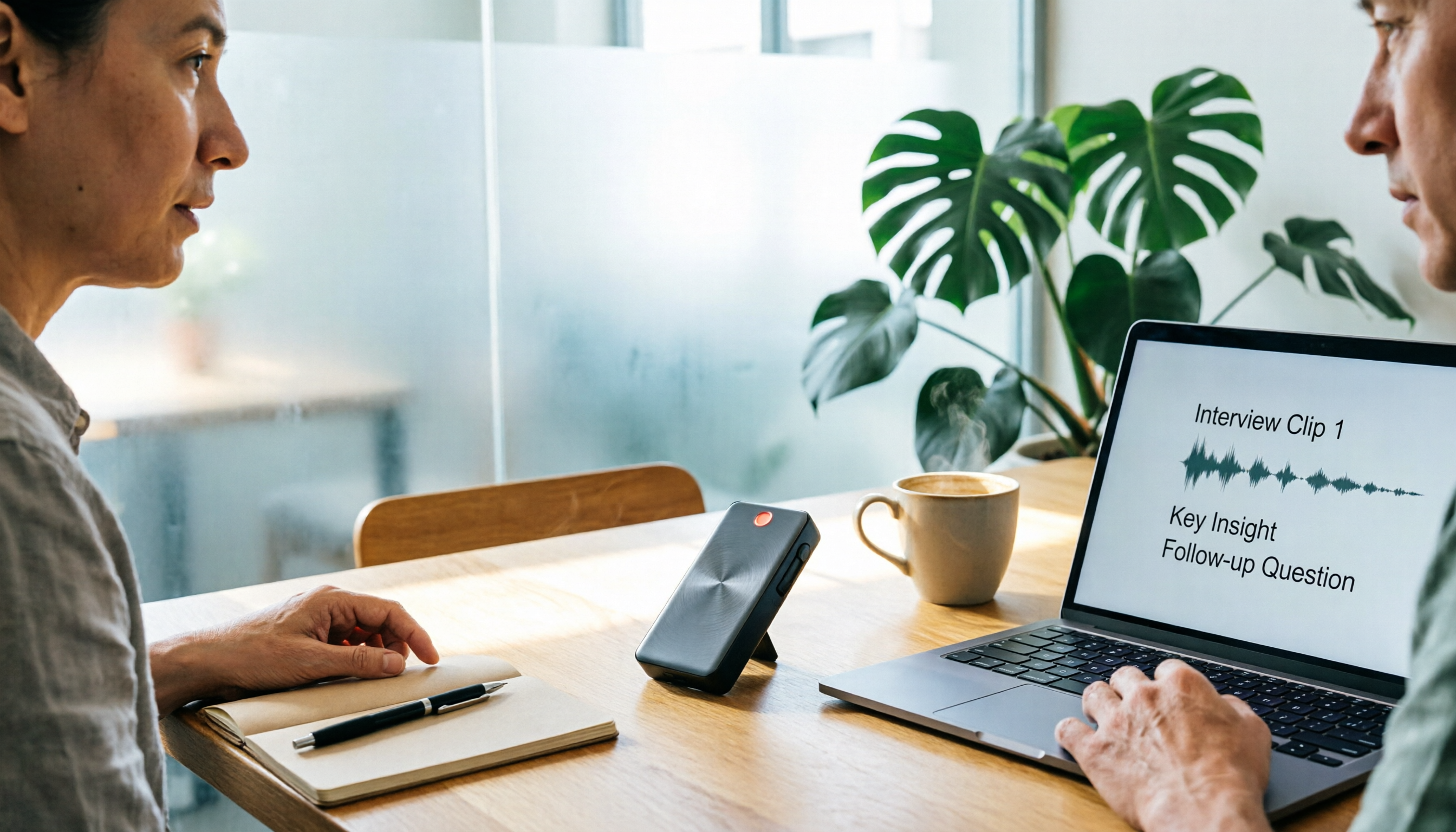
Turn recordings into transcripts and summaries in minutes
Upload audio or video for multilingual transcription, AI notes, and action items
4 Free Speech-to-Text Tools Tested for 2026: How to Use Free Tiers Without Hitting a Wall
Is the Biggest Free Quota the Best Deal?—You Don't Need a Tool, You Need a Solution
Most people searching for "free speech-to-text software" start by looking for the one with the largest free minutes.
That's the most common mistake.
A big free quota only means you can transcribe more minutes—it doesn't mean you'll get something usable after transcription.
In my experience, the real bottleneck is never the transcription step itself, but what comes after: What were the conclusions of this meeting? Who's responsible for what? Where is that decision from last week buried? How do other team members pick up from here?
If a tool only gives you a long transcript, you still have to re-listen, highlight key points, and organize action items yourself. No matter how big the free quota, it just delays the cleanup work.
So this article won't just compare minutes. I want to break down whether the free version lets you complete the full workflow: record → transcribe → organize → query → export → team sharing.
If you've ever experienced "the free quota isn't used up yet, but I don't want to open that tool again," this article is for you.
Before Choosing a Free Speech-to-Text Tool, Understand These 4 Key Points
1. Free Quota Depends on "How It's Deducted," Not Just "How Many Minutes"
Real-time recording and file import may be deducted differently. Some tools don't deduct minutes for real-time recording but consume shared quota for file imports; others are the opposite.
Rather than looking at the total, first confirm whether your main use case is live meetings or post-event file uploads.
For example, Tinrec separates the rules for real-time recording and file import: paid team seats have a shared import quota, while real-time recording currently doesn't deduct by minutes under an active plan and seat. This approach is more practical for people who have frequent meetings.
2. Can You Use It After Transcription?
Look for summaries, chapters, action items, and AI Q&A. If you only get a transcript, you're just getting raw material.
Prioritize tools that turn raw material into meeting minutes and action lists. What you're really buying isn't "transcription"—it's "one less re-listen."
3. Meeting Capture Method
For online meetings, do you use a bot to join, or a desktop version to capture system audio?
A bot joining creates a presence and depends on platform support; the desktop version requires you to initiate recording but doesn't add an extra participant. Choose based on your meeting culture, not just the feature list.
4. Team Data Ownership and Seats
If meeting data is for team use, confirm whether data belongs to the team or individuals, how handover works when members leave, and what the differences are between roles and seats.
Don't mistake headcount for a team plan. A team plan should have independent spaces and governance capabilities, not multiple people sharing a personal account.
Tinrec—My Top Choice for Running the Full Workflow After Testing
Tinrec is an AI meeting notes and collaboration tool for individuals and teams, available on web, desktop, and mobile. It doesn't just convert audio to text—it turns meetings into searchable, queryable, exportable data.
Online Meetings: No Need to Add Another Bot
I don't like adding an extra meeting bot. Tinrec's desktop version directly captures computer system audio, handling meetings played on the computer like Zoom, Google Meet, Microsoft Teams, and Webex. I initiate the recording myself, and no extra participant is added.
During the meeting, the transcript runs live, and by the end, summaries, chapters, and action items are already taking shape.
(Screenshot: Tinrec desktop recording an online meeting, arrow pointing to system audio source and live transcript.)
Post-Meeting Queries: Ask the Meeting Directly Instead of Scrolling Through the Transcript
After recording, I can directly ask: "Who mentioned the budget in this meeting? What was the final conclusion?" It answers based on the meeting content, not just keyword search results.
This is where I think it stands out from ordinary transcription tools.
(Screenshot: AI Q&A input "Who mentioned the budget in this meeting?", screen shows corresponding paragraphs and timestamps.)
Organize into Work Outputs: Summaries, Action Items, Mind Maps, and Export
Summaries, chapters, action items, mind maps, AI Q&A, plus report, table, and document generation, with export to Notion, Google Docs, OneNote, Dropbox, and other tools.
For people who need post-meeting deliverables, this is more practical than just getting a transcript.
(Screenshot: Summary, chapters, and action item list after the meeting, arrow pointing to the "Action Items" section.)
My Experience Running a Full Round
I used a recording of a mixed Chinese-English meeting from my daily work and an interview audio file to run through the free workflows of several tools.
Tinrec felt like "the shortest workflow": record or import, view summary, ask a question, export—four actions turn a meeting into usable data.
Transcription quality is affected by audio quality, accents, noise, and overlapping speakers. For important content, I still go back to the transcript timestamps to verify, and I don't treat the AI summary as the only version.
Stop organizing recordings by hand
Upload audio or video and automatically get a transcript, summary, and action items
Three Advantages I Think Are Worth It
- Meeting capture method is office-worker friendly: no bot invitation needed; the desktop version can record online meetings.
- Post-meeting is not just a transcript: summaries, action items, Q&A, translation, and multi-format export are all in the same workflow.
- Continuity from individual to team: start with the free version to run the workflow; when team sharing is needed, the team plan has independent spaces, member roles, seats, usage analytics, audit logs, and an audio recycle bin. Team resources belong to the team, and handover is possible when members leave—data doesn't follow the individual.
Limitations and Who It's For
The free version has a basic quota, suitable for trying out and light use. If you import large amounts of long audio files every week, you'll still hit the quota limit and need to evaluate a paid version.
Also, it's not a bot that "automatically joins all calendar meetings"—you need to initiate recording yourself. The team plan distinguishes roles and seats: members without a seat can view, play, and read team data but cannot upload, edit, or export.
If you need Chinese meeting transcripts, mixed Chinese-English organization, bot-free recording of online meetings, and direct post-meeting queries and action item generation, Tinrec is currently my first recommendation. If you want to retain meeting data for the team, the team plan's space and seat governance are also closer to real company operations.
Besides Tinrec, What Other Options Are There?
The free quotas of the following competitors are based on official pages and may change.
Notta: A familiar name for multi-platform transcription and translation. The free version offers 120 minutes per month, up to 3 minutes per session—good for short audio experiences, but long meetings get cut off constantly. It suits people already used to Notta's interface and focused on file transcription and translation. If you want bot-free desktop recording of online meetings and direct post-meeting queries, Tinrec's workflow is more complete.
Otter.ai: A popular choice for English meetings. The free Basic plan offers 300 minutes per month—a generous quota. It suits people who mainly record English meetings and already work in an English environment. But if you need Chinese meeting transcripts, real-time translation, and team data retention, Tinrec is a better fit; Otter's Chinese meeting organization is not its focus.
TurboScribe: A cost-effective file transcription tool. The free version allows 3 files per day, up to 30 minutes per file; the paid version handles longer files and batch uploads. It suits people who need to catch up on a large backlog of historical audio files and need subtitles and translation. But it doesn't focus on real-time meeting notes and post-meeting AI Q&A. If you want to turn meeting sessions directly into minutes and action items, Tinrec is more suitable.
Pitfall Guide: The 4 Most Common Mistakes When Choosing Free Speech-to-Text Software
Pitfall 1: Only Looking at Free Minutes, Not Deduction Rules
Some tools don't deduct minutes for real-time recording but consume shared quota for file imports; others are the opposite.
If you mainly record online meetings but choose a plan focused on file imports, no matter how big the free quota, it won't flow smoothly. The right approach is to test with your most common scenario first.
Pitfall 2: Treating "Transcription" as the End Goal
A transcript is just raw material. Without summaries, chapters, action items, and Q&A, you still have to re-listen yourself.
Rather than comparing who has more free minutes, compare who can save you one re-listen.
Pitfall 3: Ignoring Meeting Capture Method
Bots joining meetings are convenient, but some companies don't like an extra participant in the meeting; desktop version capturing system audio requires you to actively record.
Confirm your meeting culture and platform first, then choose a tool. For example, Tinrec's desktop version takes the bot-free route, suitable for teams that don't want to add another account to the meeting.
Pitfall 4: Only Looking at Headcount for Team Plans, Not Seats and Data Ownership
Multiple people sharing a personal account is not a team plan. A real team plan needs independent spaces, roles, seats, usage, and handover mechanisms.
When members leave, data should stay with the team, not disappear with the personal account.
Conclusion: Which One Should You Choose?
Free quota is an entry ticket, not a reason to choose. The tool that lets you complete "record → transcribe → organize → query → export → share" is the one worth keeping.
The benefits are direct: one less re-listen, deliverable minutes right after the meeting, and team data no longer scattered across personal devices.
Scenario Routing
- Chinese meetings, mixed Chinese-English, need real-time translation → Tinrec.
- Online meetings without wanting a bot to join → Tinrec desktop version.
- Want to directly ask "who mentioned the budget" or "what was the conclusion" after recording → Tinrec's AI Q&A.
- Team needs to share meeting data, manage seats and usage → Tinrec team plan.
- Only record English meetings, free quota priority → Otter.ai (the only exception in this article).
Quick Start Checklist
- Take a recording of your own meeting first, not a demo audio file.
- Run it once with Tinrec's free version: real-time recording or file import.
- Check the summary and chapters to see if you can grasp the key points within 3 minutes.
- Ask a specific question, such as "What was the conclusion of this meeting?"
- Export to a format you normally use and test whether it fits into your workflow.
- If it's for team use, open a team space and confirm roles, seats, and data handover rules.
Copyable AI Q&A Template
"Based on the transcript of this meeting, please organize: 1. Three main conclusions; 2. Five action items, including owners and deadlines; 3. Unresolved issues. If the transcript does not mention an owner or deadline, please mark 'Not specified' and do not speculate. Finally, include the timestamp for each conclusion."
Test step by step, and you'll gradually master this method. The free version isn't for "saving money"—it's for confirming whether this workflow can fit into your work environment. Run it once, then decide whether to upgrade.
References
- Unlimited time! 3 free AI transcript tools, highly recommended! AI voice notes generate meeting records, presentations, mind maps | 104 Career Power
- Audio to Text - Free Speech-to-Text Tool
- Speech to Text Converter – Free Online | TicNote Cloud
- How to Choose Free Speech-to-Text Software? A Practical Guide from Quota Limits to Meeting Minutes - Tinrec Blog
- Tested 4 Best Online Speech-to-Text Tools, Free Instant Transcription of Audio Files
Turn every recording into actionable outcomes
Get 60 free transcription minutes when you sign in. No credit card required.
Related Reading
You might also like

2025 Best 3 Audio-to-Text Tools Compared: Tinrec vs. Notta vs. Otter for Chinese Meeting Notes
How to choose an audio-to-text tool in 2025? This guide compares Tinrec, Notta, and Otter based on real meeting workflows—input sources, post-meeting organization, Chinese language experience, and team collaboration. It highlights Tinrec's bot-free recording, AI Q&A, action item extraction, and team workspace, while honestly covering free and paid plan limits to help you avoid the common mistake of choosing based only on free minutes.

2026 Comparison of 4 Audio-to-Text Tools: Free Tiers and Chinese Recognition Tested
How to choose an audio-to-text tool in 2026? This article tests and compares Tinrec, Notta, Granola, and TurboScribe for Chinese recognition, free tiers, post-meeting organization, and cross-platform experience from the perspective of student lectures, group discussions, and final exam review. It summarizes key buying factors and pitfalls to help you find a transcription tool that lasts through a semester.

2026 Audio-to-Text Tool Comparison: Tinrec vs. Notta for Chinese Meetings
How well does audio-to-text really work? I break down three common misconceptions that explain why accuracy alone can't answer this question, and share my testing method using three audio samples and one key question. The article compares Tinrec and Notta on meeting capture, post-meeting outputs, Chinese bilingual support, and team knowledge retention to help you decide which workflow fits your meeting scenarios.

2026 Comparison of 3 Free Audio-to-Text Tools: Which One Offers the Most Unlimited Usage?
Before finals, I opened my voice memos and realized I had accumulated over 20 hours of recordings across 18 files this semester. Searching for 'free unlimited audio-to-text' shows every tool claims to be free, but the definitions of free vary widely. This article uses real student scenarios to compare Tinrec, Atter, and iPhone Notes: the true limits of free tiers, Chinese recognition, post-meeting organization, online meetings, and team sharing, ending with a buying guide.
2026 Comparison of 4 Audio-to-Text Tools: Which One Actually Saves Time on Post-Meeting Cleanup?
From meeting notes and interview organization to team knowledge retention, compare Tinrec, Notta, Otter.ai, and Granola on capture methods, Chinese recognition, post-meeting processing, team governance, and pricing rules to help you choose the right tool for your budget and scenario.

2026 Comparison of 2 Audio-to-Text Tools: Tinrec vs. iPhone — Which Saves More Time on Cleanup?
Starting with iOS 18.4, iPhone Voice Memos supports Chinese transcripts, leaving many users wondering whether they still need a separate tool. This article compares Tinrec and iPhone's built-in feature across 5 dimensions—from recording online meetings and post-meeting cleanup to operation steps and team data ownership—to help you decide which approach fits your meeting scenario.
2026 Comparison of 3 Free Audio-to-Text Tools: Which Is Best for Chinese Meetings and Post-Meeting Organization?
There are many free online audio-to-text tools, but free versions often hit limits at the worst possible moment. This article compares two no-bot options, Tinrec and Granola, point by point, covering free-tier thresholds, Chinese recognition, audio retention, post-meeting organization, and team governance, to help you decide which one truly fits your needs.

2026 Free Audio-to-Text App Buying Guide: 4 Hands-On Tests and Selection Tips
There are plenty of free audio-to-text apps, but most are just one-time trials rather than long-term free. This guide looks at four key points—free quota, post-meeting organization, input sources, and team data ownership—and hands-on tests the free plans and limits of Tinrec, iPhone Notes, Atter, and Notta. It also covers the three most common buying pitfalls to help you pick the one that truly works for you.

2026 Comparison of 4 Audio-to-Text Tools: After the Transcript, Which One Really Saves You Time?
A mid-level manager leading a 10-person team and attending 15 meetings a week tests 4 audio-to-text tools, comparing accuracy, post-meeting organization, online meeting entry methods, and team data ownership, explaining why Tinrec was ultimately kept and when to choose other tools.