

Turn recordings into transcripts and summaries in minutes
Upload audio or video for multilingual transcription, AI notes, and action items
Notta's free plan gives you 120 minutes per month—sounds sufficient.
But there's a rule few notice upfront: each recording is capped at 3 minutes.
That means you can't just drop a 60-minute meeting in and let it transcribe—on the free plan, you have to split the audio file into segments yourself.
This article starts from that decision point: Is Notta's free plan actually enough? If not, what are the real alternatives?
What Is Notta's Free Plan? First, Understand the Limits
Notta is an AI meeting notes tool that transcribes recordings of meetings, interviews, and lectures into text and automatically generates summaries. Official materials state it supports transcription in 58 languages and real-time translation in 42 languages, available on mobile app and desktop.
The free plan currently officially offers: 120 transcription minutes per month, with a maximum of 3 minutes per recording.
These two numbers need to be looked at separately. 120 minutes is the "monthly total"; 3 minutes is the "per-recording cap."
In practice, the latter is the real bottleneck. A typical project meeting runs 40 minutes or more; with the free plan handling only 3 minutes at a time, you'd have to manually split files and upload them segment by segment.
If you have three meetings a week, that's about 480 minutes a month—the free quota covers only a quarter.
As for paid plans, the official pricing page currently states: Pro at about USD 8.17/month billed annually, with 1,800 minutes per month; Business at about USD 16.67/seat/month billed annually, offering unlimited transcription, role permissions, and usage reports.
Prices and benefits may change; check the official Notta pricing page before purchasing.
3 Key Factors to Judge If a Free Transcription Tool Is Enough
When I evaluate such tools, I usually don't start by comparing "how many minutes per month" but by looking at these three things.
First, the per-recording length cap. 1,200 minutes per month but 30 minutes per recording is a completely different experience from 300 minutes per month with no per-recording limit. The former suits many short recordings; the latter suits actual meetings.
Second, does the free plan include post-meeting processing? Getting only a transcript versus getting a summary, chapters, and action items are two different things. With the former, you still have to hunt for key points in a sea of text; with the latter, you can paste action items directly into a group chat.
Third, are your meetings online or offline? For online meetings, you need to see how the tool "enters" the meeting—whether it joins via a meeting bot or captures system audio from the desktop. This affects the participant list others see and whether you can record at all.
These three points matter because they determine whether you actually have usable meeting notes after exhausting the free quota.
Three Hurdles You'll Hit Using Notta's Free Plan
Following the official rules for one cycle, the first hurdle isn't accuracy—it's file splitting.
The second hurdle is feature tiering. Capabilities like summaries and advanced AI processing are mainly in paid plans; the free version gives you a more basic transcription flow.
The third hurdle is recording length for online meetings. On the free plan, automatic transcription for web conferences on Zoom, Teams, Google Meet, and Webex also has the same 3-minute per-recording limit.
In other words, Notta's free plan is good for "trying out transcription quality first" but not for "handling real work meetings."
This isn't a flaw—it's a positioning issue. Most tools use free quotas to get you in the door.
Tinrec — Our Top Pick After Testing When the Quota Isn't Enough
If your conclusion by now is "I need a tool that can handle a full meeting directly," then Tinrec is one I'd suggest trying first.
Tinrec is an AI meeting notes and collaboration tool for individuals and teams, available on web, desktop, and mobile. It doesn't just turn audio into text—it organizes meetings into searchable, queryable, and further processable data.
No bot needed for online meetings. The desktop version directly captures your computer's system audio, handling meeting audio played on platforms like Zoom, Google Meet, Microsoft Teams, and Webex—without an extra "Tinrec bot" appearing in the participant list. For client meetings, this is very practical.
Stop organizing recordings by hand
Upload audio or video and automatically get a transcript, summary, and action items
By the time the meeting ends, the organization is mostly done. The transcript appears as you record, and after the meeting, summaries, chapters, and action items are generated automatically. Who's responsible for what and what's next—no need to re-listen to the recording. When you need deliverables, you can further generate reports, tables, and documents.
Keep asking after recording. This is where it differs most from ordinary transcription tools. You can ask questions directly about the meeting content, such as "What was the conclusion when we discussed the budget last time?" It searches the meeting content for answers instead of dumping a bunch of keyword search results on you.
For team use, data stays within the team. The team version is a separate team space, not multiple people sharing one account. Meeting data belongs to the team and doesn't leave with members when they do. Admins can manage roles, seats, usage, and activity logs, and maintain team glossaries to make technical term recognition closer to your usage.
Limitations should also be clear. The free version provides a basic quota, suitable for walking through the flow once; if you have a steady volume of meetings each week, you'll need to look at weekly cards or Pro plan quotas. The team version is currently USD 29.80/paid seat/month, or USD 199/paid seat/year billed annually (about USD 16.58/month), with each paid seat providing 2,000 minutes of team shared import quota per month; eligible teams get a 7-day trial, 1 free seat, and 300 minutes of team shared quota on first signup. Actual prices and benefits are subject to the official purchase page.
Also note: Tinrec does not promise a fixed accuracy rate. Transcription quality is affected by recording quality, noise, accents, overlapping speech, and technical terms; for important content, cross-check with transcript timestamps and the recording.
Who it's for: People who frequently handle Chinese-language meetings, need post-meeting summaries and action items, want to use AI to ask follow-up questions after recording, or want to turn meeting data into team assets.
Besides Notta and Tinrec, What Other Options Are There?
Otter.ai is a mature choice for English business meetings. Its Basic free plan offers 300 minutes per month—a relatively generous quota. Its strength is in English scenarios; Chinese and Traditional Chinese meetings are not its focus. If most of your recordings are English meetings, it's more cost-effective than most tools. But if you need team glossaries and team data retention for Chinese meetings, Tinrec goes deeper.
TurboScribe takes a high-value file transcription approach: free plan allows 3 files per day, 30 minutes per file; paid annual billing is about USD 10/month, with files up to 10 hours each—suitable for batch processing large volumes of long audio. It doesn't handle real-time meetings and has no AI Q&A or team space—exactly where Tinrec shines.
PLAUD Note/NotePin are AI recording hardware, starting at USD 159 on the official site, selling portable recording and hardware experience. If you often record in situations without a computer, hardware has its value; but if meetings mostly happen on computers, Tinrec requires no extra device—web, desktop, and mobile all work.
Pitfall Guide: 3 Most Common Mistakes with Free Transcription Tools
Pitfall 1: Looking only at monthly total minutes, ignoring the per-recording cap. 120 minutes sounds like a lot, but split into 3-minute chunks, the scenarios you can handle are very limited. When choosing a tool, look at both numbers together.
Pitfall 2: Assuming the free plan includes full post-meeting processing. Many tools put summaries, chapters, and advanced AI features behind paid tiers. Free versions usually test "how accurate is the transcription" rather than "can I deliver this directly."
Pitfall 3: Using the tool only as "audio-to-text." If your workflow is still "transcribe → reread to find key points," you're using only a third of the tool's capability. A more effective approach: after transcription, go straight to the summary and action items, ask AI once more if you have questions, then export results into your existing workflow.
One more note: recording and transcription involve personal data; follow local regulations and obtain participant consent when needed.
Conclusion: Should You Stick with Notta's Free Plan or Switch?
Just occasionally transcribing a short recording to check quality → Notta's free plan works for now: 120 minutes/month, 3 minutes per recording, zero trial cost.
Weekly meetings needing full transcription + post-meeting summaries → Switching tools is more practical. Tinrec's free plan lets you run through a complete workflow once; consider a plan if it fits.
Meetings on computer (Zoom, Meet, Teams, Webex) → Choose a tool that captures system audio from the desktop; Tinrec's desktop version doesn't need a bot to join the meeting.
Mostly English meetings → Otter.ai's free quota and English experience remain a reasonable choice.
Lots of long audio files for batch transcription → File-based tools like TurboScribe are more suitable.
Need to retain team meeting data and manage members and usage → Look at team versions. Tinrec's team version's roles, seats, usage, and activity logs are designed for this.
Honestly, free quotas exist to let you try first. Rather than researching which one gives 30 more minutes, take your toughest recording and run it through both—the answer will be clear.
References
Turn every recording into actionable outcomes
Get 60 free transcription minutes when you sign in. No credit card required.
Related Reading
You might also like

Notta APK Download Guide 2026: 6 Transcription Apps Compared for Chinese Meetings
Before searching for notta apk download, clarify whether you need to download an APK or turn recordings into usable text. This guide examines six transcription solutions in 2026, covers Notta APK download and version considerations, and compares their strengths in Chinese meetings, post-meeting organization, and team collaboration—helping you choose the right tool, not just a popular one.

Notta Chrome Extension Free Plan in 2026: 2 AI Meeting Tools Compared
Compare Notta Chrome Extension and Tinrec on free plans, meeting recording methods, post-meeting organization, team collaboration, and ease of use to help Hong Kong office workers quickly decide which AI meeting tool suits them best.

2026 Comparison of 4 AI Subtitle and Transcription Tools: From Free to Paid
2026 comparison of 4 AI subtitle and transcription tools, from free to paid. We tested meeting recording transcription, subtitle timecodes, team collaboration, and export formats to help you choose the right tool for your workflow.

4 AI Meeting Note Tools Tested in 2026: Is Notta Desktop Really Worth It After Download?
Many people search for Notta desktop download to take meeting notes, only to find the real pain point is post-meeting organization. This article first explains the official download and installation steps for Notta desktop, then compares Tinrec, Notta, Otter.ai, and Granola on four key points: Chinese meeting support, bot-free recording, AI follow-up questions, and team knowledge retention, with actual pricing and pitfalls to avoid.

5 Notta AI Login Methods Compared in 2026: Which Is Fastest and Least Likely to Get Locked?
Stuck on the Notta AI login page? Based on Notta's official Help Center and login page, this article covers 5 login methods: email password, Google, Microsoft, Apple ID, and passwordless/forgot password. It compares suitable scenarios, potential issues, and account lockout precautions. Learn from common mistakes to choose the right login entry and avoid a 1-hour lockout from repeated wrong passwords.

Notta Pricing 2026: Free vs Paid Plans Compared (4 Options)
How much does Notta really cost? This guide breaks down Notta's Free, Pro, Business, and Enterprise plans, including monthly vs annual pricing, mobile limitations, per-seat costs, and hidden fees. We also compare Tinrec's team plan and post-meeting workflow to help you decide which tool fits your budget and needs.
Notta AI Online Vocal Remover Review: 2026 Test of 3 Tools and What to Choose After the Web Version Shutdown
Many people search for Notta AI Online Vocal Remover to get pure instrumental tracks, but that page is currently unavailable. This article first helps you distinguish between two completely different needs: 'vocal removal' and 'audio-to-text transcription.' Then it compares four key points including output format, length limits, and post-processing usability, tests three tools—Tinrec, Notta, and TurboScribe—and summarizes four common pitfalls to help you choose the right tool in one go.
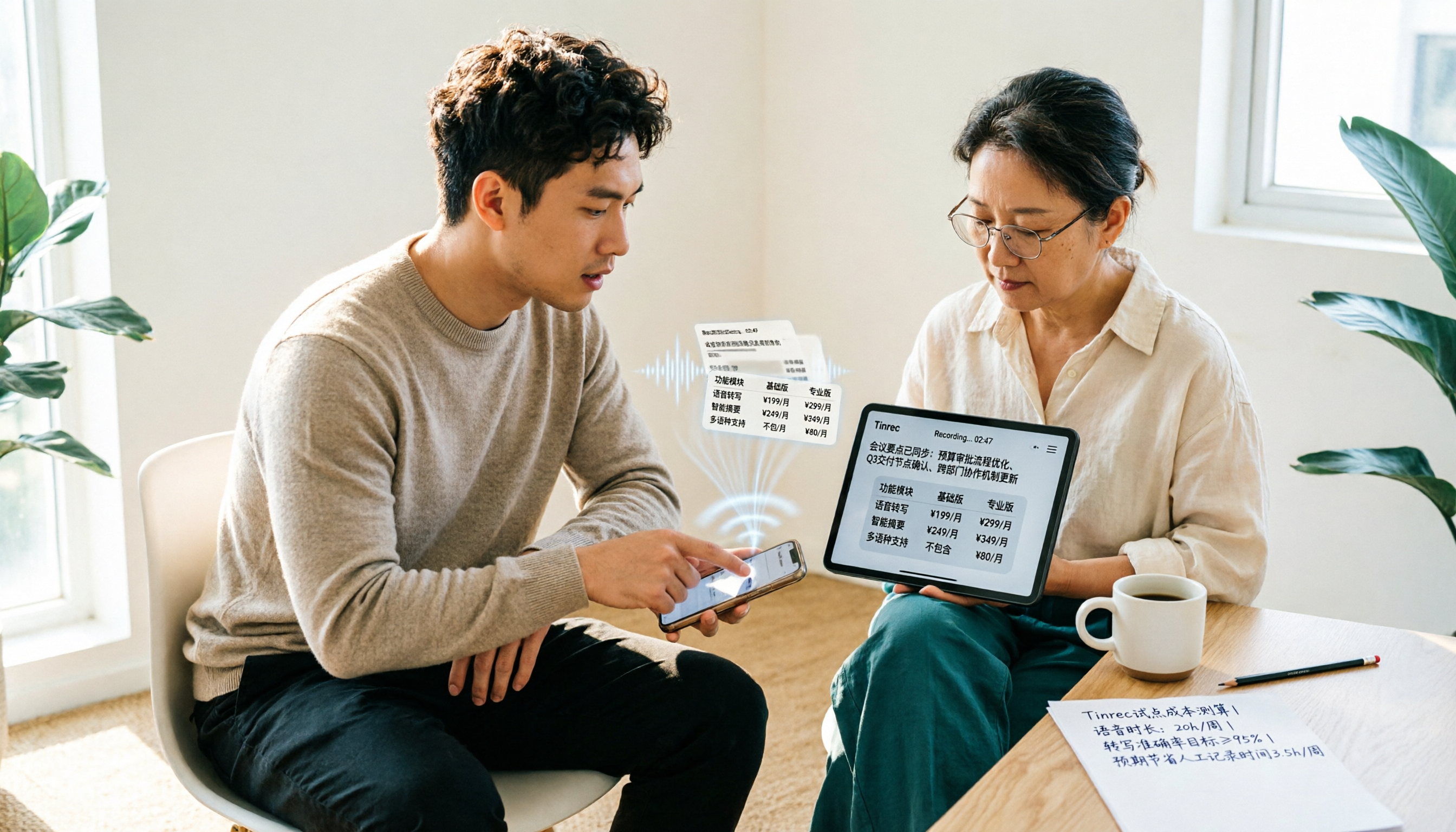
Notta vs Tinrec Pricing in 2026: Real Cost Comparison of 3 Transcription Apps
Notta's pricing page looks affordable, but the free plan caps recordings at 3 minutes and Business is priced per seat, so your actual bill often differs from the sticker price. This article breaks down the cost structures of Notta and Tinrec, comparing free quotas, pricing units, post-meeting organization costs, and team seat calculations to help you figure out what you'll really pay.

2026 Audio-to-Text Tools Compared: Notta vs. Tinrec for Chinese Meeting Notes — Which Saves More Time?
People searching for the Notta audio-to-text converter really want to know: can it handle my files, does it understand Chinese, and who organizes everything after transcription? This hands-on review focuses on Tinrec, breaking down real-time transcription, bot-free online meeting recording, AI summaries and Q&A, team roles and seats, plus 5 key buying criteria and FAQs.